

Your Check-In Policy Needs an Exception Path, Not Just a Green Screen
Fast check-in matters, but the hard moments are the exceptions. Give staff a clear path for missing waivers, balance questions, guest issues, and restrictions.


The line is moving until one family’s account raises three questions: a waiver is missing, a guest visit is disputed, and the member says the balance was paid yesterday. The employee can see the warnings but has no clear authority to resolve them.
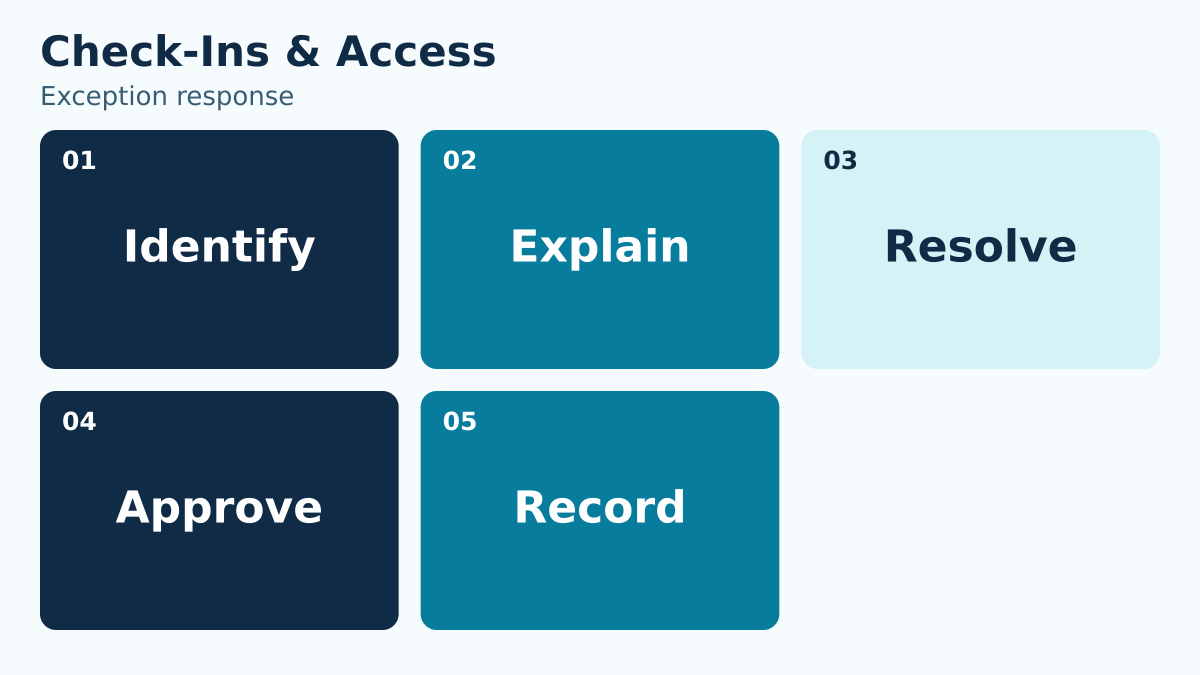
Give the desk a decision playbook for each common exception: what to verify, what staff may do, who can approve a different outcome, what to tell the member, and what record to leave. Fast routine entry and respectful exception handling need to be designed together.
PoolPulse brings membership status, waiver status, guest activity, and eligibility into the check-in and access-control workflow . The platform connection supports faster context; your club still defines its own admission policies and approval authority.
Name the exception types
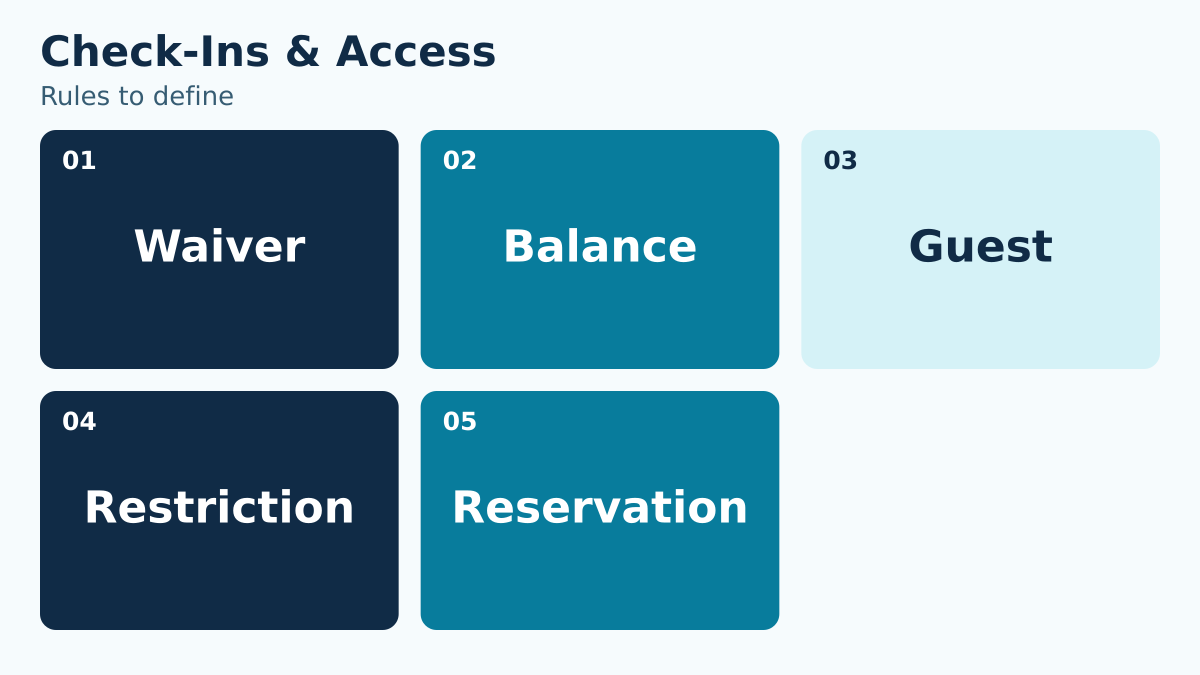
List the conditions that stop or complicate entry: missing waiver, inactive membership, unpaid balance, exhausted guest allowance, age restriction, incident restriction, reservation mismatch, or identity uncertainty.
Give each type a short label and plain-language definition so staff classify the same situation the same way.
Start with a week of real desk questions, using only the information needed to understand each case. Sort them by the decision required rather than by the screen where they appeared. A missing signature and a signature attached to the wrong participant may both display as a waiver problem, but they have different resolutions. A payment question may concern a balance, a delayed update, or a transaction applied to another account. Give staff a small classification list with examples and an “uncertain” route to a lead. Avoid treating every warning as a denial. The club should state which conditions require a pause, which permit routine correction, and which require an authorized admission decision. Review the labels with staff before adopting them so the categories match language people can use during a busy shift.
Separate information from authority
A screen can show context, but it should not imply that every staff member may override the result. Define who can explain, correct data, accept payment, issue a temporary hold, or approve entry.
Make the escalation path visible at the point of decision. Staff should not have to call several people while a line grows.
Make a simple authority table for the desk. One column lists actions staff may take immediately, such as checking identity using the approved method or sending the correct signing link. A second lists actions a lead may approve, and a third lists decisions reserved for management or finance. Include the evidence required for each escalation. A member saying “the manager always lets us in” should trigger a review of the applicable authorization, not a debate about the member’s credibility. Give the backup approver the same information as the primary approver. If nobody with authority is available, the playbook needs an approved interim response. Do not make the newest employee invent one while the family waits. Test the boundaries using the actual role accounts and permissions staff will use.
Write the member-facing explanation
Provide a respectful sentence for each common exception. State what is missing, why it matters, and the next available action without blaming the member or the system.
Consistency reduces conflict. It also prevents one family from receiving a different answer because a more experienced employee happened to be working.
Write short scripts that explain the next step without exposing private account details to the line. For a balance question: “I need the billing lead to confirm this item before I can complete the admission decision. We can review it over here.” For a guest limit: “This visit needs a lead’s review under our guest policy. I’ll send them the visit history.” Adapt both to the club’s approved rules. Avoid saying “the system says no” when the real decision belongs to the club. Also avoid promising that a payment or signature will resolve every issue if another restriction exists. Practice the script aloud, including the member’s likely follow-up question. If staff cannot explain who will respond and what happens next, the escalation is not yet useful to the person waiting.
Design the fastest safe resolution
For each exception, identify what can be completed immediately: sign a current waiver, confirm identity, pay an eligible balance, contact an authorized guardian, or move to a manager review.
Do not promise a resolution that policy does not allow. A clear no with a next step is better than an improvised exception that staff cannot defend later.
Define the shortest complete path for each category. A missing current waiver may require sending the correct link, identifying the authorized signer, and confirming the resulting record for the right participant. A reservation mismatch may require checking the resource, time, participant, and permitted guest arrangement. A payment question may need finance review rather than another attempted payment. Record the completion signal for each path so the desk knows when to resume the entry decision. Do not ask a member to repeat an action merely because the screen has not refreshed. First check whether the action succeeded and which record is current. Give staff a way to say “we are confirming the result” and name the next update. This protects the member experience while preventing two corrections from being applied to the same problem.
Protect the main line
Create a side path for cases that need more than a brief resolution. Keep routine check-ins moving while one staff member handles the exception.
The side path needs privacy, account context, and a defined hand-back to the entry process when the issue is resolved.
Choose the physical and staffing arrangement before peak arrival. The side path might be a nearby desk, a designated lead at another terminal, or a short callback process when the club’s policy allows it. It should not leave a participant unattended or expose account details to other members. Name the person who retains ownership of the case after it leaves the main line. Use a hand-back message with the member, resolved requirement, approving role if relevant, and any remaining condition. A vague thumbs-up from across the lobby does not provide enough context. Rehearse a case where the issue takes longer than expected and the next shift arrives. The unresolved item should transfer to a named employee, with the member receiving a clear update instead of having to restart the explanation.
Record the outcome
Capture exception type, action, approving person, time, relevant note, and whether follow-up remains open. Avoid vague notes such as “manager said okay.”
A useful record tells the next shift what happened and supports a fair review of repeated exceptions.
Replace “manager said okay” with a record that can be understood later. For example: “Guest visit reviewed by shift lead at 10:15; duplicate redemption corrected; one visit recorded; no further action.” This example describes a process outcome, not a customer result. Keep the note factual and limited to what the club needs. If the decision was a temporary exception, record its scope and expiry so another employee does not treat it as permanent permission. If the problem remains open, include the owner and next update. Review whether the note is visible to the roles that need the handoff and hidden from those that do not. Ask the next shift to explain what happened using only the saved record; missing context will become obvious before the same family returns.
Review repeated patterns
Aggregate exception types weekly during busy periods. A spike in missing waivers may indicate a reminder problem; guest conflicts may reveal unclear rules; balance questions may expose confusing invoices.
Use the data to improve policy, communication, and configuration instead of blaming the front desk.
Review counts with a meaningful denominator. Ten waiver questions during 100 arrivals means something different from ten during 1,000 arrivals. Use the same exception definitions from week to week and separate repeat visits for the same unresolved issue from new cases. Investigate the sequence behind a spike before changing policy. If a renewal email points to an old form, repairing the link may be more useful than sending another reminder. If guest disputes cluster around a particular rule, compare the website wording, purchase confirmation, and desk script. Select one change, assign an owner, and review the next comparable period. Avoid treating every justified exception as a staff mistake. The review should distinguish unclear policy, stale data, configuration problems, and reasonable use of authorized judgment.
Practice before opening
Run short scenarios with actual staff accounts. Include a routine entry, a missing waiver, a guest exception, a restricted member, and a reservation mismatch.
The practice is successful when staff reach the correct outcome, use the right authority, and leave an understandable record.
Run a short practice rotation with staff playing both employee and member. Start with a clean entry, then add one complication at a time. For the final case, combine a guest question with a missing record and an absent primary approver. Observe whether staff classify the issue, protect privacy, use the approved authority, explain the next step, and leave a complete handoff. Stop the exercise when people reach different outcomes from the same facts and clarify the rule before continuing. Use the guest-pass policy guide to prepare guest scenarios. After opening, collect questions that the rehearsal missed and add only the recurring or consequential ones. A compact playbook that staff can find and use is more valuable than a large binder of scenarios nobody revisits.
A two-minute handoff for a disputed payment
Suppose a member arrives with a payment receipt, but the desk still sees an unresolved balance. The first employee should identify the account and relevant payment reference, then follow the club’s approved admission and escalation policy. The employee should not charge the member again simply to clear the screen.
The handoff to the billing lead should state what the member presented, which account and charge are involved, what the desk can currently verify, and whether entry is waiting on the decision. Keep the receipt in an authorized channel and avoid discussing the amount across the lobby. Give the member a specific next update, even if the final answer requires more investigation.
When the billing lead responds, record the confirmed outcome and any correction required. If the payment belongs to a different account, the correction may need a separate authorized action before the desk can rely on the new status. If it is still pending, use the club’s approved interim rule. Finish by telling the member what was resolved and what remains open. The next shift should be able to continue the case without asking the member to repeat the whole story.
Use this working-session checklist
- Name the reader or staff role who must make the decision.
- Write the operational question in one sentence.
- Identify the source record and the person responsible for it.
- Define the normal path and the most common exception.
- State which role can approve an override or correction.
- Choose the evidence that proves the outcome was completed.
- Set a review date and a trigger for revisiting the rule.
- Test the process with a realistic household, staff account, or operating day.
Do not mark the work complete because a document exists. Ask someone who did not write it to use it. If that person cannot reach the correct outcome without private coaching, the process still depends on memory.
How to make the decision durable
Write the final rule in language a seasonal employee can understand. Put technical configuration details in the implementation record, not in the staff instruction. Connect the policy to the screen, report, or record staff actually use, and give exceptions a visible route instead of an informal favor.
Then review the first few real cases. Compare the expected result with what staff and members experienced. Correct wording, permissions, fields, or training while the evidence is fresh. A small early review is more useful than a large annual cleanup because it catches interpretation gaps before they become habits.
Finally, keep ownership visible. Every open item needs a person and a date. “The board,” “the office,” or “the vendor” is not an owner. A role or named person who can act is.
Turn the framework into an operating advantage
The purpose of this work is not a perfect document. It is a club that can answer a member, complete a shift, prepare a report, and hand responsibility to the next person without losing context. Clear records reduce the number of situations that require heroic memory.
PoolPulse check-ins and access control can help keep the relevant account and operational context connected. The club still owns its policies, approvals, and judgment; the platform should make those decisions easier to apply and review.
Explore connected check-ins and access control in PoolPulse.

Before You Sell Guest Passes for 2027, Decide What They Actually Allow
Build a club guest pass policy staff can apply consistently, covering sponsors, limits, payment, exceptions, records, and opening-day testing.

The Board Approved the Rule. Why Does the Front Desk Give Three Answers?
A board decision needs to make sense at the front desk. Get the rule, start date, staff instructions, and member messages ready so every shift has the same answer.

The Saturday Morning Check-In Stress Test
A practical stress test for membership status, waivers, guest rules, balances and occupancy before your next busy Saturday.
Want to see if PoolPulse is a good fit for your club?
Book a walkthrough and we'll show you exactly how PoolPulse can help based on your club's needs, goals, and current processes.