

The Admin Task Test: Does Your Club Waste 12 Hours a Week?
Track how much time your staff spends on routine admin tasks. This practical test reveals where clubs lose hours and how to fix it.

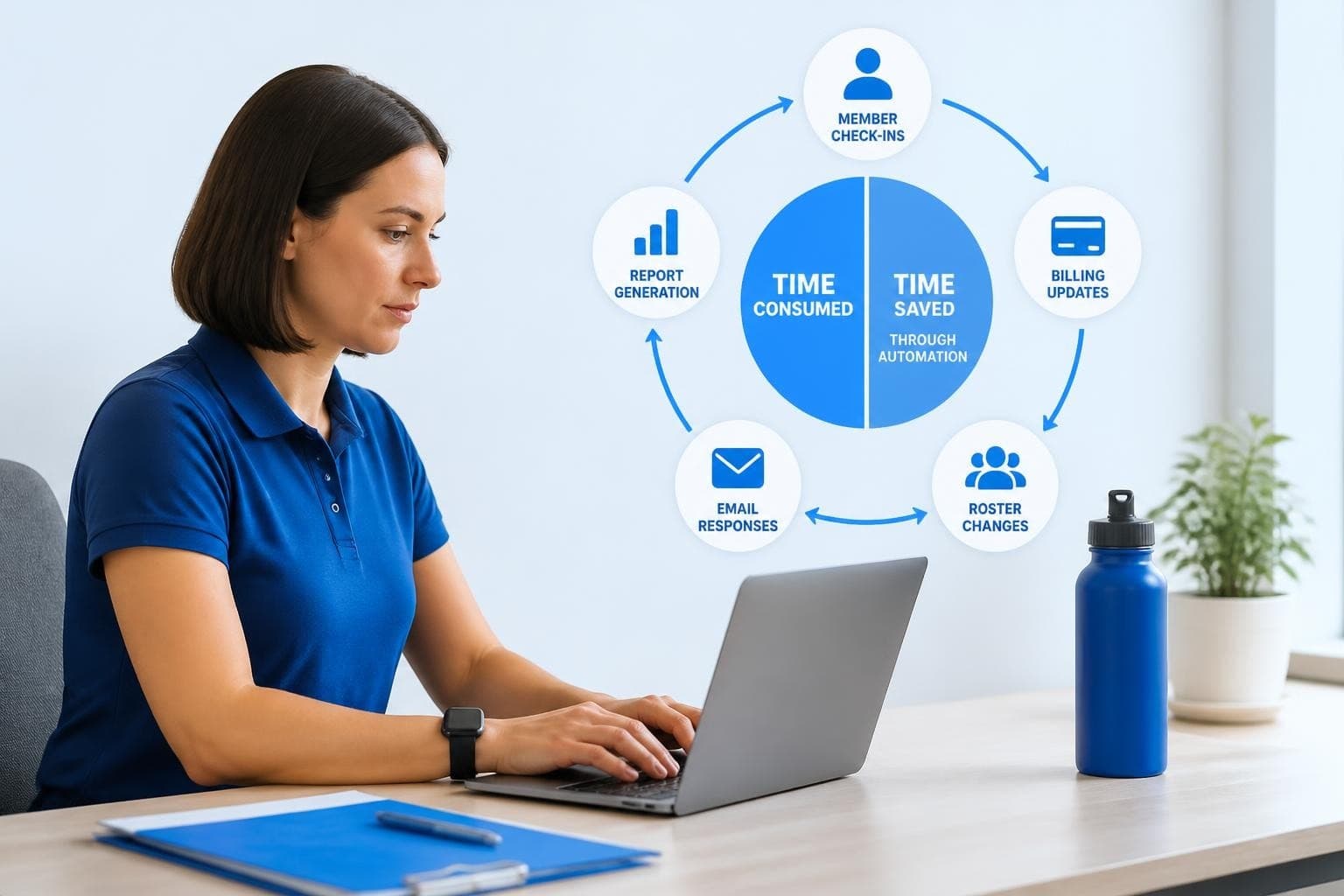
It's Saturday morning at 9:47 AM, and your front desk manager is on hold with a parent about a billing question. Two families are waiting to check in. A board member just texted asking for updated membership numbers. Meanwhile, your seasonal staff member is looking for the guest waiver form, and you're trying to remember if you sent renewal notices to the families whose memberships expire this month. Sound familiar? You're not dealing with a staffing problem or a communication breakdown. You're dealing with an administrative software gap, and it's costing you more time than you realize.
Why Most Clubs Don't Know Their Admin Time Problem
Most swim club operators can tell you exactly how many lanes they have or what their peak attendance was last summer. But ask them how many hours per week their team spends on administrative tasks, and you'll get a shrug.
Here's the reality: the average club staff member spends 12-15 hours weekly on routine admin work. That's tasks like updating member records, processing payments, answering the same questions, generating reports, and tracking down information.
Let's break that down with actual numbers:
| Task | Time Per Week | Annual Hours |
|---|---|---|
| Manual check-ins and guest logging | 3-4 hours | 156-208 hours |
| Billing questions and payment updates | 2-3 hours | 104-156 hours |
| Member data updates (addresses, emails, families) | 2 hours | 104 hours |
| Report generation for board meetings | 1-2 hours | 52-104 hours |
| Email responses to routine questions | 3-4 hours | 156-208 hours |
Add it up, and you're looking at 572 to 780 hours annually for just one staff position. That's roughly four months of full-time work spent on tasks that administrative software should handle automatically.
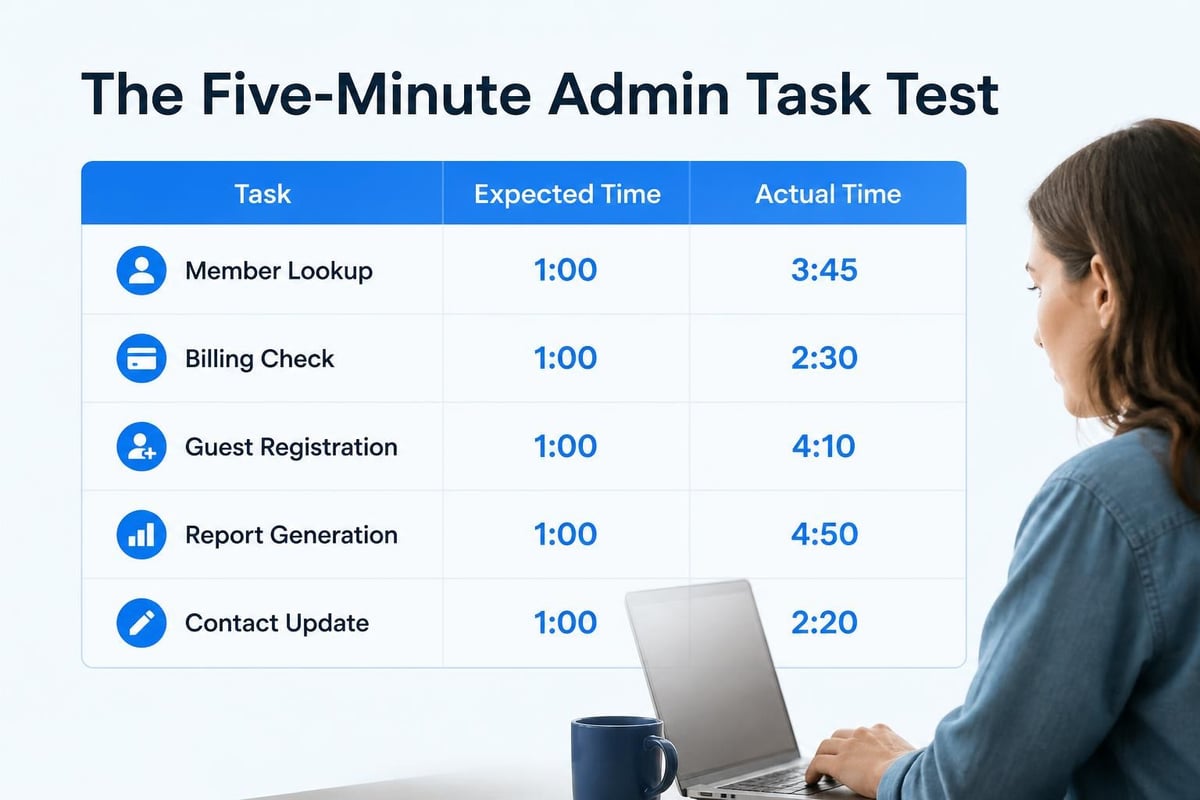
The Five-Minute Admin Task Test
Want to know if your current setup is costing you time? Run this simple test during your next shift:
Pick any five routine admin tasks. Things like checking a member's balance, updating a family's contact info, running an attendance report, processing a guest check-in, or finding out which memberships renew next month.
Time yourself. How long does each task actually take from start to finish? Include the time spent logging into different systems, searching for information, or asking someone else where to find it.
Multiply by frequency. How many times does your team do each task per week?
Most clubs discover that tasks they thought took "just a minute" actually consume 5-10 minutes when you count all the steps. And tasks they do "occasionally" happen 20-30 times per week when the whole team's activities are combined.
What Administrative Software Actually Does
Here's where we need to get specific. The term "administrative software" gets thrown around to describe everything from basic spreadsheets to complex enterprise systems. But for swim clubs, tennis facilities, and HOA pools, administrative software means something very practical.
It's the system that handles your daily operational tasks without requiring manual work for each transaction.
Think of it this way: without proper administrative software, checking in a member means looking them up, verifying their status, logging their visit, checking if they have guest privileges, and updating your attendance count. With the right system, it's a single scan or tap.
Core Functions That Save Time
The administrative software your club actually needs should handle these specific jobs:
- Member database management that keeps family information, membership types, and status current without duplicate entries
- Automated billing and renewals that process payments, send reminders, and flag overdue accounts without manual tracking
- Check-in systems that verify membership status, log attendance, and manage guest privileges in seconds
- Communication tools that send targeted messages to specific groups without manual email list management
- Financial reporting that generates accurate revenue, attendance, and membership reports on demand
- Access control that ensures staff see only the information they need while protecting member privacy
The difference between basic software and effective administrative software comes down to integration. If you're copying information between systems, exporting and importing spreadsheets, or manually updating the same data in multiple places, your software isn't actually administrative. It's just digital filing cabinets.
The Hidden Costs Nobody Warns You About
You know that administrative software costs money upfront. Subscription fees, implementation time, staff training. Those are visible and expected.
But the hidden costs? Those catch most clubs by surprise.
Cost 1: The Data Cleanup Tax
Before you can implement any new administrative software, you need clean data. That means going through your current member records and fixing inconsistencies.
How many family records have outdated emails? How many memberships show confusing or contradictory status notes? How many billing entries don't match what actually happened?
For most clubs, data cleanup takes 40-80 hours of staff time. That's time you're paying for that doesn't show up in the software quote.
Cost 2: The Learning Curve Gap
Even user-friendly administrative software requires adjustment time. Your experienced front desk staff knows your current system inside and out, even if it's inefficient.
During the transition period, expect tasks to take longer, not shorter. Budget for this reality:
| Transition Phase | Timeline | Productivity Impact |
|---|---|---|
| Initial learning | Weeks 1-2 | 60-70% of normal speed |
| Building confidence | Weeks 3-4 | 80-90% of normal speed |
| Full proficiency | Weeks 5-8 | 100%+ of normal speed |
Smart clubs plan for this by implementing during their off-season or building extra coverage into their schedules.
Cost 3: The Integration Challenge
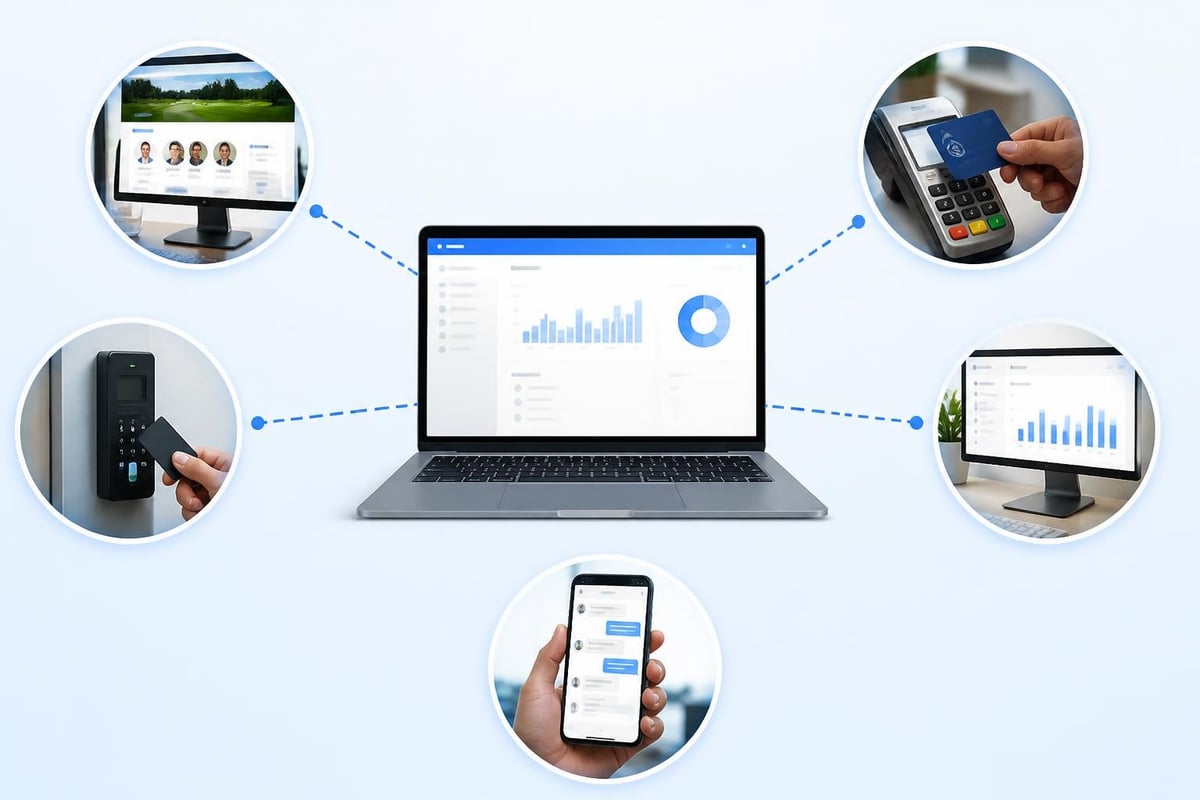
Your administrative software doesn't exist in isolation. It needs to work with your website, your accounting system, your door access hardware, and possibly your payment processor.
Each integration point is a potential failure point. What happens when your payment processor updates their API? What if your door hardware isn't compatible? How do you handle website form submissions?
The clubs that succeed with administrative software ask these questions during evaluation, not after signing the contract. They look for platforms with proven integration capabilities and responsive technical support. Solutions like PoolPulse address this by offering built-in integrations and website integration capabilities that reduce the need for complex custom development.
Comparing Your Options: The Real Differences
Not all administrative software is built the same way, and the differences matter more than most marketing materials admit.
Legacy Systems vs. Modern Platforms
Many clubs are running software that was designed 10-15 years ago. It works, sort of, but it wasn't built for how clubs operate in 2026.
Legacy administrative software typically:
- Requires installation on specific computers
- Stores data locally rather than in the cloud
- Offers limited or no mobile access
- Charges separately for updates and new features
- Provides email-only support during business hours
Modern platforms approach things differently:
- Work from any device with a web browser
- Store data securely in the cloud with automatic backups
- Provide full mobile functionality for staff and members
- Include updates and new features in the subscription
- Offer multiple support channels including chat and phone
The operational difference becomes obvious during real-world scenarios. When a board member asks for membership numbers on Sunday evening, can you pull them up from your phone? When your Saturday staff member calls in sick, can the substitute access everything from home before driving in?
General Business Software vs. Club-Specific Solutions
You'll find administrative software designed for general business use: CRM systems, membership platforms, booking tools. Some clubs try to adapt these tools to their needs.
Here's the problem: general software makes you conform to its workflow. You end up with workarounds, custom fields with confusing names, and processes that don't quite fit how clubs actually operate.
Club-specific administrative software understands concepts like family memberships, seasonal access, guest privileges, and member-driven governance. It's built around the swim club operational calendar, not a generic business cycle.
For example, swim club management software designed specifically for aquatic facilities includes features like swim team integration, pool capacity management, and seasonal membership transitions that general business software would require extensive customization to handle.
Security and Compliance: The Stakes Are Higher Now
Your administrative software holds sensitive information about families and children. Names, addresses, birth dates, payment methods, sometimes medical information for special accommodations.
That makes your club a target and makes you responsible for protection.
Data Protection Requirements You Can't Ignore
If you serve any members who are EU residents or citizens, you're subject to GDPR requirements regardless of where your club is located. The principles of the GDPR establish strict rules about how you collect, store, and use personal data.
Your administrative software must support:
- Lawful processing: Getting proper consent and having legitimate reasons for data collection
- Purpose limitation: Only collecting data you actually need for club operations
- Data minimization: Not asking for unnecessary information
- Accuracy: Keeping member information current and allowing corrections
- Storage limitation: Deleting old data when it's no longer needed
- Integrity and confidentiality: Protecting data from unauthorized access
- Accountability: Being able to demonstrate compliance
This isn't optional or aspirational. Violations carry fines up to €20 million or 4% of annual revenue, whichever is higher.
Practical Security Measures
Beyond legal compliance, your administrative software needs concrete security protections:
- Encrypted data transmission (HTTPS everywhere, not just on login pages)
- Encrypted data storage (so stolen database backups are useless)
- Role-based access controls (front desk staff shouldn't see financial details they don't need)
- Audit logging (who accessed what information and when)
- Regular security updates (patches applied automatically, not months later)
- Secure password requirements (and ideally two-factor authentication)
- Automatic session timeouts (shared computers don't stay logged in)
The CIS Critical Security Controls provide a framework for evaluating whether your administrative software vendor takes security seriously. Look for vendors who can speak knowledgeably about which controls they implement.
When evaluating administrative software vendors, ask to see their security documentation. Reputable providers maintain dedicated resources like security overviews and data privacy policies that detail their protective measures.
Implementation: The First 30 Days
You've selected your administrative software. You've signed the contract. Now comes the part that determines whether you'll love or regret your choice: implementation.
Week 1: Data Migration and System Setup
Your priority: Get accurate member data into the new system without disrupting daily operations.
Most administrative software vendors provide data import tools or migration assistance. But "provide" doesn't mean "do it for you." Expect to:
- Export your current member database
- Clean up inconsistencies and duplicates
- Map your old field names to the new system's structure
- Import and verify a test batch before doing the full migration
- Confirm that family relationships, membership types, and billing information transferred correctly
Time required: 8-16 hours of focused work, usually spread across several days.
Pro tip: Don't try to migrate everything at once. Start with active memberships, then add historical data later if needed. Many clubs discover they don't actually need five years of attendance logs in their new system. Tools like PoolPulse's migration support can streamline this process significantly.
Week 2: Staff Training and Process Documentation
Your priority: Get your team comfortable with daily tasks before members notice anything different.
- Hold hands-on training sessions (not just video tutorials)
- Focus on the five most common tasks your staff performs daily
- Create simple cheat sheets with screenshots for the front desk
- Practice realistic scenarios including error recovery
- Assign a "go-to" person who gets extra training and can help others
Remember that learning curve gap we discussed earlier? This is where it hits. Your most experienced staff members might resist the change the most because they've mastered your old system. Acknowledge that the new administrative software will feel slower initially, but emphasize the long-term benefits.
Week 3-4: Parallel Operations and Testing
Your priority: Build confidence while maintaining your backup plan.
Run both systems simultaneously for at least two weeks:
- Process new registrations in the new administrative software
- Continue checking the old system for billing and reporting
- Compare outputs to verify accuracy
- Track which tasks are faster/easier and which need more practice
- Document any gaps or issues before going fully live
This redundancy feels inefficient, but it prevents the nightmare scenario where you discover a critical missing feature after you've deleted your old system.
Measuring Success: Metrics That Matter
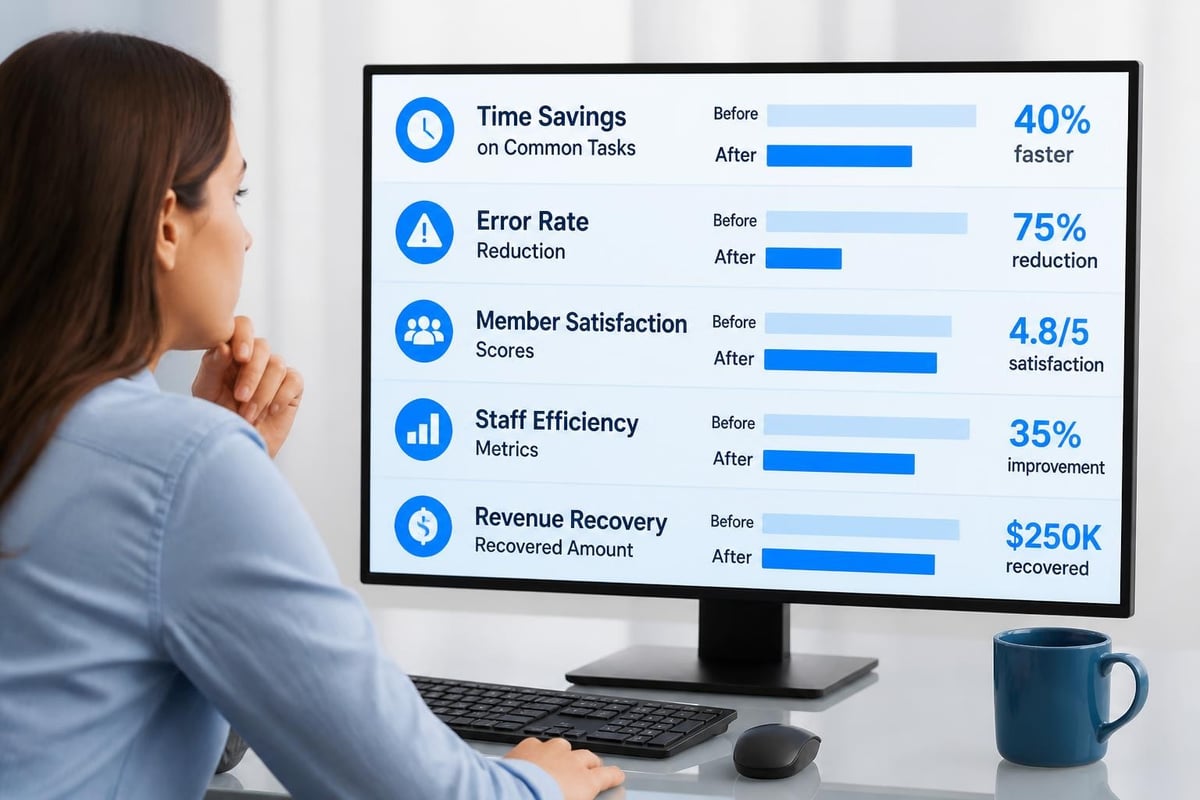
Three months after implementation, how do you know if your administrative software investment was worthwhile?
Time Savings (The Obvious Metric)
Go back to that five-minute admin task test. Run it again with the same tasks.
You should see measurable improvements:
- Member lookups: 3-5 minutes → under 30 seconds
- Balance checks: 2-4 minutes → under 20 seconds
- Guest check-in: 5-8 minutes → under 1 minute
- Report generation: 20-30 minutes → under 5 minutes
- Contact updates: 3-5 minutes → under 1 minute
If you're not seeing at least 50% time reduction on routine tasks, something's wrong. Either you need more training, or you chose administrative software that doesn't fit your workflow.
Error Reduction (The Hidden Metric)
Count these incidents for one month before and after implementation:
- Billing disputes due to manual entry errors
- Members turned away because their status wasn't updated
- Double-booking or scheduling conflicts
- Lost revenue from forgotten renewals
- Board questions that staff couldn't answer immediately
Quality administrative software doesn't just save time. It eliminates the mistakes that come from manual processes and disconnected systems. As automation-driven improvements continue to evolve, expect even better accuracy from AI-enhanced administrative platforms.
Member Satisfaction (The Ultimate Metric)
Your administrative software affects member experience more than you might think.
Positive indicators:
- Shorter wait times at check-in
- Fewer billing complaints
- More members using self-service features
- Faster response times to questions
- Increased renewal rates
Warning signs:
- Members complaining about new processes
- Increased email volume asking for help
- Drop in online registration completion
- Frustrated comments about website functionality
Modern administrative software should improve member experience, not complicate it. Features like mobile check-in, online account access, and automated communications make membership more convenient. If your members are complaining more after implementation, don't blame them for "not adapting." Look for gaps in your system or training.
Advanced Features Worth the Investment
Once you've mastered the basics, certain advanced administrative software capabilities deliver outsized value for clubs.
AI-Powered Insights
The newest administrative software platforms use artificial intelligence to spot patterns your staff would never catch manually.
Practical applications:
- Predicting which members are at risk of not renewing
- Identifying optimal times for maintenance based on attendance patterns
- Flagging unusual billing activity that might indicate problems
- Recommending membership types based on usage patterns
- Forecasting revenue and attendance for better planning
This isn't science fiction. Platforms like PoolPulse's AI insights already deliver these capabilities to clubs in 2026. The AI analyzes your operational data and surfaces actionable recommendations that help you make better decisions.
Automated Revenue Recovery
How much money does your club lose each year to:
- Expired credit cards that don't get updated?
- Renewals that slip through the cracks?
- Guest fees that don't get collected?
- Billing plan changes that don't get processed?
Most clubs don't know because they don't track it. Administrative software with revenue recovery features automatically identifies and helps recapture lost income.
Multi-Location Management
If you operate multiple facilities or manage pools for different organizations, standard administrative software becomes a nightmare. You need either multiple accounts (which don't talk to each other) or one massive account where everything's mixed together.
Purpose-built solutions for multi-community amenity management let you maintain separate operations while gaining consolidated reporting and shared resources.
Common Mistakes and How to Avoid Them
After working with hundreds of clubs through administrative software transitions, certain mistakes appear over and over.
Mistake 1: Choosing Based on Price Alone
The cheapest administrative software usually costs more in the long run.
Hidden costs of cheap software:
- Limited support that leaves you stuck when problems arise
- Missing features that require expensive add-ons
- Poor integration capabilities that force manual workarounds
- Frequent downtime that disrupts operations
- Security vulnerabilities that put member data at risk
Better approach: Calculate total cost of ownership over three years, including staff time, integration costs, and potential revenue impact.
Mistake 2: Skipping the Trial Period
Every reputable administrative software vendor offers a trial or demo. Clubs that skip this step almost always regret it.
What to test during your trial:
- Import a sample of your real data (with sensitive info removed)
- Have multiple staff members try common tasks
- Test mobile access from phones and tablets
- Attempt your most complex workflows
- Contact support with questions and gauge response quality
- Try integrations with your existing tools
Request a product tour or demo to see the administrative software in action with scenarios similar to your club's daily operations.
Mistake 3: Underestimating Change Management
Technical implementation is the easy part. Getting staff to actually use the new administrative software effectively is harder.
Successful clubs:
- Start talking about the change weeks before implementation
- Involve staff in vendor selection and testing
- Celebrate small wins during the transition
- Address concerns directly rather than dismissing them
- Provide ongoing training, not just one-time sessions
- Give staff permission to ask "dumb" questions
Mistake 4: Ignoring Vendor Stability and Roadmap
You're not just buying software. You're entering a multi-year relationship with a vendor.
Research the vendor thoroughly:
- How long have they been in business?
- Do they specialize in your type of facility?
- What's their update frequency and feature release history?
- Are they responsive to customer feature requests?
- Do they have a clear product roadmap?
- What happens if they're acquired or go out of business?
Check resources like platform stability commitments and service level agreements that guarantee uptime and support response times.
Vendor Evaluation Checklist
When comparing administrative software options, use this structured approach:
Core Functionality Assessment
| Feature | Must-Have | Nice-to-Have | Not Needed |
|---|---|---|---|
| Member database with family grouping | ☑ | ☐ | ☐ |
| Automated billing and renewals | ☑ | ☐ | ☐ |
| Digital check-in system | ☑ | ☐ | ☐ |
| Financial reporting | ☑ | ☐ | ☐ |
| Email communication tools | ☑ | ☐ | ☐ |
| Mobile app for members | ☐ | ☑ | ☐ |
| Website integration | ☐ | ☑ | ☐ |
| Attendance tracking | ☑ | ☐ | ☐ |
| Guest management | ☑ | ☐ | ☐ |
| Access control integration | ☐ | ☑ | ☐ |
Technical and Security Requirements
Before committing, verify:
- Data is encrypted in transit and at rest
- Regular automated backups with tested restore procedures
- Documented data privacy policies
- GDPR and relevant privacy law compliance
- Role-based access controls
- Audit logging of sensitive operations
- Two-factor authentication available
- Mobile responsiveness, not just mobile compatibility
- API availability for future integrations
- Export capabilities to prevent vendor lock-in
Support and Training Evaluation
Ask specific questions:
- What support channels are available? (Email, phone, chat)
- What are the support hours?
- What's the typical response time for urgent issues?
- Is training included in the implementation?
- Are there ongoing training resources?
- Is there a user community or knowledge base?
- Who handles technical integrations?
- What's included in the base price vs. add-on services?
Review the vendor's support offerings and ask about their onboarding process to understand how they'll help you succeed.
The Real-World Impact on Daily Operations
Let's bring this back to where we started: that busy Saturday morning.
With effective administrative software in place, here's how the scenario changes:
9:47 AM: A parent arrives asking about their balance. Your front desk staff pulls up their account in seconds, sees the billing history, and explains the charge. Total time: 90 seconds.
9:49 AM: Two families check in. They scan their membership cards or enter their phone numbers. The system verifies their status, logs their attendance, and welcomes them by name. Total time: 30 seconds.
9:50 AM: Your board member texts asking for membership numbers. You open the administrative software on your phone, run the membership summary report, and screenshot it back to them. Total time: 45 seconds.
9:51 AM: Your seasonal staff member finds the guest waiver form in the system's document library, emails it to the guest who's on their way, and sets a reminder to collect the signed copy. Total time: 60 seconds.
9:52 AM: You realize you haven't sent renewal notices yet. You filter for memberships expiring in the next 30 days, review the automated email template, and schedule it to send. The system will track who renews and send follow-ups automatically. Total time: 3 minutes.
Total time for all five tasks: Under 7 minutes instead of scattered across the morning in crisis mode.
That's the difference administrative software makes. Not revolutionary, not magical, just efficient. You get time back to actually manage your club instead of drowning in administrative tasks.
The impact extends beyond just time savings. When end-user experience improves for staff, they're more productive, less stressed, and better able to serve members.
Configurable vs. One-Size-Fits-All Solutions
Every club is different. Some are family-focused swim clubs with 200 members. Others are tennis and swim facilities with 800 members and complex booking needs. Still others are HOA pools serving multiple communities.
One-size-fits-all administrative software forces you to adapt your operations to match the software's assumptions about how clubs work.
Configurable platforms let you adapt the software to match your actual operations.
What "Configurable" Really Means
At the surface level, it means you can:
- Define your own membership types and pricing tiers
- Create custom fields for the information you track
- Design your own email templates and communications
- Set up workflows that match your approval processes
- Configure access permissions by role
At a deeper level, it means:
- The software doesn't force you into predefined categories
- You can adjust as your club evolves without vendor customization
- New staff members can understand the system because it uses your terminology
- You're not paying for features you'll never use
- You're not lacking features you need
Modern solutions built on configurable platforms give clubs the flexibility to start simple and add complexity only where needed. This is especially valuable for facilities with unique requirements or those managing multiple property types.
Making Your Final Decision
You've done the research. You've run trials. You've talked to vendors. Now you need to decide.
Build your business case by calculating:
- Current staff hours spent on admin tasks × hourly cost
- Estimated time savings × hourly cost
- Potential revenue recovery from better billing and renewals
- Reduced error-related costs (refunds, disputes, losses)
- Member retention improvement value
- Staff satisfaction and turnover reduction
Most clubs find that quality administrative software pays for itself within 6-12 months just from time savings alone. Revenue recovery and improved member retention make the ROI even stronger.
Resources like making your case can help you present the investment to your board with clear financial justification.
Get internal buy-in before signing by:
- Involving key staff members in vendor demos
- Addressing board concerns about cost and disruption
- Showing concrete examples of time savings and improvements
- Proposing a measured rollout plan
- Identifying a project champion who'll drive adoption
Review the contract carefully for:
- Contract length and renewal terms
- Price increase provisions
- Data ownership and export rights
- Termination clauses and penalties
- Support response time guarantees
- Uptime and availability commitments
- Implementation timeline and deliverables
Don't rush this decision because a contract expires or a vendor offers a limited-time discount. The wrong administrative software will cost you far more in wasted time and frustration than you'll save with a early-signup bonus.
The difference between administrative software that works and software that frustrates comes down to fit. Your club has specific needs, specific workflows, and specific challenges. The right system should make your daily operations smoother, give you better visibility into what's happening, and free up time to focus on member experience instead of paperwork. If you're ready to see how configurable, AI-powered club administration can transform your operations, PoolPulse offers swim clubs, tennis facilities, and HOA pools a modern platform built specifically for your needs.

The Swim Club Software Test Every Board Should Run
Run this simple test to see if your swim club software actually saves time or creates more work. Real scenarios, honest questions, better tools.

The Seven Signs You've Outgrown Your Club Operations
Your swim club is growing, but your tools aren't keeping up. These seven warning signs reveal when manual processes cost more than solutions.

How to Answer Every Board Question in Under Two Minutes
Your swim club board asks tough questions. Learn how management reporting software helps you pull accurate answers in seconds, not hours.
Want to see if PoolPulse is a good fit for your club?
Book a walkthrough and we'll show you exactly how PoolPulse can help based on your club's needs, goals, and current processes.