

How to Run a Billing Demo That Actually Shows Real Life
Run a billing demo that shows actual club operations. Test renewals, failed payments, proration, and edge cases swim clubs face every season.


You're sitting across from your board treasurer in March, two months before renewal season hits. She wants to see how the new software will handle billing for 387 families when half of them still have cards on file from 2023, another quarter will need to update expired cards, and at least thirty will have payment failures on the first attempt. You open the software vendor's "billing demo" and see three sample members with perfect data and payments that process instantly. That's the moment you realize the demo won't answer any of your real questions.
A good billing demo should mirror the chaos and edge cases your club actually faces. It needs to show you what happens when Mrs. Henderson's card declines at 6 AM on renewal day, how the system handles the family that joins in July and needs prorated dues, and whether you can actually generate the batch invoices your accountant needs for the audit. The difference between a surface-level billing demo and one that reflects real club operations can mean the difference between a smooth season and three months of manual cleanup work.
What Makes a Billing Demo Realistic for Swim Clubs
Most software vendors show you the happy path during a billing demo. Everyone pays on time, every card processes successfully, and all the reports come out clean. That's not how swim clubs work.
Your billing demo needs to include the scenarios you'll actually encounter between April and September. You need to see failed payments, partial refunds when a family moves in June, the proration math for mid-season joiners, and how the system handles a member who owes $127.50 from last season plus this year's $850 renewal.
The Scenarios Your Demo Must Cover
Here's what should be in every billing demo you evaluate:
- Failed payment processing with automatic retry logic and member notifications
- Proration calculations for families joining or leaving mid-season
- Past-due balances combined with current charges on a single invoice
- Family vs. individual billing when you have different membership tiers
- Seasonal payment plans (paying in installments rather than one lump sum)
- Guest fees and add-ons beyond base membership dues
- Refund scenarios including full, partial, and prorated returns
A proper swim club management software billing demo will walk through each of these situations using realistic data. You should see member names, actual dollar amounts that match your fee structure, and processing timelines that account for weekends and bank holidays.

Setting Up Test Data That Mirrors Your Member Base
When you run a billing demo, the test data matters more than most people realize. Three sample members named "John Doe" with $100 charges tell you nothing about how the system will perform under real conditions.
Ask the vendor to set up demo data that matches your actual situation. If you have 400 member families, the demo database should contain at least 50-100 test records. If 15% of your members are on payment plans, the demo should reflect that ratio. If you bill corporate memberships differently than family memberships, both types need to appear in the test environment.
Building Representative Test Scenarios
The best way to prepare for a billing demo is to pull your actual billing situations from the last twelve months. Look through your spreadsheets, old invoices, and email threads with members who had billing questions.
You'll probably find patterns like these:
- The Early Birds who renew in February and expect a discount
- The Last-Minute Families who wait until Memorial Day weekend
- The Payment Plan People who need to spread $1,200 across four months
- The Mid-Season Joiners who show up in July when it's hot
- The Chronic Declines whose cards fail every single time
Share these scenarios with the vendor before the demo. A good vendor will configure their test environment to show you exactly how their system handles each situation. According to Stripe's testing guide , you can simulate dozens of payment scenarios including declines, disputes, and authentication challenges using specific test card numbers.
When you're evaluating whether to migrate to PoolPulse , this level of scenario testing helps you understand exactly how billing will work once you're live.
Running Through the Full Billing Cycle
A comprehensive billing demo should walk you through the complete lifecycle of a billing period, not just the moment when a charge processes. You need to see how the system behaves from setup through reconciliation.
Start by watching how invoices get generated. Can you preview them before they go out? Do they include all the line items your treasurer needs to see? Will members receive emails automatically, or do you need to remember to click send?
The Week Before Renewal Day
In a realistic billing demo, you'll test what happens in the days leading up to your billing date. This is when you're updating rates, reviewing member statuses, and making sure everyone who should be billed actually will be.
Good systems let you run reports showing exactly who will be charged, for how much, and using which payment method. You should be able to spot problems before they happen. Mrs. Rodriguez has an expired card. The Johnson family still has a credit from last summer. The new family that joined in August doesn't have payment information on file yet.
During your billing demo, ask to see these pre-billing reports. If the vendor can't show you a clear preview of what's about to happen, you'll be flying blind when renewal season actually arrives.
| Pre-Billing Check | What to Look For | Why It Matters |
|---|---|---|
| Member status review | Active vs. inactive flags, billing holds | Prevents charging people who already cancelled |
| Payment method verification | Expired cards, missing information | Reduces day-one failures |
| Rate validation | Correct amounts by membership tier | Catches configuration errors before billing runs |
| Credit balance check | Members with existing credits or debts | Ensures accurate invoice totals |
| Communication preview | Email templates, send schedules | Confirms members get clear information |
Processing Day and the First 48 Hours
The actual billing demo should show you what happens on the day charges process. In the swim club world, you're typically running a batch process for hundreds of families at once, not processing one transaction at a time.
Watch for these details during the demo:
How does the system handle partial failures? If 47 out of 400 cards decline, can you easily identify and follow up with those families? Do you get a clean list with contact information and amounts owed?
What do members see immediately? Do they receive email receipts? Can they log in and download their invoice right away? If someone calls at 9 AM with a question about their charge, can you pull up their transaction in seconds?
How does retry logic work? Many swim clubs benefit from automatic payment retries when cards decline. A solid billing demo will show you exactly when retries happen (usually after 3 days, then 7 days) and how members are notified at each step.
The subscription billing flow testing checklist from QAPractices covers many of the scenarios you should validate during your demo, including proration logic, upgrade/downgrade handling, and invoice generation.
Testing Failed Payments and Recovery Workflows
This is where most billing demos fall apart. Vendors love showing you successful transactions, but they get uncomfortable when you ask about failures, declines, and dunning (the awkward term for chasing down failed payments).
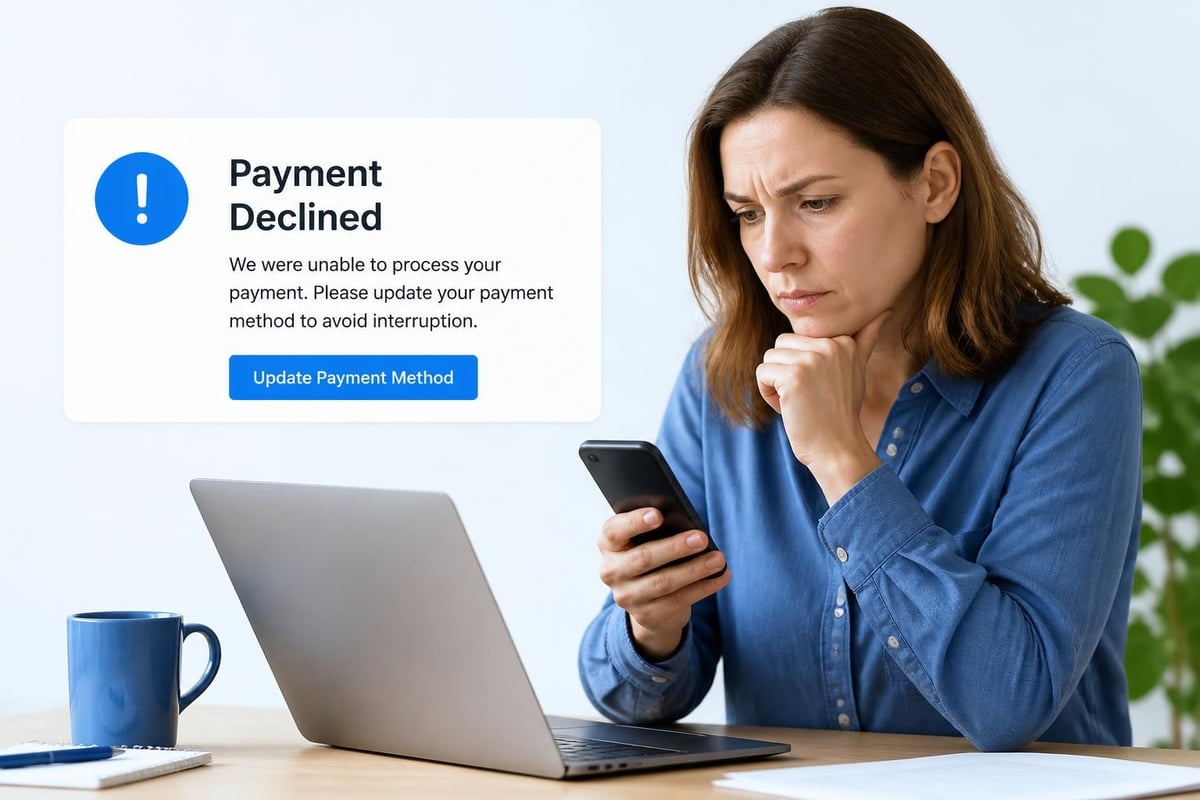
In reality, 8-15% of your member charges will fail on the first attempt. Cards expire, banks flag suspicious activity, members forget they got a new card number, and checking accounts run empty. Your billing demo needs to prove the software can handle these situations gracefully.
Simulating Real Decline Scenarios
Ask the vendor to trigger an actual card decline during the billing demo. Using Stripe's sandbox environment , they can simulate everything from insufficient funds to card-not-present fraud flags.
Watch what happens next:
- Does the system automatically mark the member as past due?
- Do you get an alert or task to follow up?
- Does the member receive a friendly notification asking them to update their payment method?
- Can the member fix the problem themselves through a self-service portal?
- When does the first retry attempt occur?
The best swim club software will walk the member through updating their card without requiring you to manually intervene. They'll get an email with a secure link, update their information, and the system will automatically retry the charge. You only get involved if the member ignores multiple attempts.
During your billing demo, pay close attention to the member-facing communication. Is the language clear and non-threatening? Does it explain exactly what the member needs to do? Generic payment failure emails that sound like they came from a credit card processor will confuse your members and generate phone calls.
Proration, Partial Refunds, and Mid-Season Changes
Summer swim clubs experience constant membership changes between May and August. Families join in June when school ends. Others cancel in July when they go on vacation. Someone always moves away right after paying for the full season.
Your billing demo should specifically address how the system calculates fair charges and refunds for these mid-season changes. This is where swim club billing gets complex, and it's where inferior software forces you into manual calculations and adjustments.
The Math That Has to Work
Let's say your full-season membership runs May 1 through September 15 and costs $900. A family joins on June 15. What do they owe?
The system needs to automatically calculate that they're joining 45 days into a 137-day season. They should pay for the remaining 92 days, which is $606.57. But wait, they also need pool cards ($40), facility insurance ($25), and they want to add their teenage son who wasn't on the original application ($150). Their actual first invoice should be $821.57.
During your billing demo, walk through this exact scenario with numbers from your actual fee schedule. Watch the system do the math. Check that the invoice explains the charges clearly. Verify that the proration calculation matches what you'd expect.
Handling Refund Requests
Now flip the scenario. A family paid $900 on May 1 but needs to move for a job transfer on July 1. They've used the pool for 61 days and have 76 days remaining on their membership.
Ask these questions during the billing demo:
Can the system calculate the prorated refund automatically? In this case, that's $499.27 if you refund for unused time.
Does your refund policy even allow this? Some clubs have a "no refunds after June 1" policy. Can the system enforce your policy rules while still handling legitimate exceptions?
What does the refund process look like? Do you click a button and the money goes back to their card, or do you need to cut a check? How long does it take? What documentation gets generated for your accounting records?
Understanding revenue recovery strategies helps clubs design better billing policies that reduce refund requests while still treating members fairly.
Reporting and Reconciliation in Your Billing Demo
You've processed charges, handled failures, calculated prorations, and issued a few refunds. Now it's month-end and your treasurer needs to reconcile everything for the financial reports that go to the board.
This is the part of the billing demo that many swim club administrators skip, and it's a mistake. The quality of your billing reports directly determines how much time you spend answering treasurer questions and tracking down discrepancies.
The Reports You Actually Need
During the demo, ask to see these specific reports:
- Revenue by membership type showing how much you collected from family vs. individual vs. corporate members
- Payment method breakdown indicating how much came through credit cards, ACH, checks, and cash
- Failed payment summary listing every member with a declined charge and current status
- Refund register documenting every refund issued, with reason codes and approval trail
- Aging report showing members with past-due balances and how long they've been outstanding
- Cash vs. accrual comparison because your accountant will ask for both views
The billing demo should show you actual data in each report format. Click the export button and open the CSV or Excel file. This is what you'll be working with every month. Is it readable? Does it contain the columns you need? Can you paste it into your existing board report template without spending an hour reformatting?
| Report Type | Key Data Points | Monthly Time Saved |
|---|---|---|
| Revenue summary | Income by category, payment method, time period | 2-3 hours |
| Member aging | Outstanding balances, last contact, days overdue | 1-2 hours |
| Transaction ledger | Every charge, refund, and adjustment with dates | 3-4 hours |
| Failed payment log | Decline reasons, retry status, member contact | 1-2 hours |
| Reconciliation worksheet | Bank deposits matched to system transactions | 2-3 hours |
Testing Edge Cases in Reporting
Here's where you separate good billing demos from great ones. Ask to see a report for "all families who paid in installments, had at least one failed payment that was later recovered, and received a partial refund due to mid-season cancellation."
Can the system generate that report? It's a complex filter, but it represents real situations that happen every season. If the vendor struggles to produce this kind of custom report during the billing demo, imagine how difficult it will be when you need it at 10 PM the night before a board meeting.
Research on improving experimentation in companies suggests that teams get better results when they can easily test different approaches and measure outcomes. The same principle applies to billing. When your reporting is flexible and detailed, you can experiment with different payment schedules, pricing tiers, and collection strategies because you can actually measure what works.
Security and Compliance During the Demo
When you're running a billing demo, you're about to trust this system with hundreds of credit card numbers and thousands of dollars in member payments. Security isn't optional.
Ask about PCI compliance during the demo. The vendor should be able to explain how they handle card data without storing raw card numbers on their servers. Modern systems use tokenization, where the actual card number is replaced with a meaningless token that can process charges but is useless if stolen.
What to Look for in Payment Security
During the billing demo, watch where card numbers appear (or don't appear). You should never see a full 16-digit card number displayed on screen. Instead, you'll see something like "Visa •••• 4242" showing only the last four digits.
When members enter payment information, the form should be hosted by the payment processor, not by the swim club software directly. This dramatically reduces your PCI compliance burden. The PCI Security Standards Council documentation outlines how point-to-point encryption protects card data from entry through processing.
Ask these security questions during your billing demo:
Where is card data stored? The answer should be "with our PCI Level 1 certified payment processor, not on our servers."
How do you handle fraud prevention? Look for features like AVS (address verification), CVV checks, and velocity limits that flag suspicious patterns.
What happens if someone hacks your system? They should explain that tokenized data is useless to attackers and describe their security monitoring.
Can administrators see member card numbers? The answer should be "no, they can only see the last four digits."
Integrating Billing with the Rest of Your Operations
Your billing system doesn't exist in isolation. It connects to membership data, facility access, reporting, and communication tools. A thorough billing demo shows you these connections.
Watch how billing status affects member privileges. When Mrs. Chen's payment fails and she becomes past due, does the system automatically suspend her pool access? Or can she keep swimming while owing money? Different clubs have different policies, and your software needs to support yours.
The Billing-to-Access Connection
During the billing demo, create a scenario where a member tries to check in at the front desk but has a past-due balance. What does your staff see? Is there a clear alert? Can they still allow access with a manager override? Does the system log that the member used the facility while past due?
This is where PoolPulse features shine in real-world use. When billing integrates tightly with check-in, renewals, and member communication, you eliminate the gaps where members slip through with unpaid balances or staff make inconsistent decisions about who gets access.
Communication Triggers Based on Billing Events
A sophisticated billing demo will show you automated communication workflows triggered by billing events:
- Welcome email with receipt when a new member pays their first invoice
- Payment confirmation within minutes of successful processing
- Friendly reminder three days before the next installment is due
- Payment failure notification with a link to update card information
- Past-due escalation at 7 days, 14 days, and 30 days
- Thank you message when a past-due member brings their account current
During the demo, look at the actual email templates. Are they written in friendly, clear language? Can you customize them to match your club's voice? Do they include the specific information members need (amount, date, payment method) without sounding like corporate billing notices?
Customizing the Billing Demo to Your Fee Structure
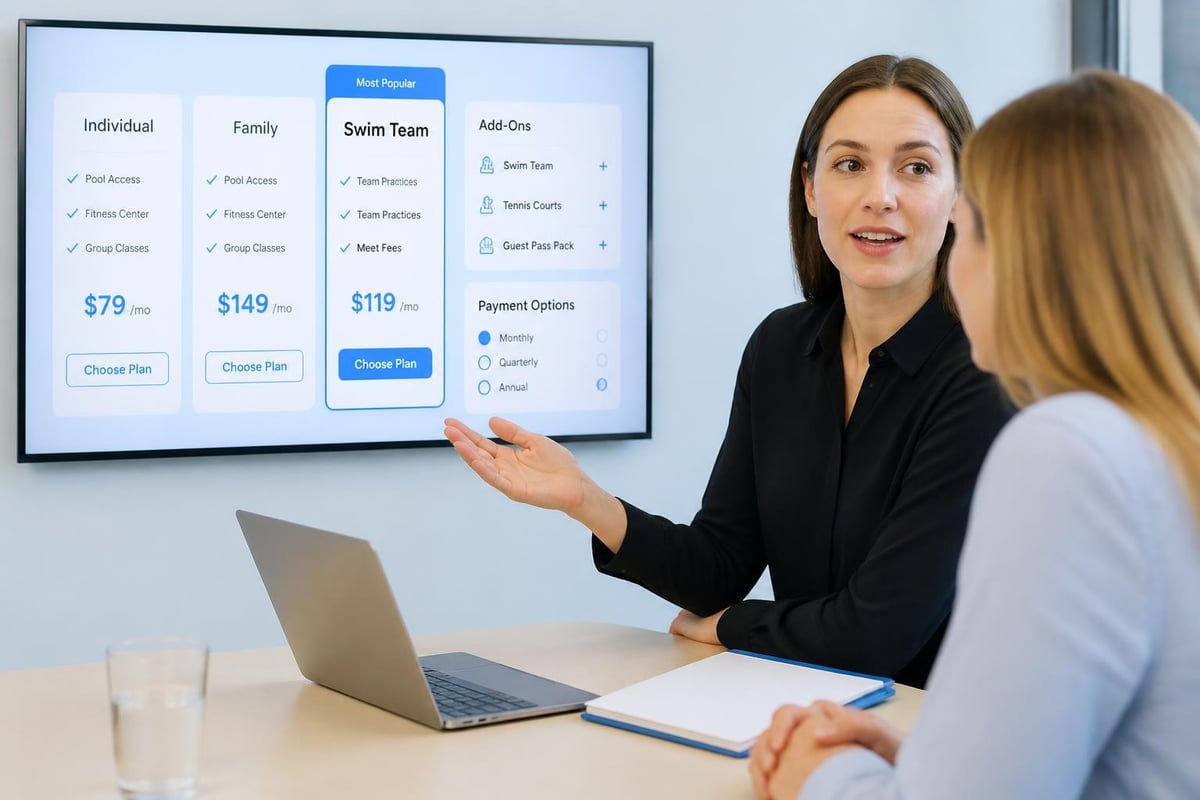
Every swim club has a unique fee structure. Some charge one flat rate for the season. Others have early-bird pricing, family vs. individual rates, social vs. full memberships, locker rentals, towel service, swim team fees, and guest passes. Your billing demo needs to prove the software can handle your specific complexity.
Before the demo, send the vendor your current fee schedule. During the session, watch them configure these exact rates in the system. This isn't theoretical, this is whether the software can actually do what you need.
Testing Your Actual Pricing Tiers
Let's say you have this fee structure for 2026:
- Full family membership: $1,200 (early bird $1,080)
- Social family membership: $850 (pool only, no clubhouse)
- Individual membership: $495
- Senior individual: $350
- Swim team add-on: $250 per child
- Guest passes: $15 per visit or $120 for a 10-pack
Your billing demo should show you how to set up each tier, apply the early-bird discount before March 31, add the swim team fee for specific family members, and track guest pass usage. If this takes more than a few minutes to configure during the demo, it's going to be a nightmare during your busy season.
The pricing research in subscription models suggests that clear, logical pricing structures reduce billing disputes and member confusion. During your demo, evaluate whether the system presents your fees in a way members will understand.
User Testing Your Billing Flow
Before you commit to any software, have actual staff members and a few trusted board members go through the billing demo themselves. What seems obvious to you might be confusing to the Saturday afternoon shift supervisor or the volunteer treasurer.
The Nielsen Norman Group's usability testing guidance emphasizes watching real users attempt real tasks without coaching. Set up three scenarios and watch different people work through them during your billing demo:
- Process a mid-season membership for a new family
- Handle a failed payment and member callback
- Generate the monthly financial report for the board
You'll be amazed at what people find confusing that seemed perfectly clear to you. Someone will click the wrong button. Another person won't understand the terminology. These insights during the billing demo save you from months of training headaches after you go live.
The Front-Desk Perspective
Your front-desk staff doesn't need to understand the entire billing system. They need to know three things during their shift:
Is this member current on their dues? The answer needs to be visible within two seconds of looking up the member.
Can this member bring guests today? Some clubs limit guest privileges for members who are past due or on social memberships.
How do I process this check-in? The workflow should be dead simple: scan card or look up member, verify status, click check-in.
During your billing demo, put yourself in the front-desk mindset. It's Saturday at 1 PM, there are seventeen families in line, and Mrs. Thompson is asking about her statement. Can you handle this quickly, or will you need to put her on hold and fumble through three screens to find her transaction history?
Stress-Testing the Billing Demo with Volume
Demo environments typically contain 10-50 test members. Your actual database will have 300-500 members or more. Before you sign a contract, you need to know the system performs well at your scale.
Ask the vendor to load realistic volume into the billing demo environment. If they can't or won't do this, that's a red flag. Processing 500 simultaneous charges is fundamentally different from processing five, and you need to see how the system handles your actual load.
Batch Processing Performance
During a volume test in your billing demo, pay attention to these factors:
How long does it take to process a full billing batch? If you have 400 members and it takes fifteen minutes to run renewals, that's acceptable. If it takes two hours, you'll have problems.
Can you monitor progress in real-time? Good systems show you a progress bar or running log: "Processed 247 of 400... 12 failures so far..."
What happens if something crashes mid-batch? Can the system resume where it left off, or do you start over and risk double-charging people?
How does the system handle timeout errors? When processing hundreds of charges, some will take longer than others due to bank verification. Does the system wait appropriately or fail prematurely?
The subscription revenue optimization checklist from PayPro Global includes specific volume considerations that help you identify revenue leaks and processing bottlenecks before they affect your members.
Building Your Billing Demo Checklist
Based on everything we've covered, here's your comprehensive checklist for evaluating any swim club billing demo. Print this and take it to every vendor demonstration.
Core Billing Functions:
- Process a standard membership renewal
- Handle a failed card with automatic retry
- Calculate mid-season proration for a new member
- Issue a partial refund for early cancellation
- Set up a payment plan with monthly installments
- Process a one-time guest fee
- Apply an early-bird discount to eligible members
- Combine past-due balance with new charges on one invoice
Member Experience:
- Member receives email receipt immediately
- Member can download invoice from their account
- Member can update expired card without calling
- Failed payment notification is clear and helpful
- Member can view payment history and upcoming charges
Administrative Functions:
- Generate pre-billing report showing who will be charged
- Export transaction ledger for accounting
- Create aging report for past-due accounts
- Filter members by payment status
- Override system automation when needed
- Add notes to member accounts about billing issues
Reporting:
- Monthly revenue summary by membership type
- Failed payment report with member contact info
- Refund register with approval documentation
- Cash vs. accrual views for the accountant
- Custom date range selection for any report
- One-click export to Excel or CSV
Integration & Access:
- Past-due status affects facility check-in
- Front desk sees clear billing status
- Manager overrides are logged
- Email communications trigger automatically
- Payment information syncs across the system
Security & Compliance:
- Card numbers are tokenized, not stored
- Only last four digits visible to staff
- Payment forms are PCI compliant
- System logs all access to financial data
- Role-based permissions limit who sees billing
The subscription renewal testing playbook from GigaTester provides additional technical scenarios you can incorporate into your billing demo evaluation.
Common Billing Demo Red Flags
After watching dozens of billing demos, you start recognizing patterns that signal problems. Here are the warning signs that should make you pause and ask harder questions.
The vendor rushes through failed payment handling. This is the most common issue you'll face in real operations. If they gloss over declines, retries, and member communication, their system probably doesn't handle it well.
Reports require "just a little bit of manual cleanup." Translation: you'll spend hours every month reformatting exports and fixing data issues. Good reporting works out of the box.
The vendor can't show you your specific fee structure. If they struggle to configure your actual pricing during the demo, it means the system isn't flexible enough for your needs.
Everything requires custom development. Some customization is normal, but if every question is met with "we can build that for you," the core product is incomplete.
The demo uses unrealistic test data. Perfect member records with no history, everyone paying on time, and no edge cases means you're not seeing how the system actually performs.
You can't test it yourself. A vendor who won't give you sandbox access or let you click around is hiding something. Insist on hands-on time during your billing demo.
Moving from Demo to Implementation
Once you've found software that passes your billing demo evaluation, the next step is getting it configured for your club and migrating your data. This is where the billing demo pays dividends, because you've already worked through your complex scenarios.
During implementation, reference your billing demo notes. You already know the system can handle your fee structure, your failed payment workflow, and your reporting requirements. Now you're just configuring those capabilities with your actual data rather than test data.
Work closely with the vendor to migrate your current member balances, payment methods (with member authorization), and historical transaction data. The quality of this migration determines whether your first billing cycle is smooth or chaotic.
The swim club software migration checklist walks you through every step of moving from your old system to new software, with specific attention to billing data integrity.
Testing Before You Go Live
Even after implementation, run another billing demo in your actual environment before you process real charges. Use your production software but stay in test mode with test card numbers.
Create a small group of beta members (board members and staff work well) and run them through a complete billing cycle. They'll sign up, get charged test amounts, receive invoices, and give you feedback on the member experience. Fix any issues now, before 400 families see them.
When you're evaluating whether the billing features justify the cost, the PoolPulse pricing page breaks down exactly what you get at each tier, helping you understand the investment relative to the time and revenue you'll save.
A thorough billing demo reveals whether software will handle your real-world scenarios or leave you fighting with manual workarounds every month. By testing failed payments, proration, complex fee structures, and reporting before you commit, you avoid expensive mistakes and member frustration. PoolPulse is purpose-built for swim clubs and HOA pools, with billing workflows designed around the seasonal patterns, membership changes, and edge cases you actually face. Book a personalized billing demo that uses your fee structure and walks through your specific scenarios, so you can see exactly how it will work when renewal season arrives.

Is Your Swim Club Running on Gut Feelings or Real Data?
Most swim clubs rely on instinct instead of data to make decisions. Learn how driven software helps you track what matters and run smarter.

The Saturday Morning Chaos Test: Do You Really Have Control?
When 50 families arrive at once, can your team handle check-ins without chaos? Test whether you have true streamline control this weekend.

The Last Hour Before Close: A Check Out Software Test
Your check-in system works fine. But what happens when 50 members leave at once? Test your check out software against real club scenarios.
Want to see if PoolPulse is a good fit for your club?
Book a walkthrough and we'll show you exactly how PoolPulse can help based on your club's needs, goals, and current processes.