

You Exported the Club’s Data. Could Someone Else Actually Use It?
Test club exports for clear fields, linked records, usable balances, and practical handoffs before choosing a platform.


The board asks whether the club can get its records out of the platform. Someone clicks Export, a file appears, and the question seems settled. Then the treasurer opens it and cannot tell which balance belongs to which household.
Start with one ordinary task: trace a household's open balance, identify the signed document attached to a membership, or explain a program booking. Export the records needed for that task, open them in an approved working location, and ask another staff member to follow the trail. Record what works and what is missing.
Choose the question before choosing the file
“Export everything” is a poor starting instruction. It leaves the reviewer facing an unexplained collection of files and encourages unnecessary copies of private information. Begin with the question the club needs to answer and identify the smallest set of records that supports it.
For an account question, that might mean the household reference, charges, payments, credits, and the report date. For a waiver question, it might mean the member reference, document version, signature record, and a readable copy of the signed document. Ask the provider what is included rather than assuming a list of names covers the whole record.
Write down who needs the export and why. The board may need totals and unresolved issues, while the finance administrator needs detailed transactions. Those are different audiences. Give each the information needed for their work instead of forwarding the same full archive to everyone.
Separate a report, an export, and a recovery plan
Use clear working definitions in the club's review. A report answers a selected question. An export moves selected records into files. A recovery plan explains how an authorized team would restore the service or resume work after a disruption. Ask the provider to describe which of these it supplies and what the club must arrange separately.
A spreadsheet of members may be useful during a short service interruption without being sufficient to rebuild the platform. Likewise, a provider's system backup may not be a file your treasurer can open. Keep both questions on the list: can the club use its records, and how would the service recover?
Ask your provider to demonstrate recovery separately from an export. Request a clear explanation of what is protected, who can start recovery, and how the result is checked. Record the answer and the evidence supplied. Treat any question you cannot verify as an open item in the club's evaluation, rather than assuming that a downloaded report resolves it.
Make a small export inventory
List the record groups your chosen task needs. Beside each, record the export method, file type, included dates, responsible person, and known omissions. Add any steps needed to obtain attachments or history that are not part of the main file.
Do this with the employee who uses the records, not just the person who administers the platform. A manager may know where the export button sits while the treasurer knows that a particular adjustment field is essential. Bring both perspectives into the check.
Preserve the connections between records
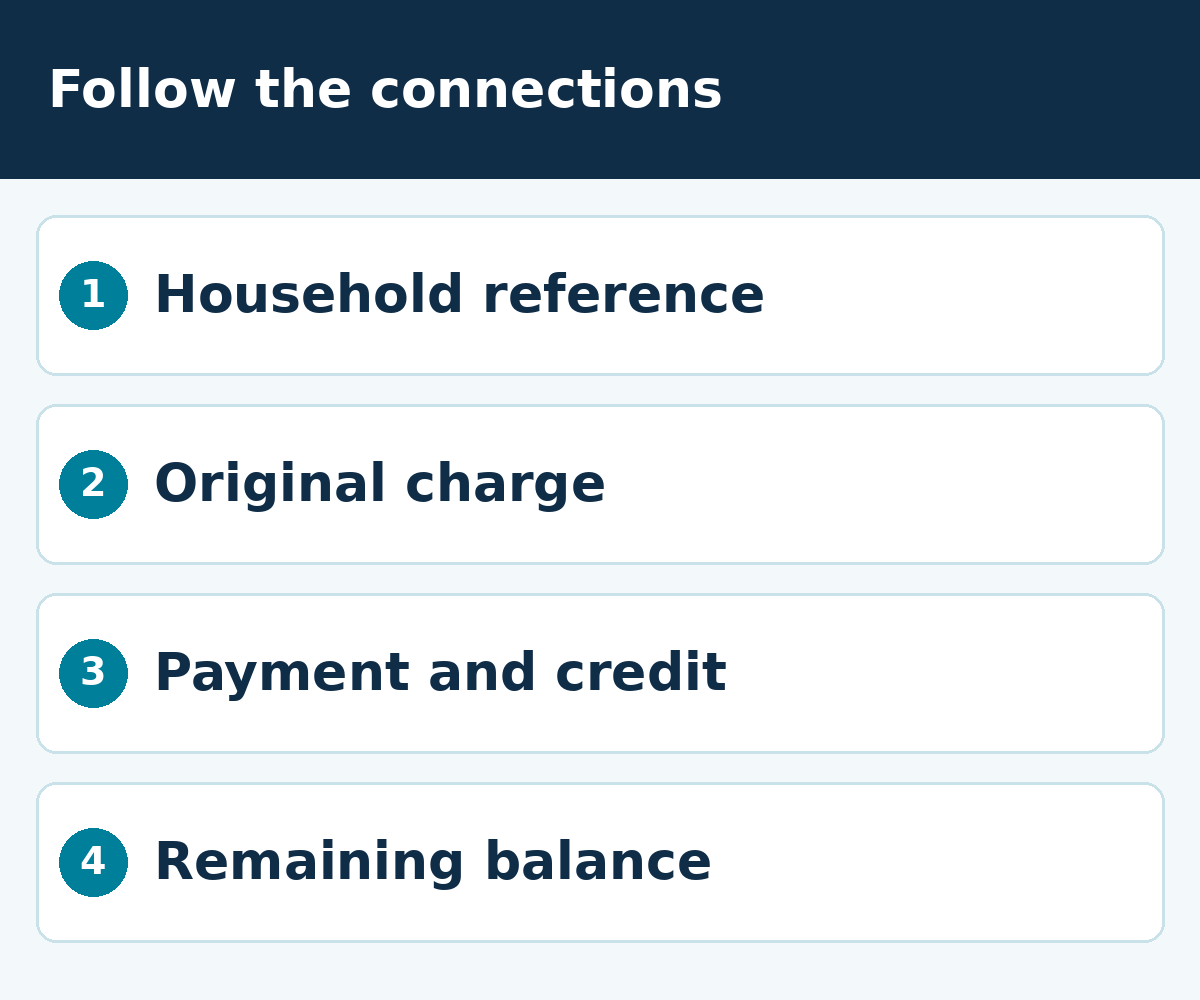
Use a stable reference to connect records wherever the system provides one. A household name alone is difficult to rely on when names are shared or changed. In your test, follow the household reference from the account list into a charge and then into the associated payment or credit.
Check how individuals relate to the household. Can the reviewer distinguish the account holder, another adult, and children without guessing from surnames? If a membership changed households, ask how the export represents that history. Do not assume the current relationship explains every past transaction.
For programs and reservations, follow the booking reference as well. The person who paid may not be the participant. A useful export should let the club understand that distinction for the specific task under review. Ask for a field explanation when the relationship is not obvious.
Keep the original files unchanged during the review. Work on an authorized copy when sorting, adding notes, or building a comparison. Name the source and working versions clearly so a reviewed spreadsheet does not get mistaken for an untouched export.
Read the dates as carefully as the amounts
Record the date range, export time, and timezone used by the report. Ask whether a date means a booking date, a service date, an invoice date, or a payment date. Those can answer different questions, so the column heading needs to be understood before the board uses the total.
Check records near the edge of the selected period. A late-night transaction, a next-day posting, or a cancellation after the original booking date can help reveal what the filter includes. Use the result to document the report's meaning, not to declare a discrepancy before understanding its scope.
If you compare two reports, make their filters comparable. Include the same locations, membership groups, and statuses where appropriate. Record deliberate differences. The reviewer should be able to explain why one file contains inactive accounts or cancelled bookings while another does not.
Test one household from start to finish
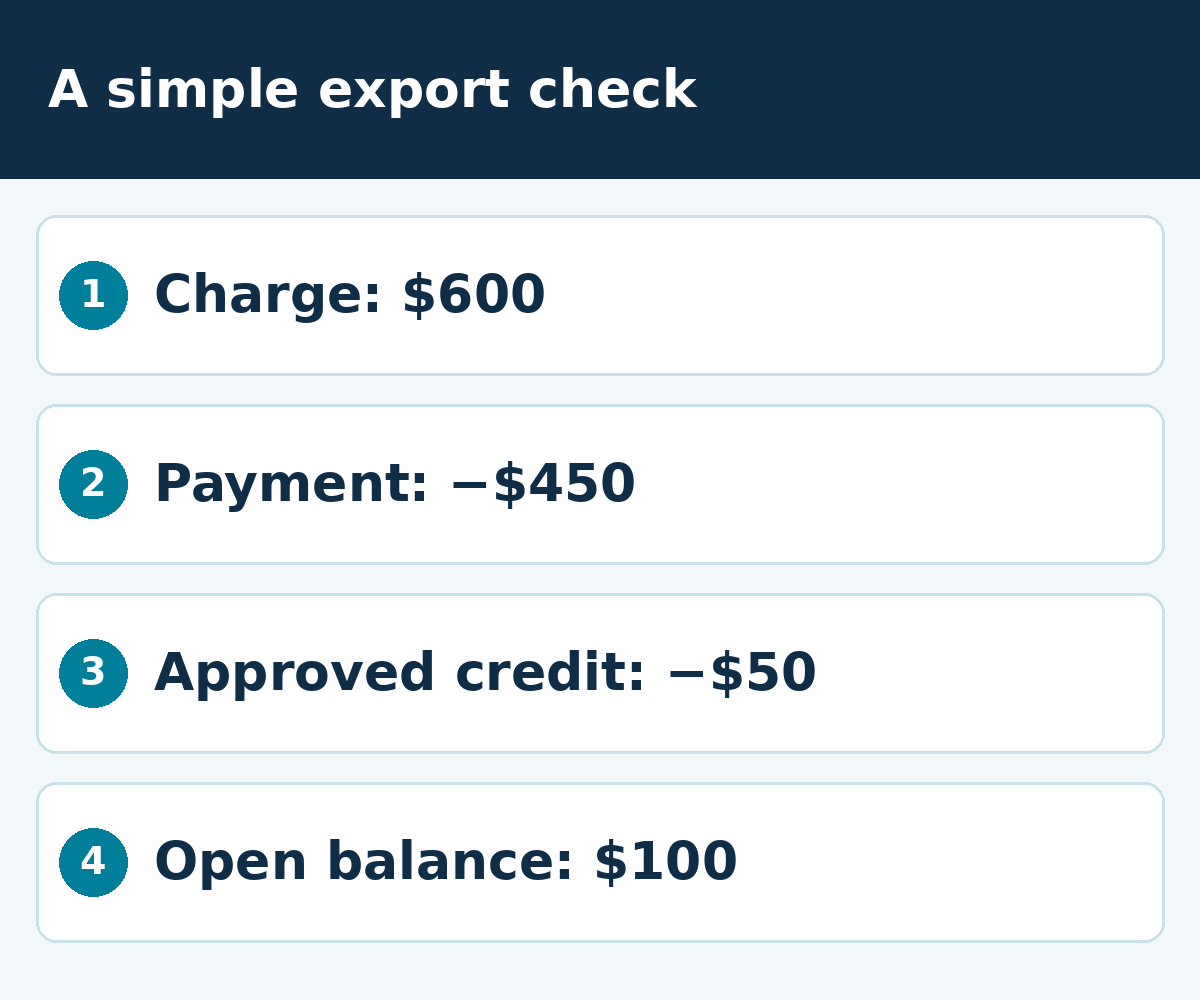
Use a demonstration household with a $600 charge, a $450 payment, and a $50 credit. The expected open amount for this simple example is $100. Ask the reviewer to locate each entry and explain that result using only the export and its instructions.
Then add a second booking under the same household. Can the reviewer tell which payment belongs to which charge? If the export only shows a combined balance, record the additional file or report needed to answer the booking-level question. Do not hide the gap by supplying an explanation from memory.
Next, ask someone who did not prepare the files to repeat the check. They should know which file to open, which reference to follow, and where the field definitions live. If they need the original preparer beside them throughout, improve the instructions and repeat the exercise.
The aim is not to turn every volunteer into a data specialist. It is to make a limited set of important records understandable to the people who are responsible for them. A short, repeatable check is a useful place to start.
Check documents and attachments separately
A row that says “waiver complete” does not answer every question about the signed document. Identify what the club needs to retain and retrieve, then ask how the export provides it. That may involve a separate document download, a reference file, or a provider-assisted process.
Open a sample attachment. Confirm that it is readable and connected to the intended record. Check whether the file includes the information your authorized reviewer expects, such as the document version and relevant dates. Send legal retention questions to the person responsible for the club's policy rather than inventing a universal retention period.
Do the same for useful historical notes or approvals. Decide which are needed for the task and who may access them. Avoid copying all internal notes into a board packet merely because the export allows it. Separate a detailed working archive from a summary intended for wider circulation.
Treat the exported copy as a real record
Before exporting, choose the approved storage location and the people allowed to use it. Decide how the file will be transferred, how long the working copy is needed, and who removes it when the review is finished. Avoid leaving the only usable copy on a departing volunteer's laptop.
Keep credentials and payment secrets out of an export test. You do not need someone's password or full card details to verify that a household reference connects to an invoice. If an export unexpectedly contains sensitive fields, stop distribution and ask the responsible administrator to review the scope.
Record who created the file and what question it was intended to answer. Include a short readme with field definitions and known omissions. That small amount of context lets a later reviewer distinguish a complete seasonal export from a temporary list created for one meeting.
Turn a failed check into a specific request
“The export is bad” gives a provider little to work with. A useful request names the task, the missing field or attachment, the filter used, and the result needed. For example: “We can see the household balance, but we need the booking reference to explain this lesson credit.”
Ask whether the answer is another existing report, a configuration change, a supported export option, or work that is not available today. Keep those answers distinct in the inventory. A planned export should not become the only route in a recovery procedure the club expects to use now.
Give each unresolved item an owner and a next review date. If the gap prevents an essential task, explain that consequence clearly. If it is an inconvenience, record the extra work instead of treating every missing column as a reason to abandon the platform.
Use the same test before a platform change
An export rehearsal is useful even when the club is staying put. If a move is being considered, use the same record sample to connect the source export with the proposed import. Ask how the destination represents the household, the original charge, the payment, and the credit.
Keep source and destination checks separate. A correct export can still be mapped incorrectly, and a clean-looking imported total may hide missing history. Agree on what will be carried over, what will remain in an archive, and how staff will reach that archive when needed.
Our guide to records and readiness after migration helps frame the wider launch conversation. Use the export test to establish what the club can retrieve; use the implementation review to establish what the new team can actually do with it.
Ask PoolPulse about your required reports
PoolPulse's reports page describes operational and financial reporting across billing, attendance, incidents, events, and usage. Start there, then ask for the specific export and field definitions your club needs. See PoolPulse reporting.
Bring one account question and one document question to the walkthrough. Ask which records are available to your staff roles, which require an administrator, and how attachments are obtained. Follow a sample reference through the output instead of relying on a broad statement that data can be exported.
Keep a written list of what was demonstrated and what needs follow-up. Do not use the presence of a reports page as evidence that every requested format or historical field is included. The useful answer is the one tied to your task and the current configuration.
Leave the next board a usable handover
Store the export inventory beside the club's operating procedures. Name the owner, the approved location, the last successful check, and the next review. Explain how a new authorized person obtains access without passing around a shared personal login.
Include the limits. If attachments need a separate request, say so. If one report excludes inactive memberships, say so. Clear limits keep the next board from using the wrong file with complete confidence. They also make a provider conversation shorter because the club can describe exactly what it needs.
When the system, record structure, or responsible staff changes, repeat the relevant check. Use the same sample questions so the new results are comparable. The goal is a dependable procedure that survives a change of people, not an archive nobody wants to open.
The five checks worth keeping
- Can an authorized person obtain the required records without an improvised workaround?
- Can a second person open the files and understand their dates, filters, and fields?
- Can household, booking, transaction, and document references be followed where the task needs them?
- Can the reviewer explain a sample result and identify known omissions?
- Does the club have a separate, understood recovery arrangement for the service itself?
A file on a drive is useful only when the right person can do something with it. Book a PoolPulse walkthrough with one report or export your board needs to trust, and work through the result together.

The Demo Looked Great. What Would Prove This Platform Works for Your Club?
Go beyond a polished software demo. Bring one everyday club task, let staff try it, and check what happens from the member's request to the final follow-up.

Before You Sell Guest Passes for 2027, Decide What They Actually Allow
Build a club guest pass policy staff can apply consistently, covering sponsors, limits, payment, exceptions, records, and opening-day testing.

Before You Approve Your 2027 Club Budget, Count the Work Between Your Systems
A practical way to expose the software, labor, handoff, and transition costs that ordinary budget lines miss.
Want to see if PoolPulse is a good fit for your club?
Book a walkthrough and we'll show you exactly how PoolPulse can help based on your club's needs, goals, and current processes.