

Before Bookings Open, Decide What “Available” Actually Means
Turn facility availability into enforceable booking rules covering capacity, eligibility, prime time, guests, cancellations, and check-in.


A court appears open at 6:00 p.m., but the member has reached a weekly limit, a guest is not eligible, and the slot is reserved for a different program.
The practical answer: Availability is the intersection of an open time, an eligible booker, usable capacity, allowed party size, guest rules, and any prime-time restrictions. Define all six before members see an open slot.
This guide is for facility managers, program directors, and operations committees. It turns the policy into decisions staff can apply at the busiest moment, then shows how to test the workflow before members depend on it.
Start with the decision, not the software setting
If the calendar shows a time without explaining the rule behind it, members experience policy as a surprise and staff absorb the conflict. Begin by naming the member promise in ordinary language. A policy should tell a member what they may request, what the club will do, what information staff will use, and when the answer becomes final.
Separate the policy from the configuration. The policy is the club’s decision; the configuration is how the platform helps enforce it. If the decision changes every time a different employee is working, no setting can create consistency. Write the rule first, ask a person outside the drafting group to explain it back, and revise any phrase that produces two reasonable interpretations.
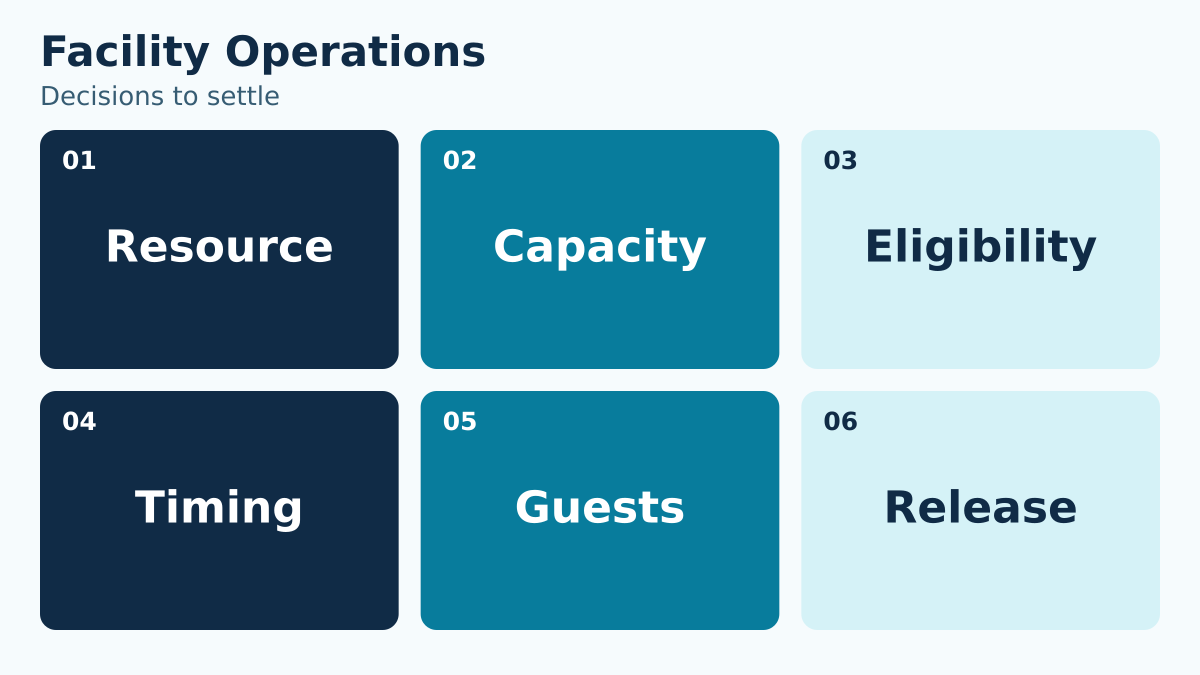
Use the six-question grid below during a working session. Do not accept “handled case by case” unless the policy also names the decision maker, relevant criteria, record, and response time.
| Decision | Question the policy must answer |
|---|---|
| Resource | What exactly is being reserved? |
| Capacity | How many people or groups can use it safely and comfortably? |
| Eligibility | Which memberships or roles may book? |
| Timing | How far ahead, how often, and during which periods? |
| Guests | When are guests allowed and who is responsible? |
| Release | When does a cancellation or no-show return capacity? |
Define the smallest complete record
The team does not need every possible detail. It needs the details that change the decision or prove that the agreed process occurred. For this workflow, build the record around resource capacity, booker eligibility, party size, prime time, cancellation window, check-in. Give each field one purpose and one accountable owner.
For every field, ask four questions: Who supplies it? Who may change it? What event makes it stale? What action depends on it? Remove fields that do not survive that test. A shorter, maintained record is more useful than a long form filled with answers nobody trusts.
Free-text notes deserve special care. Use them for context that cannot fit a controlled choice, not as a substitute for a missing policy. Staff should never have to search paragraphs of history to discover the current answer.
Work through a boundary case before launch
Use this ordinary situation in a tabletop exercise: Two adjacent courts share lights and staffing. A clinic reserves one court, a family books the second, and a waitlisted member expects an opening if either booking cancels.
Ask the first employee to narrate the exact steps without skipping ahead. What do they see first? Which rule decides the next action? When do they pause? Who can approve a different outcome? What is recorded? What does the member hear? Then ask a second employee to perform the same exercise independently. Different outcomes expose a policy gap, not a training failure.
Run the scenario once under normal conditions and again under pressure: a line is forming, the manager is unavailable, a balance or date is disputed, or the member produces information that conflicts with the record. The goal is not to eliminate judgment. It is to make the boundary between routine authority and manager judgment visible.
Tabletop rule: If two trained employees can reach opposite answers using the same facts, clarify the policy before adding another instruction.
Build the operating sequence
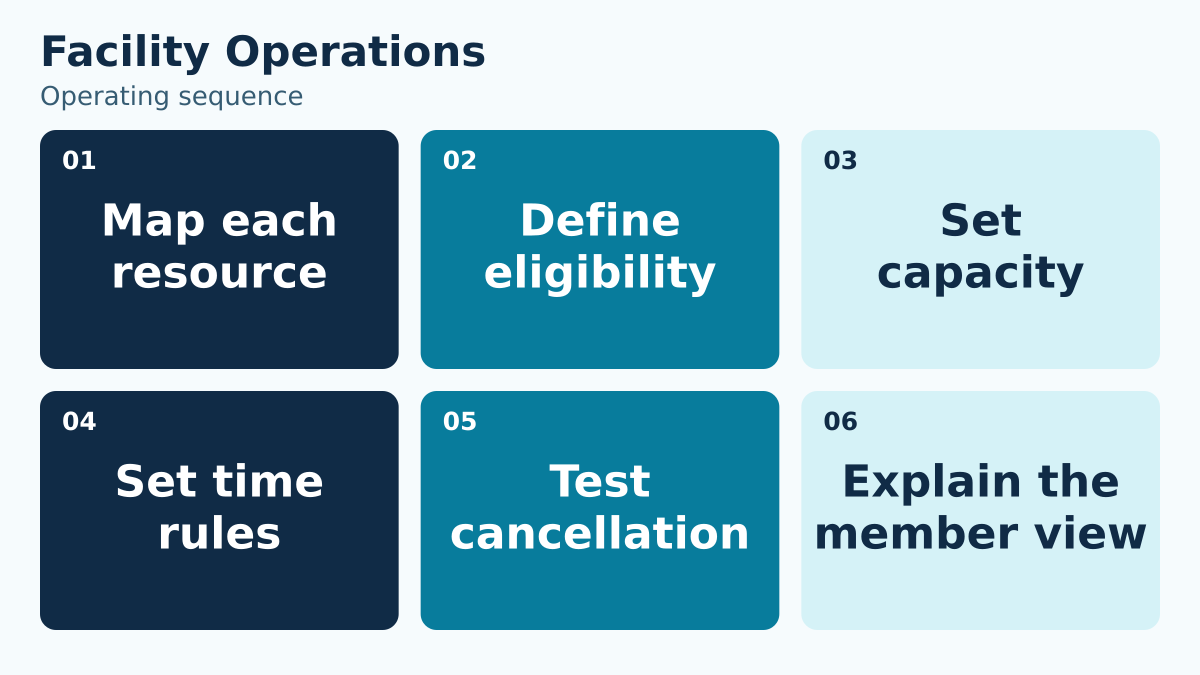
A reliable workflow has a beginning, a decision point, a record, and a close. Use this sequence to assign and verify the work:
- 1. Map each resource. Create a record for each bookable court, lane, room, or other resource. Include operating hours, setup and cleanup needs, closures, and conflicting activities so an empty calendar slot is not mistaken for usable capacity.
- 2. Define eligibility. State which membership categories and participant groups may book each resource. Define guest participation, age or program conditions, and the role that reviews uncertain eligibility before the member completes a reservation.
- 3. Set capacity. Set the permitted party size and occupancy conditions using the club’s applicable requirements. Specify whether guests count toward the limit and what happens when a member changes the party after booking.
- 4. Set time rules. Define booking duration, advance-booking window, frequency limits, prime-time rules, and buffers. Test a member who reaches a limit and a request that crosses a restricted period, including the explanation displayed.
- 5. Test cancellation. Run a cancellation before and after the club’s cutoff. Check the booking status, any fee or credit decision, the release of capacity, and the message sent to the member so one action does not leave conflicting records.
- 6. Explain the member view. Read the booking and confirmation flow from the member’s perspective. Explain what is reserved, who may attend, arrival requirements, cancellation steps, and where to get help when the displayed availability conflicts with an expected entitlement.
Do not let “manager review” become an unbounded holding state. Define the expected response time, backup reviewer, and what staff should tell the member while the question is open. If the request affects access or money, state whether the current arrangement continues during review.
At the close, confirm both the operational result and the communication. A correct change that the member never receives is still an incomplete workflow. A friendly message without a correct record creates the next conflict.
Use role-based authority instead of personal memory
List the roles that touch the workflow: member, front desk, program lead, manager, finance, board liaison, or vendor support. For each role, mark what the person may view, decide, change, approve, and reverse. Keep routine work with the role closest to the facts, while reserving uncommon or high-impact exceptions for a named reviewer.
Also define the backup. Seasonal operations fail when a rule depends on one person being reachable. A backup should receive the same facts, use the same criteria, and leave the same record. That continuity matters more than the individual’s preferred wording.
Train with decisions, not just screens. A walkthrough that teaches where to click but not why a request qualifies produces fast inconsistency. Give staff three examples: clearly allowed, clearly not allowed, and a boundary case that requires escalation.
Put approved booking rules into daily use
PoolPulse provides facility reservation controls that can support this operating model. The useful evaluation question is whether the available records and controls match the rule your club has approved—not whether a long feature list sounds comprehensive.
During a walkthrough, bring the exact boundary case from this guide. Ask the presenter to show the normal path, the exception path, the staff-visible history, and the member-facing result. Confirm which parts are standard configuration, which require an operational procedure, and who will own each setup decision.
Then connect the workflow to a neighboring decision. The waitlist policy guide shows how another club process can share definitions without collapsing into the same policy. Consistent household, date, status, and ownership language reduces translation work across teams.
Measure exceptions, not just volume
Volume tells you how often the workflow is used. Exceptions tell you where the policy, training, data, or configuration is under strain. Start with a compact review of utilization by period, booking attempts, cancellations, no-shows, waitlist conversions, staff overrides. Choose only measures that lead to a question the team is prepared to answer.
Review the first two weeks more frequently than the steady-state process. Look for repeat confusion at the same decision point, overrides concentrated with one role, and corrections that happen after member communication. Those patterns may signal unclear language or a missing field rather than poor employee performance.
Avoid turning a small dashboard into a ranking exercise. The purpose is to improve the system and identify training needs. When an exception was appropriate, preserve why it was appropriate so the next review does not treat sound judgment as an error.
Use a pre-opening acceptance test
Before the workflow goes live, select a small cross-functional group and test the complete path. Include one person who drafted the policy, one person who will use it under pressure, and one person who did not participate in the design. The uninvolved tester is often the first to notice unexplained terms.
- Confirm the policy has a clear effective date and named owner.
- Run one normal, one boundary, and one correction scenario.
- Verify the record shows the current answer without requiring hidden context.
- Confirm an authorized backup can complete the process.
- Read the member-facing explanation aloud and remove internal shorthand.
- Export or review the history needed for operational follow-up.
- Record unresolved questions and assign each one a decision date.
Do not call the test complete because the happy path worked once. The acceptance test should prove that a correction can be made safely, that staff can explain the result, and that a later reviewer can reconstruct the decision from the saved record.
Write the member explanation and the correction path together
Members usually encounter a policy at one of four moments: enrollment, a routine request, a denial or pause, and a correction. Draft the explanation for all four. Use the same defined terms in the form, confirmation, staff script, and account record. When the language changes between channels, members reasonably wonder whether the rule changed too.
For a routine result, state what happened, the effective date, any remaining value or eligibility, and where the member can review the result. For a paused request, name the missing decision or information, the responsible reviewer, and the expected next update. Avoid promising an outcome before the authorized reviewer has the necessary facts.
The correction path needs its own design. Identify who can reverse an incorrect action, what original record remains visible, how a financial or access effect is reconciled, and who tells the member. Corrections should not erase the history that explains why the current state differs from the first result. At the same time, internal notes should stay factual and limited to the operational purpose.
Test the explanation aloud. Replace internal shorthand, unexplained status labels, and passive phrases such as “the system would not allow it.” Staff should be able to identify the applicable club rule and the next useful action. That wording protects authority better than blaming a screen.
A 30-minute working session for your team
Use the first ten minutes to agree on the member promise and the six decisions in the table. Use the next ten to run the scenario and locate every pause. Use the final ten to assign policy, configuration, training, and review owners. If the team cannot complete a section, assign the unresolved decision rather than filling the gap with vague language.
End with one page: the rule, the roles, the boundary, the exception owner, the record, and the review date. Supporting detail can live elsewhere, but the employee making the live decision should not need a binder.
After launch, schedule a short review while examples are still fresh. Keep the parts that worked, narrow ambiguous phrases, and update both training and configuration together. A policy revision that reaches only one of those places creates a new mismatch.
Choose a next step that produces evidence
If your current process is mostly verbal, begin by documenting one boundary case and asking two employees to resolve it independently. If your policy is already written, test whether the current system presents the necessary information at the moment of decision. If you are evaluating platforms, use the same scenario in every demonstration so the comparison stays grounded.
Write down what the test changed. A useful review produces a clearer sentence, a better field, a reassigned owner, or a corrected configuration. Without that artifact, the same discussion is likely to return when seasonal staff arrive or a board role changes.
Book a PoolPulse walkthrough and bring your policy, one normal example, and one difficult exception. The goal is a concrete fit discussion about how your club wants the workflow to operate.
Keep the final one-page rule with the staff’s other opening-day references so the guidance remains easy to find. Add the next review date and the name of the person who accepts corrections. When the rule changes, replace obsolete quick-reference copies and include the change in the next shift briefing.

Your Offseason Repair List Is Too Long. Here Is How to Decide What Moves First.
A decision framework for turning a long offseason repair list into owned, timed, and verifiable work.

Fully Booked, Half Empty? Fix Your Club’s Court Reservation Policy
A full booking calendar can still leave courts unused. Connect cancellation, arrival, release, and exception rules so members have a fair chance to play.

When Your Check-In Line Proves Software Is Too Slow
Discover how software timing affects your swim club's daily operations, from check-ins to billing, and why faster response times mean happier members.
Want to see if PoolPulse is a good fit for your club?
Book a walkthrough and we'll show you exactly how PoolPulse can help based on your club's needs, goals, and current processes.