

When Your Check-In Line Proves Software Is Too Slow
Discover how software timing affects your swim club's daily operations, from check-ins to billing, and why faster response times mean happier members.


You know that Saturday morning feeling when everyone shows up at once? Families are trying to check in, kids are bouncing around, and your front desk staff is clicking refresh for the third time because the member lookup screen is still loading. That frozen moment-when you can see the line growing but can't do anything about it-that's software timing in action. And while it might sound like a technical problem that only programmers worry about, it actually touches every single task you do throughout your day, from morning check-ins to end-of-month billing runs.
Why Every Click Counts During Peak Hours
Software timing refers to how long your system takes to complete tasks, respond to clicks, and move data between different parts of your platform. Think of it like the difference between a conversation where someone answers immediately versus one where they pause for five seconds before every response. Both get the job done eventually, but one makes you want to pull your hair out.
In a swim club environment, timing issues show up everywhere:
- Member check-ins that take 8 seconds instead of 2 seconds
- Guest registration forms that freeze mid-entry
- Payment processing screens that don't confirm transactions right away
- Reports that take three minutes to generate when you need them now
- Search functions that lag when you're trying to look up a member while they're standing right there
The Real Cost of Slow Response Times
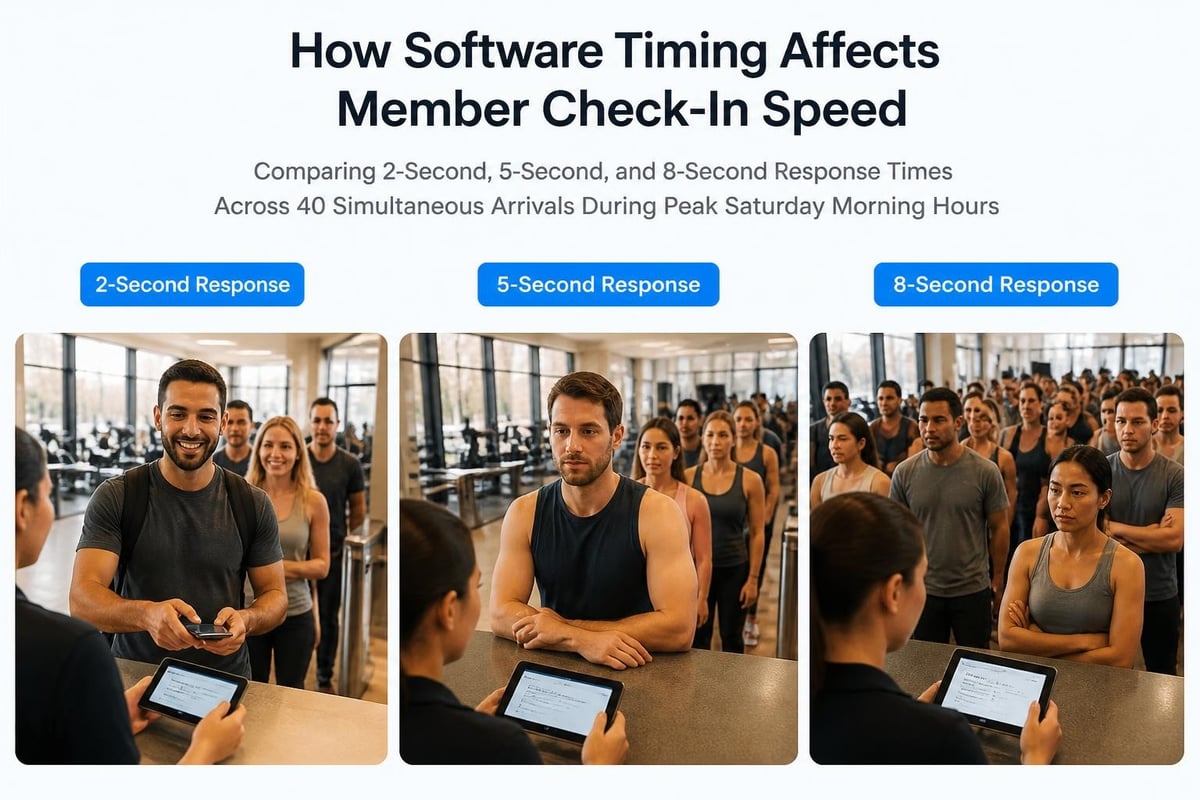
Here's what happens when software timing isn't properly optimized. During a typical Saturday morning rush, you might have 40 families arriving between 10:00 and 10:30 AM. If each check-in takes 8 seconds because your system is slow, that's different from 2-second check-ins by a factor of four. The math is simple but painful.
| Response Time | Check-ins per Hour | Line Wait (10 people) |
|---|---|---|
| 2 seconds | 1,800 | 20 seconds |
| 5 seconds | 720 | 50 seconds |
| 8 seconds | 450 | 80 seconds |
Those extra seconds add up fast. And they don't just annoy members. Your staff feels the pressure too, often getting blamed for "being slow" when the real issue is the software they're forced to use.
Where Timing Problems Hide in Daily Operations
Most club administrators don't realize how many timing issues they've simply accepted as "normal." You've probably developed workarounds without even thinking about it. Maybe you start your billing run the night before because you know it'll take hours. Maybe you avoid looking up member details while they're waiting because the search is too slow. These workarounds are actually symptoms of poor software timing.
Member Database Queries
Every time someone at your front desk types a member name or scans a card, your software has to search through your database and pull up the right information. In a well-designed system with proper timing optimization, this happens almost instantly. The JavaScript event loop that powers modern web applications should handle these queries smoothly, even when multiple staff members are searching simultaneously.
But in poorly optimized systems, each query can take several seconds. The software might be:
- Searching through records inefficiently
- Loading unnecessary data you don't need yet
- Waiting for responses from slow servers
- Processing requests one at a time instead of handling multiple queries together
Billing and Payment Processing
End-of-month billing is where timing problems become impossible to ignore. You've probably experienced this: you start the billing process for your 500 members, and the system grinds away for 30 minutes or longer. During that time, you can't do anything else. The system is locked up, processing payments, generating invoices, and updating accounts.
The issue isn't just that it takes time. It's that during peak processing, your software timing affects everything else. Staff can't check in members. You can't look up balances. The whole platform slows down because one major task is hogging all the resources.
Modern swim club management platforms like PoolPulse handle timing differently by processing tasks in the background. You kick off the billing run, and the system works through it behind the scenes while you continue doing other work.
Understanding Browser vs. Server Timing
Here's something most club administrators don't know: when you click a button in your swim club software, two different timing processes are happening. Understanding the difference helps you figure out where slowdowns are actually occurring.
Browser timing is what happens on your computer or tablet. This includes:
- How fast the page loads
- How quickly buttons respond to clicks
- Whether forms feel smooth or laggy
- How long it takes to display information after it arrives
Server timing is what happens on the company's computers hosting your software:
- How long it takes to search your member database
- Processing payment transactions
- Generating reports
- Updating multiple records at once
Both matter, but they're different problems. You might have great server timing but terrible browser timing if the software is poorly designed. Or you might have snappy browser responses but slow server timing if the company's infrastructure can't keep up with demand.
The Performance API provides tools for measuring these different timing aspects accurately, which is why modern platforms can diagnose and optimize both sides of the equation.
The Peak Load Problem
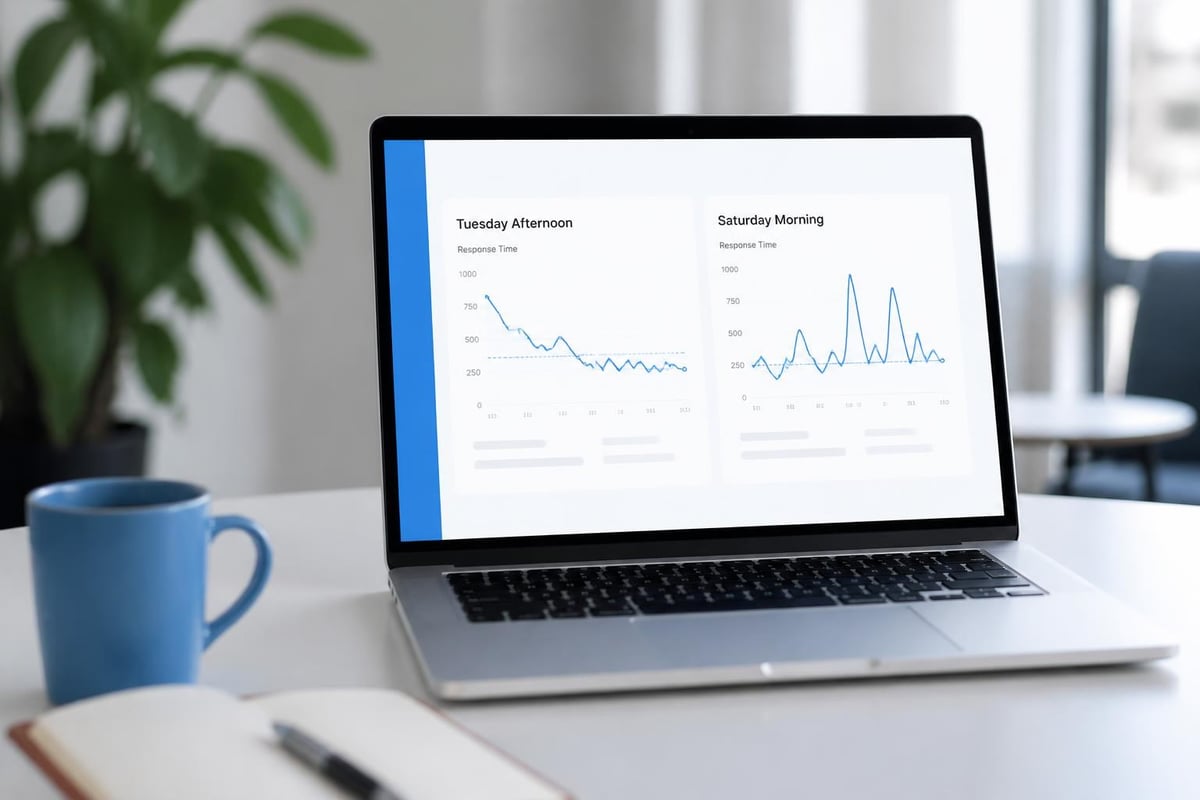
Software timing gets worse under pressure. A system that feels reasonably fast on Tuesday afternoon might crawl to a halt on Saturday morning when everyone's using it at once. This is the peak load problem, and it reveals a lot about how your software was designed.
Think about your busiest moments:
- Saturday and Sunday mornings when most members arrive
- First week of summer when seasonal members are activating
- End of month when billing and renewals hit
- Registration periods when families are signing up or renewing
If your software timing degrades significantly during these peaks, it means the system wasn't built to handle your real-world usage patterns.
Why Background Processing Changes Everything
One of the biggest software timing improvements in recent years is better background processing. This means tasks that used to lock up your entire system now run quietly behind the scenes while you keep working.
Examples of Tasks That Should Run in Background
- Monthly billing runs - Process all member charges without freezing the system
- Report generation - Create detailed reports while staff continue check-ins
- Email notifications - Send renewal reminders to hundreds of members without waiting
- Data exports - Generate spreadsheets for your board without blocking other work
- Photo uploads - Members can upload pool pass photos while you process other requests
The technical details involve task queues and asynchronous processing, but what matters to you is simple: you shouldn't have to wait for one task to finish before you can start another.
When evaluating swim club management software , ask specifically about background processing. How does the system handle large batch operations? Can you continue working while reports generate? What happens during peak usage times?
Time Synchronization Across Multiple Devices
Here's a scenario you've probably encountered: your front desk tablets show different times than your back office computer. Or a member checks in on the mobile app, but the front desk doesn't see it for 30 seconds. These timing synchronization issues cause real problems.
Modern systems need precise time coordination across all devices and locations. This isn't just about displaying the correct clock time. It's about ensuring that when an action happens on one device, all other devices know about it immediately and in the correct sequence.
For distributed systems handling multiple simultaneous users, maintaining consistent time and transaction ordering becomes critical to preventing conflicts and maintaining accurate records.
Why Timestamp Accuracy Matters
Consider what happens when timestamps are off:
| Scenario | Impact |
|---|---|
| Check-in times are delayed | Members appear to arrive later than they did, affecting capacity tracking |
| Payment timestamps are wrong | Confusion about when charges were applied, especially around cutoff dates |
| Reservation times don't sync | Double-bookings for pool lanes or party spaces |
| Activity logs are out of order | Can't accurately trace what happened during disputes |
If you've ever had a member insist they checked in on time but the system shows them late, timing synchronization might be the culprit. The Network Time Protocol helps keep computer clocks accurate, but your software also needs to handle time correctly across all its components.
Real-Time Updates vs. Refresh Requirements
Nothing frustrates staff more than having to manually refresh a screen to see updated information. Yet many swim club systems still work this way-you check in a member on tablet A, but staff on tablet B won't see them until they reload the page.
Real-time software timing means changes appear automatically across all connected devices. When you:
- Check in a member, front desk and lifeguard stations see it immediately
- Process a payment, the member's balance updates everywhere instantly
- Reserve a pool lane, the schedule reflects it on all devices right away
- Update a member's contact info, everyone sees the current details
This requires careful software timing architecture. The system needs to push updates to connected devices efficiently without overwhelming network connections or draining battery life on mobile devices.
The Trade-off Between Speed and Battery Life
Mobile tablets and phones have limited battery, so constantly checking for updates drains power quickly. Good software timing balances freshness of information against battery conservation. You don't need instant updates for information that rarely changes, but check-in status and current facility capacity need to refresh frequently.
Ask your software provider about their update frequency:
- How often do screens refresh automatically?
- Can you configure different refresh rates for different information types?
- What happens if network connection is temporarily lost?
Security Implications of Software Timing
Here's something that rarely comes up in swim club software discussions but matters more than you'd think: hackers can sometimes steal information by measuring how long your software takes to respond to different inputs. This is called a timing attack, and it's particularly relevant for systems handling payment information and personal member data.
The basic idea is this: if your software takes slightly longer to reject an incorrect password than a correct one, someone could measure those tiny timing differences to guess passwords more easily. The same principle applies to credit card processing and other sensitive operations.
Research on timing side-channel vulnerabilities shows these attacks are real and practical, not just theoretical concerns. While you probably don't need to worry about state-sponsored hackers targeting your swim club, implementing proper timing safeguards protects member payment information and personal data from opportunistic attacks.

Measuring What Actually Matters
If you're dealing with slow software, you need to measure the problem before you can fix it. But what should you actually measure? Here are the timing metrics that matter for daily swim club operations:
Key Performance Indicators for Software Timing
Page Load Time
- How long does the check-in screen take to appear when you first open it?
- Target: Under 2 seconds on normal internet connections
Search Response Time
- How quickly can you find a member by name or membership number?
- Target: Results in under 1 second
Transaction Completion Time
- How long from clicking "Process Payment" until confirmation appears?
- Target: Under 3 seconds for credit card processing
Report Generation Time
- How long to create a standard attendance or revenue report?
- Target: Simple reports under 10 seconds, complex reports under 60 seconds
Concurrent User Capacity
- How many staff members can use the system simultaneously without slowdowns?
- Target: At least 10-15 concurrent users without performance degradation
Many modern browsers include built-in tools for measuring timing, and platforms designed for business use should provide performance dashboards showing these metrics over time.
What to Look for in Your Next Platform
When you're evaluating new swim club software or considering whether to migrate to a modern platform , software timing should be part of your checklist. Here's what to ask during demos and trial periods:
Questions About Software Timing Performance
-
Can I use the system during peak check-in times without slowdowns? Ask them to show you what happens when multiple users are searching members simultaneously.
-
How long does monthly billing take for a club my size? Get specific numbers based on your member count, not vague promises.
-
What happens to performance as my membership grows?A system that works great for 200 members might crawl with 800.
-
Do you offer a service level agreement with uptime guarantees? Companies confident in their timing and reliability will put it in writing. Check if they have clear platform stability commitments .
-
Can your system handle our seasonal spikes? Summer might bring 3x more check-ins than winter. Make sure the timing holds up.
Testing During Your Trial Period
Don't just test during quiet times. If a vendor offers a trial or demo period, push the system:
- Have multiple staff members log in simultaneously
- Run searches and check-ins during your actual busy periods
- Try processing batch operations like you would for end-of-month billing
- Test on different devices and internet speeds
- See how long reports take to generate with realistic data volumes
Pay attention to the small delays and hesitations. A half-second pause might not seem like much during a demo, but multiply that across dozens of daily interactions, and it becomes significant.
The Hidden Costs of Poor Timing
Slow software timing costs you money in ways that don't always show up on spreadsheets. When your front desk staff spend an extra 30 minutes per week waiting for slow screens, that's real payroll cost. When members get frustrated by long check-in lines and decide not to renew, that's lost revenue you might not connect back to software performance.
Calculating the Real Impact
Let's break down the math for a typical 500-member swim club:
Staff Time Waste
- 2 minutes per day per staff member waiting for slow software
- 3 staff members working front desk
- 200 operating days per year
- At $15/hour average wage
- Cost: $900 annually just in waiting time
Member Satisfaction
- Even a 10% increase in check-in wait times affects member experience
- Research shows service speed is a top factor in member retention
- Losing just 2-3 members per year to poor experience
- At $800 average annual membership
- Cost: $1,600-2,400 in lost revenue
Productivity Loss
- Tasks that should take minutes take significantly longer
- Staff can't help multiple members efficiently
- Reduced capacity during peak times
- Harder to handle seasonal spikes
These numbers don't even account for the stress on your team or the time you personally spend dealing with complaints about slow systems.
Modern Timing Expectations
Member expectations for software timing have changed dramatically. In 2026, people are used to apps that respond instantly. When they tap their phone, things happen immediately. When they search for something, results appear as they type. This isn't just smartphone users-it's everyone, including your board members and long-time members.
Your swim club software is competing with this experience level, even if you don't think of it that way. Members might not consciously think "this software has poor timing," but they'll describe your check-in process as "annoying" or "slower than it should be."
What Members Actually Notice
Members are surprisingly sensitive to timing issues:
- Waiting while staff "try to get the system to work" - This erodes confidence
- Having to repeat information because screens timed out - Creates frustration
- Seeing the spinning wheel while checking in - Makes them feel unwelcome
- Standing in line because each check-in takes too long - They blame your club, not your software
Your software timing directly affects member perception of your club's professionalism and efficiency. When you're researching the best swim club management software , member-facing speed should rank alongside back-office features.
Timing in AI-Powered Features
Newer swim club platforms are adding AI capabilities for things like billing predictions, attendance forecasting, and automated insights. These features need careful attention to software timing because AI processing can be computationally expensive.
The key question: does the AI analysis happen in real-time, or does it run in the background and present results when ready? For most swim club applications, background processing makes more sense. You don't need instant AI predictions-you need them to be accurate and available when you need them without slowing down your daily operations.
When platforms like PoolPulse add AI insights , the timing architecture should ensure these analytical tasks never interfere with core operations like check-ins and payment processing.
AI Timing Best Practices
Good AI integration in swim club software means:
- Analysis runs during off-peak hours when system load is lighter
- Results are pre-calculated and cached so you see them instantly when needed
- Heavy processing happens on separate servers that don't affect your front-desk systems
- You get notifications when analysis completes rather than waiting and wondering
Poor AI integration means your system slows down during the day while it processes analytics you might not even need right now.
Making the Switch When Timing Is Broken
If your current software has persistent timing problems, you've probably developed elaborate workarounds. You start batch processes overnight. You avoid certain features during busy times. You tell staff to be patient when things are slow. But at some point, these workarounds cost more than switching to better software.
Signs It's Time to Move On
You should seriously consider switching platforms when:
- Staff regularly complain about slow performance
- You've reported timing issues multiple times without improvement
- The vendor blames your internet connection for problems that affect all devices
- Simple operations take noticeably longer than they should
- Peak times make the system nearly unusable
- You're losing members or staff due to check-in frustrations
A comprehensive swim club software migration checklist should include timing performance as a key evaluation criterion, not just an afterthought.
What Technical Teams Should Be Monitoring
If you have a technical board member or work with an IT consultant, here are the specific metrics they should ask your software provider about:
| Metric | What It Measures | Good Target |
|---|---|---|
| Time to First Byte (TTFB) | Server response start time | Under 200ms |
| Largest Contentful Paint | Main content display time | Under 2.5 seconds |
| First Input Delay | Click response time | Under 100ms |
| Cumulative Layout Shift | Page stability during load | Under 0.1 |
| Database Query Time | Average record lookup speed | Under 50ms |
These technical measurements connect directly to your real-world experience. Slow database queries mean slow member searches. Poor First Input Delay means buttons feel unresponsive. High Cumulative Layout Shift means elements move around while pages load, causing mis-clicks.
Understanding these metrics helps you have informed conversations with vendors about performance guarantees and service level agreements .
Planning for Growth
Your software timing needs to scale as your club grows. A system that works fine with 200 members might become unusably slow at 800 members if it wasn't designed properly. This is especially important for clubs planning expansions, mergers, or those managing multiple facilities.
Questions About Scalability
Before committing to any platform long-term:
- How many members is the system designed to handle efficiently?
- What happens to performance as the database grows?
- Are there different pricing tiers based on volume that might affect features?
- How do they handle clubs that manage multiple pools or facilities?
For organizations managing multiple amenities across communities , software timing becomes even more critical since you're coordinating across locations and dealing with larger member bases.
Quick Timing Improvement Checklist
While you can't fix your vendor's software architecture, you can optimize your local setup for better timing:
Network and Hardware
- Ensure stable internet with at least 25 Mbps download speed
- Use wired ethernet connections at front desk when possible
- Keep tablets and computers updated with current operating systems
- Close unnecessary browser tabs and applications during peak times
Software Configuration
- Clear browser cache weekly
- Use the most recent version of recommended browsers
- Disable browser extensions that might slow page loading
- Configure automatic updates during off-hours
Process Improvements
- Pre-load frequently needed screens before peak times
- Train staff on keyboard shortcuts to reduce clicks
- Batch similar tasks together when possible
- Schedule heavy reports and processing for slow periods
Monitoring and Documentation
- Keep a log of when timing issues occur
- Note whether problems are consistent or sporadic
- Document which specific tasks are slowest
- Track whether issues affect all devices or just some
This documentation becomes valuable when discussing problems with your current vendor or evaluating alternatives.
Software timing affects every moment of your club's day, from the first check-in to the last payment processed. When your system responds quickly and reliably, your staff works more efficiently, your members have better experiences, and you spend less time frustrated by technology that should be helping you. PoolPulse was built specifically for swim clubs with fast, modern architecture that keeps pace with your busiest days while maintaining the flexibility to grow with your club. If you're ready to see how responsive swim club software should actually feel, explore PoolPulse and experience the difference that proper software timing makes in your daily operations.

The Monthly Billing Chaos Test for Swim Clubs
Running monthly billing at your swim club shouldn't feel like chaos. Take this test to find billing mistakes before they cost you time and money.

The True Cost of Messy Billing: What Your Club Loses
Manual billing costs more than you think. Learn how swim clubs lose revenue, waste staff time, and frustrate members with outdated systems.

Guest Check-In Without the Saturday Morning Chaos
Learn how to check in guest visitors at your swim club without slowing down member access or creating bottlenecks during peak hours.
Want to see if PoolPulse is a good fit for your club?
Book a walkthrough and we'll show you exactly how PoolPulse can help based on your club's needs, goals, and current processes.