

The Saturday Morning Front Desk Test for Self Check Ins
Self check ins at your swim club save hours every Saturday and reduce errors. Test your setup, avoid common mistakes, and improve member flow.


It's 9:15 on a Saturday morning in July, and your front desk is underwater. Not literally, but close. Fifteen families are waiting to sign in, half of them forgot their member cards, three need to update credit cards for past-due balances, and someone's asking about guest passes while your seasonal staffer tries to remember how to log into the system. You're supposed to be checking pool chemistry, but instead you're playing traffic cop at the entrance. Sound familiar?
This is the moment when most swim club operators start thinking seriously about self check ins. Not because the technology sounds cool or because a vendor sent a nice brochure. You start thinking about it because you need your Saturday mornings back, your members deserve better, and your staff shouldn't spend their entire shift typing names into a computer.
What Self Check Ins Actually Mean for Your Club
When we talk about self check ins in the context of swim clubs and member facilities, we're really talking about giving members a way to register their arrival without standing in line at your front desk. That's the simple version. The real version involves your membership database, your access control, your guest policies, your waiver requirements, and a dozen other systems that need to work together.
Think of it this way: every time someone walks through your gate, your club needs to answer several questions. Are they a current member? Is their account in good standing? Did they bring guests? Do those guests have waivers on file? Have they exceeded their monthly guest limit? A good self check in system answers all these questions in seconds, without requiring a staff member to manually look up every single detail.
The Old Way vs. The New Way
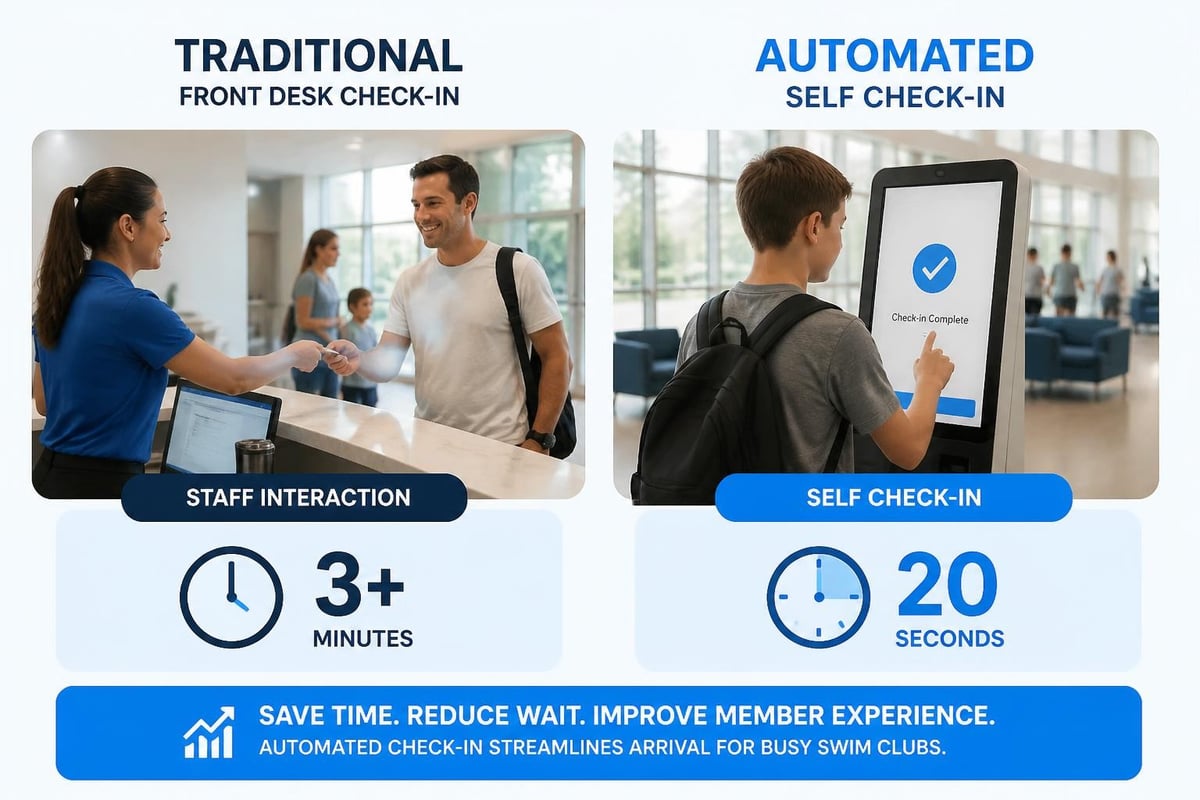
Let me paint two pictures for you. In the old setup, Maria arrives with her two kids and a friend's family. Your desk attendant asks for her member number, types it in, scrolls through screens to verify her status, asks how many guests, prints guest waivers if needed, collects signatures, enters the guest count, prints visitor badges, and finally waves everyone through. Total time: four to six minutes if everything goes smoothly. Multiply that by 50 families on a busy Saturday.
With self check ins, Maria taps her phone at a kiosk or uses a QR code she received in her member app. The system instantly verifies her membership, shows her guest balance, prompts her friend to sign a digital waiver if needed, logs everyone's entry, and displays confirmation. Total time: 45 seconds. Your desk attendant sees the check-in notification and can focus on actually helping people who need assistance rather than processing every single arrival.
The Five-Minute Front Desk Test
Here's how to know if you're ready for self check ins. Time yourself next Saturday morning between 10 AM and 11 AM. Count how many member arrivals your front desk processes. Track how long each transaction takes from "hello" to "you're all set." Note how many of those interactions involved a special question or actual problem that needed human judgment, versus routine verification that a computer could handle.
If more than 70% of your check-ins are routine (member verification, guest count, standard waivers), you have a strong case for automation. If your desk is processing more than 15 arrivals per hour during peak times, you're creating unnecessary wait times. If your seasonal staff spends more than 50% of their shift on data entry rather than member service, you're underutilizing your people.
Common Bottlenecks You'll Recognize
- The membership card hunt: Members dig through wallets and bags while a line forms behind them
- Guest waiver paperwork: Clipboards, pens that don't work, illegible signatures, and papers that get lost
- Account balance questions: "Wait, I paid that last week" conversations that take five minutes to resolve
- System training time: Every new seasonal hire needs two hours of training just to process basic check-ins
- Weekend coverage gaps: You need two people at the desk during peak hours just to keep the line moving
Any of these sound familiar? Each represents a specific problem that self check ins can solve. But notice I said "can solve," not "will automatically solve." The difference matters.
What Makes Self Check Ins Work (Or Fail)
I've seen clubs implement self check in systems that saved them 15 hours of staff time per week. I've also seen clubs spend money on fancy kiosks that sit unused while everyone still lines up at the desk. The difference usually comes down to three factors: system integration, member adoption, and process design.
System integration means your self check in solution actually talks to your membership database in real time. If members check in at a kiosk but your system doesn't update their visit count, guest limits, or access privileges automatically, you haven't solved anything. You've just created two systems to maintain instead of one. This is why choosing integrated swim club management software matters more than picking the flashiest check-in hardware.
Member adoption is about making the new system easier than the old way. If your self check in requires six steps and three different screens while the front desk takes 30 seconds, nobody will use it. If your kiosk interface looks like it was designed in 1998 while your members are used to modern apps, they'll avoid it. The technology needs to feel simpler, not more complicated.
Process design involves rethinking your entire arrival workflow, not just adding technology to your existing chaos. Where do members check in before they enter the pool area? What happens when the system flags an account issue? How do staff respond to check-in alerts? These questions matter as much as which software you choose.
The Technology Stack That Actually Works
Let's talk about what goes into a functional self check in system without getting too technical. You need a few core components working together:
| Component | What It Does | Why It Matters |
|---|---|---|
| Member database | Stores current membership status, balances, guest limits | Real-time verification only works if your data is current |
| Check-in interface | Provides member-facing way to register arrival (app, kiosk, QR code) | Needs to work for both tech-savvy members and those who struggle with technology |
| Automated alerts | Notifies staff of issues requiring attention | Lets staff focus on exceptions rather than routine processing |
| Guest management | Handles visitor waivers, capacity limits, tracking | Reduces liability risk and paperwork burden |
| Access control | Physically grants or denies entry based on member status | Prevents the awkward "we checked in but our account is expired" situations |
The best implementations don't require members to download a special app or remember login credentials. Simple options like scanning a QR code from an email or tapping an RFID card work for broader populations. Research on patient self check-in systems shows that simpler interfaces with fewer steps drive higher adoption across all age groups and technology comfort levels.

Setting Up Self Check Ins Without Disrupting Your Season
You can't shut down your club for three weeks to implement new technology. The good news is you don't have to. The key is running parallel systems during a transition period rather than switching everything overnight.
Start with a soft launch during off-peak hours. Choose a Tuesday morning in mid-season when arrival traffic is light. Set up your self check in option alongside your regular front desk process. Put up simple signage: "Try our new express check-in." Have a staff member standing near the kiosk or QR code station to help members through their first attempt.
Week-by-Week Rollout Plan
Week 1-2: Soft Launch
- Enable self check ins during weekday mornings only
- Staff member actively assists every member who tries the new system
- Collect feedback about confusing steps or error messages
- Fix obvious problems before expanding availability
Week 3-4: Expanded Hours
- Turn on self check ins during all operating hours
- Keep front desk fully staffed as backup
- Track what percentage of members choose self check in vs. desk service
- Send tutorial email to all members showing how the system works
Week 5-6: Optimization
- Adjust staffing based on actual check-in patterns
- Add signage directing routine check-ins to self-service option
- Staff focuses on assisting with complex situations and account questions
- Measure time savings and identify remaining friction points
Week 7+: Full Operation
- Self check ins handle majority of routine arrivals
- Front desk shifts to member service and problem-resolution role
- Monitor system reliability and member satisfaction
- Continue refining process based on daily experience
This gradual approach gives your members time to adapt, your staff time to learn the new workflow, and you time to fix problems before they become crises. Trying to switch everything on opening day of summer season is a recipe for chaos.
The Hidden Costs Nobody Mentions
Most vendors will tell you about upfront costs: software licenses, hardware purchases, installation fees. Fewer will be honest about ongoing expenses and hidden complications. Let me fill in those gaps.
Training time extends beyond your initial staff setup. Every new seasonal hire needs to understand how the self check in system works, how to help members who get stuck, and how to respond to system alerts. Budget at least one hour of training per employee, every season. Also plan for member education: email tutorials, signage, and staff time answering questions during the first month.
System maintenance includes software updates, hardware repairs, and technical support. That kiosk touchscreen will eventually need calibration or replacement. Your QR code system will need updates when you change membership categories or policies. Factor in at least 3-5% of your total system cost annually for maintenance and updates.
Integration complexity shows up when your self check in system needs to work with other tools you already use. Does it sync with your billing platform? Can it trigger automatic emails when members check in? Will it update your capacity tracking in real time? Each integration point is a potential failure point that needs testing and monitoring.
The Real Cost Comparison
Let's look at actual numbers based on a typical swim club with 300 member families and 15,000 annual visits:
| Cost Category | Manual Front Desk | Self Check In System | Annual Difference |
|---|---|---|---|
| Staff hours (check-in processing) | 750 hours/season | 200 hours/season | -550 hours |
| Staff cost at $15/hour | $11,250 | $3,000 | -$8,250 |
| Software/hardware | $0 | $3,500/year | +$3,500 |
| Training time | 2 hours/employee | 3 hours/employee | +$150 (10 employees) |
| Paper, printing, supplies | $500 | $50 | -$450 |
| Error correction & account fixes | 40 hours | 10 hours | -$450 |
| Total Annual Cost | $11,750 | $7,200 | -$4,550 |
These numbers assume you reallocate staff time rather than cutting positions entirely. The bigger value often comes from what your staff can do with those 550 saved hours: proactive member outreach, facility maintenance, program coordination, or improved member service. You're not necessarily reducing headcount; you're using your people more effectively.
Making Self Check Ins Work for Different Member Groups
Your membership isn't homogeneous. You have tech-savvy 35-year-olds who live on their phones, 70-year-old members who still write checks, families with young kids who arrive in controlled chaos, and everything in between. Your self check in system needs to work for all of them, not just the early adopters.
The Multi-Option Approach
Successful clubs offer multiple check-in methods rather than forcing everyone through a single channel:
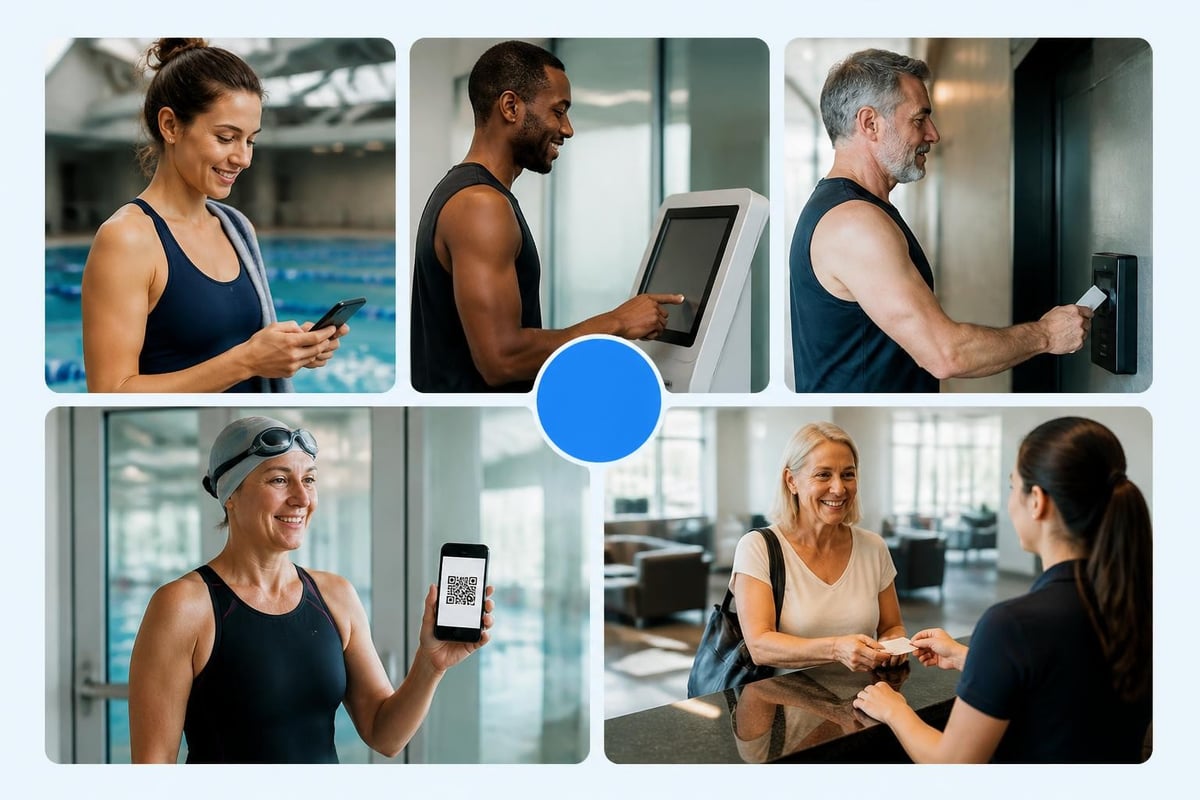
- Mobile app check-in: Perfect for regular members who always have their phone
- Kiosk with touchscreen: Works for members who forgot phones or prefer physical interfaces
- RFID card tap: Fastest option for frequent visitors, especially kids who can tap their own card
- QR code scan: Simple middle ground that works for most members with minimal setup
- Front desk backup: Always available for technology issues, special situations, or members who prefer human interaction
The goal isn't to eliminate your front desk. The goal is to make it optional for routine check-ins so staff can focus on meaningful member interactions rather than repetitive data entry. When members have account questions, need help with registration, or face unusual situations, they should still have easy access to a knowledgeable staff member.
Accessibility Considerations You Can't Ignore
Federal accessibility requirements apply to member facilities just like they apply to public accommodations. If you're installing check-in kiosks, they need to comply with ADA accessibility standards including reach ranges, screen contrast, and alternative input methods. Recent federal updates to digital accessibility rules specifically address kiosk requirements, and getting this wrong can create both legal liability and member frustration.
Practical accessibility tips that work in real clubs:
- Position kiosks at a height usable from both standing and wheelchair positions (typically 34-40 inches)
- Ensure touch targets are large enough for members with limited dexterity (minimum 0.5 inch squares)
- Provide audio cues and screen reader compatibility for visually impaired members
- Offer simple alternatives like RFID cards that don't require fine motor control or reading small text
- Keep font sizes large (minimum 14pt) with high contrast between text and background
- Always maintain a staffed front desk option during all operating hours
Research from international accessibility studies shows that universal design benefits everyone, not just members with disabilities. Clear interfaces, simple workflows, and multiple input options make systems more usable for all members regardless of age, technology comfort, or physical ability.
Security and Privacy in Self Check Ins
When members use self check ins, they're trusting your club with their account information, their visit patterns, and sometimes their payment data. That trust comes with responsibility. Let me walk through the security considerations that matter in real operations, not just in vendor presentations.
Data protection starts with understanding what information your system collects and who can access it. Member check-in logs reveal patterns: who visits when, how often, with whom. This data helps you plan staffing and programs, but it also represents private information about your members' routines and habits. Your system needs role-based access controls so seasonal desk staff can verify check-ins without accessing payment history or personal contact information.
Identity verification matters more than you might think. If someone can check in using another member's account, you have both a security problem and a capacity-tracking problem. However, NIST guidance on digital identity reminds us that verification methods need to match the actual risk level. For swim club entry, you probably don't need fingerprint scanners and facial recognition. A member number plus PIN code, RFID card, or QR code provides sufficient verification for most situations.
What Could Go Wrong (And How to Prevent It)
Let's be honest about failure modes. Technology fails. Internet connections drop. Systems crash at the worst possible moments. Your self check in strategy needs backup plans for common problems:
System downtime: Keep a simple manual check-in log at your front desk (clipboard, pen, paper) for when technology fails. Train staff to log members manually and batch-enter the data later when systems recover. This happens rarely with reliable systems, but having a plan prevents panic when it does.
Account lockouts: Members will forget PINs, lose cards, and face account holds for past-due balances right when they're trying to check in. Your system needs clear on-screen instructions for what members should do (see front desk) and alerts for staff so they can proactively help rather than waiting for frustrated members to figure it out.
Guest verification: Self check ins for members work smoothly, but guest waivers create complications. You need a workflow that captures required waiver signatures digitally without creating a ten-minute process at the kiosk. Many clubs handle this by sending waiver links via text or email before arrival, then confirming waiver completion during check-in rather than collecting signatures on-site.
Privacy in public spaces: If your kiosk displays member names, account balances, or personal information on screen, position it so other members can't casually read over someone's shoulder. Automatic timeouts after each check-in prevent information from lingering on screen. Consider privacy screens on kiosks in high-traffic areas.
Measuring Success Beyond Check-In Speed
Sure, self check ins save time. But how do you measure whether they're actually improving your club's operations in meaningful ways? The metrics that matter go beyond "faster check-ins" to real operational outcomes.
Metrics Worth Tracking
Member satisfaction scores: Survey members quarterly about their check-in experience. Ask specific questions: "How long did you wait to check in during your last visit?" and "How would you rate the ease of our check-in process?" Track changes over time, not just absolute scores.
Peak hour wait times: Time the gap between when members arrive at your facility and when they're actually checked in and through the gate. Measure this during your busiest hours (typically Saturday mornings and weekday evenings). A successful self check in implementation should cut peak wait times by 60-80%.
Staff reallocation: Track what percentage of desk shift hours are spent processing routine check-ins versus helping members with questions, solving problems, and providing proactive service. Your goal is to flip this ratio: less processing, more service.
Error rates: Count how often you need to correct check-in data, resolve guest count discrepancies, or fix wrongly logged visits. Better systems reduce errors because they eliminate manual data entry for routine transactions.
Adoption rates: What percentage of eligible members actually use self check ins versus queuing for the front desk? Healthy adoption is typically 70-85% within three months of launch. If you're stuck below 50%, something about your process or interface needs improvement.
The clubs that get the most value from self check ins often track one additional metric: member-initiated interactions. These are conversations members start with your staff about programs, events, questions, or feedback. When your desk staff stops spending 90% of their time on processing and can actually engage with members, these positive interactions increase. That's what operational efficiency really looks like.
Real Problems Real Clubs Have Solved
Let me share some actual scenarios from clubs that implemented self check ins, with names changed but situations intact.
Ridgemont Swim Club ran a seasonal operation with college students staffing the front desk. Every May they'd train new hires, and every August those students would leave. They implemented self check ins primarily to reduce training time for seasonal staff. Result: training time dropped from 6 hours per employee to 2 hours, and their desk could be staffed by a single person during peak hours instead of two. The unexpected benefit: fewer member complaints because students could focus on actually helping people rather than typing in names all day.
Lakeside Tennis & Swim had a different problem. Their members complained about front desk staff who "knew everyone's business" because they could see account balances and payment history during every routine check-in. Self check ins with proper access controls meant desk staff could verify check-ins without viewing financial information. Privacy concerns dropped by 70% in member surveys, and front desk turnover decreased because staff felt less uncomfortable about seeing sensitive member data.
Westwood HOA Pool struggled with guest management. Their policy allowed each household three guests per visit, but tracking guest counts manually led to arguments about whether someone had brought four guests yesterday or just three. Digital self check ins with automatic guest tracking eliminated these disputes. The system flagged when members approached their guest limits and prevented check-in when limits were exceeded. Board complaints about guest policy enforcement dropped to near zero.
The Problems That Remain
Self check ins solve specific problems really well, but they don't fix everything. Here's what they won't do:
- Replace the need for knowledgeable staff who understand your policies and can make judgment calls
- Automatically improve your membership database if the underlying data is messy and inaccurate
- Eliminate member questions about accounts, policies, or special situations
- Reduce facility maintenance or improve your program quality
- Fix problems with your billing system, renewal process, or member communications
Think of self check ins as one tool in your operational toolkit, not a magic solution to every club management challenge. They work best when integrated with comprehensive swim club management software that handles all your operational needs in one cohesive system rather than bolting together disconnected tools.
Implementation Mistakes to Avoid
After watching dozens of clubs implement self check ins with varying degrees of success, certain mistakes show up repeatedly. Let me save you from the most common ones.
Mistake 1: Choosing hardware before defining your process. Clubs fall in love with fancy kiosks at trade shows, purchase them, and then try to design workflows around the hardware's limitations. Define your ideal check-in process first, then choose technology that supports it.
Mistake 2: Underestimating member communication needs. You can't just turn on a new system and expect members to figure it out. Plan for email tutorials, signage at entry points, staff training to assist members, and at least one month of increased support availability. Budget time and money for this communication.
Mistake 3: Forgetting about off-season maintenance. Your self check in system needs software updates, security patches, and sometimes hardware repairs. If you shut down operations for winter and ignore the system until opening day, you'll face technical problems right when you need things to work smoothly.
Mistake 4: No backup plan for system failures. Internet outages happen. Software crashes occur. Hardware breaks. If your entire check-in process depends on technology with no manual fallback, you'll face chaos during failures. Keep simple backup processes ready.
Mistake 5: Ignoring accessibility from the start. Retrofitting accessibility into systems after deployment costs more and works worse than designing it in from the beginning. Budget for accessibility, test with actual members who have various limitations, and plan for alternatives to any single-method check-in approach.
The Data Migration Headache
Here's one mistake that doesn't get enough attention: assuming your current member data will seamlessly transfer to a new self check in system. Your existing database probably has duplicate records, outdated contact information, inconsistent formatting, and members listed under multiple accounts.
Before implementing self check ins, you need a data cleanup and migration process that standardizes your member information. This takes time. Budget for it. Otherwise, you'll launch a beautiful new system that can't verify members because it's trying to match against messy, inaccurate data.
Future-Proofing Your Check-In System
Technology changes fast, but swim clubs operate for decades. How do you invest in self check ins today without locking yourself into systems that feel outdated in three years?
Choose platforms over point solutions. A check-in kiosk that only does check-ins becomes obsolete when you need to add guest management, or event reservations, or program registration. Systems built on configurable platforms can adapt to your changing needs without requiring wholesale replacement. This is why modern, AI-powered club management platforms matter more than the specific check-in interface you use today.
Prioritize integration capabilities. Your ideal setup will change. You might add automated gates, implement lane reservations, or start tracking swim lesson attendance. Systems that play well with others through standard APIs and data formats give you flexibility. Closed, proprietary systems lock you in.
Plan for mobile-first experiences. Member expectations around mobile technology will only increase. While kiosks work well today, expect members to increasingly prefer checking in via apps or text messages. Flexible systems let you add mobile options without replacing your entire infrastructure.
The Contactless Acceleration
The trend toward contactless check-ins accelerated dramatically after 2020 and shows no signs of reversing. Hotels, fitness centers, and membership facilities of all types have embraced digital check-in workflows that minimize physical touchpoints while improving convenience. Swim clubs benefit from following this broader industry pattern because members now expect contactless options based on their experiences at hotels, gyms, and other venues.
This doesn't mean abandoning human interaction. It means designing workflows where technology handles routine transactions efficiently, freeing staff to focus on the interpersonal aspects of member service that actually benefit from human judgment and relationship-building.
Getting Board Buy-In for Self Check Ins
Let's talk about the conversation you'll need to have with your board of directors or property owners association. They control the budget, and they'll have questions. Here's how to answer them based on what actually matters to governance.
Question 1: "What's this going to cost?" Give them the full picture: initial setup, annual software fees, hardware replacement cycle, training time, and maintenance. Then show the offset: reduced staff hours during peak times, fewer errors requiring correction, better member experience leading to retention. Use the cost comparison table I shared earlier, customized to your actual club size and wage rates.
Question 2: "What if members hate it?" Address this with your rollout plan: gradual implementation, parallel systems during transition, front desk always available as backup, and member feedback loops built in. You're not forcing anyone to use technology; you're offering it as an option that most members will prefer once they try it.
Question 3: "How do we know it'll actually work?" Point to measurable outcomes: wait times, staff hours, member satisfaction scores, error rates. Offer to pilot the system during a low-risk period and measure results before full rollout. Set specific success criteria in advance.
Question 4: "What's our liability if the system fails or gets hacked?" This is where you need to talk about data security practices , backup procedures, and vendor track records. Show that you've evaluated security protocols and have both prevention and recovery plans.
Question 5: "Can't we just hire another front desk person instead?" Walk through the math. An additional employee costs $12,000-$18,000 per season including wages, payroll taxes, and workers' comp insurance. That person can process check-ins faster but doesn't solve the fundamental inefficiency of manual data entry for routine transactions. Technology scales; labor doesn't.
Build your business case around member experience and operational efficiency rather than just cost savings. Boards care about member satisfaction, facility reputation, and staff retention as much as they care about budget line items. Position self check ins as an investment in member service quality, not just a cost-reduction initiative.
Self check ins transform your busiest Saturdays from chaotic bottlenecks into smooth operations where staff can focus on actually helping members instead of typing names into computers. The key is choosing integrated systems that fit your workflows, rolling them out gradually, and measuring what actually matters: member satisfaction and operational efficiency.
Ready to see how modern self check-in capabilities integrate with comprehensive swim club management? PoolPulse offers configurable, AI-powered software that streamlines member check-ins alongside billing, renewals, and facility operations in one unified platform built specifically for swim clubs, tennis facilities, and HOA pools.

How Your Current Reservations System Costs You Revenue
Your reservations management might be leaking revenue every weekend. Learn the practical fixes that swim club operators use to protect income.

The Monthly Billing Chaos Test for Swim Clubs
Running monthly billing at your swim club shouldn't feel like chaos. Take this test to find billing mistakes before they cost you time and money.

Is Your Swim Club Running on Gut Feelings or Real Data?
Most swim clubs rely on instinct instead of data to make decisions. Learn how driven software helps you track what matters and run smarter.
Want to see if PoolPulse is a good fit for your club?
Book a walkthrough and we'll show you exactly how PoolPulse can help based on your club's needs, goals, and current processes.