
Member-focused club pool for member management software
Member Management Software

Member management software that keeps every club record connected

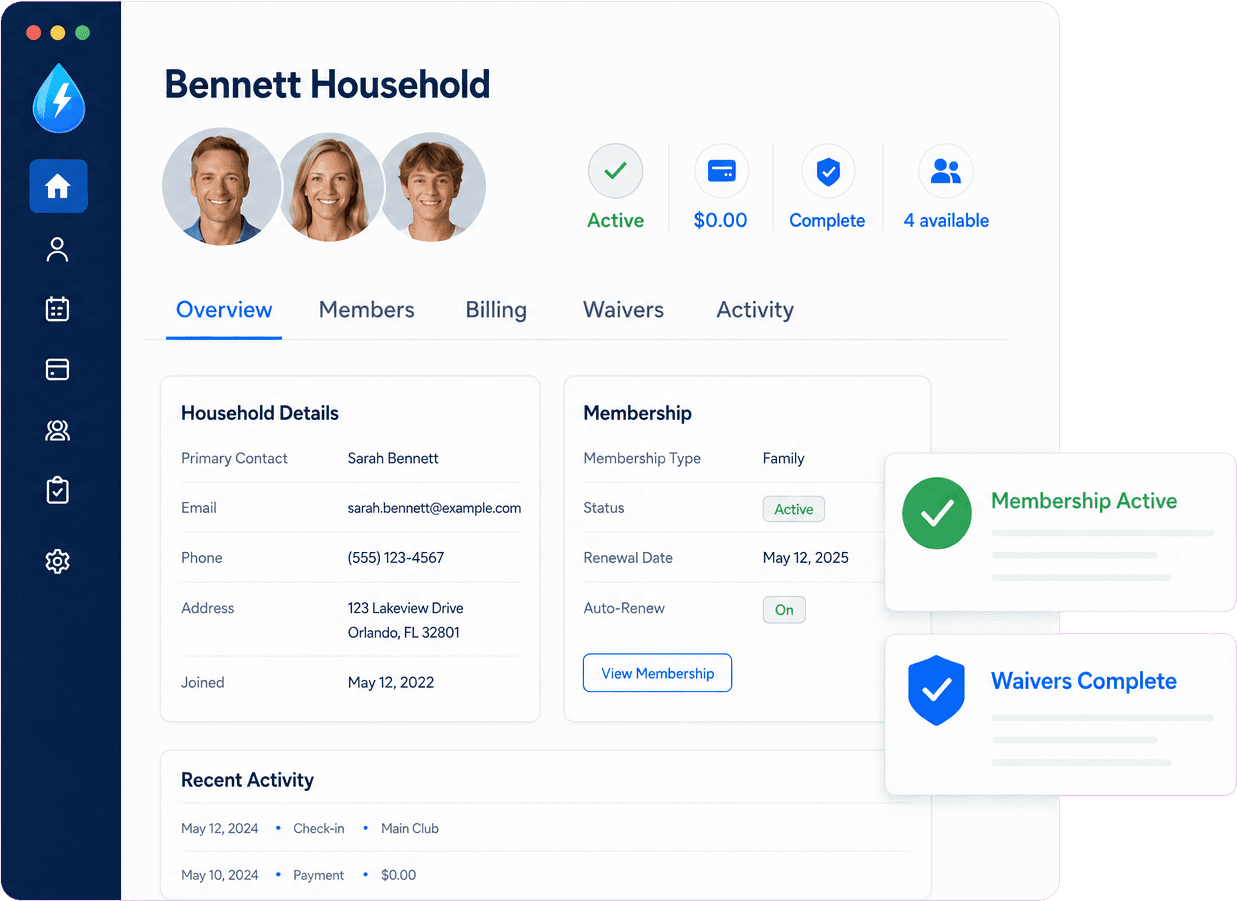
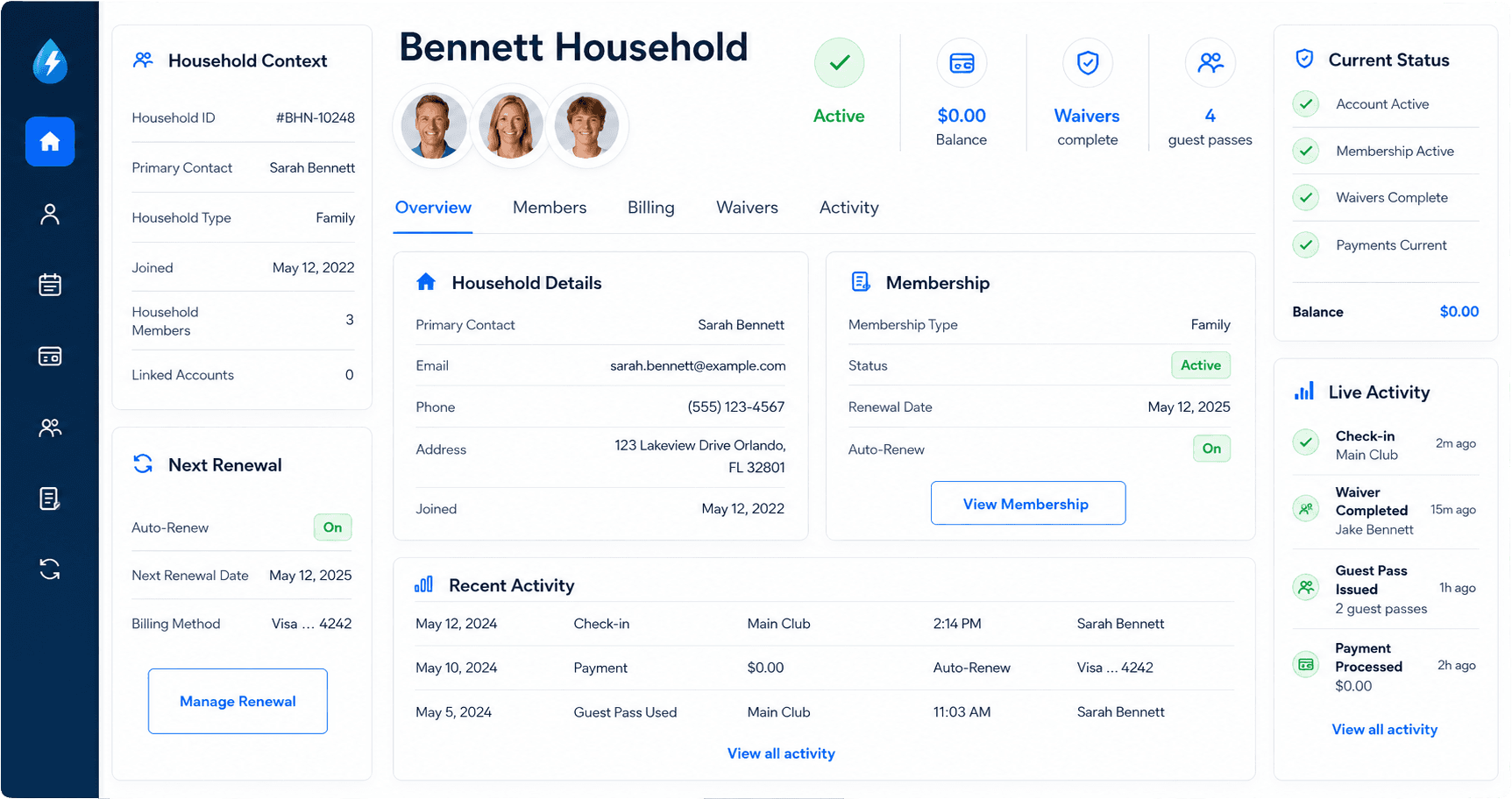
PoolPulse helps clubs manage households, memberships, renewals, waivers, balances, guest access, check-ins, communication, and reporting from one connected member record. Your team gets a clearer picture of who belongs, what needs attention, and what staff should know before the next busy moment.

Member management softwareHousehold-based recordsFront-desk ready context
What member management software should answer

Member management is more than a contact list when the record drives daily operations.

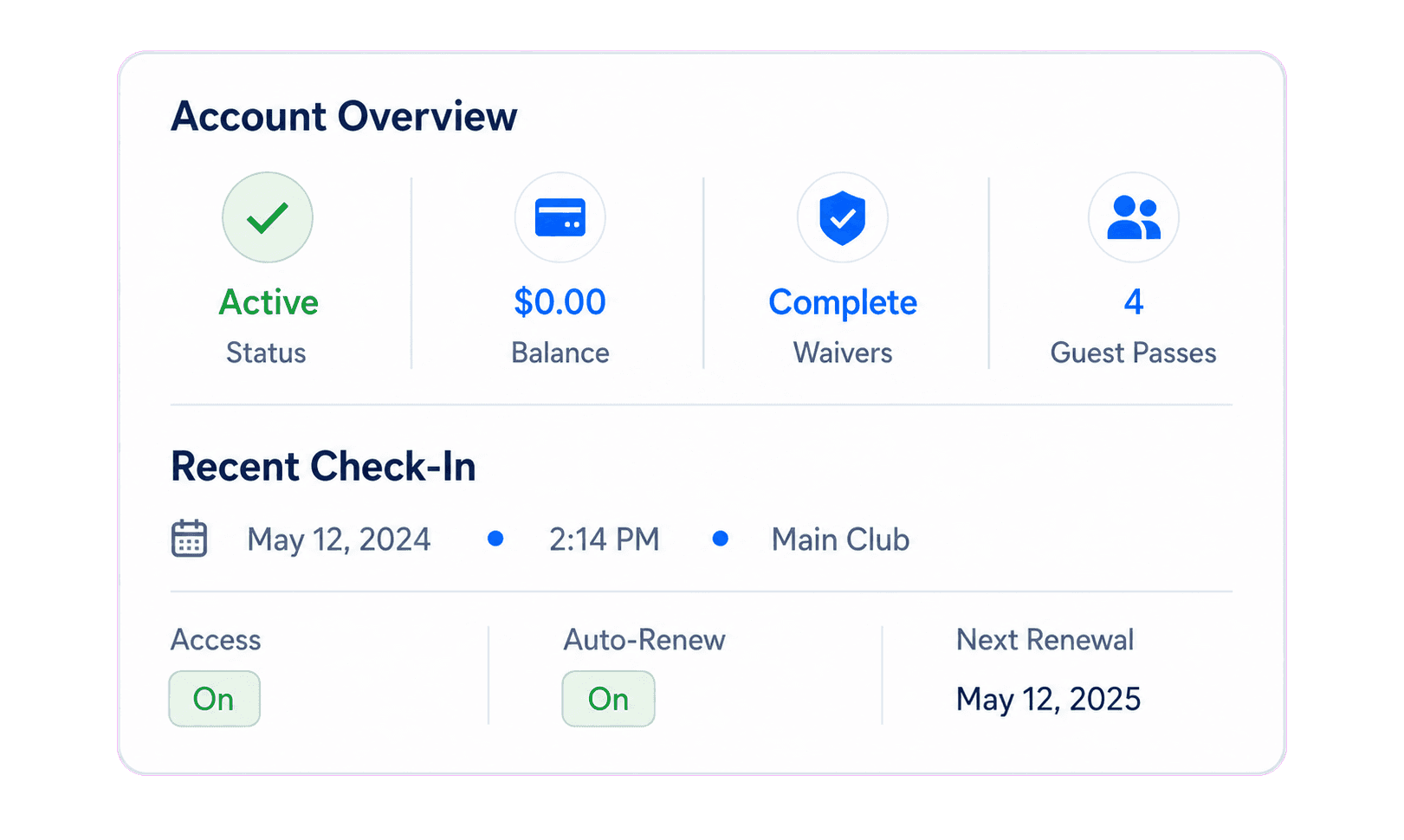
For clubs, a member record should help staff and managers answer questions about eligibility, billing, waivers, guests, renewals, communication, and activity without opening another disconnected tool.

01Is this membership active and in good standing?
02Who belongs to the household or account?
03Are balances, credits, waivers, or notes open?
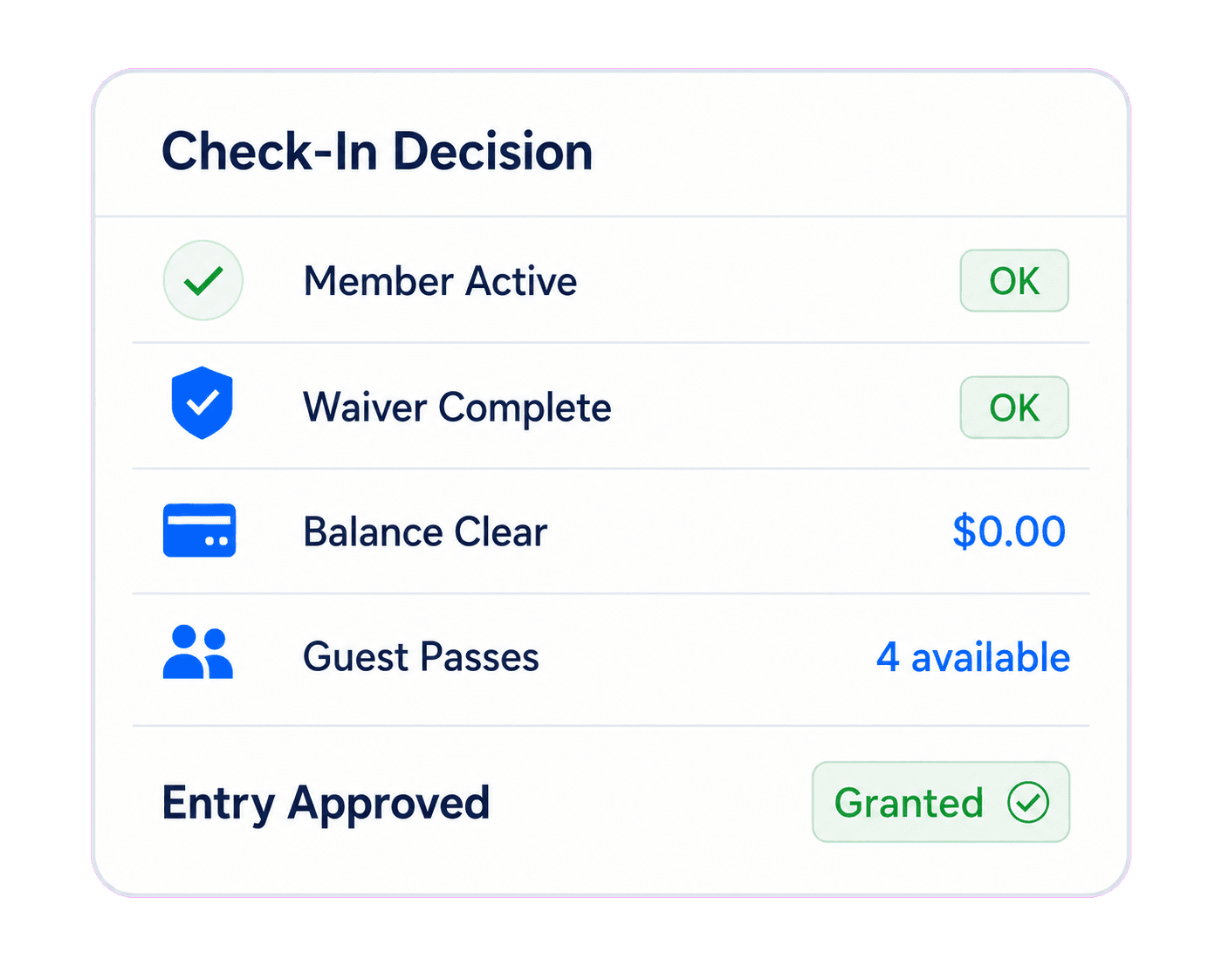
04Can this member or guest enter today?
05What renewal, program, or communication history should the team see?
1
member record
For households, balances, waivers, access, and activity
Fewer
duplicate updates
When member data stops living in separate systems
Clearer
staff decisions
When the account picture is easy to trust
Why member records get messy

Member management software breaks down when the record is separate from the work.

A member profile should not be detached from billing, check-ins, waivers, guest access, programs, and reporting. When those details split apart, staff have to guess, managers repeat updates, and boards wait for someone to rebuild the picture.

Club lobby where member household records are used
Households

Clubs manage relationships, not isolated contacts

Families, dependents, caregivers, billing contacts, waiver signers, guests, and emergency contacts often belong to the same operational account.

Shared club pool representing member billing and access context
Account status

Member data should travel with billing and access

Balances, credits, waivers, package rules, guest activity, and check-ins need to stay connected to the same account staff can trust.

Club pool entrance context for member management and check-in decisions
Front desk

Staff need context at the moment of decision

The member record should answer access, waiver, balance, guest, and note questions while the team is serving members.

Member-focused club pool for member management software

The connected member record

PoolPulse keeps membership context attached to the work your club already does.

The member record becomes more useful when it is connected to billing, waivers, check-ins, guest access, programs, POS activity, reporting, and renewal history.

What PoolPulse helps clubs manage

Member management software should keep the account picture complete.

PoolPulse is designed so the member record supports daily staff decisions, manager follow-up, billing review, and board visibility.

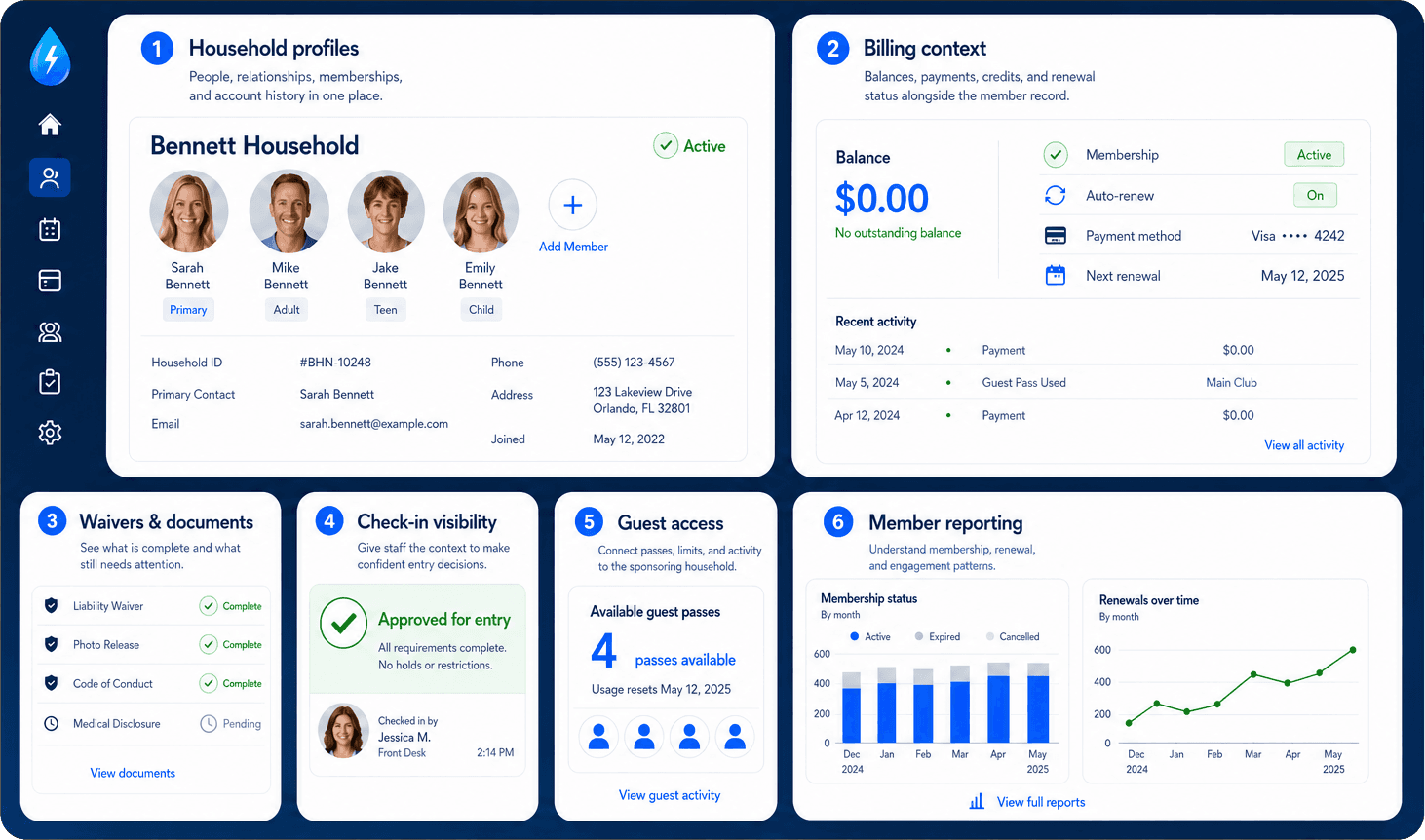
Household profiles

Manage members, dependents, contacts, emergency details, notes, account status, and membership history in one record.

Billing context

Keep dues, credits, invoices, POS charges, guest fees, and payment history connected to the member account.

Waivers and documents

Track required documents and waiver status where staff and managers actually need to see them.

Check-in visibility

Show status, balances, waiver status, guest rules, and notes during check-in so staff can act quickly.

Guest access

Connect sponsored guests, pass balances, visit history, rules, and fees to the member household.

Member reporting

Review renewals, activity, revenue, attendance, and account trends without rebuilding spreadsheets.

Disconnected member management
  • Contact records separated from payments and access
  • Duplicate households and manual record cleanup
  • Guest visits tracked apart from the sponsoring member
  • Managers rebuilding answers from exports
Connected member management
  • One account picture for status, balances, waivers, and activity
  • Cleaner household records across renewals and daily operations
  • Guest activity tied to the member account and rules
  • Member reporting based on live operational context
Who relies on member data

A better member record helps the whole club move faster.

Member management software is most useful when staff, managers, finance teams, and boards can all work from the same trusted account context.

Staff

Answer access questions faster

Staff can confirm eligibility, waiver status, balances, guest rules, and notes without chasing another record.

Access - Waivers - Notes
Finance

Keep billing tied to the household

Treasurers and managers can review dues, payments, credits, and charges alongside the member history.

Dues - Credits - Payment history
Managers

Run renewals with cleaner context

Managers can see membership history, activity, outstanding tasks, and follow-up needs from one account picture.

Renewals - Activity - Follow-up
Family pool and shared amenity for connected member management

Member data that supports operations

When the member record is connected, every other workflow gets easier to trust.

Billing, check-ins, guest access, programs, communication, POS activity, and reporting all work better when they share the same member context.

How to evaluate options

When comparing member management software, test the record against real club questions.

Does it support households and shared memberships?

Clubs often manage families, dependents, guests, caregivers, billing contacts, and waiver signers through one account.

Does the member record include billing context?

Balances, credits, invoices, guest fees, and POS charges should be easy to see beside the profile.

Can staff use the record at check-in?

The profile should surface status, waivers, access rules, guest limits, and notes when staff need them.

Does reporting use live member activity?

Managers and boards should not need to rebuild renewals, attendance, revenue, and member activity by hand.

What to review next

Start with the account, then follow the workflows around it.

The right member management software should make the member record useful across registration, renewal, billing, check-in, guest access, and reporting.

01

Check the household structure

Confirm how the system handles family members, dependents, contacts, guest privileges, billing contacts, and notes.

02

Review billing and access together

A member profile should make balances, waivers, eligibility, guest rules, and renewal status easy to understand.

03

Look at reporting from the member record

Useful reports should reflect the same data staff and managers already use to run the club.

Member management software questions

Member management software should make every account easier to trust.

These questions help clubs compare a connected member record with generic CRMs, spreadsheets, and disconnected membership tools.

What is member management software?

Member management software helps clubs organize member accounts, households, contact information, membership status, renewals, waivers, billing context, guest access, and activity history.

How is member management software different from a CRM?

A CRM usually focuses on contact relationships. Clubs also need operational context like packages, balances, waivers, check-ins, guest access, programs, and reporting.

Why does member management need billing and access context?

Because staff often need to know whether a member is active, paid, eligible to enter, covered by waivers, and allowed to bring guests at the same time.

Does PoolPulse support household-based member management?

Yes. PoolPulse is built around household records, member relationships, billing context, waiver status, guest activity, and front-desk visibility.

Next step

See how PoolPulse manages member records

Walk through households, renewals, waivers, billing context, guest access, check-ins, and reporting in one connected member management system.

Swim club pool lanes ready for the season
Outdoor swim club pool in bright weather