

Check In System Guide for Swim Clubs in 2026
Learn how a modern check in system transforms swim club operations. From QR codes to security, discover what works for member facilities.


Running a swim club means juggling a hundred different tasks on any given day. Between managing memberships, tracking billing, and keeping the facility safe, you're constantly looking for ways to make operations smoother. One area that can either make your day easier or create endless headaches is how you handle member arrivals. A good check in system doesn't just track who's at the pool. It helps you manage capacity, keep non-members out, and gather data about how your facility actually gets used.
What Makes a Check In System Work for Swim Clubs
You've probably seen check in systems at gyms, event venues, or even doctor's offices. But swim clubs have unique needs that generic solutions don't always address.
Think about what happens during a typical summer Saturday at your pool. Families arrive in waves. Kids are excited and running ahead. Parents are carrying bags, coolers, and floaties. Someone forgot their membership card. Another family brought guests and isn't sure about the guest policy. Meanwhile, you're trying to make sure you don't exceed capacity while also creating a welcoming atmosphere.
The Core Functions You Actually Need
A check in system for swim clubs needs to handle several things at once:
- Member verification that confirms active memberships and catches expired accounts
- Guest tracking that monitors how many guests each member brings and enforces limits
- Capacity management that prevents overcrowding and maintains safety standards
- Access control that keeps non-members from sneaking in without making legitimate members feel unwelcome
- Data collection that shows you patterns about peak times and facility usage
The best systems handle these tasks without creating bottlenecks at the entrance. You want members to feel welcomed, not interrogated.
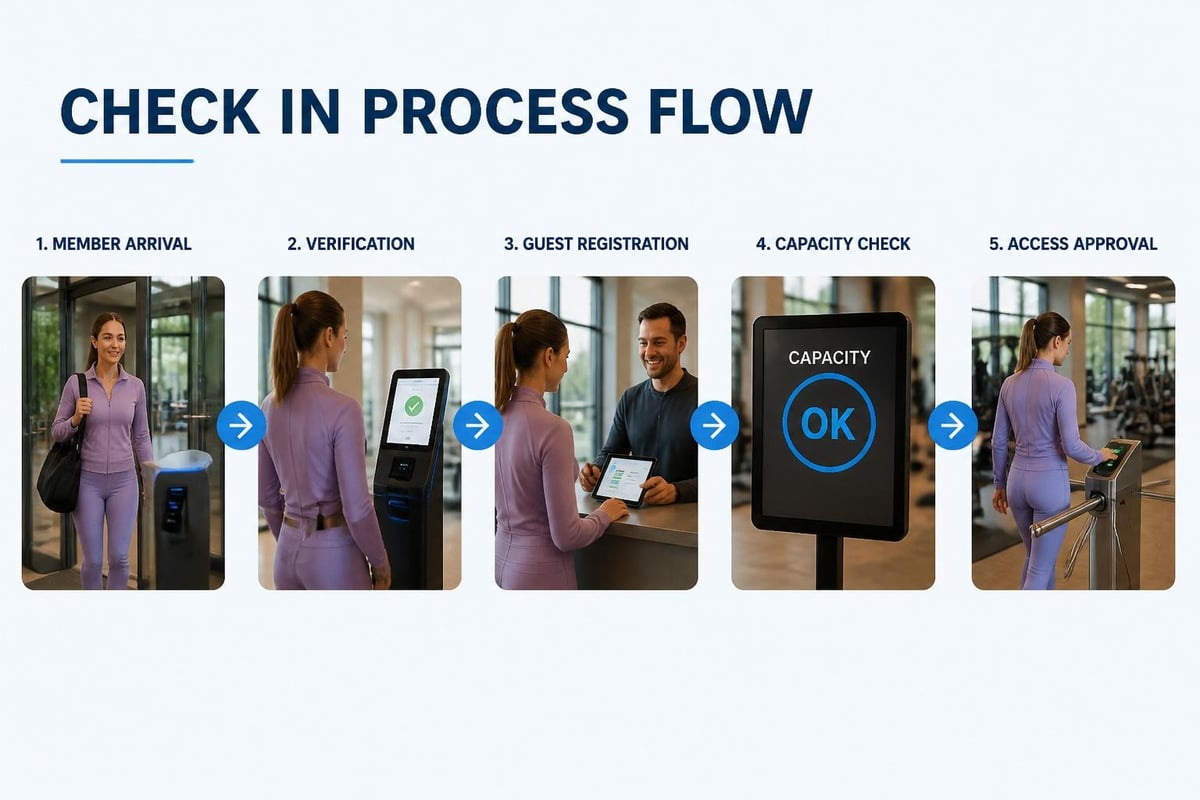
Modern Options That Actually Work
Walk into most swim clubs and you'll still see someone with a clipboard checking names off a printed list. It works, but it's slow and you can't easily track the data.
Modern check in systems offer several approaches. Each has trade-offs depending on your facility size, budget, and how tech-savvy your members are.
QR Code Systems
QR code check-in has become incredibly popular because almost everyone has a smartphone now. Members receive a unique QR code they can display on their phone or print out. When they arrive, they scan it at a kiosk or show it to staff who scan it with a tablet.
This approach is fast. A family can check in within seconds. The system instantly verifies their membership status, checks for outstanding balances, and logs their arrival time. According to guidance on QR code check-in systems , this method significantly reduces wait times compared to manual list checking.
Here's what works well with QR codes:
- Members can save the code to their phone's wallet app for quick access
- No physical cards to lose or replace
- Easy to add temporary codes for guests
- Instant data capture for reporting
The main challenge? Older members sometimes struggle with the technology. You'll need a backup method for people who don't have smartphones or forget to bring them.
RFID Cards and Key Fobs
Some clubs go with physical access cards or key fobs. Members tap their card at a reader when they enter, and the system logs them in automatically.
| Feature | QR Codes | RFID Cards |
|---|---|---|
| Initial Cost | Low | Medium to High |
| Member Setup | Easy (email code) | Requires card distribution |
| Lost Item Replacement | Free (resend code) | $5-15 per card |
| Speed of Check-In | Very Fast | Very Fast |
| Works Without Phone | No | Yes |
RFID works great for members who want a simple tap-and-go experience. Kids can have their own cards attached to their swim bag. But you'll spend time and money managing physical cards.
Tablet-Based Manual Entry
The simplest digital option is having staff use a tablet to look up members and manually check them in. This gives you the benefits of digital tracking without requiring members to carry anything special.
It's slower than automated scanning, but it gives staff a chance to personally greet members and answer questions. For smaller clubs where you know most members by name anyway, this personal touch matters.
Security and Privacy Concerns You Can't Ignore
When you're collecting data about who enters your facility and when, you're handling sensitive information. This isn't just a best practice thing. It's about protecting your members and your club.
Security vulnerabilities in visitor management systems have made headlines when personal data gets exposed. Your check in system needs proper safeguards.
What Data Should You Actually Collect?
Don't collect information you don't need. Your check in system should track:
- Member ID or name
- Check-in time
- Number of guests (if applicable)
- Exit time (if you track this)
You probably don't need home addresses, phone numbers, or other personal details at check-in. That information should live in your membership database, not in every check-in record.
Protecting Member Information
Make sure whatever system you use encrypts data both when it's stored and when it's transmitted. If you're using a cloud-based solution, verify where the data is hosted and what security standards the provider follows.
Also think about who has access to check-in data. Does every part-time lifeguard need to see full member histories? Probably not. Set up permission levels that limit access to what each staff member actually needs.
Setting Up Your Check In Process
You've picked a system. Now comes the hard part: getting it actually working at your facility.
The Physical Setup Matters More Than You Think
Where you put your check-in station affects everything. Best practices for implementing check-in kiosks emphasize strategic placement that balances convenience with flow management.
Position your check-in area where members naturally enter but where you can also see people trying to bypass it. You want it visible from wherever staff typically positions themselves.
Consider these setup elements:
- Weather protection for any electronic equipment (tablets, kiosks, scanners)
- Power access that doesn't create tripping hazards
- Clear signage explaining the check-in process
- Space for lines during peak times without blocking the entrance
- Backup options when technology fails (and it will)
On a hot summer day when everyone arrives at once, your check-in area becomes a bottleneck. Plan for crowds, not for average days.
Training Staff (and Members)
Your staff needs to understand both how the system works and how to handle exceptions. What do they do when:
- A member's code doesn't scan
- Someone claims they paid but the system shows an overdue balance
- A member brings more guests than allowed
- The tablet runs out of battery
Create simple, written procedures for common scenarios. Don't assume staff will figure it out on the fly.

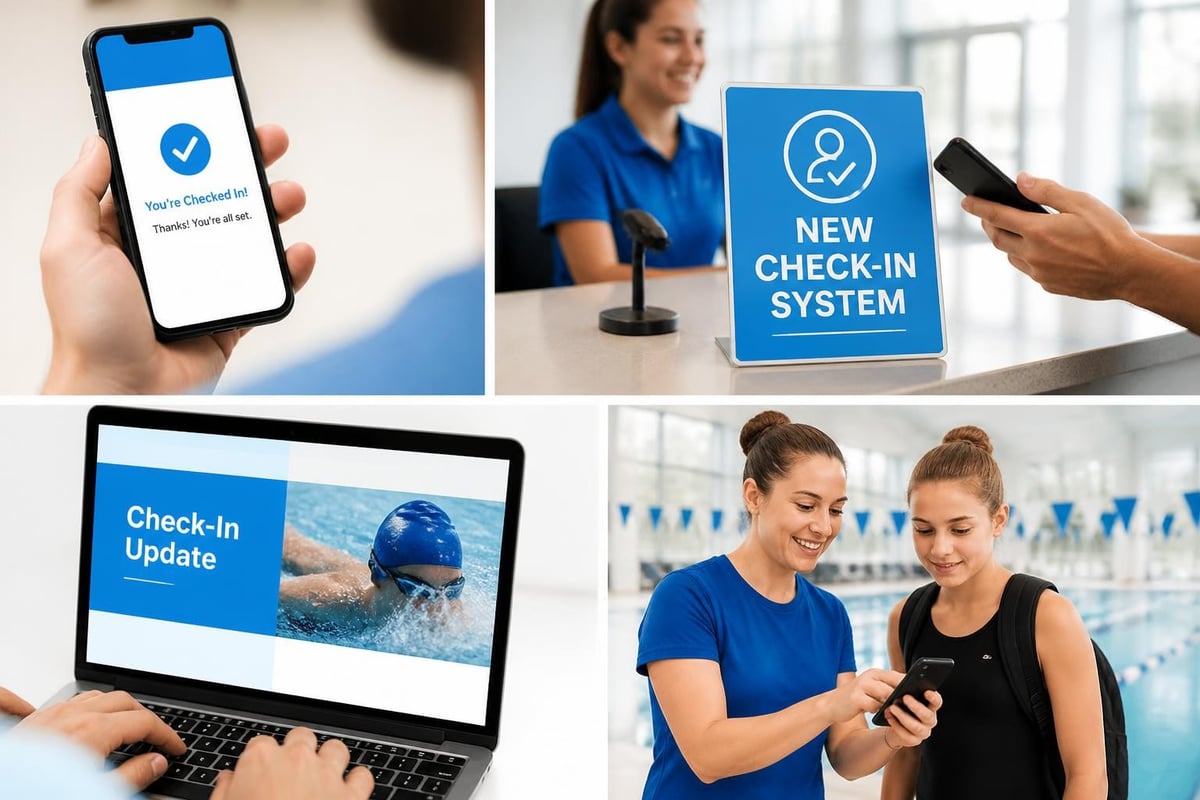
For members, communicate the new process well before you launch it. Send emails with screenshots. Post signs at the pool. Have patient staff available during the first few weeks to help people adjust.
Connecting Check-In to Your Other Systems
A check in system shouldn't exist in isolation. The real power comes when it talks to your other club management tools.
Integration with Membership Management
Your check in system should pull from your membership database in real-time. When someone checks in, the system needs to know:
- Is their membership currently active?
- Do they have any outstanding balance?
- Are there any notes or restrictions on their account?
- How many guest passes do they have remaining?
PoolPulse handles this by keeping everything in one unified platform. When a membership renews, expires, or gets suspended, the check-in system immediately reflects that status.
If you're using separate systems, you need reliable synchronization. Nothing frustrates members more than being denied entry because the check-in system hasn't updated with their recent payment.
Capacity Management and Safety
Beyond tracking individual check-ins, your system should help you manage overall facility capacity. This became critical during 2020-2022, but it remains important for safety and member experience.
Real-time capacity tracking helps you:
- Know exactly how many people are currently at the facility
- Enforce maximum capacity limits set by your insurance or local regulations
- Identify peak usage times for staffing and resource planning
- Provide members with live updates about crowding levels
Some clubs display current capacity on their website or app so members can decide whether to come now or wait an hour. This transparency reduces frustration and improves the member experience.
Different Approaches for Different Club Types
Not every swim club operates the same way. Your check in system should match how your facility actually functions.
Full-Service Swim Clubs
If you're running a traditional swim club with competitive teams, social events, and multiple amenity areas, you need a more detailed check in system.
You might track not just who entered the facility but which areas they're using. Are they checking in for lap swim, the main pool, tennis courts, or a private event? This granular tracking helps with:
- Accurate billing for members who pay per-visit or have tiered access
- Safety monitoring for different pool areas
- Scheduling and resource allocation
- Understanding which amenities drive the most value
Comprehensive swim club management software can handle these complex scenarios without requiring multiple separate check-in stations.
HOA Community Pools
Homeowners association pools typically operate differently. Every homeowner has automatic access as part of their HOA dues. Your check in system needs to:
- Verify residency rather than paid membership
- Track guest usage more carefully since many HOAs have strict guest policies
- Handle temporary access for renters or property management companies
- Integrate with HOA management systems for resident verification
The focus shifts from payment verification to access control and rule enforcement. HOA pool management software addresses these specific needs with features like household-based guest limits and seasonal access management.
Semi-Private and Public Access Facilities
Some pools operate with a mix of members and daily visitors. Your check in system needs to handle both populations smoothly.
Members might use QR codes or RFID cards for fast entry. Daily visitors might check in with staff who collect payment and issue a day pass. The system should track both groups separately for accurate reporting and capacity management.
Making Transitions Smooth
Switching to a new check in system can feel risky. What if members hate it? What if technology fails on opening day? What if staff can't figure it out?
The Rollout Plan That Actually Works
Don't switch systems on the busiest day of the year. Plan your transition during a shoulder season when you have time to work through issues.
Here's a practical timeline:
- 8 weeks before launch: Announce the change to members with clear explanations of benefits
- 6 weeks before: Train staff on the new system with multiple practice sessions
- 4 weeks before: Set up equipment and test it thoroughly
- 2 weeks before: Offer optional early check-ins so tech-savvy members can try it
- Launch day: Have extra staff available and keep your old system running as backup
- 2 weeks after: Collect feedback and make adjustments
According to event check-in best practices , having a backup plan is critical. Keep paper lists available for at least the first month.
Handling Resistance
Some members will resist any change. They liked the old way, and they don't see why things need to be different.
Address this directly. Explain specific problems the new system solves:
- "We had members sneaking in extra guests beyond their limit"
- "We couldn't track peak times to schedule enough lifeguards"
- "Members complained about long lines during busy periods"
- "We had no way to know if we were at capacity for safety"
Focus on benefits members actually care about, not technical features. Nobody cares that your system uses "advanced cloud-based technology." They care that they spend less time waiting in line.
Tracking the Right Data
Once your check in system is running, you'll have access to data you never had before. But data only helps if you actually use it to make decisions.
Reports That Drive Real Improvements
Look at these metrics weekly or monthly:
| Metric | What It Tells You | Action You Can Take |
|---|---|---|
| Peak entry times | When most members arrive | Adjust staff schedules |
| Average stay duration | How long people typically stay | Plan maintenance windows |
| Guest-to-member ratio | How much guests increase capacity | Adjust guest policies if needed |
| Weekly attendance patterns | Which days are busiest | Schedule events on slower days |
| No-shows for events | Event registration accuracy | Improve event communication |
Don't just collect data. Schedule a monthly review where you actually look at trends and discuss operational changes.
Privacy and Data Retention
You don't need to keep check-in records forever. Decide on a reasonable retention policy, maybe 12-18 months of detailed data, with only aggregated statistics kept longer.
This protects member privacy and reduces your liability if there's ever a data breach. Data retention policies should be clear and communicated to members.
Special Situations and Edge Cases
Real life is messy. Your check in system needs to handle situations that don't fit the standard process.
Guest Management
Most clubs allow members to bring guests, but the policies vary widely. Some clubs offer unlimited guests. Others limit it to a certain number per visit or per year. Some charge guest fees. Others include a few free guest passes with membership.
Your check in system should enforce whatever policy you have without requiring staff to memorize complex rules. When a member checks in with guests, the system should:
- Show how many guests they're allowed today
- Deduct from their annual guest allowance if applicable
- Flag if they need to pay a guest fee
- Track guest names for safety and capacity purposes
Member-Only Events
Sometimes you'll host events that are only for certain membership tiers or require separate registration. Your check in system should integrate with event registration to verify that people checking in are actually registered.
This prevents awkward situations where someone shows up to an event assuming they can attend, only to find out they needed to pre-register.
Emergency Procedures
In an emergency, you need to know exactly who's at the facility. Your check in system becomes a critical safety tool.
Make sure your system can generate a real-time list of everyone currently checked in. Staff should be able to access this quickly from multiple devices, not just from one tablet that might be inaccessible.
Also ensure members check out when they leave, or implement automatic check-outs after a certain time period. Otherwise your emergency list will include people who left hours ago.
Cost Considerations and ROI
Let's talk money. A check in system represents both upfront costs and ongoing expenses.
What You'll Actually Spend
Budget for:
- Software subscription: $50-300 per month depending on features and member count
- Hardware: Tablets, scanners, or kiosks ranging from $200-2000
- Setup and configuration: Often included but may require 5-10 hours of your time
- Member communication: Printed materials, signage, and staff time for the rollout
- Training: Staff hours for learning the new system
Some clubs worry about these costs without considering what they're currently spending. If you're paying someone to manually check members in for 20 hours per week, that's easily $10,000-15,000 per year in labor costs.
Where You'll Save Money
A good check in system pays for itself through:
- Reduced labor for manual check-in processes
- Fewer unpaid guest fees from members exceeding guest limits
- Better capacity management preventing over-staffing or under-staffing
- Data insights that help you optimize operations
- Automated enforcement of access policies
Beyond direct savings, you reduce headaches and conflicts. When the system enforces rules consistently, staff doesn't have to have awkward conversations with members about policy violations.
Revenue recovery tools built into modern club management platforms can identify members who are using facilities but have expired memberships or outstanding balances.
Mobile and Self-Service Options
Members increasingly expect to manage everything from their phones. Your check in system should fit into this expectation.
Mobile Check-In Apps
Some systems offer dedicated mobile apps where members can check themselves in remotely. They tap a button when they arrive at the parking lot, and by the time they reach the entrance, they're already logged in.
Mobile check-in best practices suggest this approach works well when members need to complete forms or acknowledge policies before entry.
The advantage? No physical bottleneck at the entrance. The disadvantage? No personal interaction with staff, which some members value.
Self-Service Kiosks
For clubs that want automation without requiring member phone usage, self-service kiosks offer a middle ground. Members approach a touchscreen, enter their member number or scan their card, and receive instant confirmation.
Kiosks work well for larger facilities where personal greeting isn't practical during peak times. They're also useful for extended hours when staff isn't always available at the entrance.
Compliance and Insurance Considerations
Your insurance company and local regulations probably have requirements about tracking who's at your facility.
What Insurance Companies Want
Most pool insurance policies require you to maintain accurate records of facility usage. This helps establish patterns if there's ever an incident or claim.
Your check in system should generate reports that satisfy insurance requirements without extra work. When your insurance company asks for attendance records from a specific date range, you should be able to produce them in minutes, not hours.
Local Regulations
Some jurisdictions require swim facilities to maintain occupancy logs for safety purposes. During inspections, you may need to demonstrate that you're not exceeding capacity limits.
A digital check in system provides clear, tamper-proof records that satisfy regulatory requirements. It's much more credible than handwritten lists that could be altered after the fact.
Looking Ahead: Trends to Watch
The check in technology landscape keeps evolving. Here's what's becoming more common in 2026.
Facial Recognition and Biometrics
Some high-end facilities are experimenting with facial recognition for completely frictionless check-in. Members register their photo once, then cameras recognize them as they enter.
This raises obvious privacy concerns that many clubs aren't ready to navigate. It's also expensive and requires significant technical infrastructure.
For most swim clubs, this technology is overkill. But in a few years, it might become more accessible and accepted.
AI-Powered Insights
The more interesting trend is using AI to analyze check-in patterns and predict future behavior. AI-powered club management can identify trends like:
- Members whose check-in frequency is declining (possible retention risk)
- Peak times shifting due to seasonal patterns or member demographics
- Correlation between specific events and increased facility usage
- Optimal staffing levels based on predicted attendance
This moves beyond just tracking who checked in to actually understanding what the data means for your operations.
Integration with Wearables
Some clubs are exploring integration with fitness trackers and smartwatches. Members could check in with a tap of their Apple Watch or automatically when they connect to the facility's WiFi.
These conveniences appeal to tech-savvy members but require careful implementation to avoid excluding members without the latest devices.
Making the Decision
You're probably managing your check-in process somehow right now. The question isn't whether you need a system but whether upgrading to something more modern makes sense for your specific situation.
Ask yourself these questions:
Do you currently have problems with:
- Members complaining about long wait times during peak hours?
- Difficulty tracking actual facility usage and peak times?
- Disputes about guest limits or access policies?
- Inability to manage capacity effectively?
- No reliable data for insurance or regulatory reporting?
Are you spending significant time on:
- Manual check-in processes during operating hours?
- Reconciling who was at the facility on a particular day?
- Enforcing access policies inconsistently?
- Creating reports about facility usage?
Do you need better:
- Integration between check-in and your membership database?
- Real-time visibility into current facility capacity?
- Automated enforcement of guest and access policies?
- Data-driven insights for operational decisions?
If you answered yes to several of these questions, a modern check in system will likely save you time, reduce conflicts, and improve member experience. Explore PoolPulse features to see how integrated club management addresses these challenges.
The right system depends on your club size, budget, member demographics, and operational priorities. Start by clearly defining what problems you're trying to solve, then evaluate options based on how well they address those specific needs.
A modern check in system transforms how swim clubs manage daily operations, moving from manual tracking to automated, data-driven processes that save time and reduce conflicts. The right solution balances technology with the personal touch that makes your club special while giving you the operational insights you need. PoolPulse brings together check-in management, membership tracking, billing, and AI-powered insights in one platform designed specifically for swim clubs and member-driven facilities. If you're ready to move beyond clipboards and spreadsheets, schedule a demo to see how modern club management software can make your operations run smoother.

The Swim Club Software Test Every Board Should Run
Run this simple test to see if your swim club software actually saves time or creates more work. Real scenarios, honest questions, better tools.

The Seven Signs You've Outgrown Your Club Operations
Your swim club is growing, but your tools aren't keeping up. These seven warning signs reveal when manual processes cost more than solutions.

How to Answer Every Board Question in Under Two Minutes
Your swim club board asks tough questions. Learn how management reporting software helps you pull accurate answers in seconds, not hours.
Want to see if PoolPulse is a good fit for your club?
Book a walkthrough and we'll show you exactly how PoolPulse can help based on your club's needs, goals, and current processes.