

A Club Dashboard Is Not a Report Dump. It Should Answer These Seven Questions.
Design a club board dashboard around decisions, definitions, ownership, and follow-up instead of filling meetings with disconnected exports.


A board packet can contain twenty pages of numbers and still leave directors asking whether anything needs attention.
The practical answer: A useful dashboard answers what changed, why it matters, whether action is required, who owns that action, and when the board will see the result. The chart is secondary to the decision.
This guide is for club managers, treasurers, and board members. It turns the policy into decisions staff can apply at the busiest moment, then shows how to test the workflow before members depend on it.
Start with the decision, not the software setting
When definitions change from month to month or nobody owns the follow-up, reporting consumes meeting time without improving an operating decision. Begin by naming the member promise in ordinary language. A policy should tell a member what they may request, what the club will do, what information staff will use, and when the answer becomes final.
Separate the policy from the configuration. The policy is the club’s decision; the configuration is how the platform helps enforce it. If the decision changes every time a different employee is working, no setting can create consistency. Write the rule first, ask a person outside the drafting group to explain it back, and revise any phrase that produces two reasonable interpretations.
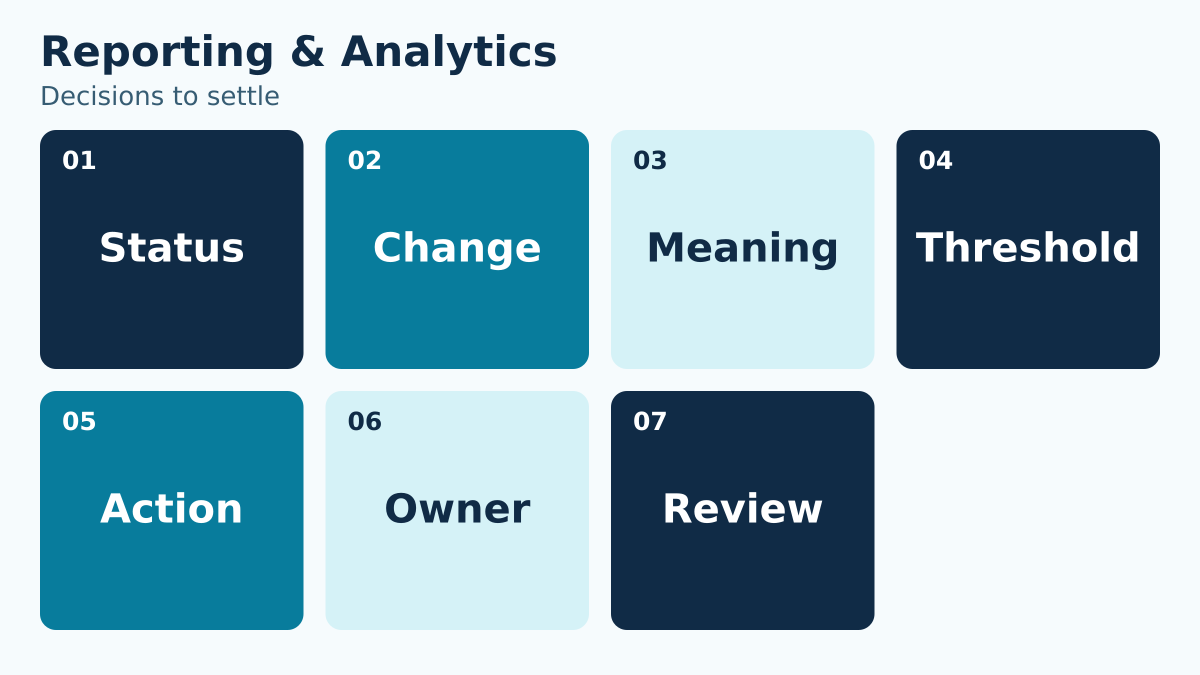
Use the seven-question grid below during a working session. Do not accept “handled case by case” unless the policy also names the decision maker, relevant criteria, record, and response time.
| Decision | Question the policy must answer |
|---|---|
| Status | What is true now? |
| Change | What moved since the agreed comparison period? |
| Meaning | Why does that movement matter operationally? |
| Threshold | Is the result inside the board’s accepted range? |
| Action | What decision or work follows? |
| Owner | Who is accountable for the next step? |
| Review | When will the board see the outcome? |
Define the smallest complete record
The team does not need every possible detail. It needs the details that change the decision or prove that the agreed process occurred. For this workflow, build the record around decision question, metric definition, comparison period, threshold, owner, follow-up date. Give each field one purpose and one accountable owner.
For every field, ask four questions: Who supplies it? Who may change it? What event makes it stale? What action depends on it? Remove fields that do not survive that test. A shorter, maintained record is more useful than a long form filled with answers nobody trusts.
Free-text notes deserve special care. Use them for context that cannot fit a controlled choice, not as a substitute for a missing policy. Staff should never have to search paragraphs of history to discover the current answer.
Work through a boundary case before launch
Use this ordinary situation in a tabletop exercise: Membership is above plan, but earned revenue is below plan because a larger share of renewals selected a lower-priced package. A dashboard that shows only total members makes the month look uncomplicated.
Ask the first employee to narrate the exact steps without skipping ahead. What do they see first? Which rule decides the next action? When do they pause? Who can approve a different outcome? What is recorded? What does the member hear? Then ask a second employee to perform the same exercise independently. Different outcomes expose a policy gap, not a training failure.
Run the scenario once under normal conditions and again under pressure: a line is forming, the manager is unavailable, a balance or date is disputed, or the member produces information that conflicts with the record. The goal is not to eliminate judgment. It is to make the boundary between routine authority and manager judgment visible.
Tabletop rule: If two trained employees can reach opposite answers using the same facts, clarify the policy before adding another instruction.
Build the operating sequence
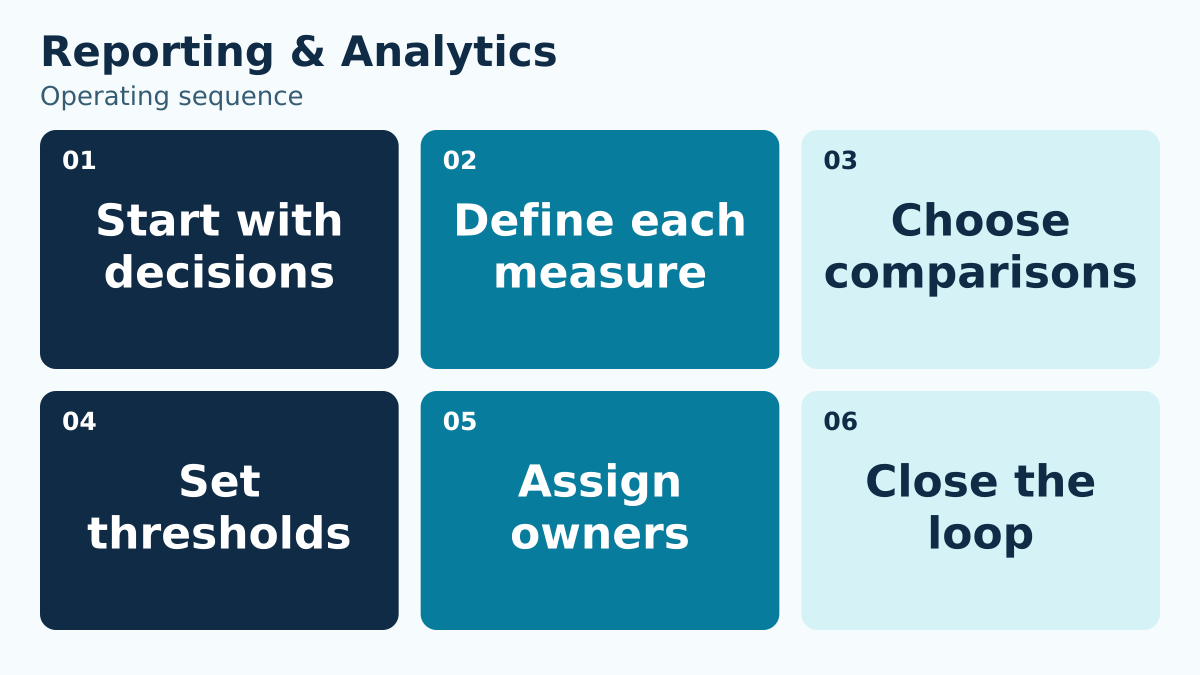
A reliable workflow has a beginning, a decision point, a record, and a close. Use this sequence to assign and verify the work:
- 1. Start with decisions. Ask directors which decisions the next meeting must support: collections, renewal progress, capacity, service issues, or spending. Select a measure only when someone can explain what question it answers and what action could follow.
- 2. Define each measure. Give every measure a name, unit, source, included population, reporting period, and responsible preparer. Distinguish charges from cash collected and active households from individual participants so the same label does not conceal different totals.
- 3. Choose comparisons. Choose a comparison that fits the decision, such as the approved plan or the equivalent operating period. Explain differences in opening dates, events, or scope before interpreting a variance as a change in performance.
- 4. Set thresholds. Agree on the conditions that require explanation or action. A threshold should prompt a defined review by an accountable role, rather than merely changing a chart’s color without telling directors what happens next.
- 5. Assign owners. Assign a preparer to the measure and an action owner to any resulting issue. Include the next update date so directors can distinguish a known problem being handled from one that nobody has accepted.
- 6. Close the loop. Carry unresolved actions into the next packet with their outcome and evidence. Retire measures that no longer support a decision, and correct definitions across the dashboard and its supporting reports when a mismatch is found.
Do not let “manager review” become an unbounded holding state. Define the expected response time, backup reviewer, and what staff should tell the member while the question is open. If the request affects access or money, state whether the current arrangement continues during review.
At the close, confirm both the operational result and the communication. A correct change that the member never receives is still an incomplete workflow. A friendly message without a correct record creates the next conflict.
Use role-based authority instead of personal memory
List the roles that touch the workflow: member, front desk, program lead, manager, finance, board liaison, or vendor support. For each role, mark what the person may view, decide, change, approve, and reverse. Keep routine work with the role closest to the facts, while reserving uncommon or high-impact exceptions for a named reviewer.
Also define the backup. Seasonal operations fail when a rule depends on one person being reachable. A backup should receive the same facts, use the same criteria, and leave the same record. That continuity matters more than the individual’s preferred wording.
Train with decisions, not just screens. A walkthrough that teaches where to click but not why a request qualifies produces fast inconsistency. Give staff three examples: clearly allowed, clearly not allowed, and a boundary case that requires escalation.
Build the board view from connected reports
PoolPulse provides club reporting and board-ready exports that can support this operating model. The useful evaluation question is whether the available records and controls match the rule your club has approved—not whether a long feature list sounds comprehensive.
During a walkthrough, bring the exact boundary case from this guide. Ask the presenter to show the normal path, the exception path, the staff-visible history, and the member-facing result. Confirm which parts are standard configuration, which require an operational procedure, and who will own each setup decision.
Then connect the workflow to a neighboring decision. The management reporting software guide shows how another club process can share definitions without collapsing into the same policy. Consistent household, date, status, and ownership language reduces translation work across teams.
Measure exceptions, not just volume
Volume tells you how often the workflow is used. Exceptions tell you where the policy, training, data, or configuration is under strain. Start with a compact review of active households, renewal completion, receivables aging, attendance trend, program fill rate, open incidents. Choose only measures that lead to a question the team is prepared to answer.
Review the first two weeks more frequently than the steady-state process. Look for repeat confusion at the same decision point, overrides concentrated with one role, and corrections that happen after member communication. Those patterns may signal unclear language or a missing field rather than poor employee performance.
Avoid turning a small dashboard into a ranking exercise. The purpose is to improve the system and identify training needs. When an exception was appropriate, preserve why it was appropriate so the next review does not treat sound judgment as an error.
Use a pre-opening acceptance test
Before the workflow goes live, select a small cross-functional group and test the complete path. Include one person who drafted the policy, one person who will use it under pressure, and one person who did not participate in the design. The uninvolved tester is often the first to notice unexplained terms.
- Confirm the policy has a clear effective date and named owner.
- Run one normal, one boundary, and one correction scenario.
- Verify the record shows the current answer without requiring hidden context.
- Confirm an authorized backup can complete the process.
- Read the member-facing explanation aloud and remove internal shorthand.
- Export or review the history needed for operational follow-up.
- Record unresolved questions and assign each one a decision date.
Do not call the test complete because the happy path worked once. The acceptance test should prove that a correction can be made safely, that staff can explain the result, and that a later reviewer can reconstruct the decision from the saved record.
Write the member explanation and the correction path together
Members usually encounter a policy at one of four moments: enrollment, a routine request, a denial or pause, and a correction. Draft the explanation for all four. Use the same defined terms in the form, confirmation, staff script, and account record. When the language changes between channels, members reasonably wonder whether the rule changed too.
For a routine result, state what happened, the effective date, any remaining value or eligibility, and where the member can review the result. For a paused request, name the missing decision or information, the responsible reviewer, and the expected next update. Avoid promising an outcome before the authorized reviewer has the necessary facts.
The correction path needs its own design. Identify who can reverse an incorrect action, what original record remains visible, how a financial or access effect is reconciled, and who tells the member. Corrections should not erase the history that explains why the current state differs from the first result. At the same time, internal notes should stay factual and limited to the operational purpose.
Test the explanation aloud. Replace internal shorthand, unexplained status labels, and passive phrases such as “the system would not allow it.” Staff should be able to identify the applicable club rule and the next useful action. That wording protects authority better than blaming a screen.
A 30-minute working session for your team
Use the first ten minutes to agree on the member promise and the six decisions in the table. Use the next ten to run the scenario and locate every pause. Use the final ten to assign policy, configuration, training, and review owners. If the team cannot complete a section, assign the unresolved decision rather than filling the gap with vague language.
End with one page: the rule, the roles, the boundary, the exception owner, the record, and the review date. Supporting detail can live elsewhere, but the employee making the live decision should not need a binder.
After launch, schedule a short review while examples are still fresh. Keep the parts that worked, narrow ambiguous phrases, and update both training and configuration together. A policy revision that reaches only one of those places creates a new mismatch.
Choose a next step that produces evidence
If your current process is mostly verbal, begin by documenting one boundary case and asking two employees to resolve it independently. If your policy is already written, test whether the current system presents the necessary information at the moment of decision. If you are evaluating platforms, use the same scenario in every demonstration so the comparison stays grounded.
Write down what the test changed. A useful review produces a clearer sentence, a better field, a reassigned owner, or a corrected configuration. Without that artifact, the same discussion is likely to return when seasonal staff arrive or a board role changes.
Book a PoolPulse walkthrough and bring your policy, one normal example, and one difficult exception. The goal is a concrete fit discussion about how your club wants the workflow to operate.
Keep the final one-page rule with the staff’s other opening-day references so the guidance remains easy to find. Add the next review date and the name of the person who accepts corrections. When the rule changes, replace obsolete quick-reference copies and include the change in the next shift briefing.

Your Membership Revenue Report Is Not Reconciled Until These Four Numbers Agree
Stop treating a payment total as a revenue answer. Reconcile the full path from member charge to bank deposit with a four-number framework your board can trust.

Do Not Ask Your Board to Approve Software From a Demo Deck
A board-ready framework that converts demos and proposals into an operational, financial, and implementation decision.

Before the Pool Closes: The 60-Minute Season Debrief Every Swim Club Should Run
Before the details of the season fade, use this focused 60-minute swim club debrief to capture operational problems, protect what worked and turn real evidence into priorities for next year.
Want to see if PoolPulse is a good fit for your club?
Book a walkthrough and we'll show you exactly how PoolPulse can help based on your club's needs, goals, and current processes.