

Club Software Security Checklist
A practical checklist to help clubs evaluate software security, access, payments, backups, downtime and vendor accountability.

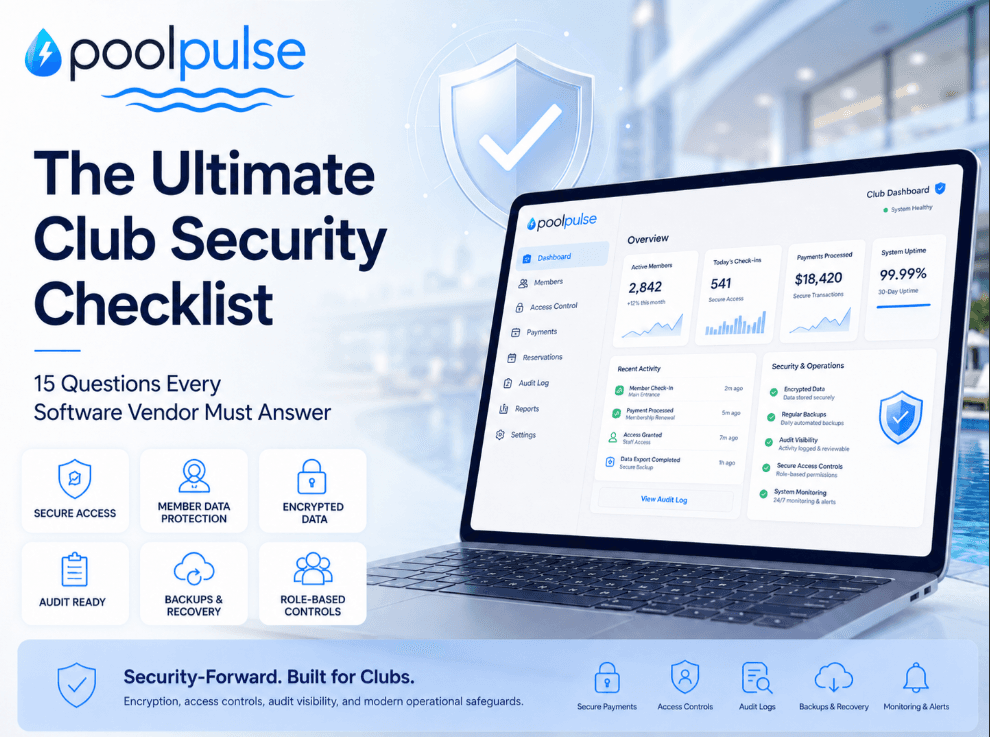
Club management software sits at the center of daily operations. It may support member records, household accounts, payments, invoices, waivers, staff access, guest check-ins, reservations, communications, reports and seasonal workflows. Because so much club activity runs through one system, software evaluation should include more than features and pricing.
A practical security review helps your club understand how a platform protects information, how access is controlled, how payments are handled and what happens if something goes wrong. The goal is simple: choose software with clear answers, responsible controls and operating practices your board, staff and members can trust.
Use this checklist during demos, contract review and implementation planning. The questions are designed to be direct, useful and easy for non-technical club leaders to discuss with any software provider.
Why clubs need a software security checklist
Club software is operational infrastructure. It affects how your team collects dues, verifies member status, issues guest passes, reconciles billing, manages staff permissions and communicates with families. A system can look polished in a demo and still leave important questions unanswered about access, records, recovery and accountability.
A good checklist helps your club compare providers consistently. It also gives staff and board members a shared framework for deciding what matters before contracts are signed and data is migrated.
1. Where is our club's data stored?
Your club should understand where its data lives and how it is organized. The answer does not need to be overly technical, but it should be specific enough to show how the platform is designed and protected.
Ask:
- Where is our club's data stored?
- Is our data stored in a shared environment with other clubs?
- How is our club identified inside the system?
- What prevents another club's records from being included in our reports, exports or dashboards?
- Who can access the database or administrative tools, and under what circumstances?
A clear answer should explain the hosting environment, the data model and the safeguards that keep each club's information organized and protected.
2. How is data separated between clubs?
Many modern platforms serve multiple organizations from the same software environment. That can be secure when the system is designed with strong separation between customers. Your club should understand how that separation works.
Ask:
- How do you separate one club's data from another club's data?
- Is separation enforced through the application, the database or both?
- How do reports, exports and analytics stay limited to the correct club?
- How do support tools prevent staff from opening the wrong club account?
- How often do you test these protections?
Look for an answer that describes specific controls, not just general reassurance. Your club should be able to understand how the system keeps records, billing activity and operational data within the right boundaries.
3. Who inside the software company can access our data?
Software providers may need limited access for support, troubleshooting or maintenance. That access should be controlled, logged and limited to the people who need it for a legitimate business reason.
Ask:
- Which employees can access customer data?
- Is access limited by role?
- Is access temporary or permanent?
- Are support actions logged?
- Can vendor staff impersonate a club user for support?
- If impersonation is possible, is it restricted and audited?
- Can contractors or third-party support teams access our records?
- How often is internal access reviewed?
- What happens to access when an employee leaves?
A responsible access process should include individual employee accounts, multi-factor authentication, access reviews, prompt offboarding and logs that show when sensitive actions are performed.
4. How are passwords, logins and credentials protected?
Login security matters for both club users and the vendor's internal team. Passwords should not be stored in a readable format, reset links should expire and suspicious login activity should be monitored.
Ask:
- Are passwords ever stored in plain text?
- Can anyone on your team view a user's password?
- Are passwords hashed and salted?
- Are password reset links time-limited and single-use?
- Do you support multi-factor authentication?
- Do you rate-limit failed login attempts?
- Can club admins revoke active sessions?
- Do vendor employees use multi-factor authentication?
- Are shared employee accounts prohibited?
- Do you scan for exposed secrets in code or configuration files?
A clear answer should cover both customer-facing login protections and internal credential practices. Strong password handling for members is important, but vendor-side access controls are just as important.
5. Can we control what each staff member can see and do?
Not every employee needs the same level of access. Front desk staff, managers, finance staff, program directors and seasonal employees usually need different permissions.
Ask:
- Can we create different staff roles?
- Can we limit access to billing?
- Can we restrict exports and bulk downloads?
- Can we control who can issue refunds, credits or adjustments?
- Can we limit who can edit member records?
- Can we prevent seasonal staff from viewing sensitive reports?
- Can we remove access immediately when someone leaves?
- Can we review active users regularly?
Role-based permissions help clubs run cleaner operations, especially during seasonal hiring, staff turnover and busy summer periods. The system should make appropriate access easy to manage.
6. Are important admin actions logged?
Your club should be able to answer a basic operational question: who changed what, and when? Logs help resolve mistakes, review sensitive activity and maintain accountability.
Ask:
- Are member profile changes logged?
- Are billing changes logged?
- Are refunds, credits and adjustments logged?
- Are permission changes logged?
- Are exports or bulk downloads logged?
- Are login attempts tracked?
- Are support actions by vendor staff tracked?
- How long are logs retained?
- Can club admins review relevant logs?
Good audit trails are not only for security incidents. They are also useful for everyday club management, finance review and staff accountability.
7. How is payment and billing information protected?
Payments deserve special attention because they involve sensitive financial activity. Your club should understand whether the software stores card data directly, relies on a payment processor or uses tokenized payment methods.
Ask:
- Do you store raw credit card numbers?
- Can vendor employees see full card numbers?
- Can club staff see full card numbers?
- Which payment processor do you use?
- Are saved payment methods tokenized?
- What payment information is stored in your system?
- What payment information is stored by the processor?
- Are refunds and credits permission-controlled?
- Are payment-related actions logged?
- Are receipts and invoices protected from unauthorized access?
A practical answer should explain how payment data flows through the system, which party stores which information and how permissions protect sensitive billing actions.
8. Can billing records be traced from start to finish?
Security is also about financial accuracy. Your club should be able to trace charges, payments, refunds, credits, failed payments and adjustments without relying on guesswork.
Ask:
- Does every transaction have a unique ID?
- Can each transaction be tied to a member account?
- Can each transaction be tied to an invoice or billing record?
- Can each transaction be matched to a payment processor record?
- Are refunds linked to the original payment?
- Are credits linked to the staff member who issued them?
- Are failed payments and retry attempts logged?
- Are duplicate payment attempts prevented?
- Are invoice edits tracked?
- Can reports be reconciled against processor deposits?
Traceable billing records help your club answer what happened, when it happened, who was involved and how the transaction connects to the rest of the financial record.
9. What protections are in place against malware, hacking attempts and unauthorized access?
No software provider can prevent every attempted attack, but every provider should be able to explain how common risks are reduced and monitored.
Ask:
- Do you use secure authentication and access controls?
- Do you monitor suspicious traffic and login behavior?
- Do you use firewalls or application-layer protections?
- Do you rate-limit suspicious requests?
- Do you scan dependencies for known vulnerabilities?
- How quickly do you apply security patches?
- How do you protect backups from malware or ransomware?
- Do you have an incident response process?
The answer should be practical and understandable. Your club does not need every engineering detail, but it should hear enough to understand how the provider reduces risk.
10. How do you monitor suspicious activity?
Prevention is only one part of security. Monitoring helps a provider identify unusual behavior, investigate issues and respond before a small problem becomes a larger one.
Ask:
- Do you monitor suspicious login attempts?
- Do you monitor unusual system activity?
- Are system errors tracked?
- Do you receive alerts for potential security issues?
- Who responds when something looks unusual?
- Is there an escalation process?
- Do you review logs after incidents?
- Do you notify clubs when suspicious activity affects them?
A mature monitoring process should include alerting, investigation, escalation and communication when club data or operations may be affected.
11. What happens during a security incident?
Your club should know how a provider responds if there is a suspected breach, malware event, credential issue or unauthorized access attempt. A clear incident process helps everyone understand what will happen under pressure.
Ask:
- Who investigates a suspected incident?
- How do you isolate affected systems?
- How do you determine what data was involved?
- How quickly would our club be notified?
- Would you tell us whether member, staff, billing or operational data was affected?
- Do you use outside security experts when needed?
- Who is responsible for communicating with affected members?
- Do you carry cyber liability insurance?
- What does the contract say about incident responsibility?
A practical incident response answer should include investigation, containment, customer communication, recovery and follow-up review.
12. What happens if data is missing, corrupted or deleted?
Data recovery is one of the most important topics to cover before your club depends on a system. Missing or corrupted data can affect member records, invoices, waivers, reservations, check-ins, account balances, reports and operational history.
Ask:
- How often is our data backed up?
- How long are backups retained?
- Are backups stored separately from the main system?
- Are backups protected from malware or ransomware?
- Do you test restoring from backups?
- When was the last successful restore test?
- How much data could realistically be lost in a worst-case scenario?
- How long would it take to restore service or data?
- Can individual records be restored?
- What happens if data is deleted by mistake?
- What happens if data is corrupted by a software bug?
- Are restoration services included in support?
The most useful answers will explain backup frequency, restore testing, expected recovery timelines and what support is available when a club needs help recovering information.
13. What happens if the system is unavailable?
Downtime can affect check-ins, payments, reservations, guest management, waiver verification, reporting and member communication. Your club should understand how outages are handled and what backup workflows are available.
Ask:
- What uptime do you commit to?
- Do you provide a service-level agreement?
- What counts as downtime?
- How much notice is provided before planned maintenance?
- How quickly do you respond to outages?
- How often do you provide updates during an outage?
- Do you have a customer-facing status page?
- Do you provide service credits for downtime?
- What backup workflow should our staff use if the system is unavailable?
This information should be clear before peak season. Staff should know what to do if the system is unavailable during busy operating hours.
14. What security reviews, audits or compliance documentation are available?
Security reviews help confirm that controls are not just described, but also evaluated. Your club can ask what testing has been completed and what documentation is available for review.
Ask:
- When was your most recent security review?
- Was it internal or performed by an independent third party?
- What systems were reviewed?
- Were any issues found and resolved?
- Do you perform penetration testing?
- Do you scan for vulnerable software dependencies?
- Do you review code before release?
- Can we review an executive summary under NDA?
- How often do you repeat security reviews?
The purpose is not to expect perfection. The purpose is to understand whether the provider reviews its systems, resolves findings and keeps improving its controls.
15. How are PCI, SOC 2 and payment responsibilities handled?
If the platform supports payments, dues, invoices, saved payment methods, refunds or credits, your club should understand payment security responsibilities. PCI scope can vary depending on how the payment workflow is designed.
Ask:
- Are you PCI compliant?
- Do you store, process or transmit cardholder data?
- Do you use a third-party payment processor?
- What is your PCI scope?
- Can you provide relevant PCI documentation?
- Can staff ever see full card numbers?
- How are saved payment methods tokenized?
- Who is responsible for PCI obligations: the software provider, the processor, the club or a combination?
Your club may also ask about SOC 2. SOC 2 can be a helpful trust signal for software providers handling member, staff, operational and financial data.
Ask:
- Do you have a SOC 2 report?
- Is it Type I or Type II?
- What controls are covered?
- What period does the report cover?
- Can we review it under NDA?
- If SOC 2 is not currently available, what controls are already in place?
- Who owns security and compliance internally?
A clear answer should explain current controls, available documentation and how security responsibility is handled across the provider, processor and club.
Put important commitments in writing
Security, data recovery and downtime expectations should not exist only in a sales conversation. Your club should review the relevant agreement terms before choosing a provider.
Review:
- Master services agreement
- Service-level agreement
- Data processing terms
- Privacy policy
- Payment processing terms
- Backup and recovery commitments
- Security incident notification terms
- Liability limitations
- Service credit policy
- Termination, export and deletion rights
Ask where each important commitment appears. If the provider explains recovery timelines, breach notification, downtime response or data ownership during a conversation, your club should be able to confirm how those topics are handled in writing.
Remember everyday operational security
Security is not only about outside attacks. Clubs also need software that supports responsible day-to-day operations.
Consider:
- Can a former employee still log in?
- Can a front desk staff member access billing reports?
- Can someone issue refunds without the right permission?
- Can vendor support access member data without a reason?
- Can billing records be changed without a trail?
- Can deleted records be recovered?
- Can exports be limited to approved staff?
- Can active users and permissions be reviewed before each season?
These everyday controls matter because club software touches real members, real payments and real operations. A good system should help your team keep access clean, records traceable and workflows manageable.
A practical way to evaluate club software
When your club evaluates software, compare more than feature lists. Compare the quality of the answers. A useful provider should be able to explain where data is stored, how it is separated, how access is controlled, how payments are protected, how billing records are traced and how incidents are handled.
The best conversations are specific. Ask for examples. Ask what staff can control. Ask what happens during busy season if something goes wrong. Ask which responsibilities belong to the provider, the payment processor and the club.
Clear answers make decisions easier. They also help your board, management team and seasonal staff understand how the system supports the club's real operating needs.
Final takeaway
Choosing club software is a practical trust decision. Your club is not only selecting a tool; it is choosing the system that will help manage members, payments, staff access and daily operations.
Use this checklist to guide the conversation. Ask where your data lives, who can access it, how payments are handled, how actions are logged, how backups are tested, how downtime is managed and how security responsibilities are documented.
A thoughtful review gives your club more confidence before implementation and fewer surprises after launch.
Beyond the Tech: How Modern Startups Are Revolutionizing Club Operations Safely
Modern club startups are reshaping operations with safer workflows, clearer access controls, stronger payment visibility, audit trails and security-forward design.

Five Front-Desk Tasks Your Swim POS Should Handle
Your front desk shouldn't need three systems to check in a swimmer. Here's how modern swim POS systems save time and reduce errors.

When Your Check-In Line Proves Software Is Too Slow
Discover how software timing affects your swim club's daily operations, from check-ins to billing, and why faster response times mean happier members.
Want to see if PoolPulse is a good fit for your club?
Book a walkthrough and we'll show you exactly how PoolPulse can help based on your club's needs, goals, and current processes.