

It’s Switching Season: Score Club Software Before Renewal Pressure Returns
A familiar contract is approaching renewal while the team still remembers last season’s workarounds. Learn the practical decisions, owners and checks that turn the issue into a controlled club workflow.


You know that point in the year when the pool is quieter, the renewal notice lands, and somebody asks whether you should finally look at other software? Suddenly everyone remembers a different frustration. The treasurer remembers the payment report. The front desk remembers the family that couldn't check in. You remember spending a Sunday sorting out both.
Those stories are a useful place to start. They're the reason to look beyond a price sheet and ask what another platform would actually change for your team. A club software evaluation scorecard gives you somewhere to put those questions, compare the answers, and bring a clear recommendation back to the board.
It doesn't need to become a second job. A shared document with a few familiar situations can do more for your decision than a giant feature spreadsheet. The aim is to leave each demonstration knowing what worked, what still needs an answer, and how much work your club would take on if you switched.
Why the renewal deadline makes everything feel urgent
When a contract deadline is close, it's tempting to squeeze a few demos into the calendar and hope the right choice becomes obvious. Unfortunately, the people watching those demos often have very different days at the club. A volunteer board member may care most about the annual cost. Your membership coordinator may be wondering whether another system will finally make household changes less confusing.
Neither perspective is wrong. You just need to get them into the same conversation before everyone starts picking favorites. Otherwise, a polished presentation can feel like an answer to questions the team hasn't agreed on yet.
A helpful starting point is to ask each person for one moment from the last season they'd rather not repeat. Perhaps a member paid but still received a reminder. Perhaps a new volunteer couldn't find the current waiver. Those are specific enough to demonstrate, and they're much easier for the board to understand than a request for “better integration.”
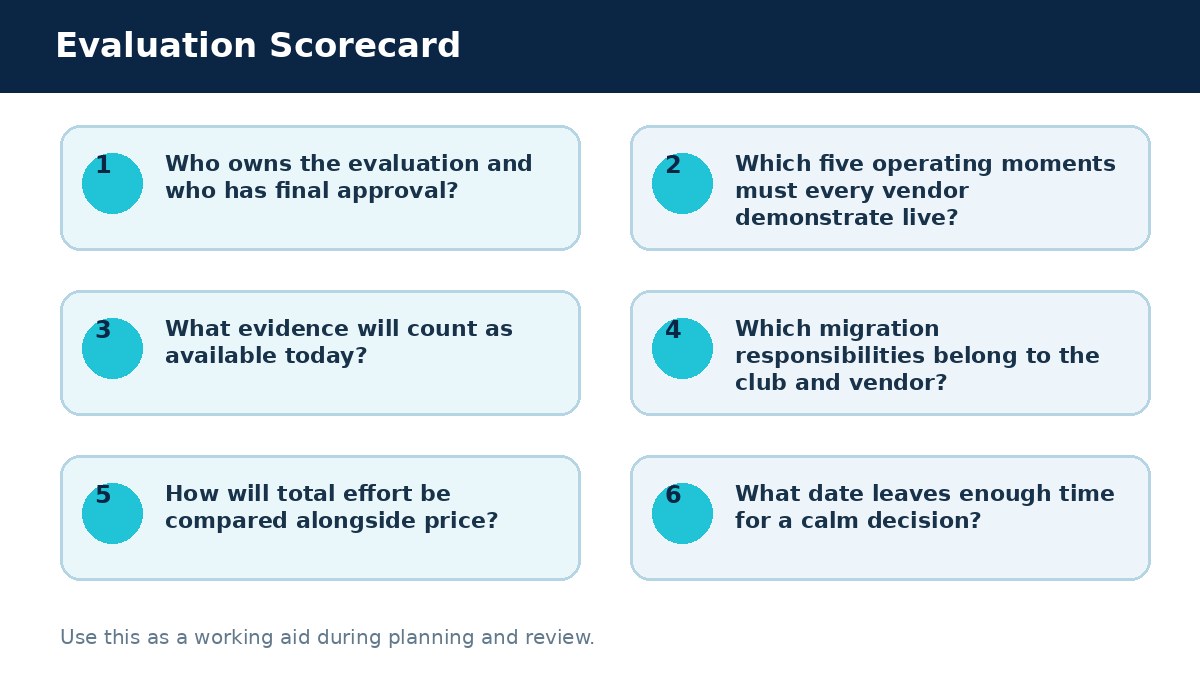
Six questions worth bringing to the table
- Who owns the evaluation and who has final approval? You may be collecting the answers while the board makes the final decision. Having that understood early saves you from discovering, after three demos, that the treasurer needed a different comparison.
- Which five operating moments must every vendor demonstrate live? Choose situations your staff recognize: a family renewing, a payment arriving, a guest checking in, a program changing, or a volunteer taking over a shift. Give every vendor the same starting point.
- What evidence will count as available today? A feature shown working, a feature requiring configuration, and a feature promised for later deserve different notes. All may be worth discussing, but they shouldn't receive the same score.
- Which migration responsibilities belong to the club and vendor? Someone will need to prepare records, resolve duplicates and check balances. It's better to know who that is while you're comparing options than after you've announced a launch date.
- How will total effort be compared alongside price? Include the time your team expects to spend on preparation, training and ongoing work. A lower subscription can still leave your volunteers with the same chores.
- What date leaves enough time for a calm decision? Work back from the actual contract notice window and the next busy period. Leave room for unanswered questions rather than treating the last possible day as your ideal decision date.
If those questions produce different answers around the table, that's useful. You've found something to settle before it turns into a disagreement about a particular vendor. Keep the discussion tied to the club's work, and give each open question a person who can bring back an answer.
What useful evidence looks like in a demo
Suppose your recurring headache is a household whose payment and access status don't agree. A screenshot of a billing dashboard won't tell you much. Seeing a sample payment recorded, finding it on the household, and following the result through check-in gives you something concrete to discuss.
The same idea applies to other areas. For a policy question, you need the approved policy. For a financial question, you need to understand the transaction trail. For a staff workflow, you need to see what the person on that shift can actually do. A feature name is a starting point for those questions, rather than the end of the conversation.
PoolPulse connects memberships, billing, check-ins, reservations, programs, POS, staffing, reports and member self-service in one operating record, as described in the PoolPulse features overview. When you're evaluating that kind of connection, follow a familiar task across the screens involved. A changed membership may affect the bill, the front desk and the next member message. You want to understand the whole journey.
How to put the scorecard together without overcomplicating it
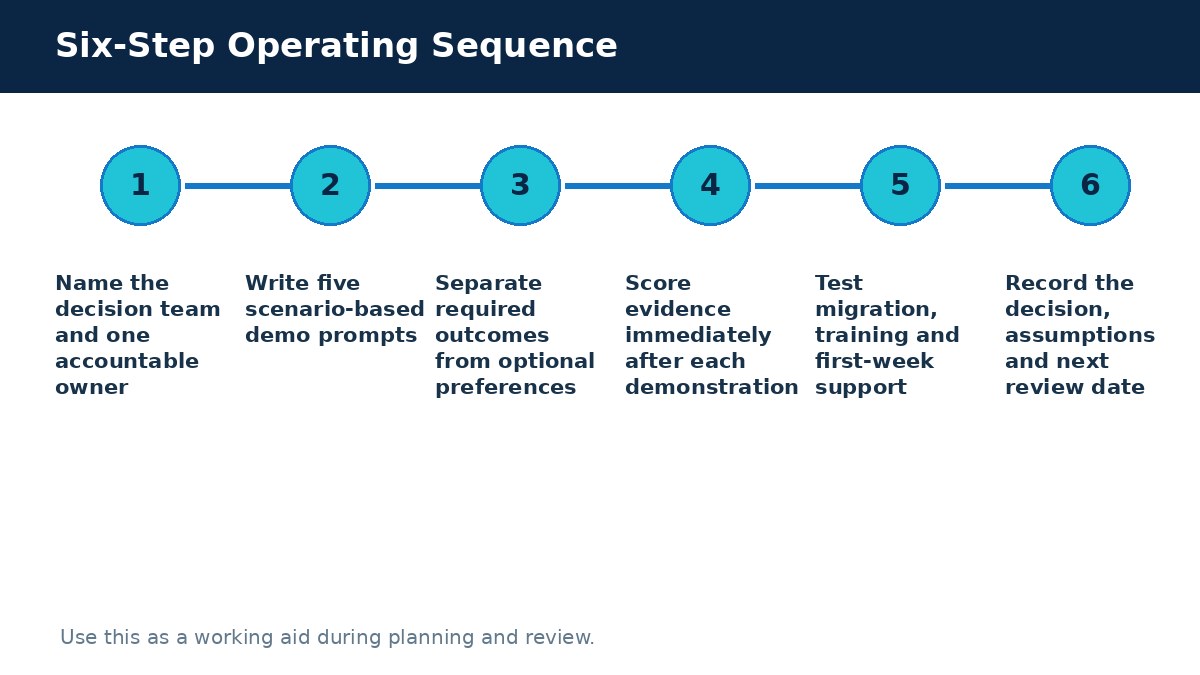
1. Bring the right people into the conversation
A small group can cover a lot of ground if it includes the people who do the work. The treasurer can explain what makes a report usable. The membership coordinator knows which family situations need care. A front-desk lead can spot an awkward interaction that nobody would notice in a quiet office.
Give one person responsibility for keeping the comparison together. That doesn't make them responsible for answering every question. It gives everyone a place to send their observations and means the board receives one clear recommendation instead of several competing versions.
2. Start with five familiar situations
A good demo prompt sounds like something a colleague might ask you at the desk: “This family has a credit from last season. Can you show me their renewal, what they pay, and what the treasurer sees afterward?” That is more useful than asking whether a system supports credits.
You might also include a guest visit, a cancelled class, a household change and a new volunteer's first shift. Use sample records and give each vendor the same information. During the demonstration, note what was shown, what needed an explanation and what couldn't be completed. You'll appreciate those notes when the demos start blending together.
3. Separate what you need from what you would enjoy
Every team has preferences, and it's fine to include them. A more pleasant layout or fewer clicks can make work easier. The important thing is to distinguish those benefits from an outcome the club genuinely can't manage without.
For example, the treasurer may need to trace a payment back to the correct household. A particular color scheme on the report may be a preference. When you describe the practical consequence of each requirement, the board can understand why one gap matters more than another. Let finance, operations and the front desk check that distinction together.
4. Write down your impressions while they're fresh
Leave a little time after each demonstration for the people watching to compare notes. Which situations worked as expected? Which required a workaround? Which answers were promises to follow up? A short discussion now is easier than reconstructing the details a week later.
If two people score something differently, ask what each person saw. The treasurer might have found the report helpful while the coordinator noticed that getting there required an extra manual step. Both observations belong in the comparison. A single average can hide exactly the detail you need for a sensible decision.
5. Talk through the first week, not just the demo
It's easy to imagine a smooth launch while you're looking at clean sample data. Your existing records may be a different story. Ask who prepares the import, who checks it, how corrections are handled and what your team needs to finish before members arrive.
Training deserves the same attention. Consider the person who misses the main session or starts volunteering a month later. Where do they learn the basics? Who helps when a busy shift exposes a question nobody anticipated? A support promise is more reassuring when you understand the contact route and the responsibilities on both sides.
6. Leave the board a recommendation it can follow
Your recommendation should explain the choice in everyday terms. Which recurring problems would it help with? What would your team still do manually? What preparation would the club need to commit to? The scorecard and demonstration notes can sit behind that summary for anyone who wants the detail.
Keep unanswered questions visible, with a person and date beside each one. You don't need to pretend every detail is settled to make progress. You do need to distinguish a condition that must be answered before approval from something that can reasonably be handled during setup.
Picture the comparison at a 420-household club
Imagine a club preparing for 2027 with two vendors on its shortlist. The membership coordinator brings a sample family renewal with a credit. The treasurer wants to see how that credit appears in the payment history. The front-desk lead wants to know what happens when the family arrives for its first visit.
In one demonstration, the renewal looks straightforward, but the presenter can't yet show how the credit reaches the report. The team marks that question unresolved and asks for a follow-up. In the other, the report is clear, but the coordinator spots an extra step that volunteers would need to learn. Both notes are more useful than simply writing “billing supported.”
Now imagine the group discussing readiness. One board member means the contract is approved; the coordinator means records are imported; the front desk means staff can help members. Giving those milestones separate dates stops an enthusiastic announcement from getting ahead of the work. The scorecard has helped the team choose software and understand what choosing it would involve.
A working record you can actually keep up with
Your comparison can stay fairly small. For each situation, keep the member or staff task, the result you need, what the vendor demonstrated, any remaining question and the person following up. Add links to supporting material rather than copying everything into the document.
Alongside that comparison, keep the proposed decision date, who approves it, the preparation your club would own and any limits on the recommendation. If a price or capability depends on a particular plan, that condition belongs beside it. Nobody should have to remember an important qualification from a passing comment in the demo.
One shared version helps the next person pick up where you left off. It also makes it easier to return to the discussion after a board meeting without asking everyone to explain their notes again.
Give the awkward cases some time, too
The ordinary renewal is important, but a familiar exception can tell you more. What happens when a different adult pays? When a member disputes the balance? When a volunteer needs help but shouldn't have access to financial details? Choose a few situations your club already knows it needs to handle.
You aren't asking software to make every judgment call for you. You're looking for a clear way to recognize the issue, send it to the right person and leave a useful record for the next shift. If a workaround is acceptable, write it down and include its ongoing effort in the comparison. That way it's an informed choice.
Come back to the scorecard after launch
If you do switch, the original situations give you a good starting point for reviewing the first live cycle. Was the renewal easier to explain? Could the treasurer find the payment? Did volunteers know where to send an exception? Those questions bring the conversation back to the reasons you started looking.
Some difficulties will be ordinary setup or training issues. Others may reveal an assumption that needs another conversation with the vendor. Keeping the original evidence makes that conversation clearer. You can point to the outcome you expected and describe what happened, rather than beginning again with a general complaint that something feels harder than it should.
Before you take the recommendation to the board
It can help to read the summary as though you weren't at any of the demos. Can you see why the team prefers this option? Are the costs, remaining manual work and preparation responsibilities understandable? Is there a clear answer to who handles a problem during the first week?
Ask a colleague who wasn't part of the evaluation to read it, too. Their questions may reveal an unexplained term or an assumption everyone in the group has stopped noticing. That small review is a kindness to the board and to the person who will inherit these records next season.
Agree on what the scores mean before the first demo
A simple scoring scale is easier to use when everyone understands it the same way. You could distinguish a result demonstrated successfully, one that works with an acceptable manual step, one that still needs an answer and one that doesn't meet your requirement. The labels matter less than the shared understanding behind them.
For example, imagine the treasurer asks for a household payment history. One vendor shows the record immediately. Another explains that the club would export two reports and join them. Your team might accept either approach, depending on the workload, but the notes should make that difference obvious. Giving both the same unqualified tick would hide the very comparison you're trying to make.
It's also worth agreeing on which requirements deserve more weight. A frequent task that frustrates every shift may matter more than something you use once a year. On the other hand, an annual task with serious financial consequences may still deserve close attention. The people doing the work can help explain that balance without turning it into an elaborate mathematical exercise.
Give the price comparison a little breathing room
When the board asks which option costs less, it's helpful to have more than the headline subscription. Put the quoted plan, included modules, setup work and any conditions beside the amount. If something hasn't been priced or confirmed, leave it marked as an open question. A blank space is easier to resolve than a number everyone has started treating as a promise.
Then talk through the work your club would contribute. Who cleans up old household records? Who checks imported balances? Who prepares the volunteer instructions? You don't need to invent a precise dollar value for every hour to acknowledge that the effort exists. Knowing when the work needs to happen may be just as important as knowing how long it takes.
Suppose two options are close in subscription price, but one would require a manual report every week. Ask the person responsible to walk you through that report. How many records are involved, where would mistakes show up, and who covers it during their vacation? Those answers make the comparison more realistic and give the board a fair explanation of the tradeoff.
Make room for the person who joins the project later
Club projects rarely involve exactly the same people from the first conversation through the next season. A new treasurer may arrive after the demos. A volunteer coordinator may take over just as training begins. Your notes can make that change much less disruptive if they explain the reasoning as well as the choice.
Think about what you'd want to find if you inherited the project tomorrow. A short summary of the problems, the alternatives considered, the unanswered questions and the agreed responsibilities would probably help more than a folder full of presentation slides. The detailed evidence still belongs in the folder, with links from the summary where it's useful.
Keep private household information out of broadly shared comparison documents. Sample situations usually give a vendor enough context to demonstrate the workflow. If a later migration discussion requires real records, that deserves the club's normal review of access, handling and responsibility. A helpful demo should never depend on casually forwarding a member's financial history to everyone involved.
Finally, leave a little room for someone to say, “I don't understand this part yet.” Software decisions can become awkward when everyone assumes everyone else has the answer. A clear question about a payment, a permission or a volunteer's task is worth hearing while the team can still investigate it. That is how the comparison becomes something the whole club can stand behind.
Before closing a demo, try asking the presenter to return to the question that mattered most to your team. Perhaps it was finding a missing payment or helping a family complete renewal. Can everyone now explain what the administrator does, what the member sees and where help is needed? If the answer is still fuzzy, another focused look may be more valuable than touring another feature. You can thank the presenter for what was useful while being clear about the remaining question. That keeps the conversation friendly and gives both sides a practical next step instead of leaving you with a polite but unhelpful promise to stay in touch.
Keep the useful parts for next season
During the evaluation, a weekly check on open questions may be enough to keep things moving. Once the decision is made, you don't need to keep debating the whole comparison. Keep the evidence and focus on the remaining preparation and the results you agreed to review.
Put a current person's name beside each responsibility, especially where volunteers rotate. The board's policy decisions, employment arrangements, payment authorizations and legal obligations still need their appropriate owners. The scorecard helps you understand how software supports that work; it doesn't quietly change those decisions.
There's another useful person to bring into the conversation: the colleague who will inherit the work when the current expert is away. They may notice a confusing label or a missing explanation that everyone else has learned to work around. Ask them to follow the sample task using the help available to an ordinary staff member. Where do they hesitate? What would they ask you from the front desk?
That feedback belongs beside the demonstration notes. A workflow might technically succeed while still requiring somebody to remember three undocumented steps. Your team can then ask whether those steps are a training matter, a setting that needs attention, or a limitation you would be accepting. None of those answers automatically rules a platform out. They simply help you compare the real working day, including the moments when your most experienced administrator isn't there to translate. That is often where a reassuring demonstration becomes a useful decision for the people doing the work.
A more useful next conversation
You don't have to arrive at a software conversation with every answer. Bringing one situation your team knows well is a strong start. It gives everyone something real to work through and makes it easier to recognize whether a proposed change would help.
If you'd like to explore how connected records could support your club, Schedule a focused PoolPulse walkthrough . Bring a familiar task and the exception that tends to make it messy. Following those together can give you a much clearer picture of the everyday work than a tour of feature names.

Before You Switch Club Platforms, Name Who Owns Every Handoff
Build a club software transition plan that assigns data, validation, configuration, training, cutover, and post-launch ownership.

Your Club Software Launch Needs a Decision Log, Not Another Meeting
Implementation stalls when decisions disappear into meetings. Use one decision log to keep configuration, migration, training, and launch approval moving.

Do Not Ask Your Board to Approve Software From a Demo Deck
A board-ready framework that converts demos and proposals into an operational, financial, and implementation decision.
Want to see if PoolPulse is a good fit for your club?
Book a walkthrough and we'll show you exactly how PoolPulse can help based on your club's needs, goals, and current processes.