

Building a Connected Team in Your Swim Club
Learn how a connected team transforms your swim club operations. Practical strategies for better communication and smoother daily management.


Running a swim club means juggling a lot of moving parts. You've got coaches on deck, front desk staff handling check-ins, board members making decisions, and administrators managing billing and registrations. When everyone's working in their own bubble, things fall through the cracks. Members don't get the right information, billing issues pop up, and your team spends hours fixing problems that shouldn't have happened in the first place. That's where building a connected team makes all the difference.
Why Connection Matters in Club Operations
Think about the last time something went wrong at your facility. Maybe a member showed up for a practice that got cancelled, but nobody told them. Or a family paid their dues twice because two different staff members processed the payment. These aren't technology problems or process problems. They're connection problems.
A connected team means everyone has access to the same information and knows what's happening across your club. When your front desk can see what the coaches have scheduled, they can answer member questions without hunting someone down. When your billing administrator knows about membership changes right away, you avoid awkward situations and revenue leaks.
The Real Cost of Disconnection
Here's what happens when your team isn't connected:
- Members get different answers depending on who they talk to
- Staff waste time searching for information or waiting for callbacks
- Mistakes happen because someone didn't know about a change
- Important updates get lost in email chains
- Board members can't get straight answers about operations
You end up spending your day playing telephone instead of actually running your club. Managing distributed teams effectively requires intentional systems, especially when you have staff working different shifts and locations.

Creating Information Flow That Actually Works
The biggest barrier to a connected team isn't that people don't want to communicate. It's that the systems make it too hard.
Your coaches shouldn't need to send an email, make a phone call, and post on a bulletin board just to let everyone know about a schedule change. Your front desk shouldn't need to check three different places to answer a simple member question.
Centralizing Your Club Data
Start by getting everyone working from the same source of truth. When all your member information, schedules, billing records, and communications live in one place, your team naturally stays more connected.
Modern swim club management software creates this central hub automatically. Instead of maintaining separate spreadsheets, email lists, and paper records, everything updates in real-time where everyone can see it.
Here's what that looks like in practice:
| Old Way | Connected Team Way |
|---|---|
| Coach emails schedule change to admin | Coach updates schedule in system, everyone sees it instantly |
| Front desk calls billing person about payment | Front desk checks member record and sees full payment history |
| Board member requests occupancy reports | Board member pulls current reports anytime from dashboard |
| New member info entered in three different places | New member entered once, available everywhere |
Building Communication Habits That Stick
Technology helps, but a connected team also needs good communication habits. You can have the best systems in the world, but if nobody uses them consistently, you're back to square one.
Daily Touchpoints
Quick daily check-ins keep everyone aligned without eating up hours in meetings. A five-minute huddle at shift change covers what happened during the last shift and what's coming up. Your evening front desk staff shouldn't walk into surprises that the morning shift knew about.
Many clubs find success with:
- Brief morning updates (in person or via team chat)
- Shared notes section for important daily items
- Quick end-of-day handoffs between shifts
- Weekly team meetings for bigger picture items
The key is making these touchpoints short and action-focused. Nobody wants another meeting, but everyone appreciates knowing what's going on.
Making Information Easy to Find
When someone has a question, they should know exactly where to get the answer. That means organizing information consistently and training everyone on where things live.
Effective team connectivity comes from reducing friction in how people access what they need. If finding an answer takes three steps instead of one, people will skip it and guess instead.
Create simple documentation for common scenarios:
- How to handle late payments
- What to do when a member loses their access card
- Where to find the current schedule
- Who handles different types of member questions
- How to report facility issues
Put this information where your team actually works, not buried in an email from six months ago.
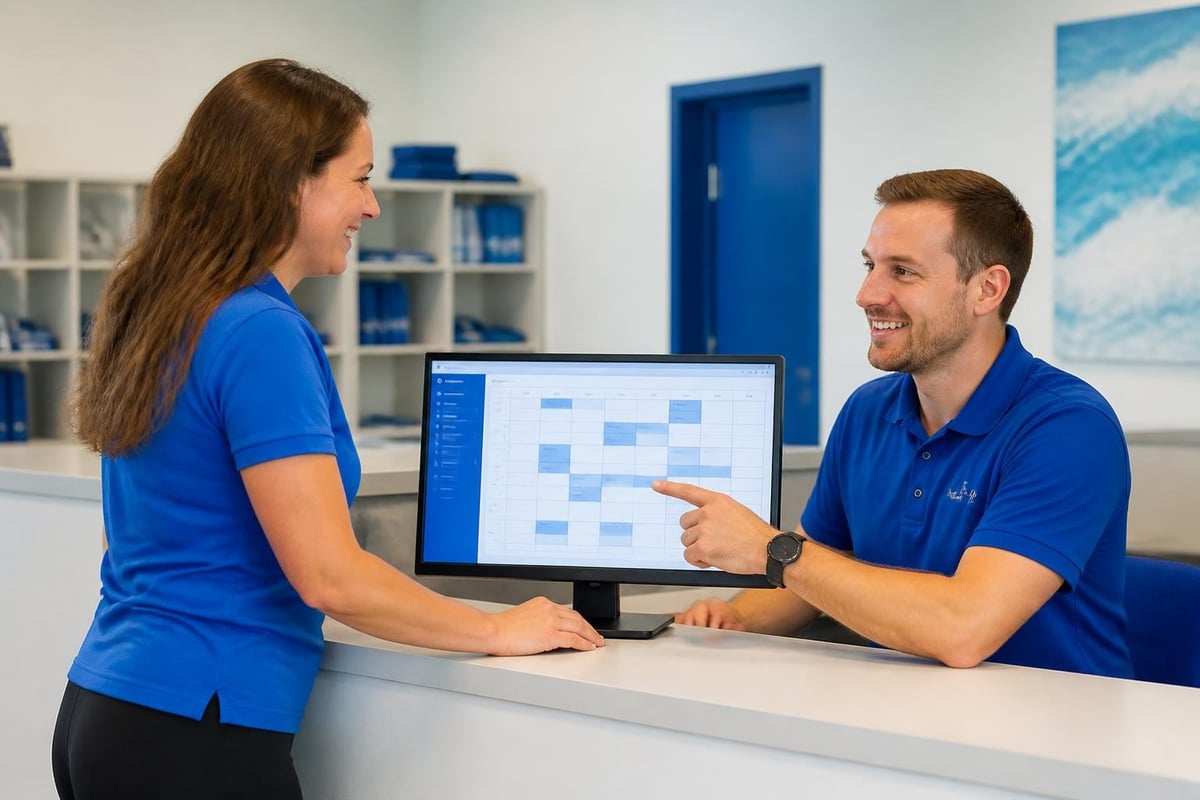
Connecting Part-Time and Seasonal Staff
Swim clubs run on a mix of full-time, part-time, and seasonal workers. Your summer staff might be college students working a few months. Coaches might only be at the facility during practice hours. This makes building a connected team even more important and more challenging.
Onboarding for Quick Integration
New staff need to plug into your team's information flow immediately. They can't spend two weeks figuring out how things work while members wait for answers.
Your onboarding process should get them connected on day one:
- Access to your club management system from the start
- Clear documentation on standard procedures
- Introduction to key team members and their roles
- Overview of where to find information
- Shadow time with experienced staff
Seasonal workers especially need this streamlined approach. You don't have months to get them up to speed.
Keeping Remote Workers in the Loop
Your bookkeeper might work from home. Your marketing person might come in once a week. Board members definitely aren't at the facility daily. These remote team members still need to stay connected to daily operations.
Strategies for distributed team connection emphasize visibility and structured communication. Your remote workers should be able to see what's happening at the club without needing to ask constantly.
Give them:
- Dashboard access showing key metrics and activities
- Automated reports on the information they need
- Inclusion in relevant team communications
- Scheduled check-ins at regular intervals
Tools That Bring Teams Together
Let's talk about the practical tools that help create a connected team. You don't need a dozen different apps. In fact, that makes things worse. You need the right platform that covers your core needs.
What to Look For in Club Software
The software you choose either connects your team or creates more silos. Look for systems where information flows naturally between different functions.
For swim clubs, that means:
- Member management that everyone can access with appropriate permissions
- Scheduling that updates in real-time across all views
- Billing that connects to member records and activity
- Communication tools built into the same platform
- Reporting that pulls from live data, not exports
Compare different swim club software options to see which ones actually support team connectivity versus just offering lots of features.
Integration Points That Matter
Your club software should connect with the other tools your team uses daily. Fighting with incompatible systems wastes time and creates errors.
Important integrations include:
- Email for member communications
- Payment processing for smooth billing
- Website for registration and information
- Access control for facility entry
- Accounting software for financial reporting
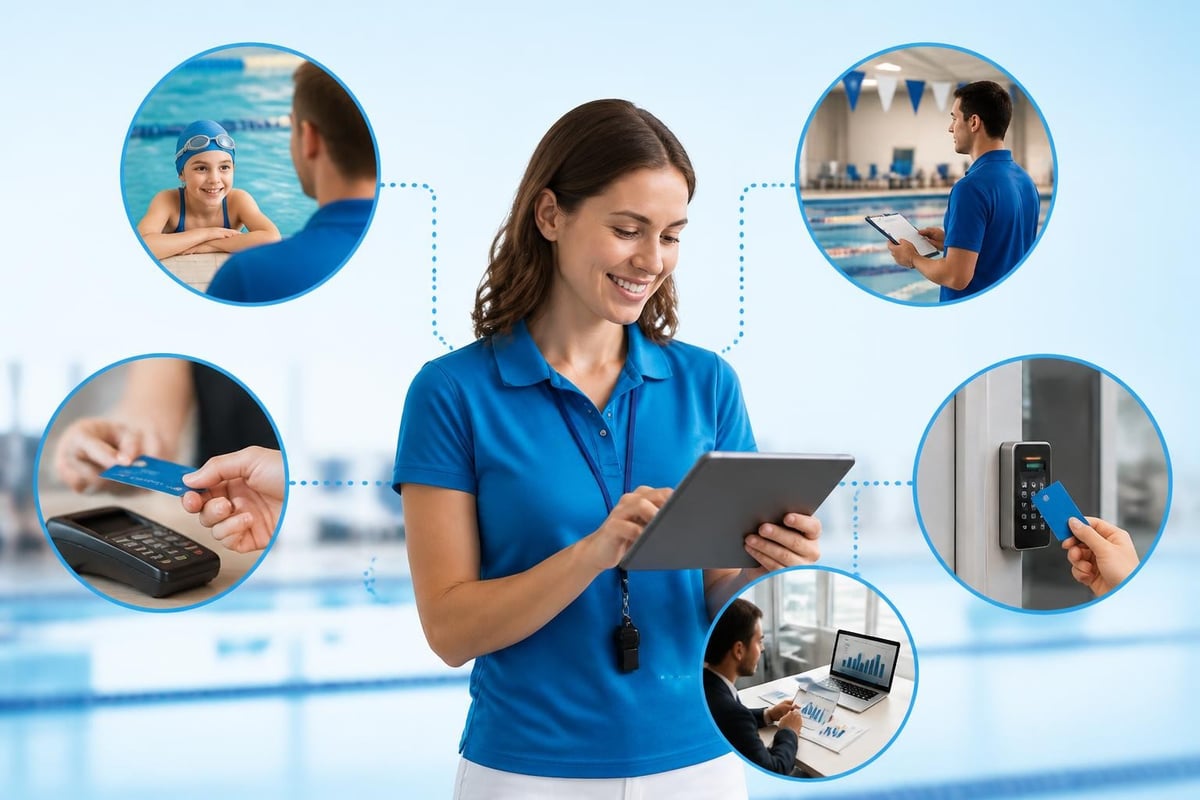
When these systems talk to each other, your team doesn't have to manually transfer information back and forth. A new member registration automatically sets up billing, creates access credentials, and notifies relevant staff.
Creating Shared Visibility
One of the biggest frustrations in club management is not knowing what's actually happening. Your coaches don't know about billing issues. Your front desk doesn't know about upcoming maintenance. Board members get surprised by things that staff knew about weeks ago.
Dashboards Everyone Can Use
Shared visibility starts with making information accessible without requiring reports and requests. Different team members need different views, but everyone should be able to see what matters for their role.
A good dashboard shows:
- Current member count and changes
- Today's schedule and any updates
- Outstanding billing issues
- Recent member communications
- Facility status and reported issues
Your morning staff should be able to pull this up and immediately know what's happening. Your board should be able to check key metrics without waiting for monthly reports.
Real-Time Updates Beat Email Updates
Email is where information goes to die. Someone sends an update, half the team misses it, and later everyone argues about what was communicated.
Real-time updates in your management system mean changes show up immediately for everyone who needs to see them. Cancel a practice? It updates in the schedule right away. Process a membership change? The front desk sees it before the member walks in.
This doesn't mean eliminating email entirely. It means using your club platform for operational information and saving email for other communication.
Handling Communication Across Shifts
Swim clubs often run from early morning until evening. Your staff works different shifts, and the people closing at night might never see the people opening in the morning. This is where many clubs struggle with connectivity.
Shift Handoff Systems
Good shift handoffs prevent the "I didn't know about that" situations. The next shift should know about anything important that happened and what needs attention.
Create a simple handoff routine:
- Quick notes in the system about the shift
- Flag any member issues that need follow-up
- Note facility problems or maintenance needs
- Highlight anything unusual coming up next
- Brief in-person or phone handoff when possible
This takes five minutes but saves hours of confusion and missed issues. Best practices for connected workplaces emphasize structured handoffs as essential for distributed operations.
The Shared Log Approach
Beyond shift handoffs, maintain a shared log where anyone can record important information. This becomes your team's institutional memory.
Use it for:
- Member incidents or concerns
- Equipment issues
- Policy questions that came up
- Great ideas someone mentioned
- Weird problems and how they got solved
When the same situation comes up six months later, someone can search the log instead of reinventing the wheel.
Connecting Your Board to Daily Operations
Board members run your club but might only visit during meetings. They need to stay connected to operations without getting buried in daily details or constantly bothering staff for updates.
Give Boards the Right Information
Board members don't need to know every detail, but they should be able to see the big picture anytime. The right club management software features include board-level dashboards that show what matters for governance.
Useful board views include:
| Metric | Why It Matters |
|---|---|
| Membership trends | Are we growing or shrinking? |
| Revenue vs. budget | Financial health at a glance |
| Facility usage | How well are we using our space? |
| Outstanding receivables | Money we should have collected |
| Member satisfaction indicators | Are members happy? |
This gives board members visibility without requiring monthly reports compiled by stressed staff members.
Making Board Decisions Based on Real Data
Too many board meetings involve arguments about what's actually happening. Someone says membership is down. Someone else says it's fine. Nobody has current numbers, so decisions get delayed.
When your board can pull real-time reports, decisions happen faster and stick better. You're all looking at the same information instead of relying on memory and impressions.
Training for Team Connection
Even with great systems, your team needs training on how to stay connected. This isn't just software training. It's training on communication practices and information sharing.
Ongoing Skill Development
New features get added. Processes change. Staff who joined six months ago might have learned things differently than new hires today.
Regular training keeps everyone current:
- Monthly quick tips on using your systems better
- Quarterly refreshers on key processes
- Annual reviews of policies and procedures
- New feature announcements with clear explanations
Make training bite-sized and relevant. Nobody wants to sit through hour-long sessions on features they'll never use.
Cross-Training Across Roles
When staff understand what other team members do, they communicate better and help more effectively. Your front desk person who understands basic billing can handle simple questions. Your coaches who understand registration can help members get signed up.
Build in time for:
- Front desk staff to shadow coaches
- Administrators to work a shift at check-in
- Coaches to see the registration process
- Everyone to understand basic billing
This creates empathy and reduces the "that's not my job" mentality that breaks team connection.
Measuring Team Connection
You can feel when your team is connected versus disconnected, but it helps to track some concrete indicators. This shows whether your efforts are actually working.
Signs of a Connected Team
Look for these positive indicators:
- Members get consistent information from any staff member
- Issues get resolved quickly without lots of back-and-forth
- Staff proactively share helpful information
- Mistakes from missed communication decrease
- Team members know where to find answers
- Less time spent in "emergency" meetings
Red Flags of Disconnection
Watch for warning signs that connection is breaking down:
- Same questions asked repeatedly in different channels
- Staff surprised by information they should have known
- Members complaining about conflicting information
- Important updates only reaching some team members
- Decisions made without input from affected staff
When you spot these patterns, address them quickly before they become normal.
Remote Access and Mobile Connection
Your team isn't always at a desk. Coaches are on deck. Staff members check things from home. Board members review information from anywhere. A connected team in 2026 means mobile access to what matters.
Mobile-First Information Access
Choose systems that work well on phones and tablets, not just desktop computers. Your coach shouldn't need to go to the office to check who's registered for practice. Your board member shouldn't need to wait until they're at a computer to review financials.
Key mobile capabilities:
- Quick member lookup and information access
- Schedule viewing and basic updates
- Communication tools that work on phones
- Report access from mobile devices
- Issue reporting from anywhere in the facility
Security Without Barriers
Yes, you need to protect member information. But security measures shouldn't make it so hard to access information that people work around them. Understanding data privacy requirements helps you build secure systems that still support team connectivity.
Use appropriate permissions so people see what they need for their role. Your front desk doesn't need access to full billing details. Your coaches don't need to see board financial reports. But everyone needs easy access to their relevant information.
Building Trust Through Transparency
A connected team runs on trust. People need to believe that information shared is accurate, that concerns will be heard, and that transparency won't get them in trouble.
Open Communication Channels
Create ways for team members to raise concerns, ask questions, and share ideas without fear. This might be:
- Regular team meetings with open discussion
- Anonymous feedback options
- Direct access to management
- Clear escalation paths for issues
When people feel safe communicating, they share information that prevents problems. When they don't feel safe, issues hide until they explode.
Acknowledging Mistakes Openly
Nothing kills team connection faster than blame culture. When something goes wrong and everyone scrambles to avoid responsibility, people stop sharing information that might make them look bad.
Build a culture where:
- Mistakes are learning opportunities
- Reporting problems is valued
- Solutions matter more than blame
- Everyone contributes to fixes
This creates psychological safety that keeps information flowing even when things aren't perfect.
Practical Steps to Start Today
You don't need to overhaul everything at once. Start with small improvements that create momentum.
Week One Actions
- Audit how information currently flows in your club
- Identify the biggest connection gaps
- Talk to your team about communication frustrations
- Choose one area to improve immediately
- Set up a simple shared information system
Month One Goals
By the end of your first month:
- Everyone should know where to find common information
- Basic daily communication rhythms should be established
- Key information should live in shared systems
- Team members should feel heard about connection issues
- At least one major communication problem should be improving
Quarter One Targets
After three months of focused effort:
- Information flow should be noticeably smoother
- Staff should spend less time hunting for answers
- Member experience should improve from consistency
- Team meetings should be more productive
- You should have data showing improvement
Building a connected team is an ongoing process, not a one-time project. Keep refining your systems and communication as your club grows and changes.
Technology as a Tool, Not the Solution
Remember that connection is fundamentally about people, not software. The best technology in the world won't create a connected team if you don't also build the communication habits and trust that make connection possible.
Use technology to:
- Remove barriers to information access
- Automate routine communication
- Create shared visibility
- Save time on manual processes
- Track what matters
But invest equally in:
- Regular human communication
- Building relationships across your team
- Creating psychological safety
- Developing shared understanding
- Celebrating team wins together
Keeping teams connected requires balancing digital tools with human connection. The software makes it possible. The relationships make it real.
Building a connected team transforms how your swim club operates daily, reducing stress for staff and creating better experiences for members. When everyone has access to the right information and knows how to communicate effectively, your club runs smoother with fewer headaches and mistakes. PoolPulse brings your team together with unified member management, real-time updates, and mobile access that keeps everyone connected whether they're on deck, at the front desk, or working remotely. See how our platform creates the shared visibility and smooth information flow your club needs to thrive.
Five Front-Desk Tasks Your Swim POS Should Handle
Your front desk shouldn't need three systems to check in a swimmer. Here's how modern swim POS systems save time and reduce errors.

When Your Check-In Line Proves Software Is Too Slow
Discover how software timing affects your swim club's daily operations, from check-ins to billing, and why faster response times mean happier members.

What Your Billing and Invoices Are Telling You
Your swim club's billing and invoices reveal hidden patterns about late payments, refund requests, and cash flow. Here's how to read the signals.
Want to see if PoolPulse is a good fit for your club?
Book a walkthrough and we'll show you exactly how PoolPulse can help based on your club's needs, goals, and current processes.