

Your Pool Needs More Than a Lifeguard on Duty
Swim club operators need systems that manage facilities, track maintenance, and protect members. Here's what works in 2026.


You're unlocking the gate at 5:45 AM, and the pool deck lights won't turn on. The chemical room door is stuck again. A member emails asking why their guest pass didn't work yesterday. Your lifeguard coordinator texts that the AED battery is beeping. And the board wants a facilities report for Thursday's meeting. Sound familiar? Running a swim club means juggling dozens of moving parts every single day, and when your systems don't talk to each other, things slip through the cracks. That's where a facilities management system becomes more than just software on a screen. It becomes the backbone that keeps your club safe, organized, and running smoothly.
What Actually Counts as Facility Management for Swim Clubs
When most people hear "facilities management," they picture office buildings or shopping malls. But your swim club is a facility too, and it needs the same level of organization. A facilities management system tracks everything from who's on deck right now to when the pump motor was last serviced.
Think about what you're already managing without a proper system. You've got physical assets like pool equipment, furniture, umbrellas, and safety gear. You're scheduling maintenance for filters, heaters, deck resurfacing, and landscaping. You're monitoring who comes in and out, tracking guest passes, and making sure insurance requirements stay current. Then there's the administrative side: billing cycles, membership renewals, facility reservations for swim meets or private parties, and compliance documentation that regulators actually want to see.
The Hidden Costs of Disconnected Systems
Here's what happens when these pieces don't connect. Your membership database lives in one place. Maintenance logs are in a three-ring binder in the pump room. Gate access codes get updated in a separate system. Financial records sit in QuickBooks. Scheduling happens in someone's email inbox.
When a board member asks, "How much did we spend on pool maintenance last year?" you're suddenly piecing together receipts, invoices, and handwritten notes. When the health inspector shows up, you're frantically searching for chemical logs. When a member disputes a charge, you're digging through three different systems to confirm what they actually used.
The real cost isn't just your time. It's the missed maintenance that leads to expensive emergency repairs. It's the compliance issue you didn't catch until it became a fine. It's the revenue you can't track because guest visits aren't properly logged.

Building Your Facilities Management Foundation
Let me walk you through what actually matters for a member-driven facility like yours. Forget the enterprise software demos with features you'll never use. Focus on the daily operations that either work smoothly or create headaches.
Member Access and Facility Security
Your gate system needs to know who's allowed in and when. But it also needs to talk to your membership database so access automatically updates when someone renews or cancels. When a family adds a guest pass, that permission should flow through immediately, not wait for someone to manually update a code list.
Modern facilities management systems integrate access control with membership status in real time. The swim club management software approach connects these dots automatically, so you're not constantly troubleshooting why someone's card stopped working.
| Traditional Approach | Integrated System |
|---|---|
| Manual gate code updates | Automatic sync with membership |
| Separate guest pass tracking | Unified access permissions |
| No usage data | Detailed entry/exit logs |
| Multiple admin logins | Single dashboard view |
Maintenance Scheduling That Actually Happens
You know you should check the pool heater quarterly. You know the deck needs power washing before peak season. You know those pool covers need inspection. But knowing and doing are different things when you're busy with daily operations.
Ask the vendor to demonstrate reminders, completion records, and maintenance history for a representative asset. Compare planned and unplanned work using your own maintenance log rather than assuming a specific repair reduction from a general building-management report.
Here's what a basic preventive maintenance schedule should include:
- Daily tasks: Chemical testing, visual safety inspections, gate function checks
- Weekly tasks: Filter backwashing, deck cleaning, restroom supply restocking
- Monthly tasks: Equipment lubrication, safety equipment inspection, chemical inventory
- Quarterly tasks: Heater service, pump inspection, facility walk-through documentation
- Annual tasks: Major equipment servicing, safety certifications, facility assessments
The system should automatically generate work orders, notify the responsible person, and require sign-off with notes. This creates an audit trail that insurance companies and regulators love to see.
Connecting Operations to Revenue
Here's something most swim club operators don't think about: your facilities management system should help you make money, not just track expenses. Every time someone uses the facility, there's a potential revenue touchpoint.
Tracking Actual Usage vs. Planned Capacity
You might think your pool is fully booked on Saturday mornings, but is it really? A facilities management system with check-in tracking shows you actual attendance patterns. Maybe your 9 AM lap swim slot is only 60% full while the 7 AM session has a waiting list. That's actionable data you can use to adjust pricing, add sessions, or modify your schedule.
Guest passes are another revenue source many clubs underutilize. When your system automatically tracks guest usage by member, you can see patterns. Is the Smith family bringing guests every weekend? Maybe they'd benefit from a family-plus membership tier you could offer. Are certain members never using their guest privileges? That's data for your membership committee when designing next year's packages.
The revenue recovery benefits add up quickly when you're not losing track of billable activities.
Facility Reservations and Event Management
Your pool deck, party pavilion, or meeting room can generate rental income, but only if you make it easy for members to book and easy for you to manage. A proper facilities management system handles reservation requests, checks for conflicts, processes deposits, and sends reminder notifications automatically.
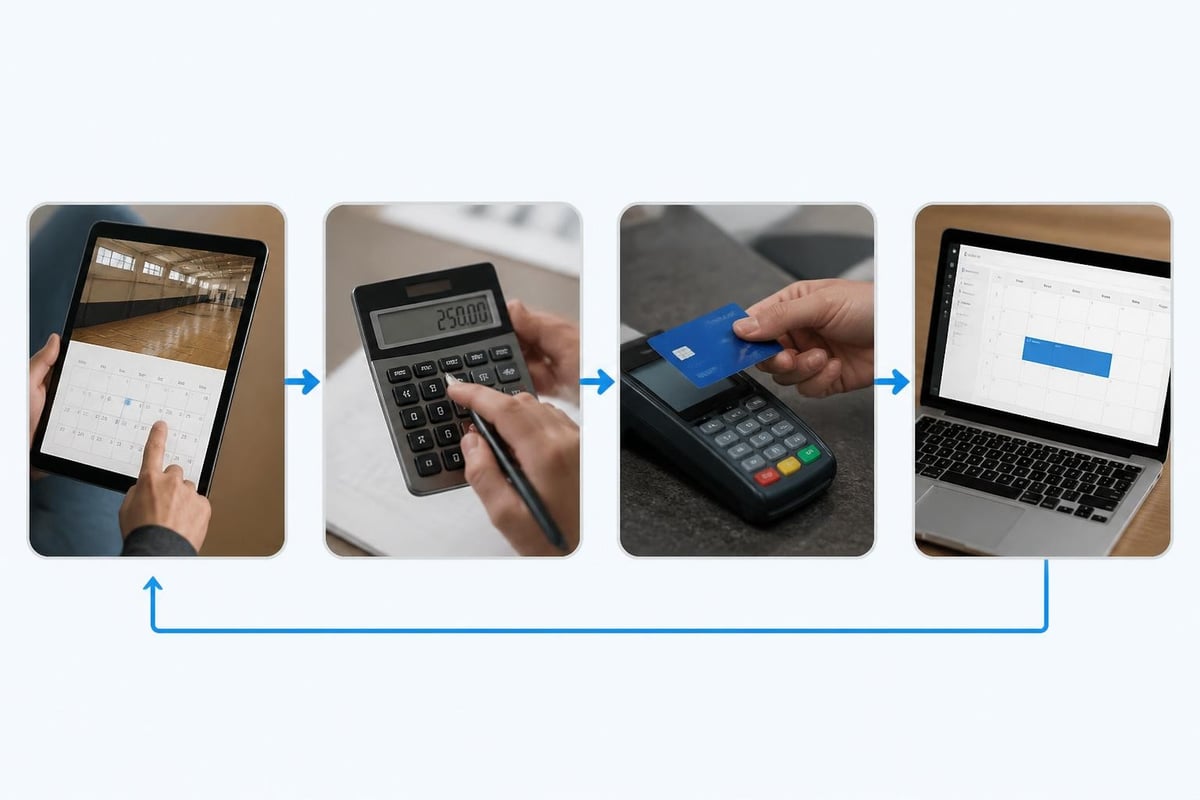
Think about birthday party bookings. With a manual system, someone emails requesting July 15th. You check your calendar (hopefully it's current), send back a confirmation, collect a deposit somehow, and add it to your mental list of upcoming events. With an integrated system, the member submits a request online, the system checks availability, calculates the fee based on your pricing rules, processes payment, and adds it to the calendar. You approve it with one click.
The Technology That Makes It Work
Let's talk about the actual systems without getting too technical. You don't need to understand database architecture, but you should know what questions to ask when evaluating options.
Cloud-Based vs. On-Premise Systems
This decision matters more than most clubs realize. On-premise means software installed on a computer at your facility. Cloud-based means accessing everything through a web browser from anywhere.
For swim clubs, cloud-based is almost always the better choice. Here's why: You can check facility status from home when you get a late-night emergency call. Your board treasurer can run financial reports without coming to the clubhouse. Seasonal staff can be trained and given access without IT setup. Updates happen automatically without someone needing to install anything.
Compare access controls, updates, monitoring, backups, recovery, and incident response for each hosting option. Request evidence of how responsibilities are performed; a cloud label alone does not establish better security.
What Integration Actually Means
When software companies talk about "integration," what they mean is whether different systems can share data automatically. Your facilities management system should integrate with:
- Payment processing: So member charges flow directly to their accounts
- Access control hardware: So gate permissions update automatically
- Accounting software: So financial reports don't require manual data entry
- Communication tools: So members get reservation confirmations and maintenance alerts
- Reporting dashboards: So board members can see facility metrics without requesting reports
The features that matter most are the ones that save you from copying data between systems or, worse, keeping the same information in multiple places.
Making the Switch Without Losing Your Mind
Changing how you manage your facility sounds overwhelming, especially mid-season. I get it. But staying with broken systems because change feels hard is how you end up with bigger problems down the road.
Your Implementation Timeline
The right approach spreads implementation across several weeks, not all at once. Here's a realistic timeline that won't disrupt daily operations:
Week 1-2: Data Preparation
- Export current member lists, account balances, and contact information
- Photograph or scan critical maintenance logs and equipment documentation
- List all facility assets that need tracking (equipment, furniture, supplies)
Week 3-4: System Setup
- Configure membership tiers and pricing in the new system
- Set up facility spaces, amenities, and reservation rules
- Create maintenance task templates and schedules
- Establish user accounts and permission levels
Week 5-6: Parallel Operation
- Start entering new data in the new system while maintaining old processes
- Train staff on basic check-in and reservation workflows
- Test reporting to ensure data accuracy
- Identify and fix any configuration issues
Week 7-8: Full Transition
- Switch primary operations to the new facilities management system
- Retire old systems but keep accessible for reference
- Monitor closely and adjust workflows as needed
- Gather staff feedback and make improvements
The onboarding process should feel supportive, not like you're being thrown in the deep end.
Common Migration Mistakes
I've seen clubs make the same mistakes repeatedly, so learn from their experiences:
Mistake #1: Trying to migrate everything perfectly before launch. You'll never have perfect data. Get the critical stuff (active members, current balances) into the new system accurately, then improve historical data over time.
Mistake #2: Not training backup staff. Your primary administrator might know the system inside and out, but what happens when they're on vacation or sick? Train at least two people on every critical function.
Mistake #3: Skipping the documentation step. Six months from now, you won't remember why you configured something a certain way. Write down your decisions, process flows, and custom settings.
Mistake #4: Ignoring member communication. Send multiple emails explaining what's changing, when it's changing, and what members need to do differently (if anything). Most changes should be invisible to members, but tell them anyway.
Standards and Compliance That Actually Matter
You might not think international facility management standards apply to your neighborhood swim club, but the principles absolutely do. The ISO 41001 facility management system standard recently updated in 2024 provides a framework for how facilities should be managed, regardless of size.
Safety Documentation Requirements
Your insurance carrier and local health department have specific requirements for documentation. A proper facilities management system makes compliance almost effortless because it's built into your workflow.
Required documentation typically includes:
- Chemical testing logs with timestamp, readings, and corrective actions
- Incident reports with witness statements and follow-up notes
- Safety equipment inspection records with certification dates
- Staff training completion and certification tracking
- Emergency response procedures with practice drill records
Instead of scrambling to assemble these when requested, your system should generate them on demand. When the health inspector arrives, you click "export chemical logs" and hand them a complete, properly formatted report.
Financial and Operational Reporting
Your board needs visibility into facility operations without micromanaging your daily work. The right reporting turns raw data into insights they can actually use.
| Report Type | What It Shows | Board Value |
|---|---|---|
| Facility Usage | Peak times, underutilized periods | Capacity planning, pricing decisions |
| Maintenance Costs | Spending by category, trends over time | Budget forecasting, capital planning |
| Revenue by Source | Dues, guests, rentals, events | Revenue diversification strategies |
| Member Engagement | Check-in frequency, service usage | Retention predictions, program development |
| Compliance Status | Completed inspections, upcoming requirements | Risk management, insurance renewals |
The AI-powered insights available in modern systems can even predict maintenance needs or identify revenue opportunities you'd otherwise miss.

Real-World Scenarios and Solutions
Let's walk through situations you've probably faced and how a facilities management system changes the outcome.
Scenario 1: The Weekend Emergency
It's Saturday at 7 PM. You get a call that the main pool pump is making a terrible noise. Your facilities management system shows the pump's maintenance history immediately on your phone. You see it's six months past due for service. You pull up your vendor contact list in the same system, call your pool equipment company, and share the pump's model number and service history while they're on the phone. They arrive Sunday morning with the right parts because you gave them complete information.
Without the system? You're in the pump room digging through a filing cabinet, trying to remember who serviced it last time, and the repair company arrives Monday without parts because you couldn't tell them what you had.
Scenario 2: The Billing Dispute
A member insists they were charged for three guest passes in June but only brought guests twice. Your facilities management system shows detailed check-in logs with timestamps. Guest "Jennifer Smith" checked in June 12th at 2:47 PM and June 18th at 10:23 AM under their membership. The third charge was actually a facility rental fee for a birthday party on June 25th, which is listed separately in the system. You screenshot the relevant records and email them over. Issue resolved in five minutes.
Without the system? You're trying to remember who was working the front desk those days, checking paper sign-in sheets if you kept them, and probably just refunding the charge to avoid the conflict.
Scenario 3: The Insurance Audit
Your insurance company requests three years of safety inspection records as part of your policy renewal. Your facilities management system has every weekly safety check, every AED inspection, every lifeguard certification, and every incident report from day one. You export a comprehensive PDF and send it over. Your premium renewal comes back favorable because you demonstrated proper risk management.
Without the system? You're hunting through binders, asking former board members if they kept anything, and admitting you can't provide complete records. Your premium increases or coverage gets restricted.
Building for Growth and Change
Your club today isn't the same club it'll be in three years. Maybe you'll add a second pool, build a splash pad, or expand into tennis facilities. Maybe membership will grow by 40%. Maybe you'll merge with another club. Your facilities management system should grow with you, not hold you back.
Scalability Questions to Ask
Before committing to any system, think about these scenarios:
- Can we add new facility spaces without restructuring everything?
- Does pricing scale if we double our membership?
- Can the system handle multiple locations if we expand?
- Is there a limit to historical data storage?
- What happens to our data if we need to switch systems later?
The highly configurable approach matters because your needs will evolve faster than you expect.
The Multi-Facility Future
More swim clubs are managing multiple facilities, whether it's an HOA with several pools across different neighborhoods or a club that adds satellite locations. According to JLL's research on global facilities management trends , the strategic role of facility management is expanding as organizations recognize that well-managed facilities directly impact member satisfaction and retention.
Your facilities management system should support this growth without requiring separate databases or duplicate work. One dashboard showing all facilities, with the ability to drill down into specific locations. Consolidated reporting that shows system-wide trends while highlighting location-specific issues.
Integration with Emerging Technology
The facility management landscape is changing fast. In 2026, technologies that seemed futuristic five years ago are becoming standard expectations.
IoT Sensors and Automated Monitoring
Internet-connected sensors can monitor pool chemistry, water temperature, equipment runtime, and energy consumption continuously. The data feeds directly into your facilities management system, flagging issues before they become problems.
Imagine your system alerting you that pool temperature dropped overnight, suggesting a heater malfunction before members arrive. Or getting notified that chemical levels are trending out of range, giving you time to adjust before the next swim session. The technical approaches for integrating IoT data with facility management systems are becoming more accessible for smaller operations.
You don't need a massive budget to start. Even basic sensors on critical equipment provide valuable data:
- Pool chemical monitors that test every 30 minutes
- Equipment runtime trackers that predict maintenance needs
- Energy monitors that identify wasteful usage patterns
- Gate traffic counters that validate usage assumptions
- Weather stations that trigger automatic alerts for closing procedures
AI and Predictive Maintenance
If a vendor offers predictive maintenance, ask which asset data it requires, how predictions are validated, and who reviews recommendations. Keep manufacturer instructions and approved maintenance procedures authoritative. Distinguish a recorded service interval from a prediction.
Compare visits before and after a communication or examine attendance alongside renewal decisions. These are investigation questions, not established percentage effects. Check seasonality and other changes before attributing a result to a message or attendance pattern.
The key is choosing systems where AI enhances your work rather than replacing your judgment. You want insights and recommendations, not black-box decisions.
Cost Considerations and ROI
Let's talk about money, because that's what board members will ask about first. A facilities management system represents both an expense and an investment.
Typical Cost Structures
Use the following as an illustrative budgeting worksheet, not verified market pricing or a PoolPulse quote. Replace the figures with written proposals and identify what each price includes.
Setup Fees: One-time costs for implementation, data migration, and initial training. Range from $500 to $5,000 depending on complexity.
Monthly/Annual Subscription: Recurring fees usually based on member count or facility size. Expect $100-$500 per month for a typical swim club.
Transaction fees: obtain actual processor and platform charges, including fixed fees, percentage fees, returns, disputes, and minimums. Model a representative month using those terms.
Add-on Features: Advanced reporting, additional user seats, or specialized modules might cost extra.
The pricing should be transparent and scalable, not full of hidden fees that surprise you later.
Calculating Your Return
ROI isn't just about dollars saved, though that matters too. Consider:
Time Savings: If your administrator spends 10 hours per week on tasks the system automates, that's 520 hours per year. At $25/hour, that's $13,000 in labor value.
Revenue recovery: reconcile guest usage, rentals, and billable services against invoices. Separate missing charges from disputed or uncollectible amounts and estimate recoverable value from confirmed records.
Maintenance costs: compare planned servicing, unplanned repairs, downtime, and replacement costs across comparable periods. Record equipment age and usage changes before attributing savings to software.
Compliance Risk: Avoiding one insurance claim or regulatory fine pays for years of system costs.
Member Satisfaction: Harder to quantify but crucial. Better facility management means fewer complaints, easier operations, and higher retention.
Estimate payback from quoted costs and a conservative scenario based on club records. Include implementation effort and ongoing maintenance, then review actual results. Do not treat twelve to eighteen months as a verified return period.
Choosing the Right System for Your Club
Not all facilities management systems are created equal, and what works for a corporate office building won't necessarily work for your member-driven swim club.
Must-Have Features for Swim Clubs
Focus on these non-negotiables:
- Member database integration: Your facilities management system must connect to membership records
- Automated billing: Charges for guests, rentals, and services should flow to member accounts automatically
- Mobile accessibility: Staff and administrators need access from phones and tablets, not just desktop computers
- Maintenance scheduling: Recurring tasks, work orders, and completion tracking
- Safety and compliance: Chemical logs, incident reports, inspection records with proper timestamps
- Access control integration: Gate and entry systems that sync with membership status
- Reservation management: Facility booking with conflict checking and automated confirmations
- Financial reporting: Real-time visibility into revenue, expenses, and budgets
The best swim club management software combines these features in one platform rather than forcing you to patch together multiple systems.
Red Flags to Avoid
Some warning signs that a system isn't right for your club:
- Requires long-term contracts with hefty cancellation fees
- Can't provide references from similar facilities
- Charges extra for basic support or training
- Lacks transparent data export options
- Hasn't been updated in over a year
- Requires expensive on-site hardware installation
- Doesn't offer a trial or demo period
- Makes grand promises without showing actual functionality
The Demo and Trial Process
Never buy a facilities management system without testing it with real scenarios from your club. During demos, bring these situations:
- Process a typical member check-in with a guest
- Schedule a recurring maintenance task and generate a work order
- Run a financial report showing last month's activity by category
- Enter an incident report and demonstrate documentation workflow
- Show how you'd handle a membership renewal with a balance due
- Demonstrate reservation conflict checking
If the system handles your real workflow smoothly, that's a good sign. If the demo focuses on flashy features you'll never use while struggling with basic operations, keep looking.
The product tour should give you confidence that daily operations will be easier, not harder.
Training Your Team for Success
The best facilities management system in the world fails if your team doesn't know how to use it or, worse, actively resists using it.
Getting Buy-In from Staff
Change is uncomfortable, especially for staff who've been doing things the same way for years. Address their concerns directly:
"This seems complicated." Start with just the features they'll use daily. Front desk staff only need check-in and basic reservations at first. Maintenance staff only need work orders. Build skills gradually.
"The old way worked fine." Ask them to track time spent on specific tasks for a week. "How long does it take to find last year's maintenance records?" "How many calls do you get about gate access problems?" Show them the concrete problems the new system solves.
"I'm not good with technology." Provide patient, hands-on training with realistic scenarios. Create simple cheat sheets for common tasks. Make them feel supported, not stupid.
"What if something goes wrong?" Explain the support system, backup procedures, and transition plan. Reduce their fear of breaking something.
Effective Training Strategies
Forget the three-hour training session where everyone's eyes glaze over by minute twenty. Instead:
- Role-specific training: Teach people only what they need for their job
- Just-in-time learning: Train right before they'll actually use a feature
- Hands-on practice: Use real (or realistic) scenarios from your club
- Reference materials: Create quick guides for common tasks
- Buddy system: Pair tech-comfortable staff with those who need more support
- Regular refreshers: Schedule brief "tips and tricks" sessions monthly
The support you receive from your system provider makes a huge difference during this transition period.
Managing a swim club facility involves hundreds of moving parts, from safety inspections and maintenance schedules to member access and revenue tracking. The difference between chaos and smooth operations often comes down to having systems that work together instead of against each other. If you're ready to stop juggling spreadsheets, binders, and disconnected software, explore how PoolPulse brings everything together in one configurable, AI-powered platform designed specifically for swim clubs, tennis clubs, HOA pools, and member-driven facilities.

The Monthly Billing Chaos Test for Swim Clubs
Running monthly billing at your swim club shouldn't feel like chaos. Take this test to find billing mistakes before they cost you time and money.

The Busy Club Test: Is Your Software Keeping Up?
Running a busy club means juggling members, lanes, and walk-ins all at once. Here's how to tell if your software can handle the chaos.

The 3 AM Saturday Morning Billing Panic Test
Before Saturday rushes hit, run this quick sales billing audit. Catch errors early, protect revenue, and sleep better during peak season.
Want to see if PoolPulse is a good fit for your club?
Book a walkthrough and we'll show you exactly how PoolPulse can help based on your club's needs, goals, and current processes.