

Swim Club Check-In Software: What Matters at the Front Desk
How clubs improve gate flow, waiver checks, guest rules, and front-desk speed — and what to validate before choosing check-in software.

Swim club check-in software sounds simple until you watch what really happens during a busy Saturday.
Families arrive at once. A guest question appears. Someone forgot a waiver. Another household is not sure whether their renewal went through. The line does not care that those issues live in different systems.
That is why good check-in software is not only about speed. It is about giving staff enough context to make the right call without guessing.
Quick answer: what should swim club check-in software do?
Strong swim club check-in software should help your team:
- confirm whether a member can enter right now
- surface waiver status and guest rules in the same workflow
- show account holds or billing context when it matters
- support kiosk, barcode, phone, or desk-based lookup flows
- keep notes and exceptions visible to the right staff
- reduce lines without pushing problems downstream
If the system only scans names but leaves waiver checks, guest rules, or account questions to separate tools, it is not really finishing the job.
The front-desk test that exposes weak software
The easiest way to evaluate a platform is to test a real front-desk scenario:
- A family arrives during a busy hour.
- One child has a missing waiver.
- They also brought a guest.
- The household has a balance question.
Can your staff answer all of that in one flow?
If not, the club is still running on workarounds.
That is why Check-Ins & Access Control is such a strong evaluation page. The check-in workflow only gets cleaner when access, waivers, and member context stay connected.
The 5 workflows clubs should validate
1. Member eligibility at a glance
Staff should not have to piece together whether someone is active.
Good software makes it obvious:
- active or inactive status
- renewal state
- household context
- any access-related exception
This matters because the line keeps moving even when the data is messy.
2. Waiver verification
If a club still checks waivers through a binder, PDF folder, or second tab, the risk is obvious.
Check-in software should work closely with Waivers & Document Sharing so staff can see whether required documents are complete before they let someone through.
The goal is not just better recordkeeping. It is better decisions in the moment.
3. Guest-rule enforcement
Guest questions are one of the fastest ways to slow down the gate.
The right system should help staff answer:
- does this household have guest privileges today
- how many guest passes are left
- what should be charged
- are there any restrictions tied to time, status, or season
If those answers live off to the side, the club ends up relying on memory and exceptions.
4. Billing context when it matters
Not every check-in requires a billing conversation, but some absolutely do.
When a member arrives with an unresolved balance or renewal issue, the system should make that visible without forcing the staff member to leave the check-in workflow. That is one reason check-ins and billing should stay tied together instead of being treated as unrelated modules.
5. Member-facing flow
Software buying should also consider the path before the gate:
- where members log in
- where waivers are completed
- how guest passes are purchased
- how reservation or event activity connects back to the member record
That is where Website Integration starts to matter. A good check-in experience begins before a family ever arrives.
Red flags in swim club check-in software
Be careful if:
- the platform can scan a code but not explain why access is blocked
- waiver checks happen outside the main workflow
- guest rules depend on a second lookup step
- staff cannot see enough context to resolve a problem on the spot
- the website or member-facing path is still disconnected
Those are the kinds of gaps that keep the front desk stressful even after a software change.
Questions to ask every vendor
Ask these questions directly:
- What does staff see when a member is active but missing a waiver?
- How do guest-pass rules show up in the check-in flow?
- Can we handle a balance or renewal issue without leaving the desk workflow?
- What member-facing tools connect to the check-in experience before arrival?
- How do kiosk and front-desk workflows differ?
The answers reveal whether the product is designed for real gate conditions or only for a clean demo.
How check-in software affects the bigger buying decision
Check-in software touches more than access control. It affects waiver compliance, guest revenue, family experience, and how much pressure lands on seasonal staff.
That is why clubs usually evaluate it alongside:
If your club is switching systems, add the migration checklist to the process so the front-desk workflow gets validated before go-live instead of after it.
Frequently asked questions
What is swim club check-in software?
Swim club check-in software helps clubs confirm access eligibility, track attendance, enforce guest rules, and surface the context staff need at the gate or front desk.
Should check-ins and waivers be part of the same system?
Usually yes. Clubs reduce risk and line friction when staff can see waiver status inside the same workflow they use to confirm access.
Can check-in software work with our current website?
Yes, if the platform supports member-facing tools, embeds, and a clean website path. That is one reason website planning belongs in the evaluation early.
The bottom line
The best swim club check-in software does not just move the line faster. It gives staff a reliable answer to the questions that actually slow the line down.
If you want to see that workflow in context, start with Check-Ins & Access Control, review Website Integration, or go straight to Pricing if your team is already narrowing the shortlist.
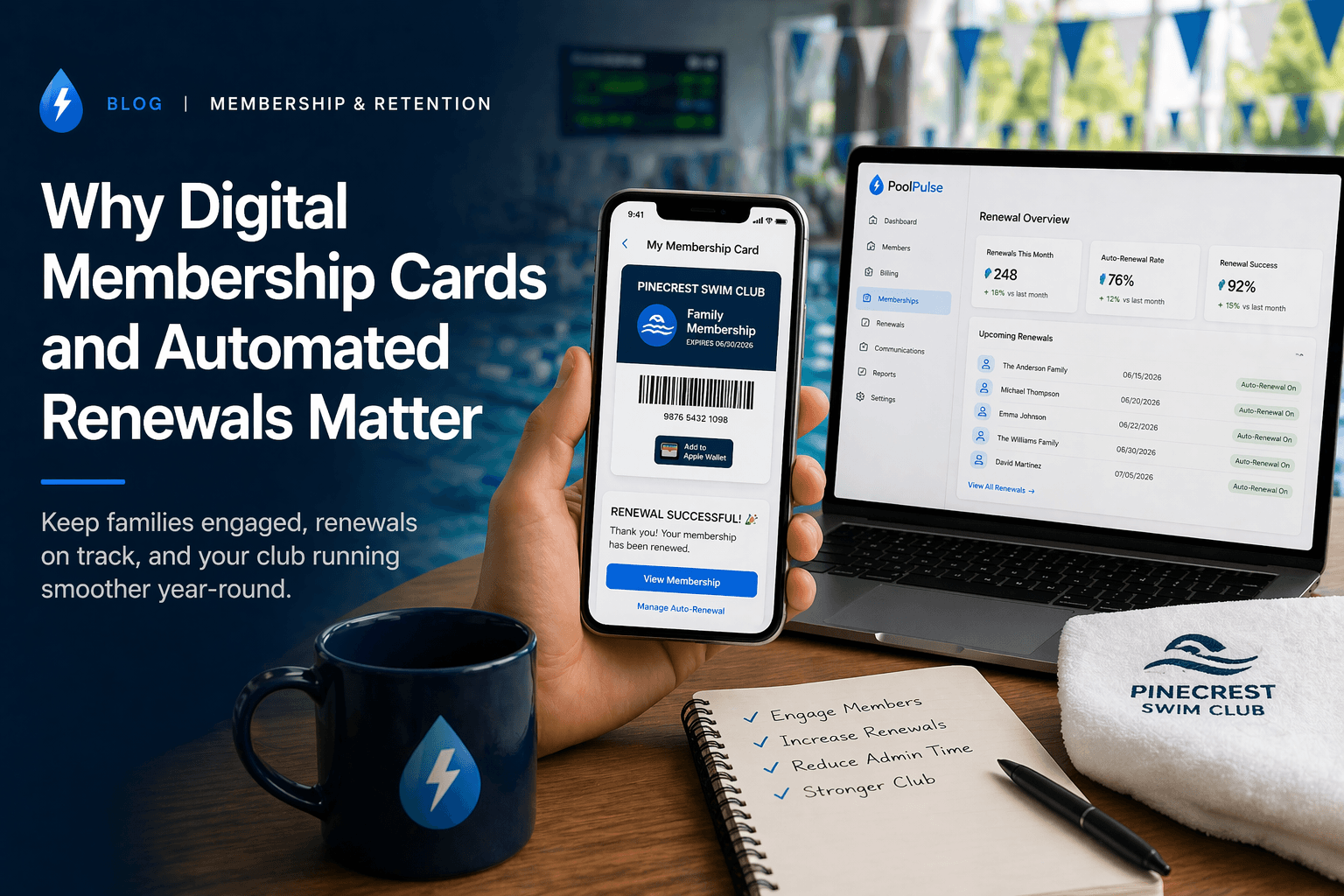
Why Digital Membership Cards and Automated Renewals Matter
Two features do outsized work for modern swim clubs: digital membership cards at check-in and automated renewals behind the scenes.

Swim Club Waiver Management: What Good Software Should Make Easier
How swim clubs handle digital waiver collection, front-desk verification, and connected member records without the manual overhead.

Swim Club Billing Software: What Clubs Should Verify Before They Buy
What clubs should verify before choosing billing software — dues handling, renewals, household balances, payment visibility, and the workflows that matter most.
Want to see if PoolPulse is a good fit for your club?
Book a walkthrough and we'll show you exactly how PoolPulse can help based on your club's needs, goals, and current processes.