

Why WordPress Is No Longer the Best Solution for Running Your Club Operations
A practical look at why growing clubs should keep WordPress focused on marketing and move memberships, billing, waivers, check-ins and reporting into a purpose-built platform.
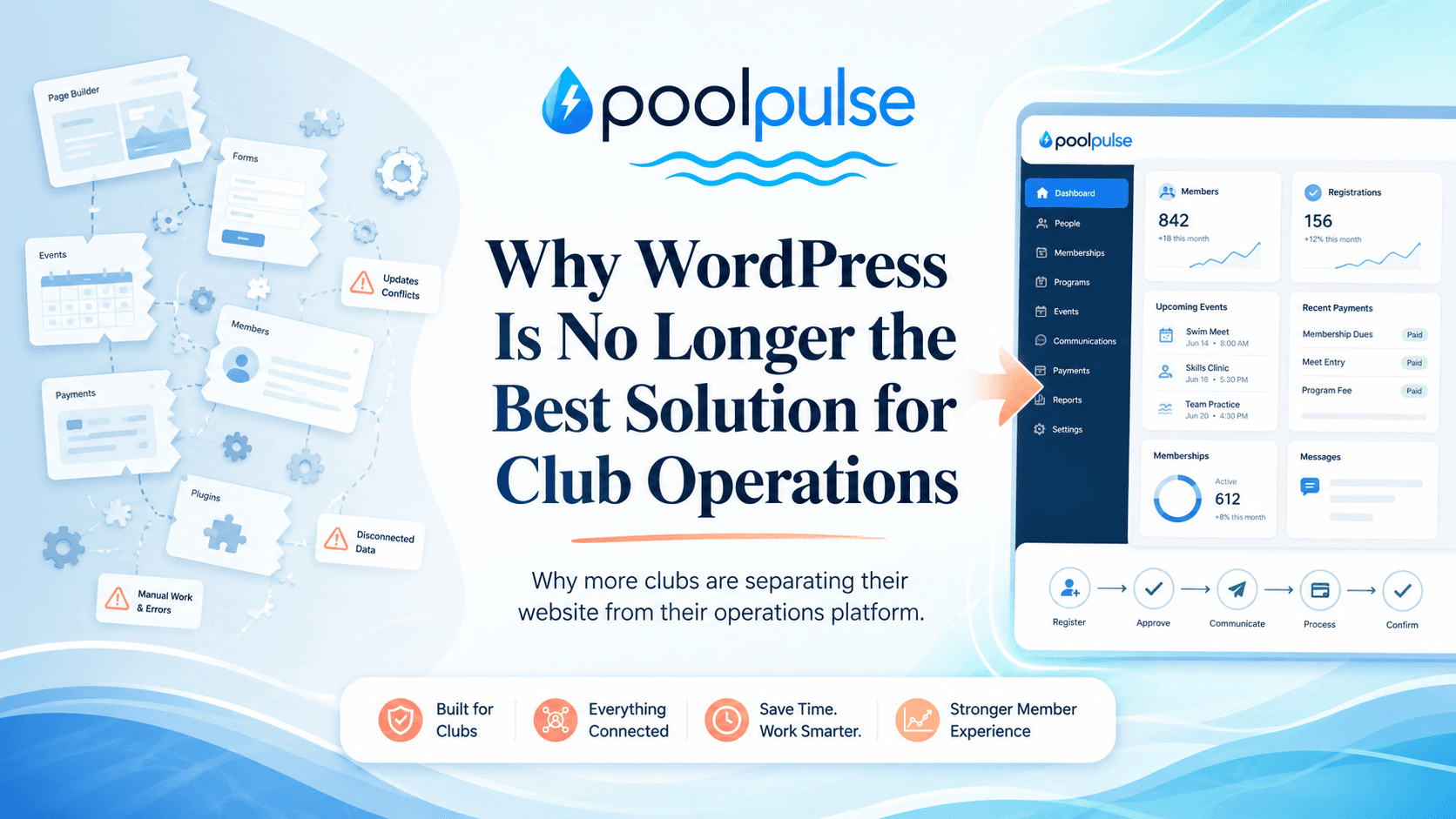
WordPress helped clubs get online
For a long time, WordPress was the obvious answer for almost every club that needed a website. A swim club needed summer hours online, a tennis club needed program pages, an HOA pool needed announcements, and a board member needed a way to update a page without calling a developer every time the snack bar menu changed. WordPress made that possible, and it deserves real credit for it.
WordPress describes its mission as democratizing publishing. Its own history explains that WordPress started in 2003, grew from a fork of b2/cafelog, and is built on PHP and MariaDB. WordPress also says it powers more than 43% of the web, while W3Techs reported on June 20, 2026 that WordPress is used by 59.3% of websites whose content management system is known and 41.5% of all websites. That is not a small footprint. That is a digital continent with a dashboard. [1] [2]
That success did not happen by accident. WordPress made publishing accessible. It gave nontechnical teams control over pages, posts, navigation, images, forms and updates. It helped clubs stop relying on static websites that only one person knew how to change. For marketing, communication and public information, WordPress is still a strong tool.
The issue is not that WordPress failed. The issue is that many clubs kept asking it to become something else: a membership database, a billing engine, a waiver system, a reservation tool, a check-in desk, a reporting dashboard and a back-office platform. At that point, the website is no longer just a website. It is trying to run the club.
WordPress is great at being a website. It becomes harder to manage when it is expected to become the operating system for an entire club.
The problem starts when the website becomes the back office
At first, the setup usually feels simple. A club launches a WordPress site. Then it adds a form plugin. Then it adds a payment plugin. Then it adds a membership plugin, an event plugin, a calendar plugin, a security plugin, a caching plugin, a backup plugin and maybe one more plugin because the previous plugin almost did the thing but not quite.
That is the WordPress superpower and the WordPress trap living in the same house. The official WordPress plugin directory says it includes more than 65,000 free plugins, which is an incredible ecosystem. It also means a club can keep adding small pieces until the site is no longer just a site. It becomes memberships, billing, waivers, check-ins, reservations, guest passes, reporting, email reminders and custom workflows held together by settings, shortcodes, scripts and good intentions. [3]
That approach can work for a while. Many clubs begin in a do-it-yourself stage because budget, timing and available tools make DIY the practical option. There is nothing wrong with that. The first version of almost every operational system is a little scrappy. The question is not whether scrappy can get you started. The question is whether scrappy should run the season when the club is managing real money, real members, real liability and real staff workflows.
When a club reaches that stage, the cost of the patchwork becomes easier to feel. Staff spend time checking one system against another. Board reports require exports and cleanup. A renewal question turns into a search across invoices, member records, forms, notes and email threads. A front desk worker needs a fast answer, but the answer lives behind three plugins and a spreadsheet with a filename that has seen things.
WordPress was built for publishing, not club operations
WordPress grew far beyond blogging, and that growth is part of its strength. But its original center of gravity was publishing content: pages, posts, themes, media and user-friendly editing. Club operations have a different center of gravity. They depend on connected data, permissions, payments, auditability, workflow status and operational rules that need to stay reliable under pressure.
A website answers questions like: Who are we? What do we offer? When are we open? How do families join? What programs are available? What should a prospective member know before reaching out?
An operations platform answers different questions. Has this household renewed? Is the balance clear? Are the waivers signed? Can this member check in today? How many guest passes remain? Which reservations are active? Which payments failed? What does the board need to see before making a decision?
Those are different jobs, and they deserve different architecture. When a public-facing website becomes responsible for private operational workflows, the club inherits unnecessary complexity. A blog post update should not feel connected to the same technical stack as billing, access rules and waiver enforcement. The cleaner model is simple: let the website publish and let the platform operate.
PHP is not the whole story, but architecture matters
WordPress is built on PHP and MariaDB, and PHP still powers many successful applications. This article is not here to toss PHP into the pool and pretend that solves everything. The more practical point is that WordPress reflects a different era of web publishing than many modern SaaS platforms built around APIs, managed infrastructure, role-based workflows, release pipelines, observability and operational data models.
WordPress currently recommends PHP 8.3 or greater, MariaDB 10.6+ or MySQL 8.0+, and HTTPS for every install. It also notes that WordPress can still run on older PHP and MySQL versions, but those versions have reached official end of life and may expose sites to security vulnerabilities. [4]
That matters because club leaders are usually not trying to become hosting experts. They are trying to run a club. When the operational system depends on hosting versions, plugin compatibility, theme behavior, server configuration and patch timing, the responsibility lands somewhere. Too often, it lands on a volunteer, a board member, a webmaster or a contractor who becomes the only person who understands the setup.
A purpose-built platform starts from a different assumption. Instead of asking a website to become a business system, the platform is designed around the workflows from the beginning. Membership status, billing, waivers, reservations, check-ins, POS, staffing and reporting are not separate ideas that need to be glued together later. They are part of the same operating model.
The sandbox is fun until you are maintaining the castle
WordPress is a sandbox. That is not an insult. Sandboxes are creative, flexible and useful. You can build almost anything in them, especially if you are willing to stack enough tools together and learn where all the settings live.
The catch is that sandbox building comes with sandbox maintenance. When the tide changes, you are the one rebuilding the wall. When a plugin update shifts the shape of a workflow, you are the one testing the drawbridge. When a theme conflict breaks a form, you are the one asking why the castle suddenly has no door.
For a simple marketing site, that maintenance may be manageable. For club operations, the stakes are higher. A broken image gallery is annoying. A broken billing flow is a problem. A slow homepage is frustrating. A slow check-in process creates a line at the gate. A confusing blog layout can be fixed tomorrow. A waiver workflow that does not properly surface at check-in can create operational and liability headaches today.
Purpose-built software is not a sandbox in the same way. It is more like a facility built for the job. The workflows are designed to belong together, the data model understands the organization, and the maintenance burden is carried by the platform team instead of being pushed onto the club.
Plugin stacks create responsibility sprawl
The hidden cost of a plugin-based setup is not just the plugin bill. It is the responsibility map. One provider manages hosting, another manages the theme, another manages forms, another manages memberships, another manages payments, another manages email, another manages security, and someone at the club is expected to know how all of them interact.
That responsibility sprawl makes simple questions harder. If a renewal email does not send, is it the email plugin, the membership plugin, the SMTP configuration, the hosting environment, the payment status or the contact record? If a member cannot access the portal, is it a user role issue, a cache issue, a plugin conflict, a password reset issue or a custom rule that nobody remembers writing?
OWASP identifies vulnerable and outdated components as a major application security risk. It warns that organizations are likely vulnerable when they do not know the versions of all components they use, do not scan regularly, or do not fix or upgrade platforms, frameworks and dependencies in a timely way. OWASP also recommends removing unused dependencies, continuously inventorying components, monitoring vulnerability sources and maintaining an ongoing update plan. [7]
Academic research on WordPress plugin vulnerabilities makes a similar point from another angle. Jukka Ruohonen’s analysis notes that many well-known security risks have shifted from WordPress core toward plugins and themes, and that popular plugins with large installation bases can be affected by multiple vulnerabilities. [15]
That is responsible guidance, but it is also a lot to ask of a seasonal club that is trying to hire lifeguards, prepare opening day, answer member emails and figure out why the snack bar freezer is making that noise again.
Blind spots are where the real damage hides
The most frustrating operational failures are not always the loud ones. Loud failures are annoying, but at least they announce themselves. The more dangerous failures are quiet. A form still loads, but entries are not being stored. A confirmation email says everything is fine, but the staff view never updates. A plugin setting quietly changes who is eligible for a membership package. An integration stops syncing, and nobody notices until a member says, very reasonably, “I already paid.”
That is the problem with blind spots. The club does not have visibility while the issue is happening. It only discovers the problem after the fact, when records are missing, members are confused, staff are backtracking and someone is trying to reconstruct what happened from inboxes, exports and browser history. Very glamorous. Very forensic. Very much not how anyone wanted to spend a Thursday.
Google’s Site Reliability Engineering guidance explains that monitoring should help answer two basic questions: what is broken and why. It also distinguishes between externally visible behavior, internal metrics and the signals that help teams detect errors, latency, traffic and saturation before or during failures. [13]
That idea matters for club operations. If your system cannot show failed submissions, incomplete workflows, sync errors, configuration changes, retries, missing records, payment-state mismatches or unusual activity, then your team is operating with blind spots. The workflow may look fine from the outside while the operational truth is already drifting underneath.
A system that only tells you something went wrong after members complain is not giving you visibility. It is giving you a surprise party with paperwork.
A form is not an operations workflow
Forms are useful, but a form is not the same thing as an operational workflow. A form collects information. A workflow validates information, records the attempt, updates the right account, triggers the right next step, shows staff what changed, logs failures and helps the organization understand what is still missing.
This difference is easy to underestimate. A club can have a registration form that appears polished on the website, but the operational questions begin after someone clicks submit. Was the entry saved? Was it tied to the right household? Did the payment match the member record? Did the waiver status update? Did the email send? Did the staff dashboard reflect the change? Did a failed step create an alert, or did it disappear into the digital bushes?
OWASP’s logging guidance says custom application logging is often missing, disabled or poorly configured, and that application logs are valuable for both security and operational use cases, including debugging, business process monitoring, unusual conditions, performance issues and audit trails. OWASP also recommends logging events such as application errors, connectivity problems, performance issues, third-party service errors, configuration changes, user-generated content submission and processing, data changes and modifications to configuration. [14]
| Website form pattern | Operational workflow pattern |
|---|---|
| Collects fields from a user | Connects the action to a household, account, invoice, waiver or reservation |
| May send an email notification | Shows staff the status of the workflow and what still needs attention |
| May fail quietly if email, storage or integrations break | Tracks success, failure, retries, exceptions and missing requirements |
| Often depends on plugin settings and custom configuration | Uses purpose-built rules designed around the operational process |
| Creates data that may need manual reconciliation | Updates the same system staff use for daily decisions and reporting |
That is why a purpose-built platform is not just “a nicer form.” It is a different operating model. The goal is not only to capture member activity. The goal is to make the activity visible, connected and actionable before it turns into a cleanup project.
Every plugin adds another point of failure
Plugin-dependent systems can be powerful, but every plugin introduces another possible failure mode. The plugin can have a bug. It can conflict with another plugin. It can stop receiving updates. Its settings can be changed by someone who does not realize the downstream impact. Its developer can change pricing, remove a feature, alter an API or sell the product. The plugin can even be compromised.
Recent reporting has documented WordPress plugin incidents that illustrate why this matters. In June 2026, TechRadar reported on active exploitation of a critical Everest Forms Pro vulnerability, noting that the plugin was used to create contract, registration, payment and application forms and that attackers were able to create rogue administrator accounts through PHP injection. [16] In April 2026, TechRadar also reported that more than 30 legitimate WordPress plugins were allegedly purchased and updated with backdoors, affecting tens of thousands of websites. [17]
Those examples are security-focused, but the operational lesson is broader. When club workflows depend on many independent pieces, the club inherits many independent ways for things to go wrong. Some failures are technical. Some are administrative. Some are configuration-based. Some are ownership-based. The result is the same: more places to monitor, more places to troubleshoot and more chances for a small hidden issue to become a larger operational mess.
Security is easier when systems have clear boundaries
WordPress takes security seriously. Its security page describes responsible disclosure for vulnerabilities in WordPress core, plugins, themes and the wider ecosystem. It also explains that the WordPress Security Team works to identify and resolve security issues, harden WordPress against threats such as the OWASP Top Ten, and provide guidance across the ecosystem. [5]
That is good. It is also not the whole story for a club. Security is not just whether WordPress core is maintained. It is the full environment: plugins, themes, hosting, administrator accounts, passwords, permissions, custom code, integrations, payment workflows, backups and every person with access to the dashboard.
OWASP describes broken access control as a risk where users can act outside their intended permissions, potentially leading to unauthorized disclosure, modification or destruction of data. It specifically calls out issues such as privilege escalation, missing access controls, force browsing, and viewing or editing someone else’s account. [6]
For clubs, this is practical. A seasonal front desk worker should be able to check in members without having full access to billing configuration. A board treasurer needs different access than a swim team volunteer. A person who updates public website content should not automatically be near private household records, payment context, waivers, staff notes or operational reports.
When the public website and private operations live in the same system, boundaries can become blurry. A dedicated platform can design role-based access, member data workflows and staff permissions around the real jobs people perform.
Separation reduces blast radius
One of the biggest benefits of separating your WordPress website from your operations platform is risk containment. In technical terms, that means reducing blast radius. In club terms, it means one problem is less likely to knock over the whole lemonade stand.
If the website has a theme issue, your billing should not care. If a blog plugin behaves badly, check-in should keep moving. If a public page receives a traffic spike after registration opens or a community post gets shared, member account workflows should not be competing for the same fragile space. The website can be optimized for content, SEO and public traffic while the operations platform is optimized for authenticated workflows, data integrity, payments, access rules and reporting.
OWASP’s security misconfiguration guidance recommends minimizing unnecessary features and using segmented application architecture to provide secure separation between components or tenants. That principle applies beyond formal enterprise environments. The more critical the workflow, the more valuable it is to give that workflow a clean boundary. [8]
Separation also makes responsibility clearer. The website team or webmaster can focus on content, pages, SEO, images, announcements and public information. The operations platform provider can focus on membership workflows, billing, uptime, access controls, data protection, support and product reliability. Everyone gets a cleaner lane.
Your website should do what it does best
A club website has a valuable job. It should explain membership options, show the season schedule, publish hours, promote programs, answer common questions, tell the club’s story and help prospective families decide whether the community is the right fit. That work matters. It is marketing, communication and trust-building.
When the website is forced to carry operational workflows, it can become heavier than it needs to be. Pages get cluttered with shortcodes. Navigation tries to serve public visitors, active members, staff and board members at the same time. Content updates feel risky because nobody wants to disturb the mystery machinery behind renewals and payments.
Separating the website from operations lets the website breathe again. The public site can stay focused on content and marketing while the heavy lifting happens in the platform. Members can still reach the right tools through links, embeds, forms and portal entry points, but the operational logic does not have to live inside the website itself.
That is the sweet spot. Keep the front door friendly. Put the engine in the engine room.
A purpose-built platform carries the operational load
PoolPulse was built around the daily reality of member-driven clubs. The PoolPulse homepage describes one connected platform for memberships, billing, renewals, check-ins, POS, reservations, staffing and seasonal operations. It also describes how clubs often lose time when billing, renewals, front-desk notes, snack bar activity, staffing and reporting live in disconnected places. [10]
That connected model matters because club operations are relational. Membership affects billing. Billing affects renewal status. Renewal status affects access. Waiver status affects check-in. Guest rules affect front desk decisions. Reservations affect capacity. POS affects household balances and reporting. Staffing affects service quality.
When those workflows are split across plugins and spreadsheets, staff become the integration layer. When those workflows live in a purpose-built system, the software can carry more of the context automatically. That does not just save clicks. It reduces uncertainty.
| Club workflow | Plugin-based pattern | Purpose-built platform pattern |
|---|---|---|
| Renewals | Forms, payment links, exports and manual status updates | Renewal status connected to households, balances, reminders and requirements |
| Waivers | PDFs, form submissions or separate records | Waiver status visible where staff actually need it, including check-in |
| Check-ins | Staff search across records, notes and balances | Front desk sees membership status, waiver state, balance context and rules together |
| Reporting | Exports from multiple tools and spreadsheet cleanup | Reports come from the same operational data used during the season |
| Maintenance | Club or contractor manages plugins, updates, conflicts and configuration | Platform team manages product updates, infrastructure, reliability and support |
SaaS changes who owns the complexity
Software as a Service changes the responsibility model. NIST defines cloud computing as on-demand network access to a shared pool of configurable resources, and its SaaS service model means the consumer uses the provider’s applications running on cloud infrastructure without managing the underlying servers, operating systems, storage or most application capabilities beyond limited configuration. [9]
Translated into club language: your team should not have to become infrastructure managers to run renewals. A club should not need to track server requirements, plugin compatibility, application patches, backups, uptime, database tuning, access architecture and update sequencing just to collect dues and open the gate.
A platform does not eliminate responsibility altogether. Clubs still own their policies, pricing, member communication, staff training and operating decisions. But the software provider should carry the technical burden that does not belong on the club’s plate. That is a major time saver, and it is also a convenience multiplier because fewer technical chores means more attention can go to members, staff and the season itself.
Performance becomes operational confidence
Performance is not just about page speed scores. For clubs, performance is about confidence during busy moments. The front desk needs quick access to member status when a line is forming. Administrators need renewal reports without waiting on exports. Staff need check-in, reservations and billing screens that feel dependable when the club is busy.
When WordPress is doing everything, performance tuning can become complicated. Caching helps public pages, but authenticated member workflows, forms, payment steps and dynamic portal features behave differently from static marketing content. A plugin that is fine on a quiet Tuesday may feel very different when registration opens and everyone arrives at once.
Separating the website from the operations platform lets each system optimize for its own workload. WordPress can be tuned for content, marketing pages and SEO. The platform can be tuned for authenticated workflows, database operations, role-based access and real-time staff actions. That is cleaner engineering and a calmer day at the gate.
Liability and responsibility become easier to understand
Liability is not always about dramatic disasters. Sometimes it is about the everyday question of who is responsible when something important does not work. If payments fail, who investigates? If a waiver status is missing, who verifies the workflow? If a member record changes unexpectedly, who can audit it? If a plugin breaks after an update, who owns the fix?
In a fragmented WordPress setup, responsibility can be split between the club, the host, the plugin developer, the theme developer, the contractor and the person who set it up three seasons ago. That is a lot of cooks, and not all of them know where the recipe went.
A platform creates a more direct relationship. The provider is responsible for the product environment, updates, reliability, security controls, support model and roadmap. The club is responsible for its own operating rules and member decisions. That separation does not make every issue disappear, but it makes ownership much easier to understand.
PoolPulse’s security overview describes practical protections such as encryption in transit and at rest, modern cloud infrastructure designed for redundancy, role-based access controls, restricted staff access, monitoring, logging, backups and recovery processes. [12]
Modernizing does not mean replacing your website
One of the best parts of the modern approach is that clubs do not need to throw away a website that already works. If your WordPress site is doing a good job with pages, announcements, photos, SEO and public information, keep it. Let it do that job well.
PoolPulse’s website integration page says clubs can keep the website they already use and connect member experiences, registrations, reservations and billing workflows without forcing a rebuild first. It lists WordPress, Webflow, Wix, Squarespace, custom sites and Framer as supported paths when the site supports standard embeds or scripts. [11]
That gives clubs a practical upgrade path. Add the portal link. Embed the registration flow. Connect reservations where members expect to find them. Put billing and account tools behind the scenes where the platform can handle the logic. Your website remains the public front door, and the platform becomes the operational engine.
This is especially helpful for clubs that have built up brand equity, search traffic and member habits around their current site. Modernizing operations should not require blowing up the website just to prove a point. The better path is to separate the jobs and connect the experience cleanly.
How to know when WordPress has reached its limit
Most clubs do not wake up one morning and declare that the WordPress era is over. The ceiling usually appears through repeated friction. Staff are doing duplicate entry. Volunteers are afraid to update plugins. The board wants reporting that takes too long to produce. Members ask why a payment was accepted but a waiver is still missing. The front desk has to check more than one place before admitting someone.
Those are signs that the club has outgrown a website-centered operating model. The site may still be valuable, but the operational work has become too important to keep patched together.
- Staff need multiple plugins, spreadsheets or admin screens to answer one member question.
- Renewals, balances, waivers, guest rules and check-ins do not share one reliable source of truth.
- A website update, plugin update or hosting change creates anxiety about member-facing workflows.
- Board reporting requires exports, cleanup, reconciliation and manual explanation every season.
- One volunteer or contractor understands the setup better than the organization does.
- Your public website is carrying sensitive workflows that would be safer and easier in a dedicated platform.
- You only discover broken forms, failed syncs or missing records after a member, staffer or board member notices the damage.
The total cost is bigger than the plugin bill
One reason clubs stay with WordPress-based operations is that the monthly cost can appear lower. A hosting account, a few plugins and some volunteer time can look inexpensive compared with a dedicated platform. On paper, that may be true for a while.
The real cost includes more than invoices. It includes staff time spent troubleshooting, manual reconciliation after failed payments, confusion around renewal status, board hours spent reviewing reports that nobody fully trusts, and the risk of depending on one person who understands the whole setup. It includes the quiet drag of asking staff and volunteers to be the glue between systems that were never designed to run together.
A platform is not free, but patchwork is not free either. The better question is not, Can WordPress be made to do this? In many cases, yes. The better question is, Is this the operating model we want to depend on for the next five seasons?
For many growing clubs, the honest answer is no.
The forward-thinking model is website plus platform
The future is not a dramatic breakup with WordPress. It is a smarter relationship. WordPress can remain the home for marketing, content, announcements, SEO, public pages, program information and stories. A real operations platform can manage memberships, billing, renewals, waivers, reservations, check-ins, POS, staff workflows, reporting and member self-service.
That model is cleaner because each system gets to focus. The website becomes lighter and easier to manage. The platform becomes stronger and more reliable. Members get a smoother experience because the tools they need are connected where they expect them. Staff gain time because they are no longer reconciling disconnected systems every time something changes.
WordPress helped clubs get online, and that still matters. But running a modern club requires more than being online. It requires connected workflows, secure roles, reliable data, fast daily actions and tools built around the way clubs actually operate.
When your club reaches that stage, moving operations into a real platform is not overkill. It is simply the next step. Your website can keep telling the story, and your platform can handle the heavy lifting.
That is one less thing on your plate. And during pool season, every cleared plate counts.
Sources
- WordPress.org, About WordPress
- W3Techs, Usage Statistics and Market Share of WordPress, June 2026
- WordPress.org, Plugin Directory
- WordPress.org, Requirements
- WordPress.org, Security
- OWASP Top 10:2021, Broken Access Control
- OWASP Top 10:2021, Vulnerable and Outdated Components
- OWASP Top 10:2021, Security Misconfiguration
- NIST SP 800-145, The NIST Definition of Cloud Computing
- PoolPulse, Swim Club Management Software
- PoolPulse, Website Integration
- PoolPulse, Security Overview
- Google Site Reliability Engineering, Monitoring Distributed Systems
- OWASP Cheat Sheet Series, Logging Cheat Sheet
- Jukka Ruohonen, A Demand-Side Viewpoint to Software Vulnerabilities in WordPress Plugins
- TechRadar, WordPress users beware: critical Everest Forms Pro plugin flaw
- TechRadar, Dozens of WordPress plugins hijacked to target thousands of sites
Switching Club Platforms Shouldn't Become a Second Job
The fear of migration keeps many clubs stuck on platforms they have already outgrown. A modern, well-supported transition should remove work from your team, not create more of it.
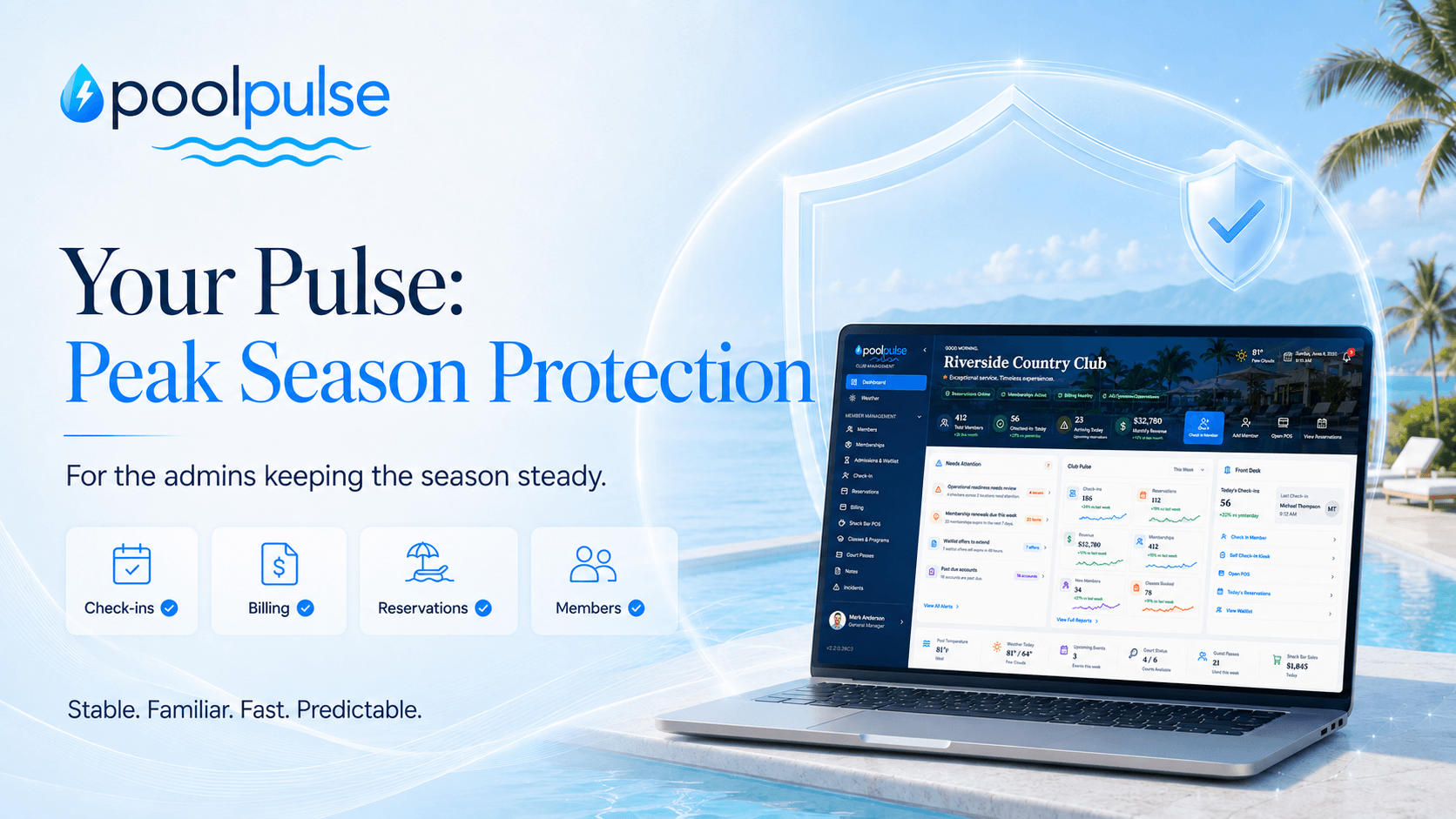
Your Pulse: Peak Season Protection™
Peak season puts every part of club operations under pressure. Your Pulse: Peak Season Protection is PoolPulse’s approach to keeping seasonal clubs stable, familiar, fast and ready when it matters most.
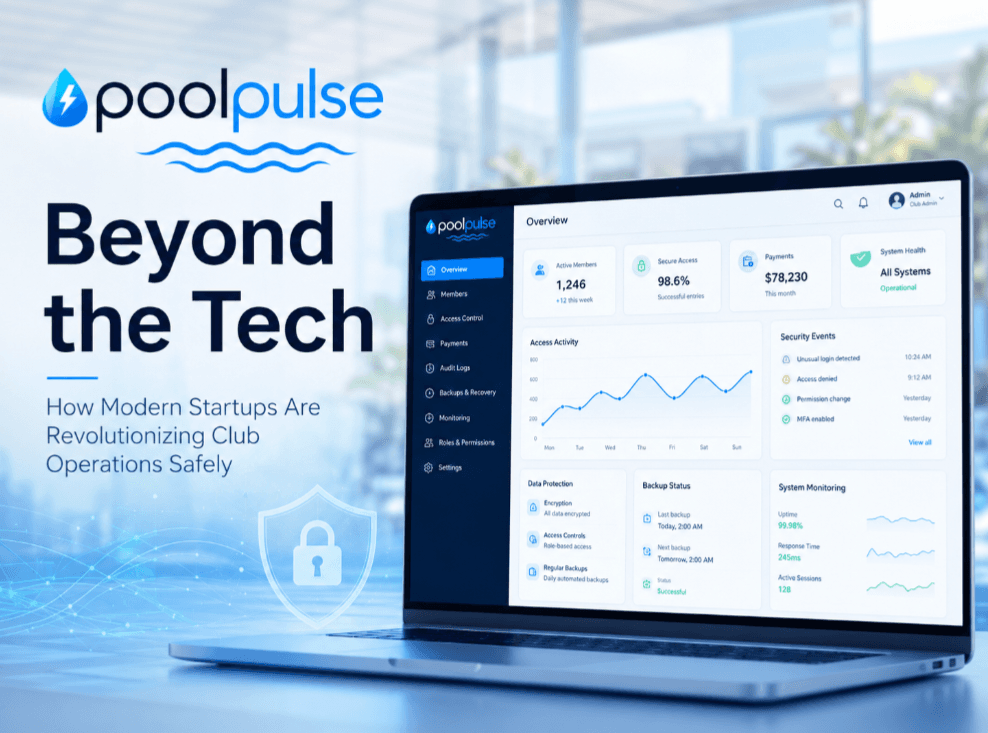
Beyond the Tech: How Modern Startups Are Revolutionizing Club Operations Safely
Modern club startups are reshaping operations with safer workflows, clearer access controls, stronger payment visibility, audit trails and security-forward design.
Want to see if PoolPulse is a good fit for your club?
Book a walkthrough and we'll show you exactly how PoolPulse can help based on your club's needs, goals, and current processes.