

The Saturday Morning Access Test: Who Can See What?
Your front desk needs different permissions than your treasurer. Learn how to set up access rules that protect data while keeping daily work smooth.

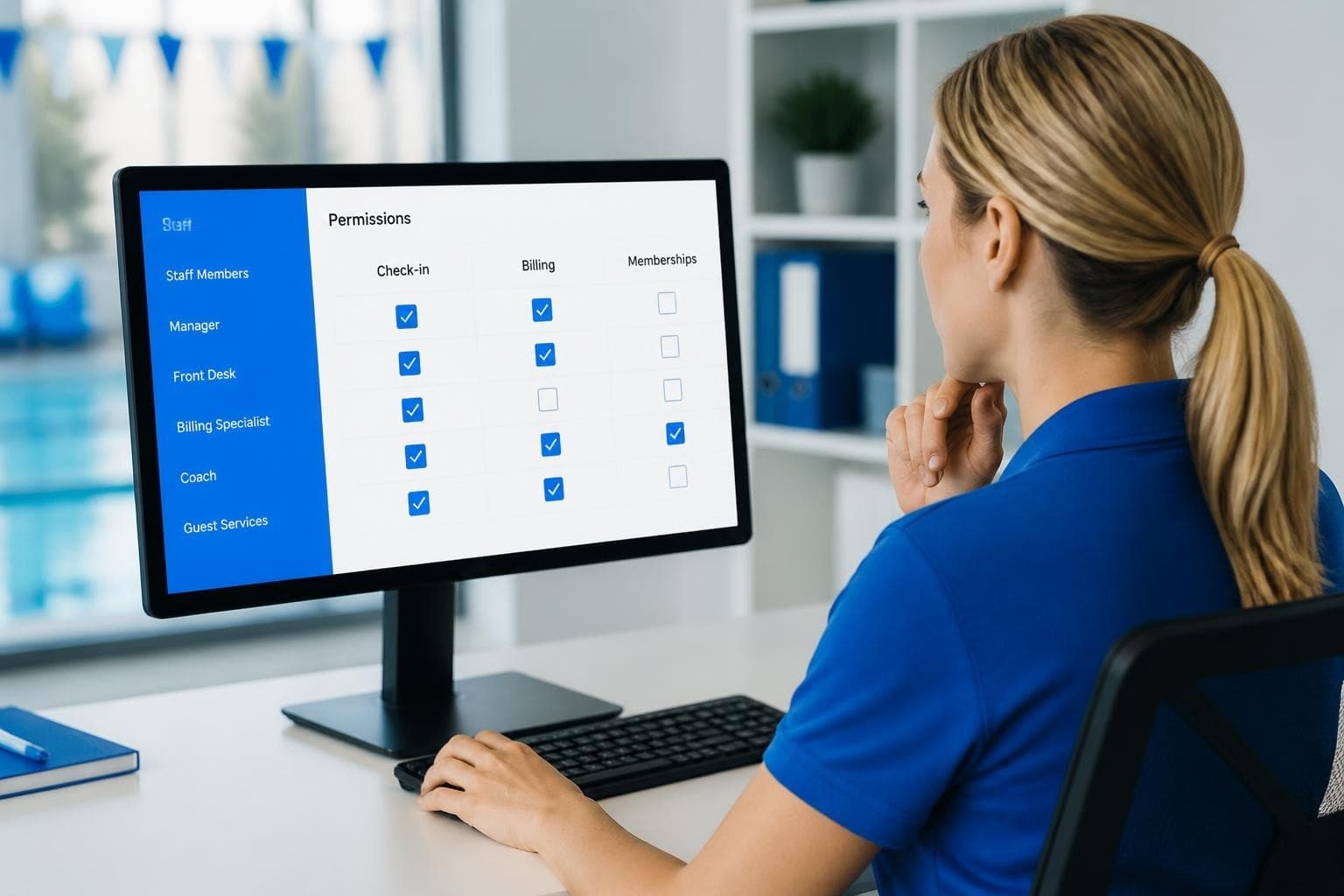
It's 9:45 AM on a Saturday in June. Your seasonal check-in staffer just asked if they can "quickly look up" a member's account balance to answer a billing question. Your treasurer texted asking why they can't access the guest log from their phone. Meanwhile, your board president wants to know why the vice president can see financial reports but can't edit them. Sound familiar? You're dealing with access rules, and if you haven't thought them through, you're about to have a very long summer.
Access rules determine who can see what information in your club management system and what they can do with it. They're the invisible framework that keeps your member data secure while letting your team get their work done. Get them right, and nobody thinks about them. Get them wrong, and you'll spend your weekends resetting passwords and explaining why people can't do their jobs.
Why Access Rules Matter More Than You Think
You probably didn't start managing a swim club because you love IT security. But here's the thing: access rules aren't really about technology. They're about trust, liability, and making sure the right people can help members without creating problems.
Think about what's in your system right now. Credit card information. Home addresses. Phone numbers. Kids' names and ages. Medical waivers. Account balances, sometimes including who's behind on dues. That's sensitive stuff. If the wrong person sees it, or if someone accidentally changes something they shouldn't, you've got a real problem.
But access rules aren't just about locking things down. They're also about making daily work easier. When your check-in staff can quickly verify memberships without wading through financial data they don't need, everyone moves faster. When your treasurer can run reports without calling you for access every time, you save hours each month.
The Real Cost of Getting It Wrong
Let me tell you what happens when access rules are too loose. A well-meaning board member decides to "help" by updating member records. They accidentally change renewal dates for twenty families. Nobody notices until members start getting locked out in July. You spend a week fixing it manually and apologizing.
Or maybe your access rules are too tight. Your Saturday staff can check people in but can't see if someone has an unpaid balance. Members get waved through even though they owe three months of dues. Your treasurer discovers the problem in August, and now you're chasing $4,000 in missed payments.
The Centers for Medicare & Medicaid Services offers comprehensive guidelines on implementing access control policies that, while designed for healthcare, translate well to any organization handling sensitive member data. The core principle? Only give people access to what they actually need to do their job.

The Four Types of People Who Need Access
Before you start clicking checkboxes in your software settings, step back and think about who actually uses your system. Most swim clubs have four main groups, and each needs different access rules.
Front Desk and Check-In Staff
These folks are your first line of defense and your members' first impression. They need to verify memberships, check guests in, and handle basic questions. They absolutely do not need to see payment history, edit member addresses, or change billing settings.
What they do need:
- Quick member lookup by name or ID
- Guest registration and tracking
- Ability to see membership status and type
- Access to current season passes or cards
- Basic contact info in case of emergency
What they don't need:
- Full payment history
- Credit card details
- Ability to modify member accounts
- Access to financial reports
- Board communications or documents
Your check-in staff probably includes high school students or seasonal workers. That's fine, but it means your access rules need to account for turnover and varying experience levels. Keep it simple and limited.
Treasurers and Financial Administrators
Your treasurer needs deep access to billing, payments, and financial reporting. They're reconciling accounts, tracking renewals, and preparing reports for the board. But they probably don't need to change membership types or edit family rosters.
Here's what financial administrators typically need:
| Access Area | Permission Level | Why |
|---|---|---|
| Billing records | Full read/write | Process payments, adjustments |
| Financial reports | Generate and export | Board reporting, tax prep |
| Member contact info | Read only | Payment follow-up |
| Membership types | Read only | Understanding revenue |
| Check-in logs | Read only | Usage analysis |
| Family rosters | Read only | Billing verification |
Notice that most of these are read-only except for actual financial functions. Your treasurer shouldn't accidentally delete a member family while reviewing their payment history. The best swim club management software lets you separate financial access from membership management.
Board Members and Committee Leaders
This is where access rules get tricky. Your board president needs visibility into operations. Committee chairs need relevant information. But not everyone needs everything, and board terms change.
Some boards want full transparency with all members having access to all reports. Others prefer limiting financial details to the treasurer and president. There's no single right answer, but whatever you choose, make it intentional.
Consider creating different board access levels:
- Executive access: President, vice president, treasurer (full reports, member data, settings)
- Committee access: Pool manager, membership chair (relevant sections only)
- Board member access: General board members (summary reports, limited member data)
The key is thinking about what people need to make decisions versus what they're just curious about. Curiosity is fine, but it shouldn't drive your access rules.
System Administrators
Someone needs the keys to everything. That's usually you, the club manager, or maybe a trusted board member who handles the technical side. Administrators can create users, change access rules, modify settings, and see everything.
Most clubs should have exactly two system administrators. More than that and you lose accountability. Fewer than that and you're stuck when someone's on vacation. Make sure both administrators know they're responsible for the whole system, not just their favorite parts.
Building Access Rules That Actually Work
Okay, theory is great, but how do you actually set this up? Whether you're using PoolPulse or another system, the process is similar. You're going to define roles, assign permissions, and then map people to roles.
Start with the Principle of Least Privilege
Here's the golden rule: give people the minimum access they need to do their job well. Not the maximum they might want. Not what seems convenient. The minimum that works.
This isn't about being stingy or distrustful. It's about reducing risk and confusion. When someone has access to features they don't use, they're more likely to click something accidentally. When everyone can see everything, nobody knows what they're responsible for.
Think about it like keys to a building. Your check-in staff needs a key to the front gate and the equipment room. They don't need a key to the office where you keep financial records. Same concept, digital version.
Create Clear Role Definitions
Don't just wing it. Write down what each role should be able to do. Yes, actually write it down. Here's a simple format:
Check-In Staff Role:
- Can view member names and status
- Can register guests
- Can view current day's reservations
- Cannot view payment information
- Cannot modify member records
- Cannot access reports
Treasurer Role:
- Can view all member financial data
- Can process payments and refunds
- Can generate financial reports
- Can export billing data
- Cannot modify membership types
- Cannot delete member accounts
You get the idea. When you write it out, gaps and overlaps become obvious. Maybe you realize your treasurer actually does need to adjust membership types when someone upgrades. Good to know before you lock them out.

Common Access Rule Mistakes (And How to Fix Them)
Every club makes these mistakes at some point. The smart ones fix them before they cause real problems.
Mistake 1: Everyone's an Administrator
This happens when setting up access rules feels too complicated, so you just make everyone an admin and move on. Bad idea. Really bad idea.
When everyone's an administrator, nobody's accountable. Changes happen and nobody knows who made them. Someone accidentally deletes something important. Your system becomes a free-for-all.
The fix: Bite the bullet and set up proper roles. Yes, it takes an afternoon. Yes, people will complain they can't do things they used to do. Explain why, show them the proper way to request changes, and stick to it. The implementation guide from IBM on Role-Based Access Control provides a structured approach that works for organizations of any size.
Mistake 2: Forgetting to Remove Access When Roles Change
Your check-in supervisor from last summer is now on the board. They still have their old check-in login plus new board access. Your former treasurer moved away but can still access your financial reports. This accumulation of access is a ticking time bomb.
The fix: Review access quarterly. Every January, April, July, and October, pull up your user list and verify:
- Is this person still in this role?
- Do they need this level of access?
- Have their responsibilities changed?
- Should we disable any old accounts?
Set a calendar reminder. Actually do it. This is one of those best practices for access control administration that seems obvious but gets skipped constantly.
Mistake 3: Making Access Rules Too Complicated
I've seen clubs with seventeen different permission levels and custom access rules for individual features. It's a nightmare to manage. Nobody understands it. New staff can't figure out why they can do some things but not others.
The fix: Keep it simple. Four to six roles should cover 95% of swim clubs. If you're creating custom permissions for individual people, you're overthinking it. Either adjust an existing role or create a new standard role that applies to multiple people.
Mistake 4: No Documentation
You set up access rules two years ago. They made perfect sense at the time. Now your board wants to know why committee chairs can't see attendance reports, and you have no idea what you were thinking.
The fix: Document your access structure in a simple spreadsheet or document:
- List each role
- Describe what they can and can't do
- Explain why (even briefly)
- Note when it was last reviewed
Store this with your other club documents. Update it when you make changes. Future you will be grateful.
Practical Access Rule Scenarios
Let's walk through some real situations and how to handle them with proper access rules.
Scenario 1: Seasonal Staff Rotation
You hire three new check-in attendants every May. They work through August, then most of them leave for college. You need them operational quickly but don't want to create security risks.
The solution:
- Create a "Seasonal Check-In" role with limited permissions
- Set up accounts before their first day
- Provide a simple one-page guide: "Here's what you can do, here's what you can't"
- Have a process to disable accounts in September
- Set access rules that automatically flag inactive accounts after 30 days
This protects your data while getting staff working immediately. They don't need training on features they can't access anyway.
Scenario 2: Board Transition
Your board elections happen in November. New treasurer, new president, three new board members. Everyone needs different access than they had before.
The solution:
- Before the transition, document current access for each outgoing role
- Create new accounts for incoming board members based on their roles
- Transition period: keep old access active for 2 weeks for knowledge transfer
- After transition: remove old access, confirm new access works
- Update your access documentation with new names
Never just rename accounts or change permissions on existing accounts. Create new ones. It's cleaner and leaves an audit trail. Understanding various access control models helps you choose the right approach for these transitions.
Scenario 3: Emergency Access
It's July 4th weekend. Your treasurer is unreachable and a member's payment didn't process correctly. They're at the gate with their kids, frustrated. Your check-in staff can see there's a problem but can't fix it.
The solution: Build in an emergency access procedure:
- Designate two people (usually administrators) who can access financial functions
- Document their contact information where staff can find it
- Create a clear policy: staff can call for emergency access for legitimate issues
- Log every emergency access use
- Review these monthly to see if your normal access rules need adjustment
Don't solve this by giving check-in staff full financial access "just in case." That creates more problems than it solves.
Access Rules and Compliance
You might think compliance doesn't apply to swim clubs. You'd be wrong. Depending on your state and how you handle data, you might need to comply with various privacy regulations.
Even without legal requirements, you have ethical obligations. Members trust you with their information. Kids' information. Payment information. That trust comes with responsibility.
Good access rules help you meet these obligations:
- Data minimization: People only see data relevant to their role
- Audit trails: You can track who accessed what and when
- Breach limitation: If an account is compromised, damage is contained
- Retention compliance: You can control who deletes or retains records
The PoolPulse security overview details how modern club management systems build compliance into their access control frameworks, making it easier for administrators to meet their obligations without constant technical oversight.

Technology That Makes Access Rules Easier
Here's where your choice of swim club software really matters. Some systems make access control straightforward. Others make it painful or barely support it at all.
Look for these features when evaluating systems:
Role-Based Templates
You shouldn't have to manually configure dozens of checkboxes for each new user. Good systems provide role templates: click "Treasurer" and all the right permissions get set automatically. You can customize from there if needed, but the template handles 90% of it.
Granular Control Without Complexity
You want the ability to fine-tune access if needed, but you shouldn't have to fine-tune everything just to get started. The best systems balance these needs with smart defaults and optional customization.
Easy Auditing
Can you quickly see who has access to what? Can you generate a report showing all users and their permission levels? If it takes more than two minutes to figure out what access someone has, your system is making this too hard.
Temporary Access
Sometimes you need to grant someone access for a specific period. Maybe a volunteer is helping with registration for two weeks. Maybe an accountant needs access during tax season. Your system should support this without requiring you to remember to revoke access later.
The features offered by PoolPulse include AI-powered insights that can even flag unusual access patterns, helping you spot potential security issues before they become problems.
Training Staff on Access Rules
Having great access rules means nothing if people don't understand them. But you don't need a three-hour training session. You need clear, simple communication.
For Check-In Staff
Create a one-page reference:
- Here's what you can do
- Here's what you can't do
- Here's who to call if you need something you can't access
- Here's why we do it this way (briefly)
Role-play a few scenarios during their first shift. "Member asks about their balance. What do you do?" The answer should be: "I can check you in today, but for billing questions, here's our treasurer's email."
For Board Members
Board members sometimes struggle with access limits because they're used to having authority. They don't always understand that authority and system access are different things.
Explain it in governance terms they understand: "Just like how the treasurer signs checks but the whole board doesn't need to, we limit system access to the people actively doing each job. You'll get all the reports and information you need for decision-making."
For Administrators
If you're the administrator, make sure your backup administrator actually knows how to do administrator things. Walk through:
- Adding new users
- Changing access rules
- Resetting passwords
- Reviewing access logs
- Handling access requests
Do this annually, even if nothing changes. Skills get rusty.
When to Review and Update Access Rules
Access rules aren't set-it-and-forget-it. They need regular attention, but not constant tinkering. Here's a realistic review schedule:
Quarterly Reviews (15 minutes):
- Verify all active users still need access
- Disable accounts for people who've left
- Check for any pending access requests
Annual Deep Dive (1-2 hours):
- Review each role's permissions
- Ask current role holders if they're missing anything they need
- Look for access people have but never use
- Update documentation
- Compare your setup to industry best practices
After Major Changes (30 minutes):
- New software version with different features
- Board transition
- Staff restructuring
- Adding new functionality
Between these scheduled reviews, stay alert for signs your access rules need adjustment:
- People frequently asking for access to things
- Workarounds developing (people sharing logins)
- Errors from people accessing features they don't understand
- Board questions about who can see what
Advanced Access Considerations
Most clubs won't need these, but they're worth knowing about.
Time-Based Access
Some systems let you set access that only works during certain hours. Your check-in staff only work weekends? Their access could automatically disable during the week, reducing risk.
Location-Based Access
Especially relevant for mobile access. Should people be able to access your system from anywhere, or only from the club? Some systems let you restrict access by location.
Data Classification
Not all member data is equally sensitive. Names and membership status? Pretty low risk. Credit card information? High risk. Some advanced systems let you set different access rules for different data sensitivity levels, implementing principles similar to Mandatory Access Control (MAC) frameworks .
AI-Assisted Access Control
Newer systems are exploring how artificial intelligence can help manage access rules. Research into LLM-based access control suggests that AI might help identify unusual access patterns or suggest permission optimizations based on actual usage patterns.
The AI transparency approach used by PoolPulse demonstrates how modern swim club software can use artificial intelligence to enhance security without adding complexity for administrators.
Making the Switch to Better Access Control
If you're reading this and realizing your current access rules are a mess (or non-existent), don't panic. You can fix this without disrupting operations.
Step 1: Document Current State Who has access to what right now? Write it down, even if it's embarrassing. You need a starting point.
Step 2: Define Ideal State Using the role framework from earlier in this article, map out what access rules should look like. Don't worry about how to get there yet.
Step 3: Identify the Gap What needs to change? Who needs more access? Who needs less? What roles need to be created?
Step 4: Plan the Transition Pick a low-activity period (probably not June). Communicate changes in advance. Have a rollback plan if something goes wrong.
Step 5: Implement and Monitor Make the changes. Watch closely for the first week. Fix issues quickly. Expect some complaints. Stick to your plan unless there's a genuine problem.
If your current software makes this impossible or painful, it might be time to consider migrating. The swim club software migration checklist walks through what's involved in switching systems, including how to preserve security during the transition.
Real-World Access Rule Success Stories
I've seen clubs transform their operations just by getting access rules right. One club cut their "I can't access that" help requests by 80% by creating clear role definitions and training staff properly. Another club discovered and prevented a potential data breach because their access logs showed unusual activity patterns.
A HOA pool community using modern club management software found that proper access rules actually increased board engagement. Board members got the reports and information they needed through automated exports rather than having to log in and hunt for things. They spent less time on administrative questions and more time on actual governance.
The pattern is consistent: clubs that invest time in access rules up front save enormous time and frustration later. It's one of those things that seems like overhead until you experience the alternative.
Your Access Rules Checklist
Here's a practical checklist you can use today:
Setup Checklist:
- Identified all people who need system access
- Grouped them into 4-6 roles based on job function
- Documented what each role can and cannot do
- Configured role permissions in your system
- Tested each role with a real user
- Created written documentation for staff
- Set up quarterly review reminders
Quarterly Review Checklist:
- Listed all active users
- Verified each user still needs their current access
- Disabled accounts for departed staff/board members
- Checked for pending access requests
- Reviewed access logs for unusual activity
- Updated documentation with any changes
Emergency Checklist:
- Designated emergency access contacts
- Documented emergency access procedures
- Posted emergency contact information where staff can find it
- Created log for emergency access uses
- Scheduled monthly emergency access log reviews
The Principle of Least Privilege implementation guide provides additional steps you can adapt to your club's specific needs.
Moving Forward with Confidence
Access rules aren't glamorous. Nobody joins a swim club board because they're excited about permission management. But they're fundamental to running a professional, secure operation. They protect your members, protect your staff, and protect you.
The good news? You don't need to be a security expert. You just need to think clearly about who needs what, document your decisions, and use software that makes implementation straightforward rather than painful.
Start simple. Focus on getting the basics right before worrying about advanced features. Your check-in staff, treasurer, board, and administrators each need different access. Set that up properly and you've solved 90% of potential issues.
Review regularly. People change roles. Staff turns over. Technology evolves. Your access rules should evolve with them, but in a controlled, intentional way.
Most importantly, don't let perfect be the enemy of good. Imperfect access rules that you actually implement and maintain are infinitely better than perfect access rules that stay on your to-do list forever.
Getting access rules right protects your club's data while making daily operations smoother for everyone on your team. Whether you're running a swim club, tennis facility, or HOA pool, having the right people see the right information at the right time makes everything work better. PoolPulse builds these access controls into a modern, AI-powered platform that's actually designed for how clubs operate today, making it simple to configure roles, manage permissions, and maintain security without becoming an IT expert.

When Your Check-In Line Proves Software Is Too Slow
Discover how software timing affects your swim club's daily operations, from check-ins to billing, and why faster response times mean happier members.

The Swim Club Software Test Every Board Should Run
Run this simple test to see if your swim club software actually saves time or creates more work. Real scenarios, honest questions, better tools.

The Seven Signs You've Outgrown Your Club Operations
Your swim club is growing, but your tools aren't keeping up. These seven warning signs reveal when manual processes cost more than solutions.
Want to see if PoolPulse is a good fit for your club?
Book a walkthrough and we'll show you exactly how PoolPulse can help based on your club's needs, goals, and current processes.