

Member Management for Swim Clubs: A Complete Guide
Learn how to streamline member management at your swim club with practical strategies for registration, renewals, and communication.

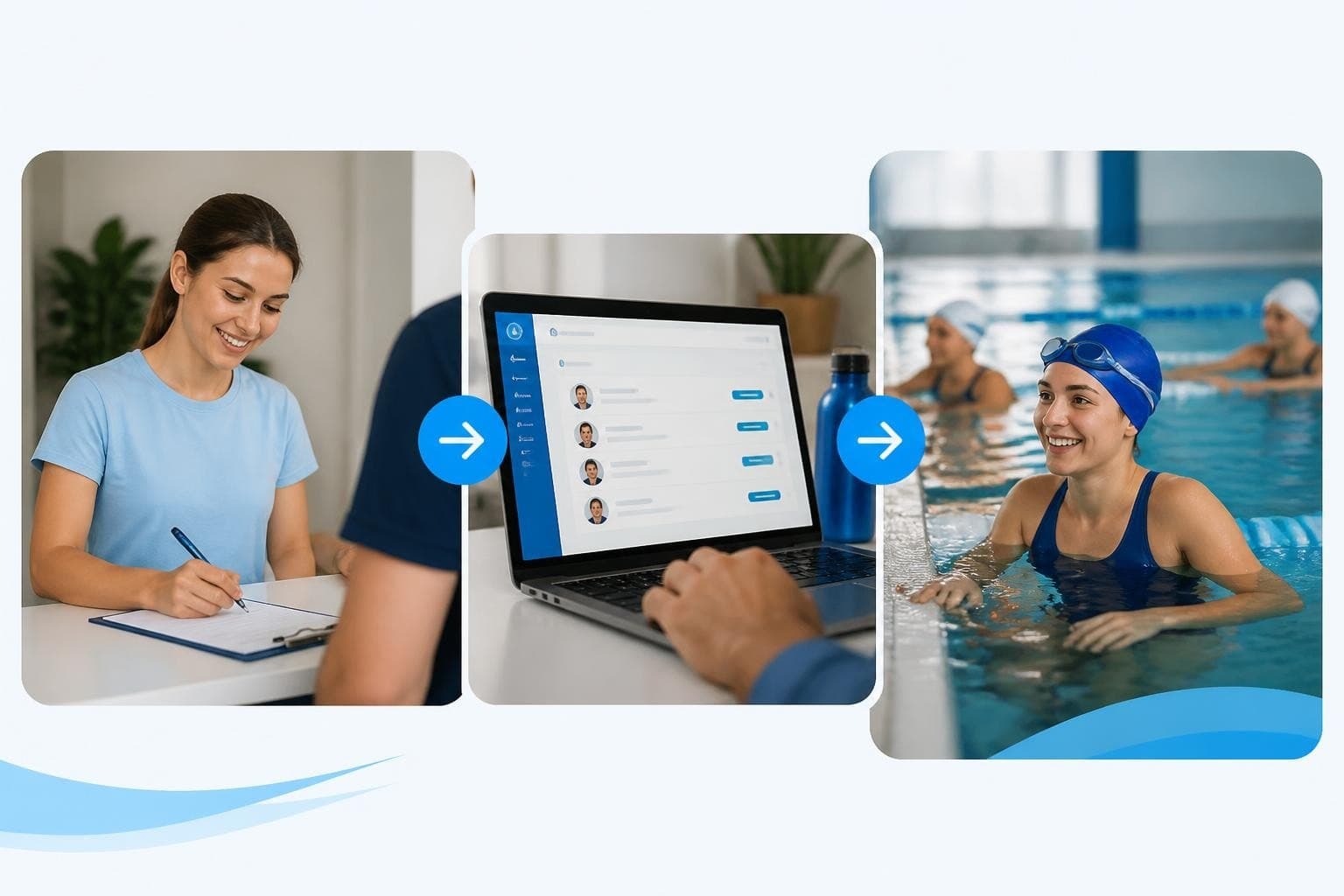
Running a swim club means juggling dozens of families, tracking payments, managing renewals, and keeping everyone informed. If you're still using spreadsheets or patched-together systems, you know how quickly things can spiral into chaos. Good member management isn't just about keeping lists-it's about creating smooth processes that make your job easier and keep families happy. Let's walk through what actually works when you're managing members day to day.
What Member Management Really Means
Member management is everything involved in tracking who's in your club, keeping their information current, handling payments, and staying in touch. Think of it as the backbone of your operations.
For swim clubs, this gets complicated fast. You're not just tracking individuals-you're managing families with multiple swimmers, different membership tiers, varying payment schedules, and seasonal registrations. One family might have three kids in different age groups, grandparents who use the pool for exercise, and a payment plan that spans six months.
The Core Components You Need to Track
Your member management system needs to handle several key areas:
- Contact information for all family members
- Membership status and type (active, pending, expired)
- Payment history and upcoming billing dates
- Attendance records and facility usage
- Special permissions or restrictions
- Communication preferences and opt-ins
When you can see all this information in one place, you spend less time hunting for answers and more time actually running your club. The best swim club management software brings these pieces together so you're not switching between five different tools.

Getting Registration Right From the Start
Your registration process sets the tone for everything that follows. If families struggle to sign up, you're already starting on the wrong foot.
I've seen clubs lose potential members because their registration form was too complicated or kept timing out. Others collect information scattered across email, paper forms, and phone calls-then spend hours entering it all manually.
Building a Registration Process That Works
Start by mapping out what information you actually need at signup versus what can wait. You need names, contact details, emergency contacts, and payment information. Everything else-like t-shirt sizes or volunteer preferences-can come later.
Create a registration process that families can complete on their phones while waiting in the carpool line. That means:
- Mobile-friendly forms that don't require zooming and scrolling
- Clear pricing displayed upfront
- Family grouping so parents don't re-enter the same address three times
- Save and resume capability for longer applications
- Instant confirmation with next steps
The goal is removing friction. Every extra click or confusing question costs you members.
Handling Waitlists and Capacity
Most swim clubs hit capacity at some point. How you manage waitlists says a lot about your organization.
Instead of keeping a messy email list, build waitlist management into your system. When a spot opens, you should be able to offer it to the next person in line with one click. They get an automated notification, a deadline to respond, and easy payment options.
| Waitlist Approach | Time Required | Member Experience |
|---|---|---|
| Manual email tracking | 15-20 min per opening | Slow, inconsistent |
| Spreadsheet with reminders | 10 min per opening | Better, still delayed |
| Automated system | 2 min per opening | Fast, professional |
Managing Member Data Without Losing Your Mind
Once members are in your system, keeping their information current becomes an ongoing challenge. People move, change phone numbers, add family members, and update payment methods.
You can't chase down every member for updates. Instead, you need processes that make it easy for them to keep you informed.
Creating a Self-Service Member Portal
A member portal lets families log in and update their own information. This sounds simple, but it saves you countless hours.
When designing your portal, focus on the tasks members actually need to do regularly. Best practices for member portals emphasize making common actions easy to find and complete.
Your portal should let members:
- Update contact information
- Add or remove family members
- View payment history
- Update payment methods
- Download receipts
- Check in for facility access
- View upcoming reservations or events
The more members can handle themselves, the less time you spend on routine requests. But here's the catch-if your portal is clunky or hard to navigate, people won't use it. They'll still call or email you.
Keeping Data Clean and Accurate
Even with a good portal, data degrades over time. Email addresses go stale, phone numbers change, families move away but forget to cancel.
Set up regular data hygiene practices:
Quarterly email verification: Send a campaign asking members to confirm their contact details. Offer a small incentive like priority booking for an event.
Annual information review: As part of renewal, require members to verify all their information before processing payment.
Bounce monitoring: Track email bounces and failed communications, then flag those accounts for follow-up.
Duplicate detection: Regularly check for duplicate records that might have been created during different registration periods.

Handling Renewals Without the Headache
Renewal time can make or break your year. If you're scrambling to track down payments and send reminder emails manually, you're doing it the hard way.
Automating the Renewal Process
The clubs that handle renewals smoothly start early and automate heavily. Here's what that looks like:
90 days out: First renewal notice goes automatically via email. Include pricing for the coming year, any policy changes, and a simple renewal link.
60 days out: Second notice, this time also offering payment plan options for families who need them.
30 days out: More urgent reminder, highlighting that rates may increase or spots may be offered to waitlist members.
15 days out: Final notice with clear deadline.
Day of deadline: Automated move to grace period status, with restricted facility access until renewal.
This removes the emotional burden from you. The system handles the nagging, and you can focus on helping families who genuinely need assistance or have questions.
Creating Flexible Payment Options
Not every family can pay $1,200 upfront in January. If you want to keep members, you need payment flexibility.
Offer several options:
- Annual payment (potentially with a small discount)
- Semi-annual (two payments)
- Quarterly (four payments)
- Monthly (spread across the membership period)
Make sure your member management software can handle recurring billing automatically. You don't want to manually process payments every month for half your membership.
Communication That Actually Gets Read
You can send all the emails you want, but if members aren't reading them, you're wasting time. Good communication in member management means sending the right message to the right people at the right time.
Segmenting Your Member Communications
Stop sending every message to every member. Parents with competitive swimmers need different information than families who only use the pool recreationally.
Create segments based on:
- Membership type (competitive, recreational, social)
- Age groups of swimmers
- Facility usage patterns
- Volunteer status or interests
- Payment status (current, late, payment plan)
When you email 50 families about lane swim times instead of your entire 300-member list, you get better open rates and fewer people tuning you out.
Choosing the Right Communication Channels
Email works for detailed information and official notices. But it's not always the best choice.
For time-sensitive updates-weather closures, emergency maintenance, last-minute scheduling changes-text messages get better results. Most people read texts within three minutes of receiving them.
For ongoing conversations and community building, consider a private Facebook group or messaging platform. Parents helping parents with carpool arrangements and sharing tips creates engagement you can't manufacture.
| Message Type | Best Channel | Why |
|---|---|---|
| Weather closure | Text message | Immediate, high open rate |
| Monthly newsletter | Detailed content, archivable | |
| Schedule changes | Email + text | Covers all bases |
| Community chat | Group platform | Ongoing conversation |
| Official policies | Documentation, formal record |
Tracking Attendance and Facility Usage
Knowing who's using your facilities and when helps you make better decisions about everything from staffing to maintenance schedules.
Check-In Systems That Work
The days of sign-in sheets are over. They're slow, illegible, and impossible to analyze later.
Modern check-in uses member ID cards, app-based QR codes, or even facial recognition. Members scan or tap when they enter, and you get real-time data about facility usage.
This helps you spot trends. Maybe your Thursday evening lap swim is packed while Tuesday morning sits empty. Or certain families pay for memberships but never show up-they might need a friendly check-in to see if everything's okay.
Using Attendance Data to Improve Operations
Once you're tracking attendance consistently, you can make data-driven decisions. Managing member engagement becomes easier when you understand actual usage patterns.
Look at your data monthly and ask:
- Which time slots are consistently overbooked?
- When could we add programming without overcrowding?
- Are any membership categories underutilized?
- Which members haven't visited in 60+ days?
That last point is crucial. Members who stop showing up are at high risk of not renewing. Early intervention-a quick email or call-can often bring them back.
Managing Member Lapses and Re-Engagement
Despite your best efforts, some members will lapse. Maybe they can't afford it this year, moved temporarily for work, or just got busy and forgot.
Preventing Lapses Before They Happen
The best way to handle lapses is stopping them before they start. Watch for warning signs:
- Declining attendance over several months
- Failed payment attempts that required follow-up
- No engagement with communications
- Complaints that weren't resolved well
When you spot these patterns, reach out personally. A board member or administrator calling to check in shows you care and often reveals solvable problems.
Re-Engaging Lapsed Members
For members who do lapse, don't just delete them from your system. These people already know and like your club-they're much easier to win back than new prospects.
Create a re-engagement campaign that makes returning easy:
- 30 days after lapse: Friendly check-in asking if they're planning to return
- 60 days after lapse: Special comeback offer (waived registration fee, first month discount)
- 90 days after lapse: Final invitation to return, emphasizing what they're missing
- 6 months after lapse: Move to general prospects list for occasional outreach
The key is staying friendly and helpful, not pushy. You want them to feel welcomed back, not guilted.

Handling Special Situations and Edge Cases
Member management gets complicated when you're dealing with situations outside the norm. Having clear policies and processes for these saves you stress.
Family Changes and Transitions
Families split up, combine, add members, or leave. Your system needs to handle this smoothly.
When parents divorce, you might need to:
- Split one family account into two
- Allow both parents access to their kids' information
- Handle separate billing to different payment methods
- Ensure both parents receive communications
When families merge through remarriage, you're combining accounts and figuring out how to bill fairly.
Document your policies for these situations ahead of time. It makes difficult conversations easier when you can say "here's how we handle this" instead of making it up on the spot.
Medical and Safety Information
Swim clubs carry responsibility for member safety. Your member management system needs to flag important information for coaches and staff.
Collect and maintain:
- Allergies (especially bee stings, common at outdoor pools)
- Medical conditions that might affect swimming
- Emergency contact information that's actually current
- Medication kids might need poolside
- Special accommodations required
This information needs to be accessible to staff quickly but protected from general access. Not everyone needs to see everyone's medical details.
Volunteers and Board Members
Many swim clubs rely heavily on volunteers. Your member management should track who's volunteered for what and how many hours they've contributed.
Some clubs offer membership discounts in exchange for volunteer hours. If you do this, you need to track:
- Hours committed versus hours completed
- Which shifts or roles were filled
- Whether the volunteer showed up reliably
- Credits earned toward membership fees
This prevents disputes and makes it clear what everyone's contributed.
Integrating Member Management with Other Operations
Your member management doesn't exist in isolation. It connects to billing, event planning, facility access, and more.
Connecting Member Data to Billing
Every member record should link directly to billing information. When someone asks about their payment, you need to see their history instantly.
This integration means:
- Failed payments trigger member status changes automatically
- Payment plans adjust billing dates based on signup date
- Refunds or credits apply to the right account
- Family members share billing but can have individual usage tracking
Coordinating with Swim Meets and Events
When you run a swim meet, you're pulling from your member database to create heat sheets, check eligibility, and track participation.
Your member management should make this seamless. You shouldn't be re-entering swimmer names and ages that already exist in your system.
Good integration means you can filter your member list by age group, generate entry forms automatically, and track which families participate in which events. This helps you recognize your most engaged members and identify families who might need encouragement to participate more.
Evaluating Your Member Management Effectiveness
How do you know if your member management is actually working? Look at the metrics that matter.
Key Performance Indicators to Track
Don't just track vanity metrics. Focus on numbers that tell you about real operational health:
Renewal rate: What percentage of members renew each year? If this drops below 80%, something's wrong.
Time to resolve member inquiries: How long before you answer questions? Faster is better-aim for same-day responses.
Data accuracy rate: What percentage of member records have current contact information? Run periodic checks.
Self-service adoption: How many members use your portal versus calling you? Higher is better for your time.
Lapse recovery rate: Of members who don't renew, how many come back within a year? This shows whether your re-engagement works.
| Metric | Good Target | Warning Sign |
|---|---|---|
| Renewal rate | 85%+ | Below 75% |
| Response time | Same day | Over 48 hours |
| Data accuracy | 95%+ | Below 85% |
| Portal usage | 60%+ | Below 30% |
| Lapse recovery | 20%+ | Below 10% |
Getting Feedback From Members
Numbers tell part of the story. Member feedback tells you the rest.
Run a simple survey once or twice a year asking about their experience with:
- The registration process
- Communication frequency and clarity
- Ease of managing their account
- Overall satisfaction with membership
Keep surveys short-five to seven questions maximum. Long surveys don't get completed.
Pay special attention to feedback about friction points. If multiple people mention the same problem, that's your next priority to fix.
Choosing the Right Tools for Member Management
You can't do modern member management without software. The question is which tools fit your needs and budget.
What to Look For in Member Management Software
Skip the feature checklist approach where you count how many bells and whistles something has. Instead, focus on whether it solves your actual problems.
Ask yourself:
Does it handle family grouping? You need to see and bill families as units, not just individuals.
Can members update their own information? Self-service saves you hours every week.
Does it automate renewals and billing? Manual payment processing is a time sink.
Will it scale with you? If you're at 200 members now but planning to grow to 400, make sure the system handles that.
Is support actually helpful? You'll need help sometimes-make sure it's available.
Understanding the Real Cost of Your Tools
Don't just look at monthly subscription fees. Consider the total cost of ownership.
That includes:
- Setup and configuration time
- Training for staff and board members
- Ongoing maintenance and updates
- Data migration if you're switching systems
- Time spent on workarounds for missing features
A cheaper system that requires 10 extra hours of manual work each month isn't actually cheaper. Your time has value.
Many clubs find that making the case for better software to their board requires showing these hidden costs clearly.
Making the Switch to Better Member Management
If you're currently using outdated tools or manual processes, switching to better member management feels daunting. But staying with broken systems costs you more in the long run.
Planning Your Migration
Don't try to switch everything overnight. Plan a phased migration:
Phase 1: Get your member data cleaned up and organized in your current system. Fix duplicates, update contact information, and standardize how you enter data.
Phase 2: Choose your new system and configure it to match your processes. Don't just accept default settings-customize to your needs.
Phase 3: Migrate your data in stages. Start with a subset of members to test, then bring over everyone else.
Phase 4: Train your team and key volunteers on the new system before going live.
Phase 5: Launch to members with clear communication about any changes they'll experience.
A detailed migration checklist keeps you organized and reduces the chance you'll forget critical steps.
Getting Buy-In From Your Board
Board members often resist change, especially if they don't understand why the current system is failing.
Show them the numbers. How much time are staff spending on manual data entry? How many member complaints relate to billing confusion or communication problems? What's your renewal rate compared to similar clubs?
Frame it as an investment in member satisfaction and operational efficiency, not just as new software. When boards understand that better member management directly improves retention and reduces workload, they're more supportive.
Training Your Team and Volunteers
Even the best member management system fails if people don't know how to use it properly.
Creating Effective Training Programs
Don't just throw people a user manual and hope for the best. Create hands-on training that covers real scenarios they'll encounter.
For staff, focus on:
- Daily tasks like processing registrations and answering common questions
- Monthly tasks like running reports and tracking renewals
- Problem-solving for edge cases and special situations
- Where to find help when they're stuck
For volunteers and board members who need limited access, keep it simple. Show them exactly what they need to know for their specific role, nothing more.
Record training sessions so new people can watch them later. This saves you from repeating the same training every time someone new joins.
Building Documentation That People Actually Use
Create quick-reference guides for common tasks. One-page cheat sheets work better than 50-page manuals nobody reads.
Include screenshots showing exactly where to click. Write step-by-step instructions in plain language. Test your documentation by having someone who doesn't know the system try to follow it.
Update documentation when processes change. Outdated guides cause more confusion than having no guides at all.
Staying Compliant and Protecting Member Data
Member management means handling sensitive information. You're responsible for protecting it and using it appropriately.
Understanding Your Privacy Obligations
Even if you're not subject to GDPR or similar regulations, you have an ethical responsibility to protect member data.
Create clear policies about:
- What data you collect and why
- Who can access different types of information
- How long you retain records after membership ends
- How you use member information for communications
- What you do if there's a data breach
Make these policies available to members and actually follow them. Data privacy practices should be transparent and consistently applied.
Securing Your Member Information
Basic security hygiene prevents most problems:
- Use strong passwords and change them regularly
- Limit access to only people who need it
- Enable two-factor authentication where available
- Regularly back up your member data
- Keep software updated to patch security vulnerabilities
Don't store sensitive information like credit card numbers longer than necessary. Use payment processors that handle this securely rather than keeping it in your own database.
Looking Ahead: The Future of Member Management
Member management keeps evolving. What works today might need updates tomorrow.
Emerging Trends to Watch
Artificial intelligence is starting to play a bigger role in member management. AI can identify members at risk of lapsing before you'd notice the pattern, suggest optimal times to send communications, and even draft personalized outreach messages.
Mobile-first experiences are becoming expected, not optional. Members want to do everything from their phones-register, pay, check in, message you.
Integration between systems is getting easier. Your member management should connect seamlessly with your website, accounting software, and communication tools without manual data transfer.
Staying Flexible and Adaptable
The clubs that do member management well stay open to improving their processes. They ask for feedback, try new approaches, and aren't afraid to change what's not working.
That doesn't mean chasing every new trend. It means paying attention to what makes your members' lives easier and your operations smoother, then being willing to adjust.
Good member management makes everything else at your club run better. When you have accurate data, smooth processes, and clear communication, you spend less time putting out fires and more time actually improving your facility and programs. PoolPulse brings together all the tools swim clubs need for streamlined member management-from registration and billing to renewals and AI-powered insights-in one configurable platform built specifically for how clubs actually operate. If you're ready to stop wrestling with spreadsheets and disconnected systems, it's worth seeing how modern software can make your life easier.

When Your Check-In Line Proves Software Is Too Slow
Discover how software timing affects your swim club's daily operations, from check-ins to billing, and why faster response times mean happier members.

The Swim Club Software Test Every Board Should Run
Run this simple test to see if your swim club software actually saves time or creates more work. Real scenarios, honest questions, better tools.

The Seven Signs You've Outgrown Your Club Operations
Your swim club is growing, but your tools aren't keeping up. These seven warning signs reveal when manual processes cost more than solutions.
Want to see if PoolPulse is a good fit for your club?
Book a walkthrough and we'll show you exactly how PoolPulse can help based on your club's needs, goals, and current processes.