

System and Software for Swim Clubs: A Practical Guide
Learn how modern system and software solutions help swim club operators manage members, billing, and operations more effectively in 2026.


Running a swim club means juggling dozens of tasks every single day. You're tracking memberships, processing payments, managing facility access, handling renewals, and answering questions from members who want to know why their account looks different this month. Behind all these daily operations sits something that either makes your life easier or drives you crazy: your system and software setup. Whether you're using a modern platform or cobbling together spreadsheets with a prayer, the tools you choose determine how much time you spend fixing problems versus actually running your club.
So what exactly do we mean when we talk about system and software in the context of swim clubs? Let's break this down in plain English and figure out how to make technology work for you instead of against you.
Understanding System and Software Basics
When swim club operators hear "system and software," it can sound like technical jargon. But really, we're talking about two connected pieces that run your club operations.
The system is the overall framework. Think of it as the structure that holds everything together. It's how your member data connects to billing, how billing connects to access control, and how all those pieces talk to each other. Your system includes the rules, the workflows, and the logic behind how things happen.
The software is the actual tool you use. It's what you click, where you enter member information, how you generate reports, and what your members see when they log in. The IEEE Computer Society provides Bodies of Knowledge that help define these concepts across different computing disciplines, but for swim clubs, we just need to understand how these pieces fit our daily work.
Why the Connection Matters
Here's where it gets practical. You might have great software, but if your system is a mess, nothing works smoothly.
Imagine this scenario: A family joins your swim club in March. They pay the initiation fee, sign up for the summer season, and everything looks good. But then in April, they want to add their daughter who just turned eligible for membership. Your software can handle adding a member. No problem there. But does your system know how to prorate the fee? Does it automatically adjust their billing cycle? Does it update their access permissions without you having to manually change three different settings?
That's the difference between software that exists and a system and software setup that actually works together.
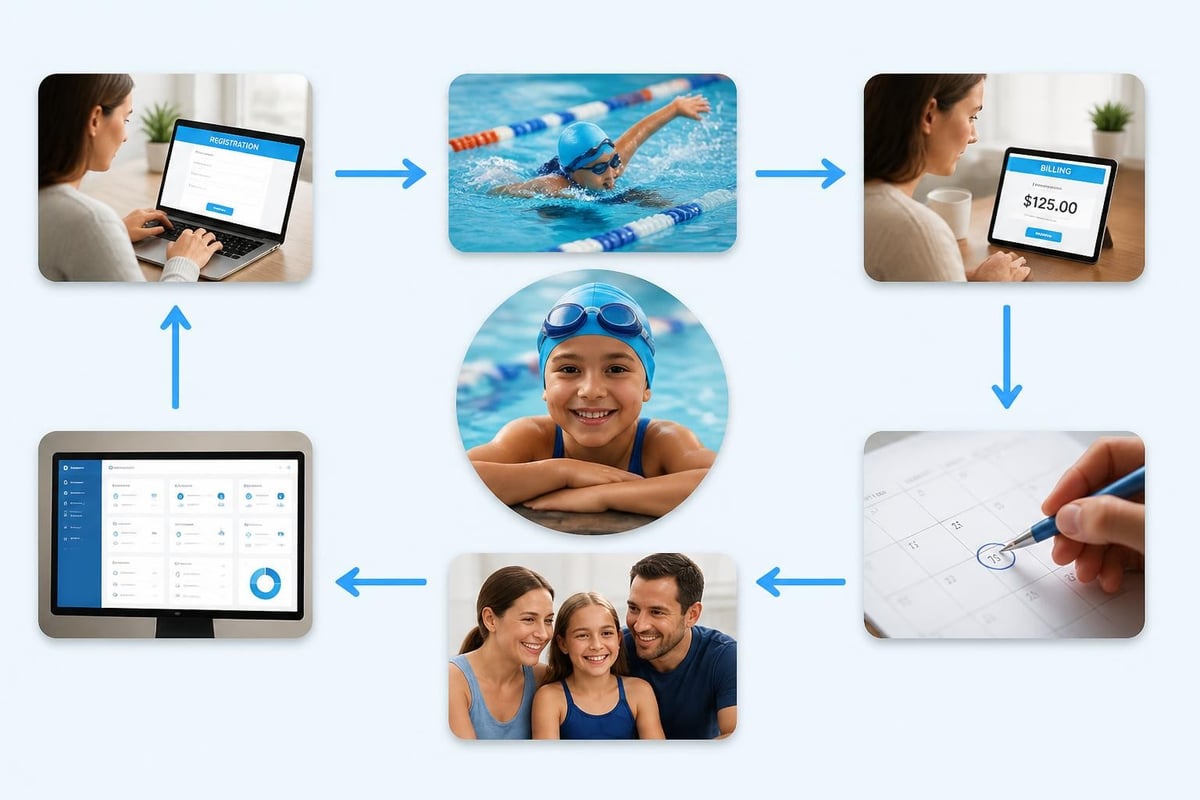
What Makes System and Software Work for Swim Clubs
Not all system and software solutions understand how swim clubs actually operate. You've probably noticed this if you've ever tried using generic membership software or, worse, pieced together your own solution from different tools.
The Member Management Challenge
Your members aren't just names in a database. They're families with kids who age into different programs, couples who split memberships during divorces, snowbirds who pause for winter, and board members who get different access levels.
A proper system and software setup needs to handle:
- Family groupings where one person pays but multiple people get access
- Different membership types with different privileges and costs
- Seasonal adjustments for clubs that operate May through September
- Guest passes that don't count against regular capacity
- Waitlists that automatically move when spots open up
The standardized vocabulary for systems and software engineering helps ensure consistent terminology across the industry, but what matters most is whether your setup handles these real situations without requiring you to become a software engineer.
Billing That Actually Works
Let's talk about money, because that's where system and software problems cause the biggest headaches.
You need to track:
| Billing Scenario | What Your System Needs to Do |
|---|---|
| Annual renewals | Auto-generate invoices on member anniversary dates |
| Prorated additions | Calculate partial fees when members join mid-season |
| Failed payments | Retry automatically, then suspend access after X days |
| Refunds and credits | Apply to future charges or issue check |
| Family discounts | Calculate percentage off for 2nd, 3rd members |
| Late fees | Add automatically after grace period |
If your current system and software can't handle these scenarios automatically, you're spending hours each month fixing billing issues by hand. And every manual fix is a chance to make a mistake that upsets a member.
Choosing the Right System and Software Approach
You've got three basic paths when it comes to your swim club's system and software setup. Each has trade-offs.
The Spreadsheet Approach
Some clubs still run on spreadsheets. You've got an Excel file for members, another for billing, maybe a Google Sheet that tracks who's paid and who hasn't.
Pros:
- No monthly software cost
- Complete control over everything
- You know exactly where your data lives
Cons:
- Everything requires manual updates
- Easy to make mistakes with formulas
- Multiple people can't work safely at the same time
- No automated billing or renewals
- Member portal? Forget about it
This system and software approach works for tiny clubs with 25 members who all know each other. Beyond that, you're asking for trouble.
The Pieced-Together Approach
Maybe you use QuickBooks for billing, a Google Form for registrations, Mailchimp for emails, and a separate access control system for your gate. Each piece of software works fine on its own, but they don't talk to each other.
This creates what we call the "manual bridge" problem. You're the bridge. You manually move data from the registration form to QuickBooks. You manually update the access list when someone pays. You manually segment your email list when you want to message just the families with kids in swim team.
The complex network structure of software systems becomes apparent when you try connecting multiple separate tools, because each connection point is a place where things can break or get out of sync.
The Unified Platform Approach
This is where modern system and software solutions come in. Everything lives in one place. When a member registers, their billing starts automatically. When their payment processes, their access updates. When you need to email everyone who hasn't renewed, you click once.
The best swim club management software brings together all these separate functions into one connected system that reduces your admin time dramatically.
What to Look for in Modern System and Software
If you're evaluating options or thinking about switching from your current setup, here's what actually matters. Forget the marketing fluff about "enterprise-grade" or "next-generation" features. Focus on what saves you time and prevents headaches.
Configurability That Makes Sense
Your club is different from the one across town. You have different membership types, different fee structures, different rules about guests and waitlists. Your system and software should adapt to how you operate, not force you into someone else's template.
Look for:
- Custom membership categories you can name and price yourself
- Flexible billing cycles (monthly, seasonal, annual, custom)
- Rules you can set for automatic processes
- Fields you can add for tracking what matters to your club

Automation That Actually Helps
Automation should handle the repetitive stuff you're tired of doing manually. Every automated process is time you get back.
Good system and software automation includes:
- Renewal reminders that go out automatically before memberships expire
- Payment processing that happens on schedule without your involvement
- Access updates that sync when payments succeed or fail
- Waitlist management that offers spots to the next person automatically
- Late fee assessment that applies based on rules you set once
The goal isn't to automate everything. It's to automate the boring tasks so you can focus on the stuff that actually needs a human touch, like helping frustrated members or planning your summer events.
Data You Can Actually Use
Your system and software collects tons of information. But can you actually access it when you need to make decisions?
You should be able to answer questions like:
- How many families have kids under 5 versus teenagers?
- What's our renewal rate compared to last year?
- Which membership type brings in the most revenue?
- How many people are using the pool on Tuesday evenings?
- Who hasn't logged in since opening day?
If getting these answers requires exporting data and spending an hour in Excel, your system and software isn't working hard enough for you.
The Role of AI in Modern System and Software
Let's address the elephant in the pool. AI has become a buzzword that gets slapped on everything, but in 2026, there are actually useful applications for swim club operations.
What AI Can Do Today
Modern system and software platforms use AI to spot patterns you might miss. For example:
- Revenue recovery: Identifying members whose payments are about to fail based on patterns, so you can reach out before they bounce
- Optimal pricing: Analyzing what similar clubs charge and how your members respond to different fee structures
- Capacity planning: Predicting which days and times will hit max capacity based on weather, school schedules, and historical data
- Member communication: Suggesting the best times to send renewal reminders based on when people actually read and respond
The AI-powered insights available in 2026 are actually practical, not science fiction. They help you make better decisions without requiring you to become a data analyst.
What to Watch Out For
Not all AI features are created equal. Some system and software vendors add "AI-powered" to their marketing without actually doing anything useful.
Ask specific questions:
- What exactly does the AI do?
- How does it help me save time or make better decisions?
- Can I see the data behind the recommendations?
- What happens if the AI is wrong?
Good AI should make suggestions you can accept or ignore. It shouldn't make automatic changes to important stuff like pricing or member access without your approval.
Security and Trust in Your System and Software
When your system and software holds member credit cards, personal information, and payment history, security isn't optional.
What You Need to Know
You don't need to become a security expert, but you should understand the basics of what protects your club and your members.
| Security Feature | Why It Matters | Questions to Ask |
|---|---|---|
| Encryption | Protects data in transit and storage | Is member data encrypted at rest and in transit? |
| Payment compliance | PCI-DSS standards for credit cards | Are we PCI compliant? Who handles that? |
| Access controls | Limits who can see what | Can I control who on my staff sees billing vs. just member lists? |
| Backups | Recovery if something goes wrong | How often is data backed up? Can we restore if needed? |
| Audit trails | Tracking who changed what | Can I see who updated this member's account? |
The NIST definitions of authoritative sources and security measurement frameworks provide standards that serious system and software providers follow, even if you don't need to read the technical specifications yourself.
Your security overview should be something you can actually understand and explain to board members who ask questions.
Migration: Switching Your System and Software
Maybe you're reading this and thinking, "Our current setup is a disaster, but switching sounds like a nightmare." Fair concern. Moving from one system and software platform to another is disruptive. But staying with something that doesn't work is worse.
Planning the Switch
A good migration isn't about moving everything overnight. It's about having a plan that minimizes chaos.
Week 1-2: Data audit
- Figure out exactly what data you have
- Identify what's current and what's outdated
- Clean up obvious problems before moving anything
Week 3-4: Test setup
- Import a subset of your members
- Run test billing cycles
- Check that everything connects properly
Week 5: Staff training
- Get your team comfortable with the new system and software
- Document the common tasks everyone does
- Create shortcuts for frequent workflows
Week 6: Member communication
- Explain what's changing and when
- Provide new login instructions
- Set up support for questions
The swim club software migration checklist walks through these steps in detail, because switching platforms is one of those things you want to get right the first time.
Common Migration Mistakes
People who've been through bad migrations all make similar mistakes:
- Not cleaning data first: Migrating messy data just gives you messy data in a new place
- Switching mid-season: Do this in your off-season when things are slower
- Skipping training: Your staff needs time to learn before members start calling with questions
- No backup plan: Keep your old system and software accessible for at least 30 days just in case
System and Software for Different Club Types
Not every club operates the same way. Your system and software needs change depending on what kind of facility you're running.
Member-Owned Swim Clubs
These clubs typically have:
- Initiation fees for new members
- Seasonal memberships (May-September in most climates)
- Waitlists that can stretch years
- Strong focus on family memberships
- Less emphasis on daily admissions
Your system and software should excel at long-term member relationships, accurate waitlist management, and family account structures.
HOA Pool Management
HOA pools have different challenges:
- Membership tied to property ownership
- Need to verify residency
- Guest policies that vary by community
- Multiple amenities (pool, tennis, clubhouse)
- Coordination with HOA management companies
The HOA pool management software requirements focus heavily on access control and integration with property management systems.
Tennis and Swim Clubs
Multi-sport facilities need system and software that handles:
- Different reservation systems for courts versus lanes
- Equipment checkout and maintenance
- League and tournament management
- Separate billing for different facility types
- Cross-sport memberships with varying access
Tennis and swim club management software brings these different operational pieces together without requiring separate systems for each sport.
The Real Cost of System and Software
Let's talk money. Not just the monthly subscription fee, but the actual total cost of running your club's operations.
Direct Costs
These are obvious:
- Monthly or annual software fees
- Setup and migration costs
- Training time for staff
- Payment processing fees
Hidden Costs
These sneak up on you:
- Staff time spent on manual tasks your software should automate
- Late fees you can't collect because you don't have automated tracking
- Members who leave because your signup process is too clunky
- Revenue lost to billing errors and missed renewals
- Your time fixing problems instead of growing the club
When you compare system and software options, factor in both sides. A platform that costs $200/month but saves you 20 hours of admin time is cheaper than free spreadsheets that consume your life.
ROI That Actually Matters
Return on investment for system and software isn't always about direct money saved. Sometimes it's about:
- Getting home by 6pm instead of 8pm because billing runs automatically
- Not dreading renewal season because the process is smooth
- Having data to show your board when they question budget decisions
- Reducing stress because you're not constantly putting out fires
The revenue recovery features in modern platforms often pay for the entire system and software cost just by catching failed payments and preventing member churn.

Making System and Software Work for Your Team
Even the best system and software fails if your team doesn't use it properly. You need buy-in from everyone who touches member accounts.
Getting Staff On Board
Your longtime front desk person who's been doing things the same way for 15 years? That's your biggest challenge and your biggest opportunity.
Start with pain points: "Remember last week when you spent two hours tracking down that billing error? This system and software setup prevents that from happening."
Provide hands-on time: People learn by doing. Give staff test accounts to play with before going live.
Celebrate small wins: "Look how fast Sarah processed those five new registrations. Used to take her an hour, now it's done in 10 minutes."
Creating Clear Processes
Document the common tasks:
- How to add a new member
- How to process a refund
- How to pause someone's membership for medical leave
- How to generate the monthly revenue report
- How to handle a failed payment
Your system and software should make these processes straightforward, but you still need to write down the steps for consistency.
Future-Proofing Your Choice
Technology changes fast. The system and software you choose in 2026 should still work for you in 2030 and beyond.
What to Look For
Regular updates: Platforms that add features and improve based on user feedback stay relevant. Stagnant software gets left behind.
Active development: Check when the last update was released. If it's been over six months with no improvements, that's a red flag.
User community: Platforms with engaged users who share tips and request features tend to evolve in helpful directions.
Responsive support: When you need help, you should get it from people who actually understand swim club operations, not generic tech support reading from scripts.
The features that matter today should expand over time as club needs evolve and technology improves.
Integration and Connectivity
Your system and software doesn't exist in a vacuum. It needs to work with other tools you use.
Website Integration
Members should be able to:
- Sign up through your website
- Log in to see their account status
- Update their payment information
- View pool hours and announcements
- Register for events
The website integration options determine whether your online presence and your management platform work together or create duplicate work.
Accounting System Connections
Your bookkeeper shouldn't have to manually enter everything from your system and software into QuickBooks. Modern platforms export financial data in formats your accountant can actually use.
Email and Communication Tools
When you need to message all members who owe money, or everyone whose membership expires this month, your system and software should connect with how you normally communicate. Whether that's built-in email or integration with the tools you already use.
Support and Onboarding
Choosing a system and software platform is also choosing who you'll work with when things go wrong or you need to figure out a new process.
What Good Support Looks Like
- Response time: Questions get answered in hours, not days
- Knowledge: Support staff who understand swim club operations, not just generic software
- Resources: Documentation, videos, and guides you can reference yourself
- Training: Structured onboarding that gets you productive quickly
Red Flags to Watch For
- Support that's only available during limited hours in a different time zone
- Answering questions by pointing you to dense documentation instead of actually helping
- No training provided, you're expected to figure it out yourself
- Extra charges for "premium" support that should be standard
Running a swim club means balancing dozens of moving pieces every single day. Your system and software should make that balance easier, not add more complexity to your already-full plate. The right platform handles the repetitive tasks automatically, gives you clear visibility into what's happening across your club, and saves you from spending evenings and weekends fixing preventable problems. Whether you're managing a small member-owned facility or a large multi-sport complex, choosing tools that actually work for how swim clubs operate makes the difference between constant frustration and smooth operations. PoolPulse brings together all these capabilities into one platform specifically designed for how clubs like yours actually work, with modern features that save time and AI-powered insights that help you make better decisions without requiring technical expertise.

Your Pool Needs More Than a Lifeguard on Duty
Swim club operators need systems that manage facilities, track maintenance, and protect members. Here's what works in 2026.

The Monthly Billing Chaos Test for Swim Clubs
Running monthly billing at your swim club shouldn't feel like chaos. Take this test to find billing mistakes before they cost you time and money.

The Busy Club Test: Is Your Software Keeping Up?
Running a busy club means juggling members, lanes, and walk-ins all at once. Here's how to tell if your software can handle the chaos.
Want to see if PoolPulse is a good fit for your club?
Book a walkthrough and we'll show you exactly how PoolPulse can help based on your club's needs, goals, and current processes.