

The Right System Management Programs for Your Club
Swim club operators need system management programs that actually work. Here's how to choose tools that save time without adding complexity.


It's 10:45 AM on a Saturday in June. Your front desk staff just texted you in a panic. The check-in system froze mid-swim meet registration. Parents are lined up out the door. Your membership coordinator can't pull reports because the billing software won't sync. And your board president just emailed asking for updated revenue numbers by Monday morning. Sound familiar? This is what happens when your club runs on disconnected tools instead of proper system management programs. You're not just managing members and facilities anymore. You're managing the systems that manage everything else.
Why Most Clubs Struggle With System Management
Here's the uncomfortable truth: most swim clubs, tennis facilities, and HOA pools are running on duct-taped technology.
You've got spreadsheets for one thing, a separate billing tool for another, maybe a third-party check-in app, and text messages flying around for schedule changes. Each piece works okay on its own. But when you need them to talk to each other? That's where everything falls apart.
System management programs are the tools that help you control, monitor, and coordinate all your club operations from one place. Think of them as the command center for your facility. Instead of jumping between five different logins, you get one unified view of members, finances, access control, and communications.
The difference matters more than you might think:
- Time savings: No more re-entering the same member data in three different places
- Fewer mistakes: When information lives in one system, you can't have conflicting records
- Better decisions: Real-time reporting means you actually know what's happening right now
- Less stress: Your seasonal staff can learn one system instead of juggling multiple tools
But here's what no one tells you: not all system management programs are built the same way. Some add complexity instead of reducing it. Others lock you into rigid workflows that don't match how your club actually operates.
The Five Questions That Reveal System Problems
Before you can fix your system management challenges, you need to identify them clearly. Walk through these five scenarios and count how many feel painfully familiar.
Can You Pull Accurate Numbers in Under Five Minutes?
Your treasurer asks for current membership revenue. How long does it take you to get that number with confidence?
If the answer is "I need to check three places and do some math," you've got a system management problem. Good system management programs put financial data at your fingertips because billing, renewals, and payments all flow through the same platform.
What Happens When Your Front Desk Person Calls In Sick?
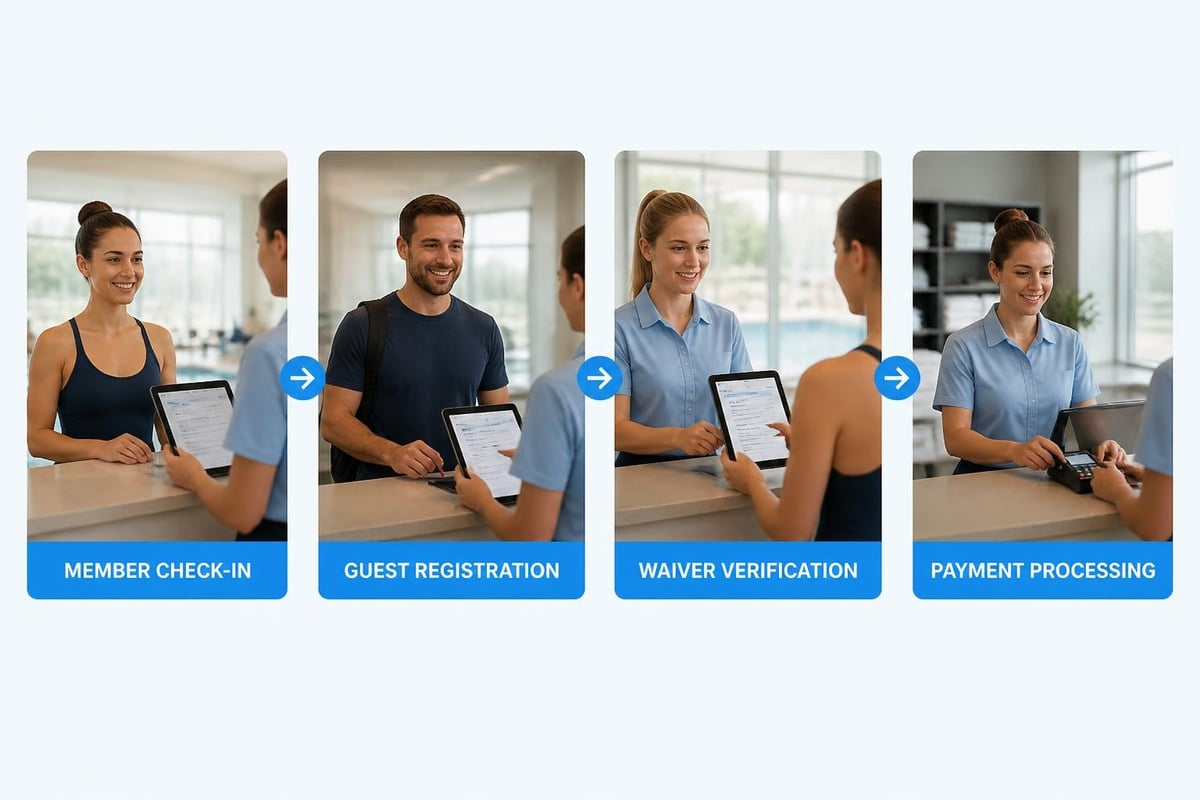
A Saturday morning emergency. Your regular front desk volunteer can't make it. You call a backup who's willing to help but hasn't worked the desk in months.
Can they handle check-ins without calling you every ten minutes? Or does your current setup require someone to remember which spreadsheet to update, which form to check, and where to note guest fees?
This scenario exposes whether your system management approach is intuitive or relies too heavily on institutional knowledge. The swim club management software you choose should work for everyone, not just the people who've been around for years.
How Many Logins Does Your Team Juggle?
Count them. The membership database. The billing system. The website backend. The email tool. The scheduling calendar. The door access system.
If you're over three separate logins, you're creating unnecessary friction. More importantly, you're creating security risks. Every additional system is another password to remember (or write on a sticky note), another potential point of failure, and another monthly bill.
Modern system management programs consolidate these functions. You still get specialized features for billing, communications, and access control, but they're modules within one platform rather than separate tools you're trying to force together.
What's Your Recovery Plan When Something Breaks?
It's going to happen. A payment processor has an outage. An internet connection drops. A laptop dies mid-registration.
Do you have a backup process? Can you switch to manual check-ins and update the system later? Or does everything grind to a halt because your tools don't have offline capability or flexible workarounds?
The best system management programs include contingency planning features: offline modes, backup access methods, and easy data recovery options. This matters especially during your busiest times when you can't afford downtime.
Can You Actually Use Your Own Data?
You know your system has the information somewhere. Member attendance patterns. Peak usage times. Revenue trends by membership tier. Guest conversion rates.
But can you actually access it and use it to make decisions? Or is that data trapped in a format you can't export, analyze, or share with your board?
This is where many clubs get frustrated. They're collecting tons of useful information but can't turn it into actionable insights because their system management approach wasn't designed with reporting in mind.
What Actually Makes System Management Work
Let's move past the problems and talk about solutions. After working with hundreds of clubs, I've seen what separates tools that help from tools that just add more complexity.
Integration Beats Best-of-Breed (Usually)
There's a tempting logic to picking the "best" individual tool for each job. Best billing software. Best scheduling app. Best communication platform.
The problem? You end up spending more time managing the connections between tools than actually using them. Data doesn't sync properly. Features overlap in confusing ways. When something breaks, nobody knows which vendor to call.
For most swim clubs and member facilities, integrated system management programs make more sense. You might sacrifice some specialized features, but you gain consistency, reliability, and time savings that matter more in daily operations.
Think about it this way:
| Approach | Pros | Cons |
|---|---|---|
| Best-of-breed tools | Specialized features, flexibility | Integration headaches, higher total cost, training burden |
| Integrated platform | One login, consistent interface, unified data | May lack some niche features |
| Hybrid (platform + targeted tools) | Balance of integration and specialization | Still requires some management overhead |
Most clubs find the integrated approach or a light hybrid model works best. You get 90% of what you need with 50% of the complexity.
Configuration Matters More Than Customization
Here's a distinction that matters: configuration means you can adjust settings, workflows, and fields to match your club without writing code. Customization means you need developers to change things.
Good system management programs are highly configurable. You can:
- Add custom fields for your specific membership types
- Adjust billing cycles to match your season
- Configure check-in rules for different facilities
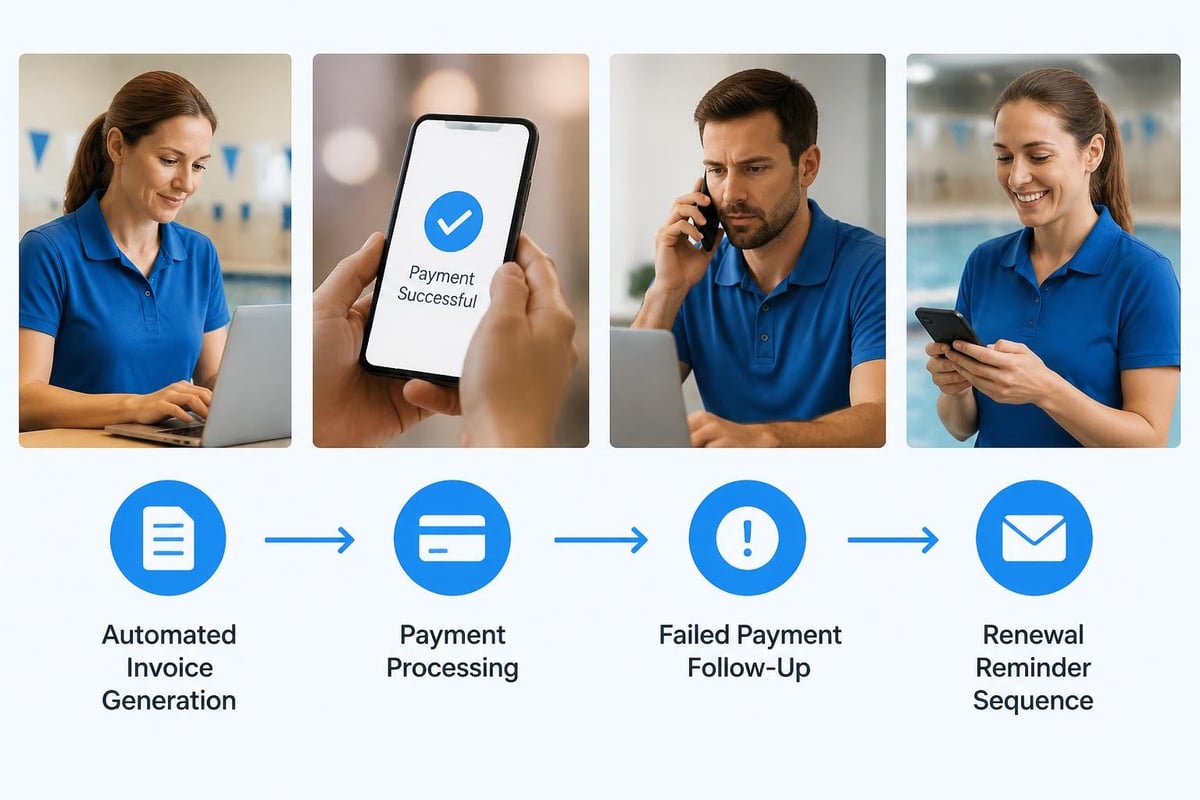
- Set up automated workflows for renewals and communications
You don't need custom code for basic operational differences between your club and others. The system adapts to you, not the other way around.
This is especially important for clubs with unique quirks. Maybe you have separate pools with different access rules. Maybe your tennis members get different guest privileges than swim members. Maybe your HOA has specific compliance requirements. Configuration handles these variations without requiring expensive custom development.
The features you actually need should be adjustable through settings, not source code changes.
Automation Should Be Obvious, Not Hidden
Automation sounds great in theory. In practice, it often means mysterious things happening in the background that nobody understands.
The best system management programs make automation transparent and controllable:
- Renewal reminders that you can see, edit, and schedule
- Billing cycles that clearly show what will happen when
- Member status changes that log who approved them and why
- Report generation that you can customize and schedule
You should always know what your system is doing automatically and be able to adjust it when needed. If automation feels like a black box, it's not helping you manage the system; it's just creating new dependencies.
According to research on automation in security operations , the most effective automation is visible, auditable, and gives operators clear control over processes. The same principle applies to club management.
Choosing System Management Programs That Actually Fit
You don't need enterprise-grade complexity. You need tools designed for how member-driven facilities actually operate.
Start With Your Actual Workflow
Don't choose software first. Map your current process first:
- How do new members join?
- What happens at renewal time?
- How do you handle check-ins on busy days?
- What reports does your board need monthly?
- How do you communicate schedule changes?
Write it down. Then look for system management programs that support that workflow without forcing you to completely reinvent your operations.
Some clubs make the mistake of assuming they need to change everything to fit the software. That's backwards. Good systems adapt to proven workflows while helping you eliminate unnecessary steps.
Evaluate Based on Daily Reality, Not Feature Lists
Every software vendor will show you an impressive feature list. That's marketing. What matters is whether those features solve your actual daily problems.
Questions to ask during demos:
- Can this handle our busiest Saturday in July?
- What happens when someone forgets their membership card?
- How do we handle partial payments or payment plans?
- Can seasonal staff learn this in under an hour?
- What do we do if the internet goes down during check-in?
The product tour should show you real scenarios, not just polished feature demos. Push vendors to demonstrate edge cases and common problems, not just the happy path.
Consider Your Technical Reality
Be honest about your team's technical comfort level. If you have volunteers running the front desk and a board treasurer who still prints emails, you need system management programs that prioritize simplicity.
Look for:
- Clean, obvious interfaces that don't require training manuals
- Mobile accessibility so staff can work from tablets or phones
- Reliable support that responds in hours, not days
- Clear documentation written for normal people, not IT professionals
The State of Open Source 2024 report shows that ease of use and support quality are often more important than feature breadth when organizations select management tools. Your club is no different.
Think Beyond Price Tags
Yes, budget matters. But the cheapest option often costs more in hidden ways:
- Time spent on workarounds and manual processes
- Errors from disconnected data
- Member frustration from slow or clunky experiences
- Staff turnover because nobody wants to fight with bad software
When evaluating pricing , calculate the total cost:
| Cost Factor | Questions to Ask |
|---|---|
| Base subscription | What's included? What costs extra? |
| Setup and migration | Are there one-time fees? How much staff time is required? |
| Training | Do you charge for training? Is documentation included? |
| Support | Is support included or per-incident? What are response times? |
| Integrations | What connections cost extra? |
| Scaling | What happens when we add members or facilities? |
The right system management program should cost less than the time and mistakes you're currently absorbing with disconnected tools.
Implementation That Doesn't Destroy Your Season
You've chosen new system management programs. Now comes the hard part: actually switching without disrupting operations.
Pick Your Timing Carefully
Don't launch new systems during peak season. I've seen clubs try to roll out new software in June and immediately regret it. You're too busy to properly train staff, work through bugs, or adjust workflows.
Better timing:
- Fall/winter for seasonal pools: Low activity gives you room to learn and adjust
- After major events: Don't launch right before your biggest swim meet
- When key people are available: You need your experienced staff to guide the transition
Plan for at least 4-6 weeks of parallel operation where you're running both old and new systems. Yes, it's extra work. But it catches problems before you've committed completely.
Train More People Than You Think You Need
Your system manager knows the new software inside and out. Great. What happens when they're on vacation?
Build redundancy into your knowledge base:
- Train at least three people on every critical function
- Document common tasks in simple, step-by-step guides
- Record short video walkthroughs for reference
- Create a quick-reference card for front desk basics
The onboarding process should include your team, not just your administrators. Everyone who touches the system needs to understand at least their portion of it.

Plan for Data Migration Reality
Data migration is never as clean as vendors promise. You'll find duplicate records, formatting inconsistencies, and gaps in your historical data.
Set realistic expectations:
- Not everything from your old system needs to transfer
- Some cleanup makes sense during migration
- Plan for several rounds of review and correction
- Test member-facing functions extensively before going live
Focus on getting current, active members right first. Historical data can be migrated in phases or archived for reference without full integration. The swim club software migration checklist can help you prioritize what actually matters.
Build Feedback Loops Early
Your staff will find issues you didn't anticipate. Members will have questions about changes. Board members will want different reports.
Create clear channels for feedback:
- Weekly check-in meetings during the first month
- A simple way for staff to report bugs or confusion
- Member communications explaining what's changing and why
- Board updates on progress and challenges
The first 30 days reveal whether your new system management programs actually work in practice. Stay flexible and responsive during this period. According to Microsoft's guidance on configuration management , successful system deployments include structured feedback collection and rapid iteration during early adoption phases.
Measuring What Actually Matters
You've implemented new system management programs. How do you know if they're working?
Time Metrics Tell the Truth
Track how long routine tasks take before and after implementation:
- Time to process monthly billing
- Average check-in time per member
- Time to generate board reports
- Time to respond to member account questions
- Time to train new front desk staff
If these numbers don't improve significantly within three months, something's wrong with your implementation or your choice of tools.
Error Rates Show Reliability
Count mistakes, not just speed:
- Billing errors per month
- Check-in disputes
- Data entry corrections needed
- Member complaints about account accuracy
Good system management programs reduce errors because information stays consistent and workflows guide people through correct processes.
Adoption Reveals Usability
The best test of usability? Who's actually using the system.
Watch for:
- Staff adoption: Are people using all the features or working around them?
- Member self-service: Are members using portals and apps or calling with every question?
- Board engagement: Can board members pull their own reports or do they still ask you?
Low adoption usually means the system isn't as intuitive as promised or training wasn't sufficient.
Revenue Impact Shows Business Value
Ultimately, better system management programs should improve your bottom line:
- Faster renewals with fewer lapses
- Reduced billing issues and disputes
- Better collection rates on outstanding balances
- Lower administrative overhead
- Higher member retention through better service
If you're not seeing positive financial impact within six months, investigate why. The revenue recovery potential of good systems is real, but only if they're properly configured and actively used.
Common System Management Mistakes to Avoid
Let's talk about where clubs typically go wrong so you can skip the painful learning process.
Assuming More Features Means Better Management
Feature bloat is real. You don't need 47 different report types if you only look at five. You don't need complex workflow automation if your club runs on straightforward processes.
System management programs should solve problems, not create new ones by overwhelming you with options you'll never use. Sometimes the simpler platform that does six things really well beats the complex one that does 60 things adequately.
Ignoring the Human Side of System Changes
Technology transitions fail more often from people problems than technical problems.
Your long-time members might resist change. Your volunteer board might not understand why you're spending money on new software. Your front desk staff might feel anxious about learning new tools.
Address these concerns directly:
- Communicate changes early and often
- Explain the benefits in terms people care about (easier check-ins, fewer billing questions, faster service)
- Provide extra support during transitions
- Celebrate small wins publicly
The platform stability and reliability you gain matter, but only if people actually adopt the new approach.
Treating Implementation as a Project Instead of a Process
System management doesn't end when you finish the initial setup. Software updates. Your operations evolve. New features become available. Member expectations change.
Build ongoing system management into your operational rhythm:
- Monthly system health checks
- Quarterly reviews of what's working and what isn't
- Annual evaluation of whether your tools still fit your needs
- Regular staff refresher training
This continuous improvement approach, similar to practices outlined in Terraform's recommended practices , keeps your system management programs aligned with your actual needs over time.
Forgetting About Security and Compliance
You're managing sensitive member data. Payment information. Access credentials. Personal contact details.
Your system management programs need proper security:
- Strong authentication requirements
- Regular security updates and patches
- Data encryption for sensitive information
- Clear access controls (not everyone needs admin rights)
- Backup and recovery procedures
Follow guidance from resources like NIST's enterprise patch management guide to maintain security alongside functionality. Your security overview should be clear and comprehensive.
Neglecting Monitoring and Alerting
How do you know when something's wrong? Do you wait for members to complain, or do you have systems that alert you to problems?
Effective monitoring includes:
- Automated alerts for failed payments or billing issues
- Notifications when systems go offline or slow down
- Capacity warnings before you hit limits
- Unusual activity flags that might indicate problems
Drawing from Prometheus alerting best practices , good alerts are actionable, timely, and properly prioritized. You want to know about problems before they affect members.
When to Consider Advanced System Management
Most clubs start with basic integrated system management programs and that's perfectly fine. But as you grow, you might need more sophisticated approaches.
Multi-Facility Operations Need Different Tools
Running one pool? Standard swim club software works great. Managing five different facilities across multiple properties? You need system management programs designed for that complexity.
Look for:
- Centralized oversight with facility-specific controls
- Consolidated reporting across locations
- Flexible access rules that vary by facility
- Unified member records that work across properties
The multi-community amenity management requirements differ significantly from single-facility needs.
API Access and Integration Capabilities
As your operations mature, you might want to connect your system management programs to other tools:
- Financial software for accounting integration
- Website platforms for member portals
- Marketing tools for communication campaigns
- Analytics platforms for deeper insights
Modern platforms offer API access that allows these connections without custom development. The Kubernetes Operator pattern demonstrates how extensible systems can be managed consistently while allowing customization, a principle that applies to club management platforms as well.
AI and Automation Enhancements
Here's where things get interesting. AI-powered features in system management programs can:
- Predict renewal likelihood and flag at-risk members
- Identify revenue optimization opportunities
- Automate routine communication timing
- Detect unusual patterns that might indicate problems
But (and this is important) only pursue AI features if they solve real problems you're experiencing. Don't adopt technology because it sounds impressive. Adopt it because it makes your job easier or your club more profitable.
For guidance on responsible implementation, review clear AI usage guidelines before diving in.
Building Long-Term System Management Success
The goal isn't just implementing tools. It's creating sustainable operations that work year after year with minimal firefighting.
Document Everything That Matters
Your future self (and your successor) will thank you:
- How-to guides for common tasks
- Troubleshooting steps for known issues
- Configuration decisions and why you made them
- Integration details and dependencies
- Contact information for support resources
This documentation turns institutional knowledge into transferable knowledge. When staff turn over or systems need updates, you have a foundation to build on.
Build Relationships with Your Vendors
Good vendors become partners, not just suppliers. They understand your club's specific needs. They alert you to features that might help. They prioritize your support tickets because you have a relationship.
Invest in these relationships:
- Provide feedback on what works and what doesn't
- Participate in user communities or forums
- Share your success stories
- Communicate clearly about your evolving needs
The best system management programs improve over time based on customer input. Be part of that process.
Plan for Inevitable Changes
Technology changes. Your club changes. Plan for it:
- Budget for system updates and upgrades
- Schedule regular reviews of your tools and processes
- Stay informed about industry trends
- Keep your options open (avoid vendor lock-in when possible)
Similar to best practices described in the CNCF Operator White Paper , sustainable system management requires planning for evolution, not just implementation.
Invest in Your Team's Skills
The most expensive system management programs won't help if nobody knows how to use them effectively.
Ongoing education matters:
- Send administrators to training sessions or webinars
- Budget for consultation time with experts
- Encourage certifications or specialized knowledge
- Create learning time in regular schedules
Your investment in people amplifies your investment in systems.
Making the Switch: Practical Next Steps
If you're reading this and recognizing that your current approach isn't working, here's how to move forward without overwhelming yourself.
Start with an honest assessment. Write down what's actually broken or painful in your current operations. Not what you think should be better, but what causes real problems weekly.
Talk to your team. Front desk staff experience different pain points than administrators or board members. Get all perspectives before making decisions about new system management programs.
Research 3-4 options that seem to match your needs. Actually use them. Don't just watch demo videos. Most vendors offer trial periods or pilot programs designed to let you test in real conditions.
Calculate the real costs, including migration time, training, and adjustment periods. Compare that to the costs of continuing with your current approach (time wasted, errors, missed revenue, frustrated members).
Make a decision based on fit, not features. The best system is the one your team will actually use effectively, not the one with the longest feature list.
If you're switching from another platform, use resources like migrating to better software guides to minimize disruption.
Managing a swim club, tennis facility, or HOA pool already demands enough of your time. Your system management programs should make operations easier, not add another layer of complexity to your already full plate. The right platform consolidates your member data, billing, check-ins, and reporting into one place that your whole team can use confidently. If you're ready to stop juggling disconnected tools and start managing your club with integrated, AI-powered software designed specifically for member facilities, PoolPulse can help you streamline operations and get back to focusing on your members instead of fighting with technology.

Five Front-Desk Tasks Your Swim POS Should Handle
Your front desk shouldn't need three systems to check in a swimmer. Here's how modern swim POS systems save time and reduce errors.

What Your Billing and Invoices Are Telling You
Your swim club's billing and invoices reveal hidden patterns about late payments, refund requests, and cash flow. Here's how to read the signals.

The Swim Club Software Test Every Board Should Run
Run this simple test to see if your swim club software actually saves time or creates more work. Real scenarios, honest questions, better tools.
Want to see if PoolPulse is a good fit for your club?
Book a walkthrough and we'll show you exactly how PoolPulse can help based on your club's needs, goals, and current processes.