

Website Management Tools for Swim Club Administrators
Discover the best website management tools for swim clubs in 2026. Learn how to choose software that saves time and keeps your operations running smoothly.


Running a swim club means juggling member rosters, billing cycles, facility check-ins, and countless other tasks that somehow all need to happen at once. Your website isn't just a digital brochure anymore. It's where members register, pay their dues, check pool hours, and sign up for swim meets. When you're managing all of this, the right website management tools become the difference between spending your evenings troubleshooting tech problems and actually having time to focus on your club. Let me walk you through what actually matters when choosing tools that'll make your life easier, not more complicated.
What Website Management Tools Actually Mean for Your Club
You've probably heard the term "website management tools" thrown around in marketing emails and software demos. But what does it really mean when you're trying to run a swim club that has real members expecting real results?
These tools are basically the software and platforms that help you build, update, and maintain your club's website without needing a computer science degree. Think of them as the control center where you manage everything from updating pool hours to processing membership renewals.
The best website management tools handle the technical stuff in the background while giving you simple controls for the things you actually need to do. You're not editing code. You're updating the swim meet schedule, adding new members, or checking who's current on their dues.
The Real Problems Swim Clubs Face
Here's what happens without good tools in place. Your treasurer keeps member data in one spreadsheet. The swim team coordinator has a different list. The front desk staff uses a third system for check-ins. Nobody's information matches, and you spend hours every week reconciling everything manually.
Or maybe you've got a website, but updating it requires emailing someone who emails someone else who eventually gets around to making changes three days later. By then, you've forgotten what you even needed to update.
According to Tenrec's website management essentials , successful website management requires planning, clear leadership, and alignment with your club's actual needs. That's exactly right, but for swim clubs specifically, it means choosing tools that understand membership-based operations.
Core Features That Actually Matter
Let me break down what you really need versus what's just nice marketing copy.
Member Database Management
Your member database is the heart of everything. You need to see who's active, who needs to renew, who owes money, and who just joined last week.
What good database tools do:
- Store all member information in one place
- Track family relationships automatically
- Show membership status at a glance
- Let you search and filter quickly
- Update across all systems at once
You shouldn't need to update member information in three different places. When Sarah Johnson's credit card expires, you update it once, and every system sees the change. That's how modern member management software should work.

Billing and Payment Processing
Nothing drains your energy faster than chasing down late payments or dealing with billing errors. Your website management tools need to handle money reliably.
| Feature | Why It Matters | What to Avoid |
|---|---|---|
| Automatic renewals | Members stay current without you sending reminders | Systems that require manual processing each month |
| Failed payment recovery | Catches declined cards before membership lapses | Tools with no automatic retry logic |
| Multiple payment methods | Members pay how they want | Limiting members to only credit cards or only checks |
| Clear invoicing | Reduces confused phone calls about charges | Vague statements that don't explain what members are paying for |
The revenue recovery features in quality swim club software can save you thousands by automatically catching failed payments before they become write-offs.
Access Control and Check-Ins
Your front desk needs to know immediately whether someone walking through the gate is actually a member in good standing. No searching through printouts or calling the office.
Good check-in systems connect directly to your membership database. When a member's dues are late, the system flags it right away. When someone's guest passes are used up, the staff knows before letting them in.
Choosing Between Different Types of Tools
Not all website management tools are built the same way. Some work great for blogs, others for online stores, and some are specifically designed for membership organizations like swim clubs.
Generic Website Builders
You've seen these advertised everywhere. Drag-and-drop builders that promise anyone can make a beautiful website in an afternoon.
They're fine for basic information pages. You can post your pool hours, share photos from the summer kickoff party, and list your board members.
Where they fall short for swim clubs:
- No built-in member management
- Payment processing is an add-on that doesn't connect to anything
- No way to track who's current on dues
- Check-in systems require third-party integrations that often break
- You end up managing multiple platforms that don't talk to each other
Web.com's website builder is user-friendly, but it's designed for businesses selling products, not managing memberships.
Content Management Systems
WordPress, Joomla, and similar platforms give you more control but require more technical knowledge. You'll need to find plugins for membership management, payment processing, and all the other specialized functions you need.
The challenge? Plugins don't always play nicely together. You might find a great membership plugin and a great payment plugin, but they can't share data smoothly. Updates to one plugin break another. Security becomes your responsibility.
For insights on how website master tools provide centralized control , you can explore comprehensive platforms, but remember that swim clubs need specialized features that generic tools don't prioritize.
Specialized Club Management Platforms
These are built specifically for membership organizations. Everything you need comes integrated from day one because the developers understand your actual workflow.
When someone registers online, their information flows automatically into your member database, billing system, and check-in access control. You're not connecting pieces or hoping integrations work.
Key advantages:
- One login for everything
- All data stays synchronized
- Built for membership operations, not retrofitted
- Support teams understand your specific challenges
- Updates don't break critical functions
The difference between managing everything through specialized swim club software versus cobbling together generic tools is like the difference between having a key that opens all your club's doors versus carrying around a heavy ring with thirty different keys.
Features You'll Use Every Single Week
Let's talk about the practical, everyday stuff that either works smoothly or drives you crazy.
Online Registration and Renewals
Members expect to register and renew online now. It's 2026, and making people mail checks or come to the office during business hours creates unnecessary friction.
Your website management tools should make online registration straightforward. Members fill out one form, provide payment information once, and they're done. The system handles the rest.
- Member visits your website
- Clicks "Join Now" or "Renew Membership"
- Completes one simple form
- Enters payment method
- Receives instant confirmation
- Their membership activates automatically
That's it. No back-and-forth emails. No waiting for someone to process paperwork. No wondering if their payment went through.
Communication and Updates
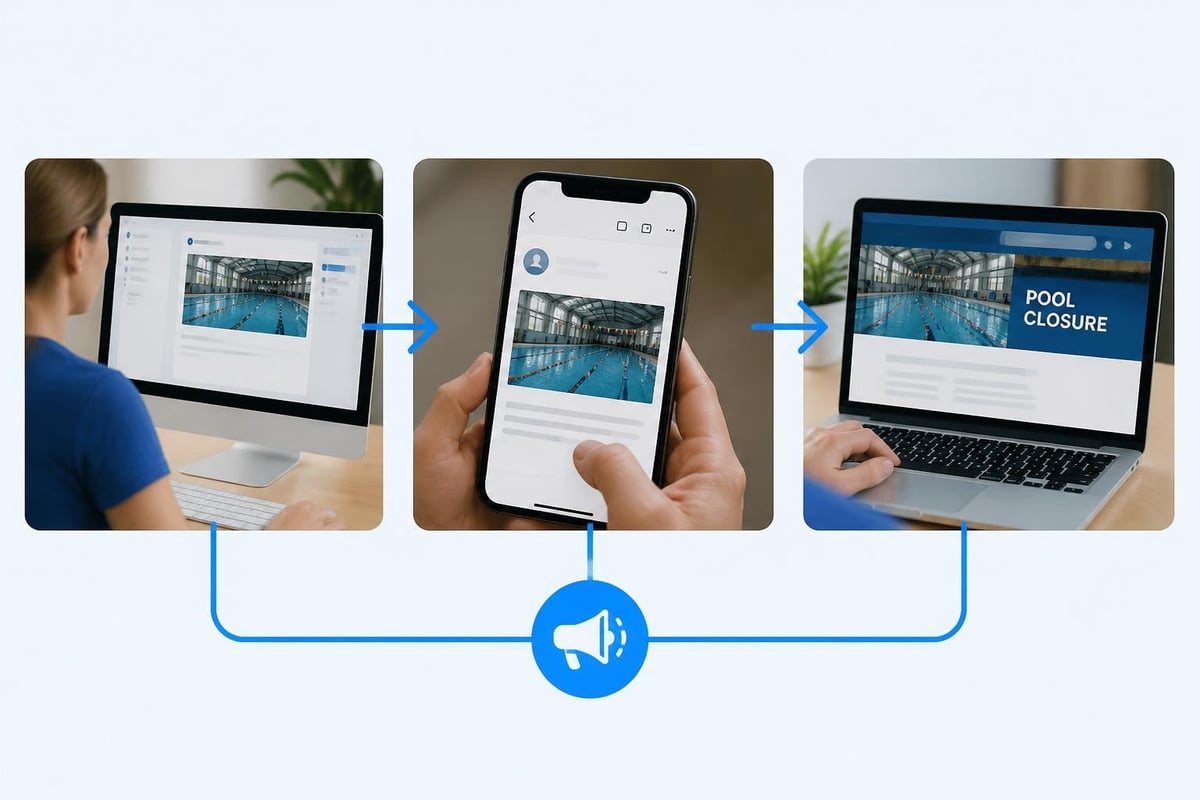
You need to tell members about pool closures, upcoming events, policy changes, and a dozen other things throughout the season. Email lists are fine, but they're separate from your member data unless you've got good integration.
Quality website management tools let you:
- Send targeted emails to specific member groups
- Post announcements that appear when members log in
- Schedule messages in advance
- Track who opened what messages
- Avoid sending renewal reminders to people who already renewed
Reporting and Insights
You need to see what's actually happening with your membership. How many people renewed this month? Which membership tier is most popular? Who's getting close to their renewal date?
Digging through spreadsheets to answer basic questions wastes time you don't have. Your tools should show you this information clearly, preferably with simple charts and summaries.
Integration Capabilities That Save Hours
Your swim club doesn't operate in isolation. You've got accounting software for your books, email platforms for communications, maybe calendar tools for scheduling the pool.
Why Integrations Matter
Every time you manually copy information from one system to another, you risk making mistakes. You also waste time doing work that computers should handle automatically.
Good website management tools either include everything you need or connect seamlessly with the other tools you're already using.
Common integration points:
- QuickBooks or Xero for accounting
- Mailchimp or Constant Contact for newsletters
- Google Calendar for scheduling
- Stripe or PayPal for payment processing
When these systems talk to each other, data flows automatically. New member registers online? Their information goes straight into QuickBooks as a new customer. No manual entry required.
The All-in-One Advantage
Here's an alternative approach. Instead of integrating five different tools, what if everything you needed lived in one platform designed specifically for swim clubs?
PoolPulse's features demonstrate how modern swim club software eliminates the integration headache by including member management, billing, renewals, check-ins, and reporting all in one place. You're not piecing together a solution. You're using a purpose-built platform that understands exactly what you need.
Mobile Access and Flexibility
You're not always sitting at your desk when you need to handle club business. Maybe you're at the pool when a member asks about their account. Or maybe you're checking renewal status from home on Sunday evening.
Your website management tools need to work on your phone, not just your computer. This means either responsive web design that adapts to small screens or dedicated mobile apps.
What Mobile Functionality Looks Like
Check member status while standing at the front gate. Approve a new registration while waiting in line at the grocery store. Review today's revenue numbers from your couch.
This flexibility doesn't just save you trips to the office. It means you can respond quickly when issues come up, keeping members happy and operations running smoothly.
Security and Compliance Considerations
You're storing sensitive information about your members. Names, addresses, payment details, maybe even social security numbers for background checks on coaches.
Website management tools must protect this data properly. That's not optional or something to figure out later. It's fundamental.
What Security Actually Means
- Encrypted connections (HTTPS) for all pages
- Secure payment processing that meets PCI compliance standards
- Regular backups in case something goes wrong
- Role-based access so only authorized people see sensitive information
- Audit trails showing who changed what and when
You shouldn't need to become a cybersecurity expert. Your tools should handle security properly by default, with clear explanations of what they're doing to protect your members' information.
For detailed information on how modern platforms approach these issues, PoolPulse's security overview outlines specific measures that protect member data.
Customization Without Complexity
Every swim club operates a little differently. You might have unique membership tiers, special rules for guests, or particular ways you handle certain situations.
Your website management tools should adapt to how you work, not force you to change your processes to match the software's assumptions.
Finding the Balance
You want flexibility, but you don't want to spend weeks configuring everything. The best tools come set up for typical swim club operations out of the box, then let you adjust specific details to match your club's policies.
| Customization Level | What It Means | When You Need It |
|---|---|---|
| Basic (colors, logo) | Make the site look like your club | Every club needs this |
| Moderate (membership tiers, pricing) | Adjust to your specific offerings | Most clubs need this |
| Advanced (custom workflows, integrations) | Build unique processes | Only larger or unusual clubs |
Don't pay for customization capabilities you'll never use. But make sure you can handle the adjustments you actually need without hiring developers.
Support When Things Go Wrong
Software breaks. Weird edge cases come up. You need to figure out how to do something that should be simple but isn't obvious.
When these situations happen (and they will), your website management tools' support quality makes all the difference between a five-minute fix and a week of frustration.
What Good Support Looks Like
You can reach actual humans who understand swim club operations. They don't just read scripts. They've helped dozens of other clubs solve similar problems.
Support channel options:
- Email for non-urgent questions
- Phone for urgent issues
- Live chat for quick clarifications
- Video calls for complex setup help
- Documentation and tutorials you can access anytime
Check what support is included in the base price versus what costs extra. Some platforms charge additional fees for phone support or limit how many questions you can ask per month.
Cost Structures and Hidden Fees
Let's talk about money, because pricing models for website management tools vary wildly and can get confusing fast.
Common Pricing Models
Monthly subscription: You pay a fixed amount each month based on your member count or feature tier. Simple and predictable.
Annual plans: Pay for a full year upfront, usually at a discount compared to monthly pricing. Good if you're confident in the platform.
Per-transaction fees: Some platforms charge a percentage of every payment processed. This can add up quickly for swim clubs processing significant monthly dues.
Setup fees: One-time charges for getting started, data migration, or initial training.
Calculating Real Cost
Don't just look at the advertised monthly price. Calculate what you'll actually pay over a year including:
- Base subscription or license fees
- Transaction fees on all payments
- Additional user accounts if needed
- Support costs beyond basic tiers
- Integration fees for connecting other tools
- Training or onboarding charges
A platform that looks cheaper might cost more once you add everything up. Compare total annual costs across different options to see the real picture.
When evaluating platforms, compare pricing models carefully to understand what's included and what costs extra.
Making the Transition to New Tools
Switching website management tools isn't something you do lightly. You've got existing member data, payment histories, and operational workflows to maintain.
Planning Your Migration
Start by documenting what data you need to bring over. Member information, obviously. But also payment histories, membership start dates, notes about specific accounts, and any custom fields you've been tracking.
Good platforms provide migration assistance or tools to import data from common formats. You shouldn't have to manually re-enter hundreds or thousands of member records.
Migration checklist:
- Export data from current system
- Clean up obvious errors before importing
- Test import with a small sample first
- Verify critical information transferred correctly
- Train staff on new system before going live
- Run both systems briefly during transition
- Monitor closely for issues in first few weeks
The swim club software migration checklist walks through this process in detail, highlighting common pitfalls to avoid.
Training Your Team
Your website management tools only work if the people using them understand how. Plan time for training board members, office staff, and anyone else who'll need access.
Most platforms offer onboarding sessions, but don't rely only on those. Create simple reference guides for common tasks your team will do repeatedly. Make sure everyone knows where to find help when they get stuck.
Evaluating Tools Through Real Use Cases
Theory is nice, but let's look at how website management tools perform in actual situations you face regularly.
Scenario One: Peak Registration Period
It's late April, and you're opening registration for the summer season. Fifty families are trying to register simultaneously on the first day because you've got limited slots.
What you need:
- System that doesn't crash under traffic load
- Clear waitlist functionality when slots fill
- Automatic confirmation emails so you're not answering "Did my registration go through?" all day
- Real-time count of open spots
- Fair processing of simultaneous registrations
Poor website management tools buckle under load or process registrations in unpredictable order, creating confusion and frustration.
Scenario Two: Billing Cycle with Problems
It's the first of the month, and you're processing automatic renewals for 200 member families. Ten credit cards decline for various reasons.
What you need:
- Automatic retry logic that tries again in a few days
- Clear notifications to members about payment issues
- Grace period before access gets suspended
- Easy way for members to update payment information themselves
- Dashboard showing exactly which accounts need attention
You can't chase down every failed payment manually. Your tools need to handle most of this automatically while giving you visibility into exceptions that require personal outreach.
Scenario Three: Mid-Season Policy Change
Your board decides to adjust guest policies halfway through the season. You need to notify all members and update the website to reflect new rules.
What you need:
- Quick website updates without technical help
- Targeted email to current members
- Clear display of new policies when members log in
- Updated FAQs and documentation
- Staff access to reference new rules during check-in
This should take thirty minutes, not three days of back-and-forth with web developers.
Looking at Specialized Options for Swim Clubs
Generic website management tools make you adapt to their structure. Specialized swim club platforms adapt to your needs because they're built by people who understand membership operations.
What Makes Swim Club Platforms Different
They understand concepts like family memberships, seasonal operations, guest policies, and the specific billing patterns swim clubs use. These aren't afterthoughts or customizations. They're core functionality.
When you set up membership tiers, you're choosing from templates that make sense for swim clubs. Family plans, individual memberships, social memberships that don't include pool access. These options exist by default.
Check-in systems understand that you might restrict access based on time of day, guest count, or membership status. You're not trying to force an e-commerce platform to do something it was never designed for.
Real-World Implementation
Clubs using specialized platforms like PoolPulse report spending significantly less time on administrative tasks because the software anticipates their needs. Renewals happen automatically. Failed payments get flagged for follow-up. Member check-ins are instant and accurate.
That time savings translates directly into better member service and more energy for improving the actual club experience instead of wrestling with technology.
Measuring Success with Your Tools
How do you know if your website management tools are actually working? Look at practical outcomes, not fancy features you never use.
Practical Success Metrics
Time savings: Are you spending less time on administrative tasks than before? Track hours spent on routine operations monthly.
Fewer errors: Are you catching payment failures faster? Making fewer manual data entry mistakes? Reducing billing disputes?
Member satisfaction: Do members find it easy to register, pay, and manage their accounts? Fewer frustrated calls suggest your tools work well.
Revenue capture: Are you collecting more dues on time? Recovering failed payments effectively? These directly impact your bottom line.
Don't get distracted by metrics that don't matter to swim club operations. Website traffic is nice, but if those visitors aren't becoming members or current members aren't finding what they need, who cares?
Future-Proofing Your Technology Choices
Technology changes fast. The website management tools you choose in 2026 need to evolve with your club and with changing member expectations.
What to Look For
Choose platforms with regular updates and active development. If a company hasn't released meaningful improvements in two years, they're probably not investing in the platform's future.
Check whether the platform is adding features that address emerging needs. AI-powered insights, mobile-first design, advanced automation. These aren't just buzzwords if they solve real problems.
AI-powered features can help identify revenue opportunities, predict renewal patterns, and surface insights that would take hours to find manually.
Avoiding Technology Lock-In
Make sure you can export your data in standard formats if you ever need to switch platforms. You shouldn't be held hostage because your member information is trapped in a proprietary system.
Ask about API access if you're technically inclined. Even if you don't need it now, having the option to build custom integrations or extract data programmatically provides flexibility.
The Role of Website Integration
Your main website is your public face. Your member portal is where actual operations happen. These need to work together seamlessly, not feel like separate disconnected systems.
Unified Member Experience
When members click "Member Login" on your public website, they should land in a portal that looks and feels cohesive. Same colors, same navigation approach, same overall design language.
Behind the scenes, updates to pool hours or policy changes on your public site should reflect immediately in the member portal. You shouldn't maintain two separate versions of the same information.
Some platforms offer complete website integration that keeps your public presence and member operations synchronized automatically.
Content Management Flexibility
Your public website needs updating occasionally. New photos from events, updated board member information, seasonal announcements.
Website management tools should make these updates straightforward. Not necessarily as simple as a basic website builder, but not requiring developer intervention every time you want to change a paragraph either.
Look for visual editors that show you what changes will look like before you publish them. Preview functionality prevents embarrassing mistakes from going live.
The right website management tools transform how you run your swim club, turning hours of administrative headaches into automated processes that just work. You deserve software that makes member management, billing, and check-ins simple instead of complicated. PoolPulse brings all these capabilities together in one modern platform specifically designed for swim clubs and membership facilities. Our AI-powered, highly configurable software helps clubs save time, reduce errors, and provide better member experiences while improving revenue tracking and operational efficiency.

Five Front-Desk Tasks Your Swim POS Should Handle
Your front desk shouldn't need three systems to check in a swimmer. Here's how modern swim POS systems save time and reduce errors.

What Your Billing and Invoices Are Telling You
Your swim club's billing and invoices reveal hidden patterns about late payments, refund requests, and cash flow. Here's how to read the signals.

The Swim Club Software Test Every Board Should Run
Run this simple test to see if your swim club software actually saves time or creates more work. Real scenarios, honest questions, better tools.
Want to see if PoolPulse is a good fit for your club?
Book a walkthrough and we'll show you exactly how PoolPulse can help based on your club's needs, goals, and current processes.