

Operations Management System for Swim Clubs in 2026
Learn how an operations management system helps swim clubs handle daily tasks, member tracking, billing, and check-ins without the headaches.


Running a swim club means juggling dozens of tasks every single day. You're tracking memberships, processing payments, managing schedules, handling check-ins, and somehow trying to keep everyone happy while staying on budget. When you're doing all of this with spreadsheets, email threads, and sticky notes, something always falls through the cracks. That's where an operations management system comes in. Think of it as your central hub where everything about running your facility lives in one place, working together instead of against you.
What Actually Is an Operations Management System?
An operations management system is software that helps you run the day-to-day parts of your business. Instead of having member lists in one place, billing information somewhere else, and attendance records in a third spot, everything connects. When someone checks in at the gate, the system knows if their membership is current. When it's time to send renewal notices, the system already has payment history and contact details ready.
For swim clubs specifically, this means tracking who's allowed through the gate, when their membership expires, what they owe, and how often they actually use the facility. The National Institute of Standards and Technology provides guidance on establishing effective operations that deliver quality service, which is exactly what club administrators need.
The Daily Reality Without a System
Let's be honest about what happens when you don't have a proper operations management system. Someone shows up at the pool, swears they paid their dues, and you're frantically searching through email receipts while a line forms behind them. Or a board member asks how many families actually use the facility more than once a week, and you spend three hours trying to piece together attendance records.
You might have parts of a system. Maybe you use QuickBooks for billing, a Google Sheet for the member list, and a clipboard at the gate for check-ins. But none of these talk to each other. Every question requires pulling data from multiple places and hoping the information matches.
How Operations Management Systems Work for Member-Based Facilities
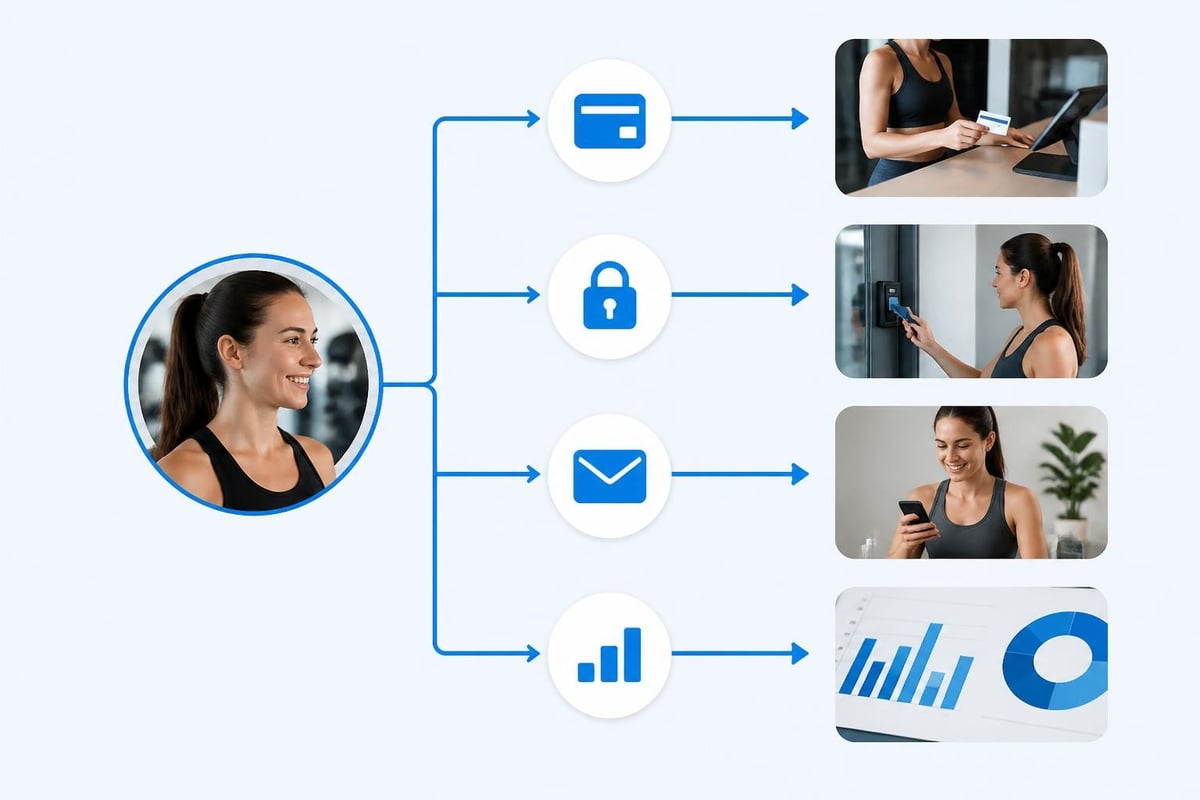
The core idea is simple: enter information once, use it everywhere. When you add a new member family, that information flows to your billing system, your gate access list, your email communications, and your reports. You're not re-entering the same names and addresses in four different places.
The Building Blocks You Actually Need
Here's what matters for running a swim club or similar facility:
- Member database that tracks families, individual swimmers, membership types, and status
- Billing and payment processing that handles dues, initiation fees, guest passes, and late charges
- Check-in tracking so you know who's using the facility and can enforce membership rules
- Automated renewals that remind members before their membership expires and make it easy to pay
- Basic reporting that shows you revenue, attendance patterns, and who owes what
You don't need fancy features that enterprise companies use. You need tools that solve the actual problems you face every day. The swim club management software from PoolPulse focuses on exactly these building blocks without overwhelming you with unnecessary complexity.
What Makes a System Actually Useful
The difference between software that helps and software that creates more work comes down to a few things. First, can you find what you need in under 30 seconds? If you're clicking through five screens to see if someone's membership is current, the system is fighting you.
Second, does it handle the weird exceptions every club has? Maybe you have lifetime memberships, or you give discounts to founding families, or you have a special arrangement with the neighborhood HOA. Your operations management system needs to bend to fit your rules, not force you to change how you've always done things.
Third, can someone who isn't a tech expert use it? The board treasurer who only logs in once a month should be able to pull a financial report without calling you for help.
Setting Up Operations That Actually Flow
Getting an operations management system running isn't about flipping a switch. It's about moving from your current chaos to something organized without losing information or disrupting your season.
The Member Data Foundation
Everything starts with accurate member information. This sounds obvious, but think about what you actually need to know:
| Information Type | Why You Need It | How Often It Changes |
|---|---|---|
| Family contact details | Billing, emergencies, communications | Every season |
| Membership type and status | Gate access, pricing, renewals | Annually or more |
| Payment history | Knowing who's current, forecasting revenue | Weekly during season |
| Emergency contacts | Safety, especially for junior programs | Annually |
| Attendance patterns | Understanding usage, planning improvements | Continuously |
Your operations management system should make it easy to keep all this current without requiring constant manual updates. When someone changes their email address, it updates everywhere automatically.
Connecting Billing to Everything Else
Money tracking is where things usually break down. You have members who pay on time, members who are late, members who forgot, and members who dispute charges. Without a system, you're sending manual reminders, checking payments against a list, and trying to remember who you already contacted.
An operations management system automates the boring parts. It sends reminders before dues are late. It tracks who paid and who didn't. It generates statements automatically. When someone shows up at the gate and their membership expired yesterday, the gate staff knows immediately.
The connection between billing and access is crucial. According to research on data analytics in operations management , organizations that integrate their operational data make better decisions faster. For swim clubs, this means gate staff can see payment status right when checking someone in.
Gate Management That Doesn't Require a Computer Science Degree
Check-ins need to be fast. People are in swimsuits carrying towels and kids. They're not going to stand there while you type their name into a slow system. Your operations management system should let staff check people in with a few taps or a quick card scan.
But speed isn't the only thing that matters. You also need to catch problems before they become confrontations. If someone's membership expired or their payment failed, the system should flag this politely so staff can handle it professionally.

Making Renewals Stop Being a Nightmare
Every swim club faces the same pattern. The season ends, memberships expire over winter, and then spring arrives and you're frantically trying to get everyone renewed before opening day. Meanwhile, some members renewed in January, others are waiting until the last minute, and you've lost track of who's in and who's out.
Automated Renewal Communications
An operations management system should handle most renewal communications automatically. Two months before a membership expires, send a friendly reminder. One month out, send details about the renewal process. Two weeks before expiration, make it urgent. One day after expiration, explain what happens next.
You can set all this up once and let it run. The system knows when each membership expires and sends the right message at the right time. You're not manually tracking dates or wondering who you forgot to contact.
Making Payment Easy
The easier you make it to pay, the more people will actually do it on time. This means online payments, saved payment methods, and the ability to set up autopay for annual renewals. Your operations management system should integrate payment processing so members can renew in literally two clicks.
Some clubs worry about processing fees eating into revenue. But compare the cost of processing fees to the cost of your time chasing late payments, the members you lose because renewal was too complicated, and the stress of starting each season with unclear membership numbers. The revenue recovery features that modern systems offer often pay for themselves by reducing missed payments.
Reports That Actually Answer Your Questions
Board meetings always include the same questions. How many members do we have? Are we on budget? Which members never actually use the pool? How does this year compare to last year? If pulling together answers takes you three days of spreadsheet work, something's wrong.
The Reports That Matter
You don't need 47 different report types. You need a handful of reports that answer real questions:
- Current membership count by type and status
- Revenue vs. budget showing where you stand financially
- Attendance patterns revealing peak times and utilization
- Aging report showing who owes money and for how long
- Renewal tracking indicating how many members have renewed for next season
Your operations management system should generate these automatically. Even better, it should let you schedule them to arrive in your inbox every Monday morning so you always know where things stand.
Seeing Patterns You're Missing
The difference between data and useful information is spotting patterns. An operations management system with decent reporting shows you things like: "Guest passes doubled in July compared to June" or "Families with kids under 5 almost never come on weekday mornings" or "Renewals from longtime members are down 8% this year."
These insights help you make better decisions. Maybe you need more programming for young families in the mornings. Maybe your renewal process is frustrating longtime members. You can't fix problems you don't know exist.
Handling the Exceptions and Special Cases
Every club has unique situations that don't fit standard categories. Maybe you have equity members versus regular members. Maybe you offer different rates for residents versus non-residents. Maybe you have reciprocal agreements with other clubs in your area.
Configurability Matters More Than Features
A system with 200 features you can't customize is less useful than a system with 20 features you can adapt to your needs. Look for an operations management system that lets you define your own membership types, create custom pricing rules, and set up billing arrangements that match your reality.
The highly configurable approach means you're not fighting the software to accommodate how your club actually works. You're not trying to force square pegs into round holes.
The Integration Question
Your operations management system probably isn't the only software you use. You might have an accounting system for overall club finances, a website where members get information, or communication tools for announcements. The question is: how well do these work together?
At minimum, your system should export data in formats your accountant can use. Better yet, it should connect directly to your website so membership information stays current. Research on knowledge management systems and organizational agility shows that connected systems help organizations respond faster to changes and challenges.
Training Your Team to Actually Use the System
You can have the best operations management system in the world, but if your gate staff, board members, and volunteers don't use it correctly, you'll still have chaos. The key is making training so simple that people actually do it.
Keep It Simple and Practical
Don't try to teach everything at once. Start with the three tasks someone needs to do their specific job. Gate staff need to know check-ins and how to handle expired memberships. Board treasurers need to know how to pull financial reports. The membership chair needs to know how to add new members.
Create simple one-page guides for each role. Make short videos showing exactly how to do common tasks. The easier you make it for people to find answers, the less they'll call you asking how to do something.
Documentation That People Will Actually Read
Nobody wants to read a 50-page manual. They want answers to specific questions like "How do I refund a payment?" or "How do I change someone's membership type?" Your documentation should be searchable, with clear titles that match what people are actually trying to do.
Modern swim club software often includes AI-powered insights that can guide users through complex tasks, reducing the training burden on administrators.
Security and Access Control
An operations management system contains sensitive information. Member addresses, payment details, attendance records, and financial data all need protection. But security can't make the system so locked down that people can't do their jobs.
Different Roles Need Different Access
Your gate staff shouldn't be able to change billing amounts. Your treasurer shouldn't need to see individual attendance records unless there's a specific reason. Board members might need read-only access to everything but shouldn't be able to delete member accounts.
Set up roles that match how your organization works:
- Administrators who can do everything
- Billing staff who handle payments and financial reports
- Gate staff who manage check-ins and see membership status
- Board members who view reports but don't change operational data
- Membership chairs who manage member information and renewals
The U.S. Environmental Protection Agency emphasizes the importance of assigning clear responsibility for different program elements, which applies equally to system access management.
Protecting Member Privacy
Member data isn't just sensitive, it's often legally protected. Your operations management system needs to store payment information securely, follow data privacy regulations, and give members control over their information when required.
This doesn't mean you need to become a cybersecurity expert. It means choosing software built by people who take this seriously, with proper security measures already in place.
Switching from Your Current Setup
Moving to a real operations management system means leaving behind whatever patchwork you're using now. That's scary. What if data gets lost? What if something breaks during peak season? What if people hate the new way of doing things?
Planning the Transition
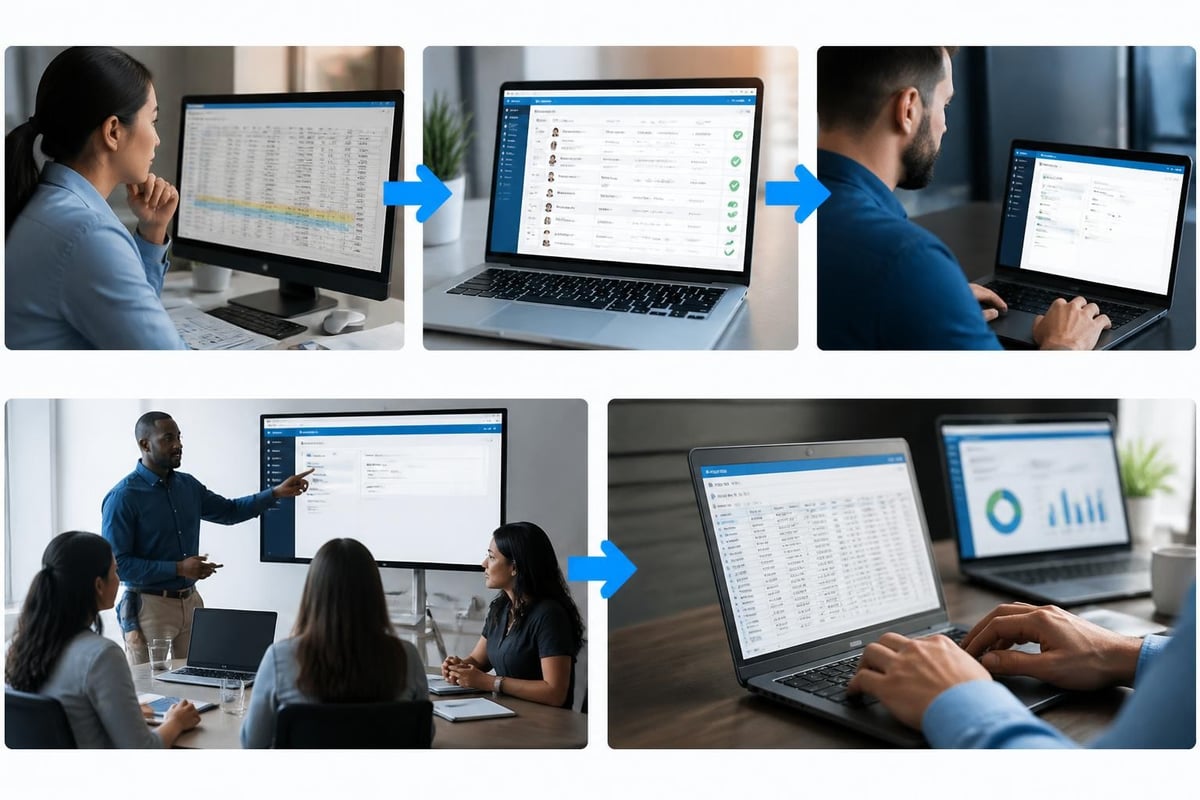
The worst time to switch systems is opening weekend. The best time is during your slow season when you can test everything, fix problems, and train people without pressure. A typical migration timeline runs something like this:
- Clean up your current data (2-3 weeks): Fix duplicate entries, update contact information, verify membership types
- Import and verify data (1 week): Move information to the new system and confirm everything transferred correctly
- Test all workflows (1-2 weeks): Process test payments, do practice check-ins, generate reports
- Train your team (1 week): Get everyone comfortable with their specific tasks
- Run parallel for a bit (2 weeks): Use both old and new systems to catch any issues
- Full cutover (1 day): Make the new system official and retire the old methods
Yes, this takes time. But rushing a migration creates months of problems.
Getting Buy-In from Your Board
Board members who don't use the system daily might not understand why you need it. They see the cost but not the hidden costs of your current approach: your time, missed revenue from failed renewals, members who leave because things are disorganized, and the stress of running everything manually.
Put together real numbers. How many hours do you spend each month on tasks the system would automate? What does your time cost? How much revenue did you lose last year from late or missed renewals? How many member complaints were about billing confusion or access issues?
When you frame it as an investment in reliability and member satisfaction rather than just "new software," the decision becomes clearer.
What Modern Systems Can Do With AI
We're in 2026, and operations management systems are getting smarter in useful ways. Not the hype kind of AI, but practical features that save you real time.
Predictive Insights That Help Planning
Good systems now analyze patterns and help you plan better. They might notice that renewal rates always drop when you send reminders too early, or that certain membership types have higher cancellation rates, or that attendance peaks two weeks later than you thought.
These insights come from the data you're already collecting. The system just spots patterns you'd miss looking at numbers manually. You can use this information to adjust marketing timing, plan staffing levels, or identify members at risk of not renewing.
Automated Communication That Feels Personal
Nobody wants to send 200 individual renewal emails. But nobody wants to receive an obviously mass email that doesn't address their specific situation either. Modern operations management systems can automate communications while still customizing details based on member data.
Someone who's been a member for 10 years gets a different message than someone in their first year. A family that comes twice a week sees different content than a family that barely uses the pool. The system handles this automatically based on the data it already has.
Mobile Access for Modern Operations
Your operations management system probably needs to work on phones and tablets, not just computers. Gate staff might check people in from a tablet at the entrance. You might need to look up member information while standing at the pool talking to someone. Board members might want to check reports from their phone before a meeting.
What Mobile Actually Means
True mobile access isn't just a website that sort of works on a phone. It's an interface designed for small screens, with the most important features accessible in a few taps. Check-ins should be fast enough that you don't slow down member entry. Looking up a payment status should take seconds, not a navigation maze.
The other consideration is offline capability. What happens if your internet goes down on a busy Saturday? Can gate staff still check people in and sync data later, or does everything stop working?
Communication Tools Built Into Operations
Running a club means constantly communicating with members. New policies, schedule changes, event announcements, weather closures, maintenance updates. If your operations management system includes communication tools, you can message exactly the members who need specific information.
Send renewal reminders only to people whose memberships actually expire soon. Announce a new family swim program only to members with kids. Alert everyone who came last Saturday that the pool will be closed next Saturday for maintenance.
This beats sending everything to everyone and hoping people read the one email that applies to them. Studies on Management Information Systems highlight how organized presentation of information improves organizational decision-making and communication.
Measuring System Success
How do you know if your operations management system is actually working? It's not about features checked off a list. It's about whether your daily reality got better.
The Real Metrics
Here's what should improve:
- Time saved: You spend fewer hours on administrative tasks
- Fewer errors: Billing mistakes, access issues, and miscommunications decrease
- Faster renewals: More members renew earlier in the season
- Better attendance tracking: You actually know facility usage patterns
- Reduced stress: You feel more in control and less reactive
Some of these are hard to measure precisely. But you'll know. You'll notice when you're not staying late to reconcile payment spreadsheets. You'll see renewal rates climb. You'll hear fewer complaints about billing confusion.
Getting Ongoing Value
Your operations management system isn't a one-time purchase that solves everything forever. Your club changes. Membership types evolve. Pricing adjusts. Programs come and go. Your system needs to adapt with you.
Look for software that updates regularly with improvements, responds to user feedback, and doesn't charge you extra every time you need to adjust something. The relationship with your software provider matters as much as the software itself.
The American Society of Safety Professionals' approach to management systems emphasizes continuous improvement and adaptation, principles that apply to any operational system.
Common Pitfalls to Avoid
Some mistakes happen so often when clubs adopt an operations management system that they're worth calling out specifically.
Over-Customizing Too Early
Yes, your club has unique needs. But resist the urge to customize everything on day one. Use the system as designed for at least a full season. You might find that what you thought was a necessary customization actually isn't, or that the standard approach works better than your old method.
Customizations add complexity. Every custom field, special rule, or unique workflow makes the system harder to use and maintain. Do it only when there's a clear benefit.
Not Cleaning Data Before Migration
Garbage in, garbage out. If your current member list has duplicate entries, outdated contact information, and members who haven't been active in three years, don't just import everything. Clean it up first. It's painful, but it's necessary.
Start your new system with accurate data, and commit to keeping it that way.
Skipping Training Because "It Seems Simple"
The most expensive mistake is assuming people will just figure it out. Even if the system is intuitive, people need to know where things are, understand the workflow, and feel comfortable before they're on their own.
Schedule training. Make it mandatory. Follow up to confirm people actually know how to do their jobs using the new system. The time you invest in training pays off in reduced support calls and fewer mistakes.
Choosing Based on Price Alone
The cheapest option often creates the most expensive problems. Free systems that require constant workarounds cost you in time and frustration. Poorly supported systems leave you stuck when something breaks. Systems that don't quite fit your needs force you into awkward processes forever.
Price matters, but value matters more. Calculate the real cost including your time, error rates, and member satisfaction. Often the more expensive system is actually cheaper when you factor in everything.
An operations management system transforms how you run your swim club, tennis facility, or HOA pool. The right system reduces daily stress, keeps member information organized, automates billing and renewals, and gives you clear visibility into your operations. If you're still managing your facility with disconnected spreadsheets and manual processes, you're working harder than necessary. PoolPulse offers a modern, AI-powered platform specifically designed for swim clubs and member-driven facilities, with the configurability to match how your club actually operates and the simplicity to make everyone's life easier.

Five Front-Desk Tasks Your Swim POS Should Handle
Your front desk shouldn't need three systems to check in a swimmer. Here's how modern swim POS systems save time and reduce errors.
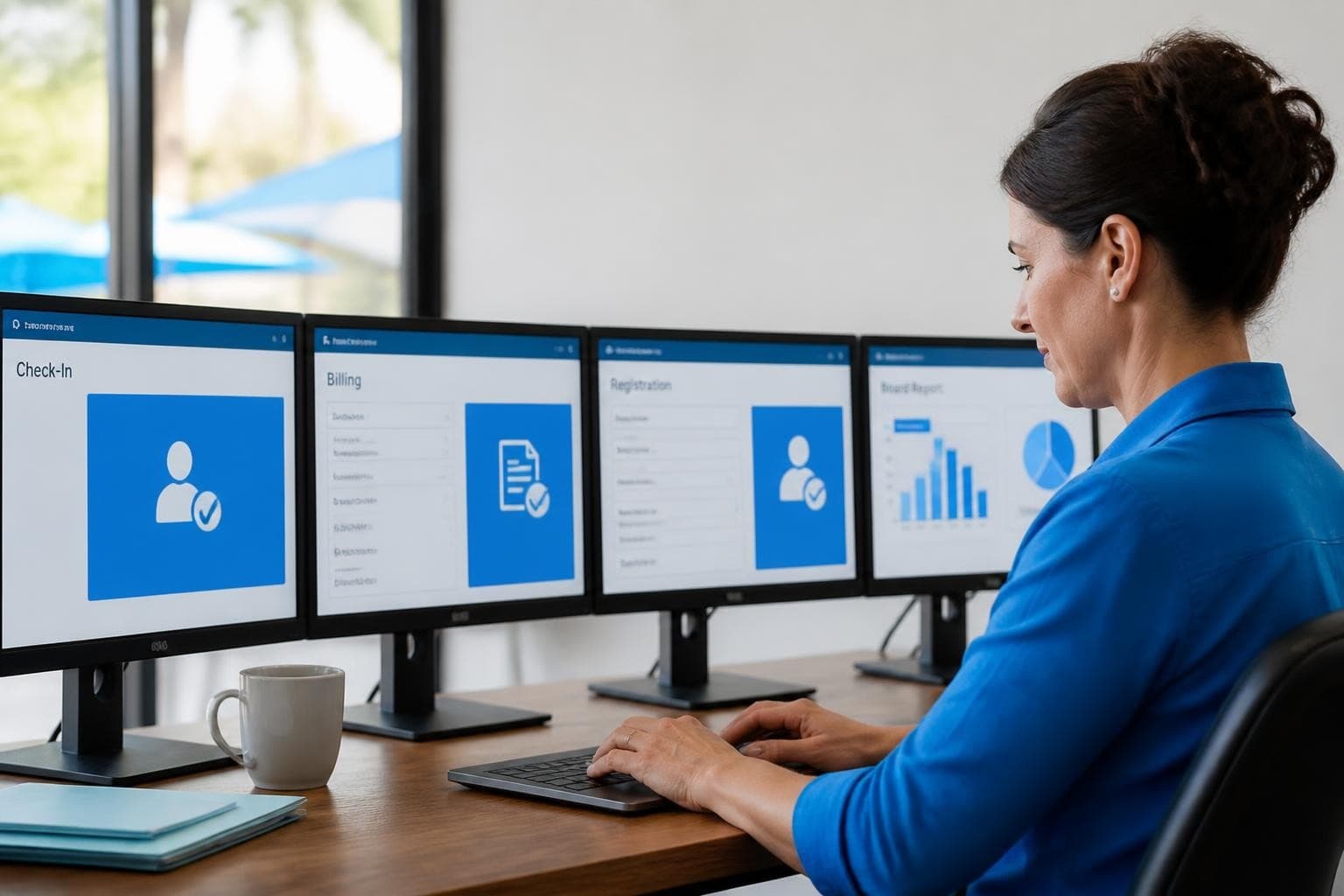
The Swim Club Software Test Every Board Should Run
Run this simple test to see if your swim club software actually saves time or creates more work. Real scenarios, honest questions, better tools.

The Seven Signs You've Outgrown Your Club Operations
Your swim club is growing, but your tools aren't keeping up. These seven warning signs reveal when manual processes cost more than solutions.
Want to see if PoolPulse is a good fit for your club?
Book a walkthrough and we'll show you exactly how PoolPulse can help based on your club's needs, goals, and current processes.